|

|
Processed through Paypal No account required. |








Buy our over-priced crap to help pay the bills.


|
|
Processed through Paypal No account required. |
| Files | ||||
| File Name | Rating | Downloads | ||
 |
DeckCraft v0.8.0 DeckCraft v0.8.0 👉 Create and present slide shows with this free, open-source presentation app. DeckCraft is a presentation app for creating and delivering slide shows. It includes slide masters, themes, layouts, vector shapes, transitions, animations, and presenter view with speaker notes and rehearsal tools. Open and save PowerPoint presentation files, export slides and handouts as vector PDF, or render slides as images. DeckCraft is available as a native app for Windows, macOS, and Linux. Features: • Create slide masters, use eleven layouts, and organize presentations into sections • Choose from eight built-in themes with font and colour schemes • Use presenter view with speaker notes, slide previews, timers, rehearsal timings, and pen drawing • Draw with more than 150 vector shapes, adjustment handles, sticky connectors, curve booleans, gradient fills, and outline styling • Apply slide transitions, including Morph, and use entrance, emphasis, exit, and motion-path animations • Build presentations with by-paragraph animations • Open and save .pptx presentation files • Export vector PDF slides and handouts, or render slides as images • Automate tasks with more than 200 commands, a command-line interface, JSON control channel, and MCP server Supported operating systems: Windows 10 and Windows 11 (64-bit x64, 32-bit x86, and ARM64 builds; ARM64 is listed for Windows 11 on ARM), macOS (Intel and Apple silicon), Linux (x86_64 and ARM64; Flatpak, AppImage, Debian/Ubuntu .deb, Fedora/RHEL/openSUSE RPM Supported languages: English Changes: [v0.8.0 10-18-26] Improved slide editing, presentation compatibility, export, media handling, text editing, chart rendering, and command-line behavior. Added and updated features for slide size, picture editing, SmartArt, presenter view, animations, and transitions. Fixed assorted editing, display, navigation, and stability issues. 👉 This download is for the Windows 64-bit installer version (very bottom of page). All other download assets are below: Windows ARM64: deckcraft-0.8.0-windows-arm64.msi deckcraft-0.8.0-windows-arm64-portable.zip Windows 64-bit: deckcraft-0.8.0-windows-x64-portable.zip Windows ... |
 |
44 | Oct 26, 2026 ArtCraft  |
 |
FreeCellOK v1.06 FreeCellOK v1.06 👉 A lightweight and portable FreeCell solitaire game for Windows. FreeCellOK is a small, easy-to-use FreeCell solitaire game designed for Windows systems. It offers a classic FreeCell experience with a portable option and a multilingual user interface. Features: • Strategic Puzzle Game: All 52 cards are face-up from the beginning – pure strategy gameplay • Smart Gameplay Assists: Automatic hints and warnings for critical moves • Full Control: Every game is winnable through strategic moving of card sequences • Multiple Themes: From the classic green felt table to modern Dark Mode • Automatic Adaptation to high screen resolutions (up to 4K and beyond) • Best Times & Statistics: Track your successes and improvements * Use the AI Player: To recognize strategies and develop into a FreeCell master step by step without frustration. • Play in Easy Mode at the beginning: This allows you to understand the rules and strategies without making many invalid moves. • No Ads – Uninterrupted gaming fun • No Internet Required – Play anytime, anywhere • Full Data Control – All data stays on your PC • Local Storage of all settings and statistics Supported operating systems: • Windows XP, Windows Vista, Windows 7, Windows 8, Windows 10, Windows 11, Windows 12 Supported languages: German, English, French, Bosnian, Croatian, Serbian, Italian, Korean, Spanish, Portuguese Changes: v1.06 05-09-26 • Updating language files in the FreeCell APP • Important tests and adjustments in FreeCellOK-OK for the next Microsoft Windows 11 update/build. Click here to visit the author's website. |
|
808 | Jul 11, 2026 Nenad Hrg  |
|
ImageGlass v10.0.6.906 ImageGlass v10.0.6.906 👉 A lightweight, versatile image viewer for Windows. ImageGlass is a feature-rich, simple-to-use image viewer with a clean, modern interface and support for over 90 image formats, including WEBP, GIF, SVG, PNG, JXL, HEIC, RAW formats and more. Features: • Supports over 90 common image formats • Fast image switching with a clean, minimal interface • Supports animated formats including GIF, WEBP, APNG and SVG • Multi-frame image support with frame navigation tools • Drag-and-drop and clipboard image opening • Six zoom modes including Auto Zoom, Lock Zoom, Scale to Width, Scale to Height, Scale to Fit and Scale to Fill • Full screen, frameless and window-fit viewing modes • Slideshow view with countdown timer • Fast thumbnail previews • Built-in color picker • EXIF metadata viewing with ExifGlass • Basic editing tools including rotate, flip, crop, resize and lossless compression • Custom themes, language packs, icon packs, layout and toolbar options • Keyboard and mouse action customization • External app integration through custom hotkeys • Color management and color channel viewing Supported operating systems: • Windows 10 64-bit version 1809 or later, Windows 11 64-bit Supported languages: Arabic, Armenian, Asturian, Azerbaijani, Belarusian, Bengali, Bulgarian, Catalan, Chinese Simplified, Chinese Traditional, Croatian, Czech, Danish, Dutch, Esperanto, Finnish, French, German, Greek, Hebrew, Hungarian, Icelandic, Indonesian, Irish, Italian, Japanese, Khmer, Korean, Kurmanji Kurdish, Kyrgyz, Lithuanian, Malay, Mongolian, Norwegian Bokmal, Persian, Polish, Portuguese, Brazilian Portuguese, Romanian, Russian, Serbian Cyrillic, Serbian Latin, Sinhala, Slovak, Slovenian, Spanish, Swedish, Tamil, Thai, Turkish, Ukrainian, Vietnamese Changes: v10.0.6.906 09-05-26 New • ImageGlass.SDK updated to 1.2.0 • Bumped plugin ABI version from 1.0.0 to 1.2.0 • Added IGHdrTransferFn.ScRgb photo metadata support for rendering HDR images from codec plugins • Added DecodeStaticRasterScaled API for requesting scaled thumbnail images from codec plugins • Added Linux AppImage package support Improvements • Updated Avalonia to 12.1.2 • Updated Magick.NET to 14.17.1 ... |
|
4,527 | Oct 06, 2026 Duong Dieu Phap  |
|
OpenBlok v0.8.7 OpenBlok v0.8.7 👉 A customizable falling-block puzzle game with multiple modes, rotation systems, and gamepad support. OpenBlok is a cross-platform falling-block puzzle game with configurable gameplay, controls, and themes. Choose from SRS, TGM, or Classic rotation systems, and use ghost pieces, hold pieces, adjustable next-piece previews, wall and floor kicks, and different lock styles. Play Battle, Sprint, or Ultra modes, track your statistics, and enjoy music and sound effects. OpenBlok supports gamepads and runs on desktop systems with Windows or Linux. Features: • Ghost piece and hold piece support • Customizable next-piece previews and delayed auto shift • SRS, TGM, and Classic rotation systems • Wall kicks and floor kicks • Seven-piece bag randomizer • Classic, Extended, and Infinity lock styles • Sonic drop and Zangi-move support • T-Spin and Mini T-Spin recognition • Combo scoring • Battle, Sprint, and Ultra modes • Gamepad support • Music and sound effects • Theme support • Configuration options, menus, and statistics • Embedded Linux support, including systems without X11 Supported operating systems: • Windows • Linux Supported languages: English Changes: v0.8.7 02-11-24 Fixed an error when loading gamepad support files. 👉 This download is for the Windows version (very bottom of page). All other download assets are below: Linux: openblok_v087_linux-x64.AppImage Click here to visit the author's website. |
|
26 | Nov 01, 2026 Matyas Mustoha 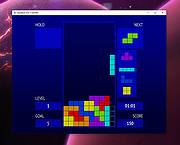 |
|
Pelton v2026.3.2 Pelton v2026.3.2 👉 A privacy-focused open-source email client that keeps your mail under your control. Pelton is a free, open-source desktop email client designed around privacy, speed, and simplicity. Instead of routing your email through third-party services, Pelton connects directly to your existing IMAP and SMTP accounts while storing your data locally in an SQLite database. There is no telemetry, no tracking, and no cloud service standing between you and your email. Built with a modern interface and a keyboard-friendly workflow, Pelton offers fast local searching, offline access, scheduled sending, message snoozing, built-in document previews, customizable themes, and portable configuration backups. Everything runs locally, making it equally suitable for everyday email users and privacy-conscious professionals who want complete control over their communications. Features: • Fast local search using a local SQLite database for instant results, even with large mailboxes. • Cross-platform support for Windows, macOS, and Linux. • Zero telemetry with no tracking or crash reporting. • Connects directly to standard IMAP and SMTP mail providers. • Stores email locally while remaining synchronized with your existing mail provider. • Download messages for offline reading by pinning messages or selecting a date range. • Immediate synchronization using IMAP IDLE for prompt delivery of new mail. • Native desktop notifications for Windows, macOS, and Linux. • Built-in previewer for PDFs, images, and text files. • Snooze messages to return unread at a scheduled time. • Schedule outgoing messages with Send Later. • Export accounts, preferences, and layouts into a portable configuration file. • Eight colored message flags stored locally or synchronized using IMAP keywords. • Extensive customization including themes, layouts, display density, and custom CSS. • Import themes safely with selective importing and automatic removal of remote references. Supported operating systems: • Windows 10, Windows 11 • macOS 13 Ventura or higher (Intel and Apple Silicon) • Linux x86-64 (Debian/Ubuntu, Fedora, and other modern distributions) Supported languages: English, German, French, Dutch, Spanish, Polish Changes: v2026.3.2 08-01-26 • Added ... |
|
270 | Aug 05, 2026 Arne K. 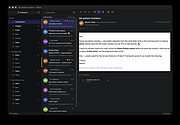 |
| Showing rows 1 to 5 of 5 | Showing Page 1 of 1 | 1 |
OlderGeeks.com Copyright (c) 2026
