|

|
Processed through Paypal No account required. |








Buy our over-priced crap to help pay the bills.



|
|
Processed through Paypal No account required. |
| Files | ||||
| File Name | Rating | Downloads | ||
 |
Anvil Studio v2022.08.03 Anvil Studio v2022.08.03 Create songs with extensive MIDI and Audio editing capabilities. Anvil Studio™ is a free Windows 11, 10 / 8.x / 7 Program designed for people who want to: • record music with MIDI and Audio equipment • compose music for MIDI and Audio equipment • sequence music with MIDI equipment • play with music using a computer, and • print sheet music from standard MIDI files with the optional Print-Sheet accessory. Feature List General • Editors: Staff, Lyrics, Piano Roll, Percussions, Loops, Audio, Events. • File formats: standard .MID and .WAV files. • Includes extensive integrated help. • Piano Roll / Rhythm editor with: -multi-level loops -loops can refer to notes, other loops, samples, or Riffs. -Import, record and edit audio samples and play them like drums. -Any note duration down to 1/128th notes. -Dynamic editing while the song is playing, making it easier to experiment with rhythms. -Duplet, quintuplet, and septuplet notes. • Enter notes from external MIDI device, on-screen guitar fret board, on-screen piano keyboard, or by dragging notes to the staff. • Lyrics, track names, and comments can be in Chinese, Japanese, Korean and other languages. • Percussion editor employs standard percussion notation • Copy and paste between 2 song files by starting two copies of Anvil Studio with different songs loaded. ... |
 |
9,604 | Jan 11, 2023 Willow Software 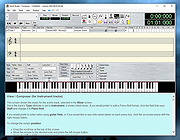 |
|
FotoSketcher v4.10 FotoSketcher Studio v4.10 👉 Turn photos into paintings, sketches, and artistic effects with a free image editing tool. FotoSketcher Studio is a free creative image editor that transforms photos into artwork using artistic effects such as pencil sketches, painting styles, drawing effects, and photo filters. It also includes tools to enhance original images, add frames and text, batch process multiple images, manually retouch selected areas, combine multiple filters, and create custom effects with scripts. It is free to use, including for commercial use. Features: • Turn photos into paintings, sketches, drawings, and photo effects • Includes 14 artistic effects spanning pencil, drawing, painting, and photo filter styles • Batch processing for applying effects to multiple images at once • Manual brush for selectively applying effects to chosen areas of an image • Can improve original photos with contrast, sharpening, luminosity, saturation, and other adjustments • Lets you add simple or realistic frames and text to images • Can combine multiple filters for mixed artistic results • Supports custom effect creation through scripts • Includes Vintage Sepia and Retro Film photo effects in v4.10 • Automatic system language detection with a keyboard shortcut to change interface language • Manual brush panning with CTRL + Left Mouse Button drag • Digitally signed Windows and macOS releases Supported operating systems: • Windows 10, Windows 11 • macOS (Intel, Apple Silicon) Supported languages: • Chinese, German, English, Spanish, French, Italian, Japanese, Korean, Dutch, Polish, Portuguese Changes: v4.10 04-10-26 Batch Processing is Back: By popular demand, you can once again apply your favorite artistic effects to multiple images simultaneously. Access the batch mode window simply by pressing CTRL+B, select your images, choose your effect and parameters, and let FotoSketcher do the rest. Two New Photo Effects: Vintage Sepia and Retro Film effects, perfect for giving your photos that classic, timeless look or a nostalgic old-school film vibe. Expanded Language Support: The interface now includes 14 different languages and features ... |
|
10,526 | Apr 13, 2026 David Thoiron 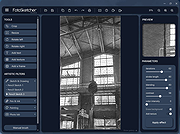 |
|
GB Studio (Fedora) v1.0.0 GB Studio (Fedora) v1.0.0 A free and easy to use retro adventure game creator for the Gameboy. Create Real ROM files Run your games on any compatible emulator, if you've got a flash cart you can play them on a real console! Simple Setup No complicated dependencies to install, just a single application with everything you need to get started. No knowledge required Simple visual scripting means you don't need to have made a game already. GB Studio also hides much of the complexity in building GB games so you can concentrate on telling a great story. Build for the web GB Studio comes with a web based emulator that even works great on mobile. You can quickly export your games to play in a browser or even upload to Itch.io. Visual game builder with no programming knowledge required. Design your graphics in any editor that can output PNG files e.g. Photoshop, Tiled, Aseprite. Example project included to get started right away. Make top down 2D JRPG style adventure games. Build real GB Rom files which can be played in an emulator or on device using USB Carts. Build a HTML5 playable game that also works on mobile and can deployed to any webserver or uploaded to Itch.io. Built for macOS, Windows and Linux. Supports both macOS light and dark mode. Includes the full tools that were used to build Untitled GB Game, free to play on Itch.io. Read the documentation HERE. Click here to visit the author's website. |
|
4,912 | Apr 24, 2019 Chris Maltby 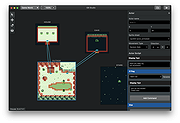 |
 |
GB Studio (MacOS) v1.0.0 GB Studio (MacOS) v1.0.0 A free and easy to use retro adventure game creator for the Gameboy. Create Real ROM files Run your games on any compatible emulator, if you've got a flash cart you can play them on a real console! Simple Setup No complicated dependencies to install, just a single application with everything you need to get started. No knowledge required Simple visual scripting means you don't need to have made a game already. GB Studio also hides much of the complexity in building GB games so you can concentrate on telling a great story. Build for the web GB Studio comes with a web based emulator that even works great on mobile. You can quickly export your games to play in a browser or even upload to Itch.io. Visual game builder with no programming knowledge required. Design your graphics in any editor that can output PNG files e.g. Photoshop, Tiled, Aseprite. Example project included to get started right away. Make top down 2D JRPG style adventure games. Build real GB Rom files which can be played in an emulator or on device using USB Carts. Build a HTML5 playable game that also works on mobile and can deployed to any webserver or uploaded to Itch.io. Built for macOS, Windows and Linux. Supports both macOS light and dark mode. Includes the full tools that were used to build Untitled GB Game, free to play on Itch.io. Read the documentation HERE. Click here to visit the author's website. |
|
4,894 | Apr 24, 2019 Chris Maltby |
|
GB Studio (Ubuntu) v1.0.0 GB Studio (Ubuntu) v1.0.0 A free and easy to use retro adventure game creator for the Gameboy. Create Real ROM files Run your games on any compatible emulator, if you've got a flash cart you can play them on a real console! Simple Setup No complicated dependencies to install, just a single application with everything you need to get started. No knowledge required Simple visual scripting means you don't need to have made a game already. GB Studio also hides much of the complexity in building GB games so you can concentrate on telling a great story. Build for the web GB Studio comes with a web based emulator that even works great on mobile. You can quickly export your games to play in a browser or even upload to Itch.io. Visual game builder with no programming knowledge required. Design your graphics in any editor that can output PNG files e.g. Photoshop, Tiled, Aseprite. Example project included to get started right away. Make top down 2D JRPG style adventure games. Build real GB Rom files which can be played in an emulator or on device using USB Carts. Build a HTML5 playable game that also works on mobile and can deployed to any webserver or uploaded to Itch.io. Built for macOS, Windows and Linux. Supports both macOS light and dark mode. Includes the full tools that were used to build Untitled GB Game, free to play on Itch.io. Read the documentation HERE. Click here to visit the author's website. |
|
4,807 | Apr 24, 2019 Chris Maltby |
|
GB Studio (Windows) v1.0.0 GB Studio (Windows) v1.0.0 A free and easy to use retro adventure game creator for the Gameboy. Create Real ROM files Run your games on any compatible emulator, if you've got a flash cart you can play them on a real console! Simple Setup No complicated dependencies to install, just a single application with everything you need to get started. No knowledge required Simple visual scripting means you don't need to have made a game already. GB Studio also hides much of the complexity in building GB games so you can concentrate on telling a great story. Build for the web GB Studio comes with a web based emulator that even works great on mobile. You can quickly export your games to play in a browser or even upload to Itch.io. Visual game builder with no programming knowledge required. Design your graphics in any editor that can output PNG files e.g. Photoshop, Tiled, Aseprite. Example project included to get started right away. Make top down 2D JRPG style adventure games. Build real GB Rom files which can be played in an emulator or on device using USB Carts. Build a HTML5 playable game that also works on mobile and can deployed to any webserver or uploaded to Itch.io. Built for macOS, Windows and Linux. Supports both macOS light and dark mode. Includes the full tools that were used to build Untitled GB Game, free to play on Itch.io. Read the documentation HERE. Click here to visit the author's website. |
|
4,966 | Apr 24, 2019 Chris Maltby |
|
Jahshaka Studio v0.8.1 (MacOS) Jahshaka Studio v0.8.1 (MacOS) The virtual reality authoring toolkit that was created by artists, for artists. The only way to build and publish virtual worlds. In Jahshaka Studio, you’ll find a creative toolset that integrates VR at a fundamental level, from real-time scene creation to a rich 3D toolset, so you can harness the power you need without the headache. Features virtual reality authoring playback publishing asset management physics particles animation avatars effects kinematics VR world building Studio offers an end-to-end workflow with modules for animation, effects, scene and asset management, previews, playback, materials and avatars. Build virtual worlds, manage the elements that make them up, and easily create mind blowing effects to bring them to life. Click here to visit the author's website. |
|
4,141 | Feb 07, 2020 jahshaka  |
|
Jahshaka Studio v0.8.1 (Windows) Jahshaka Studio v0.8.1 (Windows) The virtual reality authoring toolkit that was created by artists, for artists. The only way to build and publish virtual worlds. In Jahshaka Studio, you’ll find a creative toolset that integrates VR at a fundamental level, from real-time scene creation to a rich 3D toolset, so you can harness the power you need without the headache. Features virtual reality authoring playback publishing asset management physics particles animation avatars effects kinematics VR world building Studio offers an end-to-end workflow with modules for animation, effects, scene and asset management, previews, playback, materials and avatars. Build virtual worlds, manage the elements that make them up, and easily create mind blowing effects to bring them to life. Click here to visit the author's website. |
|
4,309 | Feb 07, 2020 jahshaka |
|
JSON Studio v1.0.0 JSON Studio v1.0.0 👉 A private, lossless desktop workspace for large JSON files. JSON Studio is a free, open source desktop application for working with large JSON files. It enables you to explore, search, query, compare, and inspect JSON, JSONL, and NDJSON files up to 500 MB entirely on your own machine. Designed for developers working with large, sensitive, or precision-critical data, JSON Studio keeps the original data intact by preserving big integers, high-precision decimals, key order, and the original source text without rounding, reordering, or reformatting. The application provides multiple ways to view and analyze JSON data, including tree, raw source, and table views. It features fast searching across keys and values, RFC 9535 JSONPath query support, structural document comparison, JSONL/NDJSON table inspection, inline image previews for supported embedded image formats, and automatic session restoration. Because it runs completely offline, there are no accounts, uploads, telemetry, analytics, or network calls, ensuring your files and settings remain private. Features: • Open JSON, JSONL, and NDJSON files up to 500 MB • Preserves big integers, high-precision decimals, key order, and original source text • Tree, raw source, and table views • Collapse and expand navigation with expand-to-depth support • Syntax highlighting, line numbers, wrapping, and parse error reporting • Fast searching with case-sensitive, whole-field, regular expression, and subtree search options • RFC 9535 JSONPath query support with history, execution timing, and result export • Structural JSON comparison with configurable array matching and optional key-order ignoring • Virtualized table view for JSONL and NDJSON files with field statistics and invalid-row highlighting • Inline preview of embedded PNG, JPEG, GIF, WebP, and SVG images • Multiple document tabs, scratch workspace, session restore, and live file reload • Fully offline operation with no uploads, analytics, telemetry, or network access Supported operating systems: • Windows • macOS • Linux Supported languages: • English Changes: v1.0.0 06-26-26 Initial release. Note: This file has two hits on VirusTotal. We have confirmed ... |
|
157 | Jun 27, 2026 Anton Liberant 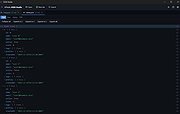 |
 |
Kage Studio v0.7.230723 Kage Studio v0.7.230723 A simple, multi-platform 2D Animation Software for all ages! Kage Studio is a cross-platform 2D Vector Animation Software for Windows, Mac, and Ubuntu GNU/Linux written with GTKmm 3.0 that can export to HTML5 (canvas), PNG sequence, Spritesheet, SVG, video (via FFmpeg -- MP4, MKV, OGV, AVI, MOV), and KonsolScript.. Features • Shape/Motion Tweening • Frame-by-frame Animation • Onion Skinning • Vector Editor • Minimalist/Simplistic UI • Layers • Export to MP4 • Export to MKV • Export to OGV • Export to MOV • Export to AVI • Export to HTML5 • Export to SVG • Export to PNG • Export to Spritesheet Your browser does not support the video tag. This download is for the Windows installer version. All other download assets are below: Windows: kagestudio-0.7.230723_win64.zip (portable) macOS: kagestudio_0.7.230723_mac_x86.zip Linux Debian: kagestudio_0.7-230723_amd64.deb Click here to visit the author's website. |
|
1,617 | Oct 24, 2023 Mj Mendoza IV 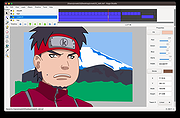 |
|
LM Studio v0.3.36 LM Studio v0.3.36 Your free, local AI toolkit. Run gpt-oss, Qwen, Gemma, DeepSeek on your Windows, Mac or Linux computer. Discover and download open source models, use them in chats or run a local server. LM Studio is free for home and work use. Terms Features: Run LLMs on Your Laptop or PC: Easily run LLMs like Llama and DeepSeek on your computer. No expertise required. Discover New and Noteworthy LLMs: Download and run any compatible llama.cpp or MLX model from Hugging Face. Power Apps Using the Local LLM Server: LM Studio comes with a built-in local server. You can use our SDKs or the OpenAI compatibility API. Chat with Your Local Documents (RAG): Attach PDFs, .docx and other files and process them locally and securely. Cross-platform local AI SDK: LM Studio SDK: Build local AI apps without dealing with dependencies. Changes: v0.3.36 12-18-25 Build 1 Support for Google's FunctionGemma (270M) This download is for the Windows 64bit version (very bottom of page). All other download assets are below: Windows: LM-Studio-0.3.36-1-arm64.exe (Windows ARM64) macOS: LM-Studio-0.3.36-1-arm64.dmg (Mac ARM64) Linux: LM-Studio-0.3.36-1-x64.AppImage (Linux 64bit) LM-Studio-0.3.36-1-arm64.AppImage Click here to visit the author's website. |
|
1,119 | Dec 30, 2025 Element Labs, Inc. 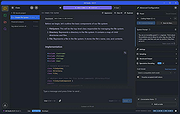 |
|
massCode assistant for Visual Studio Code v1.1.0 massCode assistant for Visual Studio Code v1.1.0 Quick access to massCode app in Visual Studio Abilities Fetch snippets Search snippets Select to paste Create snippets Requirements: massCode v2.4.0 or higher Microsoft Visual Studio About the .VSIX file extension: https://docs.microsoft.com/en-us/visualstudio/extensibility/anatomy-of-a-vsix-package?view=vs-2022 Click here to visit the author's website. |
|
2,652 | Aug 06, 2024 Anton Reshetov 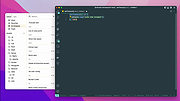 |
|
OBS Studio v32.1.1 OBS Studio v32.1.1 👉 Free and open source live streaming and screen recording software. OBS Studio is software designed for capturing, compositing, encoding, recording, and streaming video content efficiently. It provides a powerful real-time video and audio production environment that allows users to capture gameplay, desktop activity, webcams, and multiple input sources while combining them into professional-looking broadcasts or recordings. OBS Studio uses a scene-based workflow that lets users build complex layouts using sources such as game capture, display capture, window capture, images, text, media files, browsers, webcams, and capture cards. Scenes can be switched instantly or transitioned smoothly during live broadcasts, making it ideal for livestreaming, tutorials, presentations, gaming streams, and video production. The program includes a full audio mixing system with per-source volume controls, filters such as noise suppression and noise gate, and monitoring options for precise audio management. Studio Mode allows creators to preview scene changes before pushing them live, reducing mistakes during broadcasts. OBS Studio also supports hardware-accelerated encoding, customizable streaming and recording settings, hotkeys for fast control, plugin extensions, and integration with major streaming platforms such as Twitch, YouTube, and others. Because it is open source and highly extensible, OBS Studio has become one of the most widely used broadcasting tools for content creators, educators, and professionals. Features: • Free and open source software for live streaming and screen recording • Scene and source based workflow for arranging games, webcams, windows, images, text, and capture devices • Built-in audio and video filters including noise suppression, noise gate, gain, chroma key, crop/pad, color correction, and sharpen • Studio Mode for preparing scene changes before sending them live • Scene transitions such as Fade, Cut, Swipe, Slide, Fade to Color, and Luma Wipe • Hardware encoder support options depending on available system hardware and platform configuration • New Audio Mixer, new Add Source dialog, WebRTC simulcast support, and expanded ... |
|
6,872 | Apr 14, 2026 OBS Project 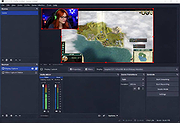 |
|
OpenToonz v1.7.1 OpenToonz v1.7.1 👉 Open-source 2D animation production software. OpenToonz is software for the production of 2D animation, based on Toonz, originally developed by Digital Video S.p.A. in Italy and customized by Studio Ghibli for many years of animation production. It can be used free of charge for both commercial and non-commercial projects, and its source code is available for modification under an open-source license. ©2018 STUDIO PONOC Features: • Professional 2D animation production tools • Based on Studio Ghibli-customized Toonz software • Free for commercial and non-commercial use • Open-source code that can be modified freely • GTS scanning tool for animation workflows • Digital painting with anti-aliased lines • Xsheet and timeline interfaces • Node-tree based effects compositing • Supports raster and vector images • Plug-in effect SDK for adding image-processing effects Supported operating systems: • Windows 7 SP1, Windows 8.1, Windows 10 64-bit • macOS 10.14 Mojave or later Supported languages: English, German, Spanish, French, Italian, Russian, Japanese, Chinese Changes: v1.7.1 05-10-23 This is an urgent patch release fixing the bug "Import / Load Dialogue not working" (#4877) Note: This file has two hits on VirusTotal. We have confirmed these to be false positives. The file is safe. This download is for the Windows 64bit version (very bottom of page). If you need the macOS version, download here. Click here to visit the author's website. |
|
270 | May 27, 2026 DWANGO Co., Ltd. 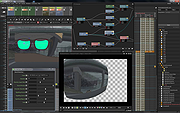 |
|
SMath Studio v0.99.7251 SMath Studio v0.99.7251 Tiny, powerful, free mathematical program with WYSIWYG editor and complete units of measurements support. A "paper"-like interface that teachers love! It provides numerous computing features and rich user interface translated into about 40 different languages. Application also contains integrated mathematical reference book. Application can be easily extended based on your needs. Built-in Extensions Manager tool allows to get access to hundreds official and third-party resources of the following types: usage examples, plug-ins, SMath Viewer based applications, snippets, interface translations, interactive books, handbooks and tutorials. Changes: Version: 0.99.7251 - Beta (released at 2019.11.08) Miscellaneous Calculation error introduced in previous beta version fixed in symbolic engine; Calculation performance improved; Refactoring. Click here to visit the author's website. |
|
5,552 | Dec 05, 2019 Andrey Ivashov 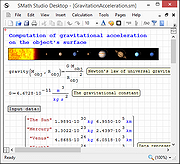 |
|
Synfig Studio v1.4.4 Synfig Studio v1.4.4 Open-source 2D Animation Software for Windows, Linux and MacOSX As you probably know, animation is the rapid display of a sequence of images in order to create an illusion of movement. Traditionally 2D animation is created by drawing each displayed image individually. Those images are called "frames" and thus such method is called "frame-by-frame animation". To create a good illusion of movement you need to draw many frames, that's why this method requires a lot of time and resources. "Synfig Studio" is an open-source 2D vector animation software. It is designed to produce film-quality animation with less people and resources. Synfig Studio is built to eliminate the need to draw each frame individually. There are two techniques for that: Morphing animation Cutout animation Morphing is a technique that takes two images and creates a smooth transition between them. In the process of morphing, one shape is deformed into another and this transformation is usually defined by control points. In Synfig Studio images are constructed from vector shapes and the morphing is done automatically. This allows us to create animations by drawing only the key positions at relatively wide time intervals. You need only to draw a few frames as needed to create a basic sense of motion for the scene, and Synfig Studio will create the in-between frames. Cutout animation is created by splitting objects into parts and applying some simple transformations to them (like translation, rotation or scale) at different moments of time. Synfig Studio uses those values to interpolate the motion for in-between frames. Cutout animation can be produced from bitmap images or vector graphics. Synthesis and other functionalities In both cases the role of Synfig Studio is to fill the gaps between the drawn frames (also called "keyframes") and produce smooth and fluid ... |
|
3,541 | Apr 03, 2023 Synfig 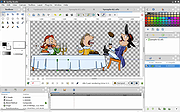 |
|
Visual Code Studio v1.112.0 Visual Code Studio v1.112.0 👉 Lightweight but powerful source code editor with extensive customization and extensions. Visual Studio Code is a free, open-source code editor developed by Microsoft that supports a wide range of programming languages and development workflows. It provides a fast and responsive editing experience with features like intelligent code completion, debugging tools, built-in Git integration, and an extensive extension marketplace. Visual Studio Code is designed to be highly customizable, allowing developers to tailor the editor to their specific needs with themes, keybindings, and plugins. Features: • IntelliSense for smart code completion and suggestions • Built-in debugging tools for multiple programming languages • Integrated Git version control support • Extensive extension marketplace for added functionality • Customizable interface with themes and keyboard shortcuts • Cross-platform support with consistent performance • Integrated terminal for command-line operations • Support for remote development and containers Supported operating systems: • Windows 10, Windows 11 • macOS 10.15 or higher • Linux (Debian, Ubuntu, Red Hat, Fedora, SUSE) Supported languages: English, Chinese, French, German, Italian, Japanese, Korean, Spanish, Portuguese, Russian Changes: v1.112.0 03-18-26 • Chat improvements including better inline chat and code editing workflows • Enhanced AI-assisted coding features and responsiveness • Improvements to source control and merge conflict handling • Editor performance and stability enhancements • Updates to extensions and extension host reliability • UI refinements and accessibility improvements This download is for the Windows 64bit System Setup version (very bottom of page). All other download assets are below: Other Windows: VSCodeSetup-arm64-1.112.0.exe VSCodeUserSetup-x64-1.112.0.exe VSCodeUserSetup-arm64-1.112.0.exe MacOS: VSCode-darwin-universal.dmg Linux: code_1.112.0-1773778351_amd64.deb code_1.112.0-1773778332_armhf.deb code_1.112.0-1773778346_arm64.deb code-1.112.0-1773778396.el8.x86_64.rpm code-1.112.0-1773778377.el8.armv7hl.rpm code-1.112.0-1773778394.el8.aarch64.rpm Click here to visit the author's website. |
|
5,889 | Mar 19, 2026 Microsoft Corp. 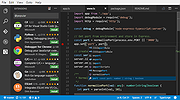 |
| Showing rows 1 to 17 of 17 | Showing Page 1 of 1 | 1 |
OlderGeeks.com Copyright (c) 2026
