|

|
Processed through Paypal No account required. |








Buy our over-priced crap to help pay the bills.



|
|
Processed through Paypal No account required. |
| Files | ||||
| File Name | Rating | Downloads | ||
 |
Cherrytree v1.7.2.1 Cherrytree v1.7.2.1 👉 A powerful hierarchical note-taking application with rich text, syntax highlighting, embedded files, tables, code boxes and extensive organization tools. Cherrytree is a hierarchical note-taking application designed for organizing notes, documentation, research, code snippets, ideas and other information in a structured tree. It combines rich text editing with syntax highlighting, images, tables, code boxes, mathematical equations, embedded files and extensive linking and search capabilities. Documents can be stored in a single XML or SQLite file or as multiple files and directories. Features: • Hierarchical tree structure for organizing notes and documents into nodes and subnodes • Rich text editing with foreground and background colors, bold, italic, underline, strikethrough and monospace formatting • Multiple heading levels plus subscript and superscript formatting • Syntax highlighting supporting numerous programming and scripting languages • Code boxes for keeping source code and other preformatted content inside notes • Insert images directly into notes • Resize and rotate inserted images • Save embedded images as PNG files • Render LaTeX mathematical equations within notes • Embed files directly inside documents and save them back to disk when needed • Create tables directly inside notes • Import and export table data using CSV • Bulleted, numbered and to-do lists • Multi-level lists with indentation support • Hyperlinks to websites, files and folders • Internal links between Cherrytree nodes • Anchors for linking directly to specific locations within notes • Powerful search and replace functions • Search across multiple nodes • Search node names and tags using multiple words • Tree node tags for additional organization and searching • Spell checking support • Automatic URL recognition • Insert current date and time into notes • Insert today's or tomorrow's node • Word count in the status bar, including selected text, code boxes and tables • Node sorting tools for organizing large trees • Drag and drop nodes within the tree • Import content from several other note-taking applications and document formats • Export notes to PDF • Export content ... |
 |
7,780 | Sep 23, 2026 Giuseppe Penone 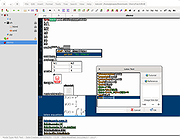 |
|
Social Network Visualizer v3.6 Social Network Visualizer v3.6 👉 Analyze, visualize, and study social network structures and relationships. Social Network Visualizer is an open-source software tool for the analysis and visualization of social networks. It allows researchers, students, and analysts to examine relationships between individuals, organizations, or other entities by modeling them as networks of nodes and connections. The program includes multiple layout algorithms and analytical measures that help reveal patterns, clusters, and influential actors within a network. Social Network Visualizer supports importing networks from several popular formats and provides tools for creating networks manually or generating them through various models. Users can explore network metrics, visualize connections using customizable layouts, and export results for further research or presentation. Features: • Visualize networks using multiple layout algorithms • Calculate network metrics such as centrality, cohesion, and clustering • Import and export networks in common formats (GraphML, Pajek, UCINET, and more) • Generate networks using built-in random graph models • Interactive graph editing and manual network creation • Customizable node and edge visualization styles • Community detection and network analysis tools • Export graphs and results for reports and presentations Supported operating systems: • Windows 7, Windows 8, Windows 10, Windows 11 • macOS • Linux Supported languages: English, Greek Changes: v3.6 05-26-26 This release adds a multi-condition Query Builder filter, subgraph extraction, four new export formats (UCINET DL, GraphViz DOT, weighted and simple edge lists), connected-component colouring, Clustering Coefficient node colouring, and working Bezier curve edges. Analysis of large networks is also noticeably faster — read on for details. Query Builder — multi-condition filtering A new Filter → Filter by Query… action opens the Query Builder dialog. You can add as many conditions as you like (pick an attribute, an operator, and a value), and only nodes or edges matching all of them will be shown. It works alongside the existing Filter Bar — the result appears as a removable chip, just like any other ... |
|
6,685 | Jul 20, 2026 Dimitris V. Kalamaras 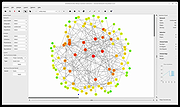 |
 |
TheSage v7.74 TheSage v7.74 👉 A powerful English dictionary and thesaurus with advanced word search and language reference tools. TheSage is a Windows dictionary and thesaurus designed as a comprehensive lexical reference system for the English language. It combines dictionary definitions, examples, pronunciations, etymologies, and a multifaceted thesaurus in one portable application. The program also includes advanced lookup tools such as wildcard and anagram search, phonetic search, rhyme assistance, concordances, online search, and word list management, making it useful for casual users, writers, translators, researchers, and language learners. Features: • Comprehensive English dictionary with definitions, examples, pronunciations, and etymologies • Multifaceted thesaurus with synonyms, antonyms, hypernyms, hyponyms, meronyms, holonyms, and more • Multiple dictionary viewing modes including e-paper, classic, and retro views • Wildcard search with standard and regex support • Anagram search for finding words from letter patterns • Phonetic wildcard search with standard and regex options • Rhyme assistant with full, assonant, and consonant rhyme support • Etymologer with keyword and sense search tools • Concordancer for definition and example searching • Online search integration and word list manager • Portable version available • Runs locally and does not require an Internet connection for dictionary use Supported operating systems: • Windows 10, Windows 11 Supported languages: • English Changes: v7.74 03-24-26 - Updated: Dictionary engine v7.44.6065 - Updated: Internal browser v1.0.3856.49 - New: One-click Word capture library v1.08 Database: - Added: ~195,000 words (as a corpus) in etymologies, transcriptions, definitions, examples, and thesaurus entries - Updated: BibliothecaAI 13.2k/1.82b-experimental Click here to visit the author's website. |
|
2,580 | Mar 27, 2026 Sequence Publishing 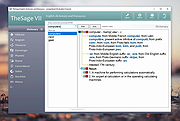 |
|
Zotero v10.0.1 Zotero v10.0.1 👉 A powerful free research assistant for collecting, organizing, annotating, citing and sharing research. Zotero is a free, open-source research and reference manager designed to help you collect, organize, annotate, cite and share research sources. It can manage books, journal articles, reports, web pages, artwork, films, letters, manuscripts, recordings, legal materials and many other types of sources. Each item can contain detailed bibliographic metadata as well as attached PDFs, files, web snapshots, links and notes. The Zotero Connector integrates with supported web browsers to capture research directly from websites. When Zotero recognizes a book, article or other source, it can automatically create the appropriate library item, fill in available metadata, download a full-text PDF when available and attach related links or supplemental files. Zotero can also create items directly from ISBNs, DOIs and PubMed IDs. Research can be organized into collections and tagged for easier retrieval. An item can appear in multiple collections without creating duplicate copies, and saved searches automatically update as new matching material is added. Zotero also provides synchronization between computers and shared group libraries for collaborative research. Features: • Collect books, journal articles, reports, web pages, artwork, films, letters, manuscripts, recordings, legal materials and many other types of research sources • Automatically capture bibliographic information from supported websites using the Zotero Connector • Automatically download full-text PDFs when they are available while saving sources • Save web pages as locally stored snapshots for later viewing, including while offline • Add sources automatically using ISBN, DOI or PubMed ID identifiers • Attach PDFs, images, audio, video and other files to library items • Create rich-text notes attached to individual sources or independent notes • Organize research into collections and subcollections without duplicating library items • Assign unlimited tags to items and use colored tags for quick identification • Quickly search metadata, tags and full-text content • Use advanced searches for ... |
|
184 | Aug 28, 2026 Digital Scholar  |
| Showing rows 1 to 4 of 4 | Showing Page 1 of 1 | 1 |
OlderGeeks.com Copyright (c) 2026
