|

|
Processed through Paypal No account required. |








Buy our over-priced crap to help pay the bills.



|
|
Processed through Paypal No account required. |
| Files | ||||
| File Name | Rating | Downloads | ||
 |
Blender v5.2 LTS Blender v5.2 LTS 👉 Professional open-source 3D creation suite for modeling, animation, rendering, compositing, video editing, and more. Blender is a free, open-source 3D creation suite used by artists, designers, engineers, game developers, educators, and visual effects professionals around the world. It provides a complete production pipeline for creating 3D models, animations, visual effects, motion graphics, simulations, video editing, compositing, scripting, and real-time rendering within a single application. Blender supports industry-standard file formats, a powerful Python API for automation and add-ons, and a highly customizable interface that adapts to virtually any workflow. Blender v5.2 LTS is a Long-Term Support release designed for production environments that require maximum stability. It receives maintenance updates and bug fixes for two years, making it an ideal choice for studios, businesses, schools, and users who prefer reliability over rapidly changing feature releases. Features: • Complete 3D modeling, sculpting, UV editing, and texturing tools • Advanced animation and rigging system with nonlinear animation • High-quality Cycles path-tracing renderer • Real-time EEVEE renderer for fast previews and final rendering • Geometry Nodes for procedural modeling and workflows • Grease Pencil for combining 2D and 3D artwork • Physics simulation for cloth, fluids, smoke, fire, rigid bodies, soft bodies, and particles • Integrated compositor with node-based workflow • Built-in video sequence editor • Motion tracking and camera solving • Python scripting API for automation and add-ons • Asset Browser for managing reusable assets • Import and export support for numerous industry-standard formats • Portable version available with no installation required • Free and open source with no licensing fees Supported operating systems: • Windows 8.1 (64-bit), Windows 10, Windows 11 • macOS 11.2 Big Sur or later (Intel and Apple Silicon) • Linux (64-bit distributions with glibc 2.28 or newer) Supported languages: English, Arabic, Basque, Catalan, Chinese (Simplified), Chinese (Traditional), Czech, Dutch, Finnish, French, German, Hungarian, Italian, Japanese, Korean, Norwegian Bokmεl, Polish, Portuguese, Portuguese (Brazil), Russian, Slovak, Slovenian, Spanish, Swedish, Turkish, Ukrainian, Vietnamese. Changes: v5.2 ... |
 |
9,333 | Jul 16, 2026 Blender Foundation 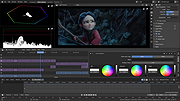 |
 |
Comprehensive Python Cheatsheet Comprehensive Python Cheatsheet A very useful cheatsheet for newbies and seasoned Python programmers. Right click the README.md file and choose open with and then select a web browser. Click here to visit the author's website. |
|
5,443 | Feb 05, 2019 Jure Šorn 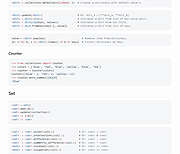 |
|
CudaText v1.234.4 CudaText v1.234.4 👉 Cross-platform, open-source text editor extensible with Python add-ons. CudaText is a cross-platform text editor written in Object Pascal. It is an open-source project that can be used free of charge (including for business use) and is designed to start quickly. CudaText is extensible via Python add-ons, including plugins, linters, code tree parsers, and external tools, and uses a feature-rich syntax parser based on the EControl engine. It starts quite fast (0.5 sec with ~30 plugins on CPU Intel Core i3 3Hz). It is extensible by Python add-ons (plugins, linters, code tree parsers, external tools). Features: • Syntax highlighting for many programming languages • Code folding • Multi-carets and multi-selections • Rectangular selection • Command palette • Tabbed interface • Split view editing (vertical and horizontal) • Side panel with file explorer • Built-in file tree • Built-in FTP client • Project manager • Snippets support • Auto-completion • Code tree (structure view) • Configurable hotkeys • Configurable UI themes • Configurable color themes • Minimap • Status bar with customizable elements • Lexer-specific settings • Session management • Recent files list • Support for large files • Portable mode support • Plugin system based on Python • Add-ons manager to install plugins, lexers, and themes • Console panel for command output • External tools integration • Multiple encodings support • Line endings support (Windows, Unix, Mac) • Bookmarks • Find and replace with regular expressions • Word wrap and non-wrap modes • Customizable indentation settings • Show invisibles • Ruler and margin configuration • Free and open source, including business use Supported operating systems: • Windows (i386, amd64) • Linux (amd64, arm, aarch64) • macOS (amd64, aarch64) • FreeBSD (i386, amd64), OpenBSD (i386, amd64), NetBSD (i386, amd64), DragonFlyBSD (amd64) • Solaris (amd64) • Haiku (i386, amd64) Supported languages: English, Chinese (Simplified), Chinese (Traditional), Czech, French, French (Switzerland), German, German (Austria), Italian, Japanese, Korean, Portuguese, Russian, Slovak, Slovenian, Spanish, Tamil (India), Tamil (Sri Lanka) Find documentation at the CudaText Wiki. Changes: v1.232.2 06-14-26 - fix: regression: "Unprinted chars" dialog lost translation - fix: improve command "delete word previous" when only 1 space ... |
|
5,919 | Jul 05, 2026 Alexey Yu. Torgashin (R.F.) 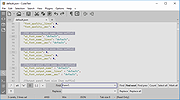 |
|
Enigmak-2.0.0.zip ENIGMAK v2.0.0 👉 Offline multi-round rotor cipher tool for encrypting messages with a 68-symbol alphabet. ENIGMAK is a browser-based cipher machine inspired by the historical Enigma rotor machine, but built on a fundamentally different architecture for educational, research, and general personal use. It runs entirely offline as a single HTML file with no installation, no server, and no network requests, and the project also includes Python and JavaScript implementations. ENIGMAK supports 1 to 13 rotors with irregular key-derived stepping, up to 34 Steckerbrett character-pair swaps, 10 keyboard layouts as substitution tables, key-derived rounds, a keyed diffusion layer, nonce support, embedded message authentication, a key fingerprint, and passphrase-based key representation. The author notes that it has not undergone formal cryptanalytic review and should not be used for classified, medical, legal, financial, or life-critical communications. Features: • 68-symbol alphabet covering uppercase letters, digits, semicolon, and standard special characters • 1 to 13 rotors with irregular key-derived stepping • Up to 34 symmetric Steckerbrett character-pair swaps • Dynamic plugboard and scramble stages from unused keyboard layouts • 10 keyboard layouts used as substitution tables • Key-derived rounds from 1 to 999 • Keyed 68-position diffusion transposition layer • Optional nonce to prevent identical plaintexts from producing identical ciphertexts • Embedded message authentication checksum at a key-derived position • 4-character verbal key fingerprint • Passphrase encoding for key sharing • Live IoC display for statistical feedback • Full offline operation with no dependencies for the main cipher files • Included Python and JavaScript implementations alongside the HTML version • Electron desktop wrapper available for standalone desktop use • Supports only the 68-symbol ASCII alphabet; non-ASCII characters pass through unencrypted Supported operating systems: • Windows • macOS • Linux Supported languages: • English Changes: v2.0.0 04-03-26 Breaking Change Ciphertexts from v1.0.0 are not compatible with v2.0.0. Keys are unchanged; messages encrypted under v1.0.0 must be re-encrypted. Security Fixes (consolidated from rc.1 through rc.3.1) Position whitening layer (rc.1) - a key-derived LCG stream (seed = keySum XOR 0xC0FFEE42, ... |
 |
652 | Apr 03, 2026 Awesomem8112  |
 |
Kivo v0.1.0 Kivo v0.1.0 👉 Lightweight desktop teleprompter with smooth auto-scrolling. Kivo is a lightweight desktop teleprompter that provides a clean, always-on-top overlay for reading scripts during presentations, livestreams, video recordings, and other speaking engagements. It offers smooth automatic scrolling, adjustable speed controls, automatic reloading when the source text changes, and a distraction-free interface to help you stay focused on your content. Features: • Always-on-top frameless window • Modern translucent interface • Draggable overlay • Open plain text (.txt) files • Automatically reloads text when the file changes • Smooth teleprompter-style auto-scrolling • Adjustable scrolling speed • Pause and resume scrolling • Keyboard shortcuts for playback controls • Lightweight, distraction-free design Usage: • Run Kivo.exe • Select a text file of what you want to scroll on screen. Keyboard Shortcuts: • Esc - Close Kivo • Space - Pause/Resume scrolling • ↑ - Increase scrolling speed • ↓ - Decrease scrolling speed Supported operating systems: • Windows 10, Windows 11 Supported languages: English Changes: v0.1.0 06-27-26 First release. Initial MVP of Kivo. Added a frameless always-on-top window. Added a draggable overlay. Added a modern rounded translucent interface. Added text file loading. Added automatic file reloading. Added smooth teleprompter scrolling. Added adjustable scrolling speed. Added pause and resume functionality. Added keyboard shortcuts. Modularized the application into separate window and file selector components. Added the foundation for future settings, global hotkeys, and custom rendering. Note: This file has three hits on VirusTotal. We have confirmed these to be false positives. The file is safe. Click here to visit the author's website. |
|
448 | Jul 01, 2026 Rajtilak Bhattacharjee  |
|
PySolFC v3.6.0 PySolFC v3.6.0 👉 A feature-rich collection of more than 1,200 solitaire and card games. PySolFC is a free, open-source solitaire game collection that includes over 1,200 solitaire, patience, mahjongg, matching, and special card games in a single package. It offers a highly customizable interface with multiple cardsets, backgrounds, sound support, undo/redo, hints, game statistics, and bookmarking. Players can choose from classic games such as Klondike, FreeCell, Spider, and Yukon, along with hundreds of lesser-known variants from around the world. PySolFC is the actively maintained successor to the original PySol project and is available for Windows, macOS, Linux, and other Unix-like operating systems. Features: • Includes more than 1,200 solitaire, patience, mahjongg, and matching games. • Supports hundreds of cardsets and table backgrounds. • Unlimited undo and redo functionality. • Game hints and autoplay options. • Bookmarks allow games to be resumed later. • Tracks detailed player statistics. • Customizable appearance and gameplay options. • Sound support and animated card movement. • Search and filter games by name, type, or skill level. • Open-source and actively maintained. Supported operating systems: • Windows 10, Windows 11 • macOS 11 (Big Sur) or later • Linux • BSD • Other Unix-like operating systems Supported languages: • English, German, Italian, Polish, Russian Changes: v3.6.0 06-13-26 20 new games. Ability to add table tile backgrounds from your own images, through the app itself. Bugfixes and enhancements. This download is for the Windows version (very bottom of page). If you need the MacOS version, download here. If you need the Linux version, download here. The Linux version requires this card set. Download it here. Click here to visit the author's website. |
|
7,324 | Jul 14, 2026 PySolFC 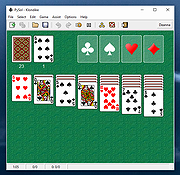 |
| Showing rows 1 to 6 of 6 | Showing Page 1 of 1 | 1 |
OlderGeeks.com Copyright (c) 2026
