|

|
Processed through Paypal No account required. |








Buy our over-priced crap to help pay the bills.



|
|
Processed through Paypal No account required. |
| Files | ||||
| File Name | Rating | Downloads | ||
 |
Converseen v0.15.2.6 Converseen v0.15.2.6 👉 Free and open source batch image converter and resizer. Converseen is a powerful, free, and open source image processing tool that allows you to convert, resize, rotate, and flip large batches of images quickly and efficiently. Built on top of the ImageMagick library, it supports over 100 image formats and provides an easy-to-use interface for handling bulk image operations without requiring advanced technical knowledge. With Converseen, you can process entire folders of images at once, applying consistent transformations such as resizing dimensions, adjusting resolution, or converting file formats. It is especially useful for photographers, designers, and anyone needing to optimize or standardize image collections for web or storage use. Features: • Batch conversion and processing of multiple images • Resize images by dimensions or percentage • Convert between over 100 supported image formats • Rotate and flip images • Compress and reduce image file sizes • Rename output files with customizable patterns • Set output directory for processed images • Change image resolution (DPI) • Preview images before processing • Multithreaded processing for faster performance • Built on the ImageMagick library for broad format support Supported operating systems: • Windows 10, Windows 11 • Linux • macOS Supported languages: English, Italian, Spanish, French, German, Portuguese, Russian, Chinese Changes: v0.15.2.6 07-07-26 - Updated French translation - Various Bugfixes This download is for the Windows 64bit portable version (very bottom of page). All other download assets are below: Other Windows: Converseen-0.15.2.6-1-win64-setup.msi converseen-0.15.2.6-1-win32-portable.zip macOS: converseen-0.15.2.6-1_beta_macos-x86_64.zip Linux: Converseen-0.15.2.6-1-anylinux-x86_64.AppImage Converseen-0.15.2.6-1-anylinux-aarch64.AppImage Click here to visit the author's website. |
 |
3,557 | Jul 11, 2026 Francesco Mondello 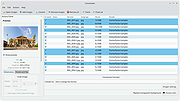 |
 |
digiKam v9.1.0 digiKam v9.1.0 👉 Professional photo management with the power of open source. digiKam is an advanced open-source digital photo management application for importing, organizing, editing, and sharing photos and RAW files. It provides tools for managing large photo collections, editing metadata, tagging and rating images, handling RAW camera formats, previewing media, geolocation, batch processing, export tools, and AI-assisted photo workflows. Features: • Import, organize, and manage massive collections of photos, RAW images, and videos • Supports albums, tags, labels, ratings, comments, and hierarchical organization • Advanced metadata management including EXIF, IPTC, XMP, and GPS geotagging • Integrated map tools for assigning and editing geographic coordinates • Powerful RAW image processing using the Libraw engine • Built-in image editor with cropping, resizing, sharpening, curves, color correction, filters, and restoration tools • Includes Showfoto stand-alone image editor • AI-assisted face recognition and automatic face tagging • AI tools for image quality sorting, aesthetic detection, red-eye correction, and auto-rotation • Batch Queue Manager for automating large-scale image processing operations • Advanced search and filtering using metadata, tags, ratings, colors, and custom properties • Duplicate detection and similarity matching tools • Flexible file renaming with advanced rename templates and date formatting • Side-by-side comparison and new Survey tool for reviewing media collections • Enhanced preview system with exposure indicators, magnifier, gestures, OSD overlays, and color management • Slideshow tools with transition and transparency customization • Versioning support and non-destructive workflow options • Integrated export and sharing plugins for online services and remote storage • Database support using SQLite, MySQL, and MariaDB • Multi-core processing acceleration for thumbnail generation, AI tasks, and database operations • Supports hundreds of digital cameras and image formats Supported operating systems: • Windows 10 or later 64-bit • macOS Silicon 11.3 or later • macOS Intel 10.15 or later • Linux 64-bit AppImage, glibc 2.31 or later Supported languages: • Basque, Brazilian Portuguese, Bulgarian, Catalan, Chinese Simplified, Chinese Traditional, Croatian, Czech, Danish, Dutch, English, Esperanto, Estonian, Finnish, French, Galician, ... |
|
4,288 | Sep 28, 2026 digiKam Team 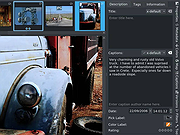 |
|
NegPy v0.59.0 NegPy v0.59.0 👉 Powerful open-source darkroom-style software for converting, processing, repairing and printing scanned film negatives and transparencies. NegPy is a specialized film-processing application designed to turn scanned negatives into finished positives using a non-destructive, darkroom-style workflow. Rather than simply inverting an image, it models film and photographic paper behavior in density space, automatically neutralizes the orange mask and provides Auto Density and Auto Grade controls for establishing useful starting points. It can work with camera scans, dedicated film scanners, RAW and TIFF images, slide film, narrowband and trichrome scans, and specialized scanner formats. NegPy also includes extensive tools for dust repair, dodge and burn, color management, soft proofing, metadata, batch processing and print-ready exporting. Original source files are never modified, with edits and history stored separately in a local database. Features: • Converts scanned film negatives using a film and photographic-paper simulation rather than simple image inversion • Neutralizes the orange mask mathematically using channel sensitometry without requiring camera profiles or border color picking • Models film H&D characteristic curves in density space with toe, linear and shoulder response • Per-frame Auto Density and Auto Grade analyze negatives for automatic brightness and contrast starting points • Darkroom paper profiles provide paper-specific curve shaping, channel gamma and base tint • Dedicated transparency support for positive and slide film with optional normalization for faded or expired film • Process option allows already-finished positive images to bypass unnecessary as-captured lift and highlight roll-off • Supports standard RAW and TIFF files along with specialized formats such as Kodak Pakon scanner RAW files • Direct scanner control for supported film scanners including Plustek and Nikon Coolscan models • Nikon Coolscan strip scanning includes automatic frame detection, roll-wide offset and drift controls, plus individual per-frame registration • Supports 16-bit monochrome TIFF scanning for single-record film • Camera scanning can capture negatives directly from a tethered camera on supported platforms • ... |
|
965 | Sep 17, 2026 marcinz606 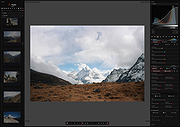 |
| Showing rows 1 to 3 of 3 | Showing Page 1 of 1 | 1 |
OlderGeeks.com Copyright (c) 2026
