|

|
Processed through Paypal No account required. |








Buy our over-priced crap to help pay the bills.



|
|
Processed through Paypal No account required. |
| Files | ||||
| File Name | Rating | Downloads | ||
 |
BES – Battle Encoder Shirasι v1.8.0.39 BES – Battle Encoder Shirasι v1.8.0.39 👉 Limit CPU usage of individual processes to improve system responsiveness and reduce game stuttering. BES – Battle Encoder Shirasι is a lightweight, portable open-source utility that allows you to throttle the CPU usage of individual processes. Instead of allowing a program to consume 100% of your processor time, BES can reduce its CPU usage to a user-defined percentage, making it easier to use other applications while demanding tasks continue running in the background. Originally created as a simple CPU-limiting tool, BES has become popular with gamers and power users for reducing stuttering, preventing certain games from monopolizing CPU resources, and improving responsiveness on older or lower-core-count systems. It requires no installation, stores its settings locally, and can be run directly from any folder or USB drive. Features: • Limit CPU usage for individual processes • Adjustable throttling percentage • Portable with no installation required • Monitor and manage multiple target processes • Watch processes and automatically reapply limits • Command-line support for automation • Optional background image customization • Low resource usage • Open source under the GNU GPL v2 license • Useful for reducing game stutters and improving multitasking Supported operating systems: • Windows XP, Windows Vista, Windows 7, Windows 8, Windows 8.1, Windows 10, Windows 11 Supported languages: • English, French, Japanese, Finnish, Chinese, Russian, German Changes: v1.8.0.39 03-30-25 • Increased the maximum number of watched targets from 8 to 32. Click here to visit the author's website. |
 |
4,952 | Jun 26, 2026 mion 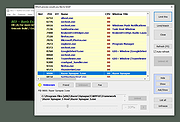 |
|
CPUSetter v1.7.1 CPUSetter v1.7.1 👉 Control CPU cores, hyperthreading, and process CPU usage on macOS. CPUSetter is a macOS utility that lets you control how your Mac's processor resources are used. It can enable or disable CPU cores and hyperthreading on supported processors, apply separate settings for battery and AC power, and limit the CPU usage of individual processes. CPUSetter also includes a process manager for adjusting process priority, viewing running applications, terminating processes, and monitoring system performance with built-in CPU, memory, disk, and network graphs. Administrator privileges are required for hardware-related changes, and a privileged helper tool is installed during first launch. Features: • Enable or disable physical and logical CPU cores • Enable or disable hyperthreading on supported processors • Apply separate CPU settings for battery and AC power • Limit the maximum CPU usage of individual processes • Change process priority (nice value) • Enable or disable throttling of low-priority processes • View and manage all running processes • Terminate running processes • Reveal process executables in Finder • Bring applications to the foreground • Display live CPU, memory, disk, and network performance graphs • Optionally apply saved settings automatically at system startup Supported operating systems: • macOS Big Sur 11.5 or higher Supported languages: English Changes: v1.7.1 12-16-25 • Requires macOS Big Sur (11.5) or later • Updated to Sparkle 2.7.0 • Fixed CPU sampling for hyperthreaded hosts In this screenshot, the Handbrake process has been limited to a maximum of 100% CPU usage (i.e. 1 whole core from the 4 available) and also reduced to a priority of 19. It is constrained as can be seen by it requesting more CPU resource than it is allowed to use. Click here to visit the author's website. |
|
3,537 | Jun 23, 2026 Bryan Christianson 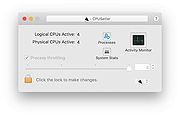 |
|
CurrPorts v2.80 CurrPorts v2.80 👉 Monitor and manage all active TCP/IP and UDP network connections on your Windows PC. CurrPorts is a lightweight network monitoring utility that displays every open TCP/IP and UDP port currently in use on your system. It provides detailed information about each connection, including the local and remote addresses, ports, protocol, process name, process ID, executable path, process version, connection state, and more. The utility is especially useful for troubleshooting network problems, identifying which applications are communicating over the network, monitoring suspicious activity, and diagnosing unwanted Internet connections. CurrPorts allows you to close selected TCP connections, terminate the process that opened them, copy connection details, or export information to HTML, XML, CSV, and text formats. It can also automatically highlight suspicious connections belonging to applications without version information or icons, making it easier to spot potentially unwanted or unknown software. Advanced filtering, logging, automatic refresh, GeoIP location support, command-line operation, and portable use make it a valuable tool for both system administrators and advanced users. Features: • Displays all active TCP and UDP connections in real time. • Shows process name, ID, executable path, version, and file description. • Displays local and remote IP addresses, ports, protocol, and connection state. • Close selected TCP connections without terminating the application. • Kill processes directly from the connection list. • Automatically highlights suspicious connections. • Advanced filtering by process, protocol, address, port, and connection state. • Automatic refresh with configurable intervals. • Logs newly opened and closed connections. • Export connection information to HTML, XML, CSV, tab-delimited text, and clipboard. • Optional GeoIP country, city, and ASN information for remote addresses. • Command-line support for automation and scripting. • Portable executable requiring no installation. • Supports customizable columns, sorting, fonts, and display options. Supported operating systems: • Windows 2000, Windows XP, Windows Server 2003, Windows Server 2008, Windows Vista, Windows 7, Windows 8, Windows 8.1, Windows 10, Windows 11 Supported languages: Arabic, ... |
|
10,863 | Jul 30, 2026 Nir Sofer 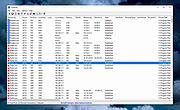 |
|
KCleaner v3.8.2 KCleaner v3.8.2 Closes all unnecessary processes, leaving only the essential ones running. KCleaner is a Windows utility designed to close unnecessary processes and leave only essential ones running. According to the author, it can help remove unwanted or forcibly installed security programs, terminate malicious programs disguised with the same names as Windows system processes, and manage programs that automatically run from various startup locations. It also avoids closing essential drivers such as graphics and sound drivers, and does not terminate trusted antivirus software. Features: • Easily remove unwanted or forcibly installed security programs • Cleanly terminate malicious programs that disguise themselves with the same names as Windows system processes • Conveniently manage programs that automatically run from various locations at startup • Does not close essential drivers such as graphics or sound drivers • Does not terminate trusted antivirus software • Runs as a standalone file with no installation required Supported operating systems: • Windows 10, Windows 11 Supported languages: English, German, Esperanto, French, Italian, Japanese, Polish, Portuguese, Russian, Slovak, Swedish, Thai, Turkish, Vietnamese, Chinese Changes: v3.8.2 10-24-25 - Improved stability under antivirus or restricted permission environments Click here to visit the author's website. |
|
804 | Mar 10, 2026 kilho.net 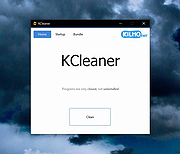 |
|
Microsoft Process Monitor v4.01 Microsoft Process Monitor v4.01 Process Monitor is an advanced monitoring tool for Windows that shows real-time file system, Registry and process/thread activity. It combines the features of two legacy Sysinternals utilities, Filemon and Regmon, and adds an extensive list of enhancements including rich and non-destructive filtering, comprehensive event properties such as session IDs and user names, reliable process information, full thread stacks with integrated symbol support for each operation, simultaneous logging to a file, and much more. Its uniquely powerful features will make Process Monitor a core utility in your system troubleshooting and malware hunting toolkit. Overview of Process Monitor Capabilities Process Monitor includes powerful monitoring and filtering capabilities, including: • More data captured for operation input and output parameters • Non-destructive filters allow you to set filters without losing data • Capture of thread stacks for each operation make it possible in many cases to identify the root cause of an operation • Reliable capture of process details, including image path, command line, user and session ID • Configurable and moveable columns for any event property • Filters can be set for any data field, including fields not configured as columns • Advanced logging architecture scales to tens of millions of captured events and gigabytes of log data • Process tree tool shows relationship of all processes referenced in a trace • Native log format preserves all data for loading in a different Process Monitor instance • Process tooltip for easy viewing of process image information • Detail tooltip allows convenient access to formatted data that doesn't fit in the column • Cancellable search ... |
|
8,083 | Jun 24, 2024 Microsoft Corp. 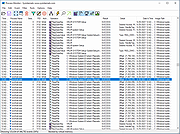 |
|
Nyrna v2.27.2 Nyrna v2.27.2 👉 Suspend and resume games and applications with the push of a button in Windows and Linux. Nyrna lets you suspend games and applications, similar to the suspend mode found on consoles like the Nintendo Switch and Sony PlayStation. It can pause a running game or program, reduce its resource usage, and resume it later without losing your place. It is especially useful for games that cannot normally be paused, as well as for managing long-running tasks like rendering, encoding, or compiling. Nyrna works by suspending a process at the system level, effectively freezing it in its current state. When resumed, the application continues exactly where it left off. It includes a simple Material Design interface, hotkey support for quick toggling, and command-line options for automation. It can also be configured with per-application hotkeys, making it easy to control specific programs without switching windows. Features: • Suspend and resume games instantly • Pause games that do not normally allow pausing • Freeze applications at the system level and resume without losing progress • Reduce CPU and GPU usage while suspended • Useful for cutscenes, checkpoints, or long idle periods • Supports suspending non-game applications such as rendering, encoding, and compiling • Material Design graphical interface • Global hotkey to toggle suspend/resume for the active window • Per-application hotkey configuration • Command line support using -t or --toggle • Lightweight and easy to use • Free and open source • No ads, no telemetry, and no data collection Supported operating systems: • Windows 10/11 • Linux (X11 environments) Supported languages: English Changes: v2.27.2 05-26-26 Bug Fixes • Use latest SDKs when building on Windows • Fixed crash on Windows with Flutter 3.44+ • Fixed hotkey labels on Windows • Initialize system tray before asynchronous work • Don't try to get release notes when the running version is unknown • Set Windows tray tooltip to prevent random characters from appearing Tests • Skip tests on Windows that aren't supported there This download ... |
|
763 | Aug 26, 2026 Kristen McWilliam 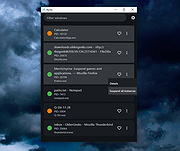 |
|
Process Governor v1.3.1 Process Governor v1.3.1 👉 Automate Windows process and service priority, I/O priority, and CPU affinity rules. Process Governor is a free Python-based Windows utility that automates the management of processes and services by applying user-defined rules for priority, I/O priority, and CPU core affinity. It can be used to fine-tune system responsiveness, control how selected programs use CPU cores, and automatically apply preferred settings to matching processes or services. Features: • Adjust process and service priorities • Control I/O priorities for better resource management • Set CPU core affinity for selected processes • Create rules for processes by name, path, or command line • Create rules for Windows services by service name • Supports wildcards in process and service rules • Optional force mode for continuous rule application • Optional delay before applying rules • View running process details including PID, executable path, service name, and command line • Search, sort, and filter process and service lists • System tray menu with access to settings, config file, log file, updates, startup option, and quit • Open file locations, file properties, and service properties from the process list • Undo, redo, hotkeys, and inline rule editing • Error highlighting for invalid rule entries • Optional auto-start with Windows Supported operating systems: • Windows 10 • Windows 11 Supported languages: English Changes: v1.3.1 04-19-25 Bug Fixes Fixed error messages: Resolved occasional error messages in the garbage collection process. Click here to visit the author's website. |
|
1,028 | Jun 15, 2026 System X - Files 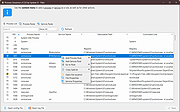 |
|
Process Hacker v3.0.4706 Process Hacker v3.0.4706 A free, powerful, multi-purpose tool that helps you monitor system resources, debug software and detect malware. Graphs and statistics allow you quickly to track down resource hogs and runaway processes. Use Ctrl+I to view system performance information. Move your cursor over a graph to get a tooltip with information about the data point under your cursor. You can double-click the graph to see information about the process at that data point, even if the process is no longer running. Can't edit or delete a file? Discover which processes are using that file. Use Ctrl+F to search for a handle or DLL. If all else fails, you can right-click an entry and close the handle associated with the file. However, this should only be used as a last resort and can lead to data loss and corruption. See what programs have active network connections, and close them if necessary. Use Ctrl+I to view system performance information. Move your cursor over a graph to get a tooltip with information about the data point under your cursor. You can double-click the graph to see information about the process at that data point, even if the process is no longer running. See a hightly detailed overview of system activity with highlighting. Add extra columns to show even more system activity and information! Get real-time information on disk access. This may look very similar to the Disk Activity feature in Resource Monitor, but Process Hacker has a few more features! Get real-time information on disk usage. Enable disk statistics for detailed disk usage information. View detailed stack traces with kernel-mode, WOW64 and .NET support. Hover your cursor over the first column (with the numbers) to view parameter and line number information when available. Get real-time information on network usage. Enable network adapter statistics for detailed information network usage information. Go beyond services.msc: create, edit and control services. By default, ... |
|
6,302 | Mar 24, 2022 Wen Jia Liu 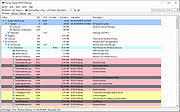 |
|
ProcessKO v6.67 ProcessKO v6.67 👉 Quickly terminate running or frozen Windows processes and programs. ProcessKO is a small, useful tool designed to quickly kill any running or hanging process or program. It is especially helpful for developers, testers, and experienced Windows users who need a faster alternative to opening Task Manager, finding a stuck task, and ending it manually. ProcessKO can also restart programs and create favorites for quickly closing troublesome applications. Features: • Quickly terminates running or hanging processes and programs • Helps avoid the longer manual Task Manager process • Can restart programs directly from within ProcessKO • Lets you create favorites for fast access to frequently terminated tasks • Portable utility that does not require installation • Useful for developers, testers, and advanced Windows users Supported operating systems: • Windows XP, Windows Vista, Windows 7, Windows 8.1, Windows 10, Windows 11 • Windows Server 2016, Windows Server 2019 Supported languages: • German, English, Russian, Swedish, French, Italian, Portuguese (Brazilian), Arabic, Serbian, Chinese Simplified, Greek, Romanian, Slovenian, Dutch, Indonesian, Hungarian, Polish, Vietnamese, Persian, Czech, Spanish, Irish, Spanish (Venezuela), Norwegian, Danish, Turkish, Chinese Traditional, Korean, Japanese, Spanish (Mexico), Bulgarian, Finnish, Spanish (Asturian) Changes: v6.67 05-16-26 Updated language files for ProcessKO—a process terminator for Windows—along with minor corrections for Windows 11, ensure that processes on Windows systems are terminated or closed reliably and without issues. This download is for the Windows 64bit version (very bottom of page). If you need the Windows 32bit version, download here. Click here to visit the author's website. |
|
9,644 | Jul 26, 2026 Nenad Hrg 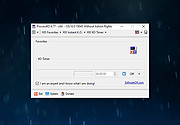 |
 |
Remote Process Viewer v1.3.0.21 Remote Process Viewer v1.3.0.21 Remote Process Viewer is a free remote Windows Task Manager for your network. It displays all processes currently running on a chosen network client. This remote process explorer shows detailed information for all running processes on the remote computer and reveals information such as the process file name, full path, PID (process identifier), RAM, CPU time, Handles, PID of the parent process, user session ID, number of threads and process priority. There is absolutely no installation required. Simply download and run the software. Select a client you want to analyze. Now you see all processes on the remote computer. Remote Process Viewer uses the WMI service built into Windows. This means it does not require any additional software installation on the computers that you are connecting to (agentless monitoring). Features doesn't require installation doesn't require a client agent doesn't write to the registry doesn't modify files outside of its own folder doesn't require runtime libraries isn't adware/spyware 100% free - just remember it comes from file.net :-) System requirements Windows 10, 8, 7, Vista, XP or Windows Server only 0.5 MB free disk space Click here to visit the author's website. |
|
6,199 | Mar 11, 2020 Neuber GmbH 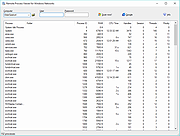 |
|
Svchost Process Analyzer 1.3.0.11 Svchost Process Analyzer 1.3.0.11 Svchost.exe is the most mysterious Windows process. Svchost.exe is a generic host process name for services that run from dynamic-link libraries (DLLs). The authentic svchost.exe file is located in C:\Windows\System32, but numerous viruses and trojans use the same file and process name to hide their activities. The free Svchost Process Analyzer lists all svchost instances and checks the services they contain. This makes it easy to uncover Svchost worms like the infamous Conficker worm. Svchost Process Analyzer is a 100% freeware program from www.neuber.com. There is absolutely no installation required. Simply download and run the software. Features 100% freeware doesn't require runtimes doesn't require installation doesn't write to the registry doesn't modify files outside of its own directories isn't adware System requirements Windows 10, 8, 7, Vista, XP, 2003, 2008 (32/64 Bit) 528 KB free disk space |
|
6,093 | Mar 08, 2017 Neuber Software 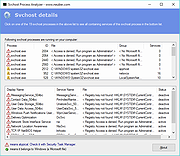 |
|
ThisIsMyFile v4.51 ThisIsMyFile v4.51 👉 Easily unlock or delete locked files and folders on Windows. ThisIsMyFile is a lightweight Windows utility designed to help users unlock, delete, rename, or move files that are locked or in use by the operating system or another application. When Windows refuses to delete or modify a file because it is currently being used, ThisIsMyFile can identify the process that is locking the file and allow you to release the lock so the file operation can proceed. The program provides a simple and portable interface where you can drag and drop a locked file to quickly determine which process is using it. From there, you can unlock the file, terminate the locking process, or delete the file immediately or at the next system restart. ThisIsMyFile is especially useful for troubleshooting stubborn files, removing leftovers from uninstalled software, or handling files that Windows reports as “access denied” or “in use.” ThisIsMyFile does not require installation and can be run directly as a portable tool, making it convenient for technicians and advanced users who need a quick way to deal with locked files without installing additional software. Features: • Unlock files that are currently in use by Windows or other programs • Identify the process that is locking a file or folder • Delete, move, or rename locked files • Option to delete files immediately or on next system restart • Drag-and-drop support for quick file analysis • Portable application with no installation required • Simple and lightweight interface designed for fast troubleshooting Supported operating systems: • Windows 7, Windows 8, Windows 10, Windows 11 Supported languages: German, English, French, Spanish, Hungarian, Turkish, Czech, Chinese Traditional, Russian, Romanian, Polish, Greek, Dutch, Portuguese, Korean, Chinese Simplified, Brazilian Portuguese, Arabic, Italian, Spanish Venezuela, Hindi, Thai, Vietnamese, Welsh, Persian, Hebrew, Malay, Indonesian, Filipino, Norwegian, Ukrainian Changes: v4.51 04-24-26 • Minor bug fixes in the ThisIsMyFile application for Windows 11 ... |
|
7,201 | May 01, 2026 Nenad Hrg 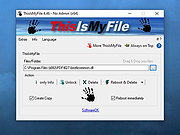 |
|
Yet Another (remote) Process Monitor 2.4.2 Yet Another (remote) Process Monitor 2.4.2 The main purpose of YAPM is to display all informations availables about processes running on a local or remote system, and to update all these informations in real time. The application has four principal windows : the main window : displays the list of opened tasks/processes/jobs/services/TCP-UDP-connections in real time the process detail window : displays in real time all informations about a specific process. Double-click on a process to open this window the service detail window : displays in real time all informations about a specific service. Double-click on a service to open this window the job detail window : displays in real time all informations about a specific job. Double-click on a job to open this window For all lists, it is possible to choose the columns to display. Lots of informations and functions are available, here are the main : Processes YAPM is able to kill (simple kill, kill process tree, kill by 6 different methods), stop, resume, set priority, set affinity of processes (multiple selection), add processes to job, create dump file, reduce WS size...etc. . You can also choose the informations you want to display (more than 50 available). The processes are highlighted depending of their type (system processes, processes in job...). Colors are of course configurable. Services YAPM can shutdown, stop, resume, pause, delete, create and change start type of all services. Changelog CHANGES FROM 2.4.0 * NEW / Improvements - Added massive signature check feature - Now 'Dump memory' feature is implemented and works fine - Now can create snapshot file from command line (-ssfile "FILE_PATH") - Optimized Service enumeration - Added LoadCount information for modules - Added 'Free memory' button (this calls the .Net GC) - x64 systems : added "IsWow64" information (and displays "* 32") - x64 systems : now ... |
|
6,230 | Nov 15, 2019 violent_ken  |
| Showing rows 1 to 13 of 13 | Showing Page 1 of 1 | 1 |
OlderGeeks.com Copyright (c) 2026
