|

|
Processed through Paypal No account required. |








Buy our over-priced crap to help pay the bills.



|
|
Processed through Paypal No account required. |
| Files | ||||
| File Name | Rating | Downloads | ||
 |
Audacity v4.0.1 Audacity v4.0.1 👉 Free, open-source, multi-track audio editor and recorder for recording, editing, mixing and producing audio. Audacity is a powerful, free and open-source audio editor and recorder for Windows, macOS and Linux. It can handle everything from quick voice recordings and simple edits to multi-track music production, podcast creation, audio restoration and more involved sound projects. Audacity provides a visual waveform-based editing environment where audio can be recorded, cut, copied, moved, trimmed and arranged across multiple tracks. Music, speech, sound effects and other recordings can be combined into a single project, with precise control over individual clips and their placement on the timeline. The program includes a wide collection of audio processing tools for adjusting volume, compression, equalization, pitch and tempo. Noise removal and repair tools can help clean up recordings, while delay, reverb, distortion, modulation, fading and other effects provide additional options for shaping sound. Real-time effects can be applied without permanently altering the original audio, allowing settings to be adjusted while continuing to work on a project. Effects can be applied to individual tracks or to the master output. Audacity also includes a plugin manager for enabling, disabling and organizing available effects. Audacity supports third-party plugins and includes support for VST3 and Nyquist effects. Optional FFmpeg support expands compatibility with additional audio formats. Finished projects can be exported to common formats such as WAV, MP3, FLAC and Ogg. The program is useful for recording microphones and other audio sources, digitizing older recordings, cleaning up noisy audio, editing interviews, assembling podcasts, creating sound effects, working with music and preparing finished audio for publishing or archiving. Features: • Record live audio through microphones, mixers and other input devices • Edit and arrange multiple audio tracks within a single project • Cut, copy, paste, trim, split and move audio clips ... |
 |
11,301 | Oct 02, 2026 Audacity 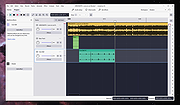 |
|
RSS Guard v5.2.3 RSS Guard v5.2.3 👉 Cross-platform open-source feed reader for RSS, ATOM, JSON and podcast feeds. RSS Guard is a lightweight yet powerful feed reader designed for reading and managing RSS, ATOM, JSON, and podcast feeds in one place. It provides a clean and organized interface that allows users to subscribe to multiple feeds, categorize them, and read articles efficiently. RSS Guard supports both local feed management and synchronization with several online services, making it suitable for users who want to keep track of news, blogs, podcasts, and other syndicated content across multiple devices. The application includes a built-in feed downloader, powerful filtering options, customizable article views, and a flexible plugin architecture. RSS Guard also features advanced feed management tools such as article labeling, filtering rules, and automatic feed updates. Its modular design and open-source nature allow for extensive customization and long-term flexibility, making it a strong choice for users who prefer a privacy-friendly alternative to cloud-based feed readers. Features: • Supports RSS, ATOM, and JSON feed formats • Built-in podcast support with episode management • Feed synchronization with supported online services • Customizable article viewer and reading layout • Powerful filtering and feed processing rules • Feed categories and organizational tools • Built-in feed downloader with automatic updates • Article labeling and tagging options • Plugin-based architecture for extended functionality • OPML import and export for feed migration • Notification system for new feed items • Open-source and privacy-focused design Supported operating systems: • Windows 10, Windows 11 • macOS • Linux Supported languages: English, Czech, German, French, Spanish, Italian, Dutch, Polish, Russian, Chinese, Japanese, Korean, Portuguese, Turkish Changes: v5.2.3 07-23-26 Added: Highlighting the Windows taskbar after feed-fetching errors can now be disabled in settings. Article and feed list titles now use available horizontal space by default. Feed fetching can now be paused or resumed from the tray icon menu. When paused and there ... |
|
5,977 | Jul 24, 2026 Martin Rotter 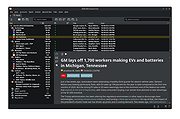 |
| Showing rows 1 to 2 of 2 | Showing Page 1 of 1 | 1 |
OlderGeeks.com Copyright (c) 2026
