|

|
Processed through Paypal No account required. |








Buy our over-priced crap to help pay the bills.



|
|
Processed through Paypal No account required. |
| Files | ||||
| File Name | Rating | Downloads | ||
 |
Kivo v0.1.0 Kivo v0.1.0 👉 Lightweight desktop teleprompter with smooth auto-scrolling. Kivo is a lightweight desktop teleprompter that provides a clean, always-on-top overlay for reading scripts during presentations, livestreams, video recordings, and other speaking engagements. It offers smooth automatic scrolling, adjustable speed controls, automatic reloading when the source text changes, and a distraction-free interface to help you stay focused on your content. Features: • Always-on-top frameless window • Modern translucent interface • Draggable overlay • Open plain text (.txt) files • Automatically reloads text when the file changes • Smooth teleprompter-style auto-scrolling • Adjustable scrolling speed • Pause and resume scrolling • Keyboard shortcuts for playback controls • Lightweight, distraction-free design Usage: • Run Kivo.exe • Select a text file of what you want to scroll on screen. Keyboard Shortcuts: • Esc - Close Kivo • Space - Pause/Resume scrolling • ↑ - Increase scrolling speed • ↓ - Decrease scrolling speed Supported operating systems: • Windows 10, Windows 11 Supported languages: English Changes: v0.1.0 06-27-26 First release. Initial MVP of Kivo. Added a frameless always-on-top window. Added a draggable overlay. Added a modern rounded translucent interface. Added text file loading. Added automatic file reloading. Added smooth teleprompter scrolling. Added adjustable scrolling speed. Added pause and resume functionality. Added keyboard shortcuts. Modularized the application into separate window and file selector components. Added the foundation for future settings, global hotkeys, and custom rendering. Note: This file has three hits on VirusTotal. We have confirmed these to be false positives. The file is safe. Click here to visit the author's website. |
 |
415 | Jul 01, 2026 Rajtilak Bhattacharjee  |
|
OBS Studio v32.2.2 OBS Studio v32.2.2 👉 Free and open source live streaming and screen recording software. OBS Studio is software designed for capturing, compositing, encoding, recording, and streaming video content efficiently. It provides a powerful real-time video and audio production environment that allows users to capture gameplay, desktop activity, webcams, and multiple input sources while combining them into professional-looking broadcasts or recordings. OBS Studio uses a scene-based workflow that lets users build complex layouts using sources such as game capture, display capture, window capture, images, text, media files, browsers, webcams, and capture cards. Scenes can be switched instantly or transitioned smoothly during live broadcasts, making it ideal for livestreaming, tutorials, presentations, gaming streams, and video production. The program includes a full audio mixing system with per-source volume controls, filters such as noise suppression and noise gate, and monitoring options for precise audio management. Studio Mode allows creators to preview scene changes before pushing them live, reducing mistakes during broadcasts. OBS Studio also supports hardware-accelerated encoding, customizable streaming and recording settings, hotkeys for fast control, plugin extensions, and integration with major streaming platforms such as Twitch, YouTube, and others. Because it is open source and highly extensible, OBS Studio has become one of the most widely used broadcasting tools for content creators, educators, and professionals. Features: • Free and open source software for live streaming and screen recording • Scene and source based workflow for arranging games, webcams, windows, images, text, and capture devices • Built-in audio and video filters including noise suppression, noise gate, gain, chroma key, crop/pad, color correction, and sharpen • Studio Mode for preparing scene changes before sending them live • Scene transitions such as Fade, Cut, Swipe, Slide, Fade to Color, and Luma Wipe • Hardware encoder support options depending on available system hardware and platform configuration • New Audio Mixer, new Add Source dialog, WebRTC simulcast support, and expanded ... |
|
7,202 | Aug 19, 2026 OBS Project 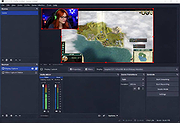 |
| Showing rows 1 to 2 of 2 | Showing Page 1 of 1 | 1 |
OlderGeeks.com Copyright (c) 2026
