|

|
Processed through Paypal No account required. |








Buy our over-priced crap to help pay the bills.


|
|
Processed through Paypal No account required. |
| Files | ||||
| File Name | Rating | Downloads | ||
 |
Filee v2.3.0 Filee v2.3.0 👉 Convert more than 250 file formats offline with a simple drag-and-drop gesture. Filee is a free, open-source file converter that works on your computer. Hold a key, drag one or more files, and drop them onto a matching format in the donut menu that appears at your cursor. Filee converts images, documents, spreadsheets, presentations, PDFs, e-books, video, audio, subtitles, archives, CAD drawings, 3D models, and more. It works offline, does not upload your files, and handles many formats without Microsoft Office or other office software. Features: • Converts more than 250 formats, finding a conversion route between formats automatically. • Converts files individually or in batches, processing multiple files in parallel. • Opens its format menu with a drag gesture, keyboard shortcut, right-click menu, Send To option, or the main window’s drop zone. • Converts files dragged from web pages, including pictures, links, and downloads. • Provides presets for image quality, size, DPI, PDF pages, compression, video, audio, output folders, and file names. • Includes tools to crop, rotate, flip, resize, convert to grayscale, remove backgrounds, merge PDFs, and create ZIP archives. • Watches folders and converts files as they arrive. • Supports command-line conversion of files, folders, and wildcard selections for automation. • Offers optional conversion engines, including FFmpeg, LibreOffice, Calibre, Ghostscript, and Pandoc. • Annotates pictures with arrows, boxes, highlights, freehand lines, text, and numbered markers. • Crops video, removes black bars, places multiple PDF pages on one sheet, and copies or moves files to another folder. • Creates SRT captions from video or recordings, and translates documents, e-books, and subtitles using a local AI model. Supported operating systems: • Windows 10, Windows ... |
 |
75 | Nov 04, 2026 Myeonggu Kim 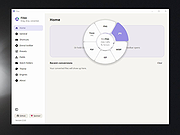 |
 |
FileVoyager v26.9.6.0 FileVoyager v26.9.6.0 👉 A powerful dual-pane file manager and viewer for Windows. FileVoyager is a freeware Orthodox file manager (OFM) for Microsoft Windows that uses a dual-pane layout to make browsing, organizing, comparing, and transferring files easier. It can browse disks, folders, shares, archives, and FTP/FTPS locations in one unified interface, while also offering built-in viewers, archive handling, folder synchronization, file comparison, hashing, and media playback support. Features: • Dual-pane Orthodox file manager layout • Browse disks, folders, virtual folders, shares, archives, and FTP/FTPS locations • Multiple view modes, including report and thumbnail views • Rename, copy, move, link, delete, and recycle files • Pack and unpack ZIP, 7Zip, GZip, BZip2, XZ, Tar, and WIM archives • Unpack ARJ, CAB, XAR, Z, RAR, LZH, LZMA, ISO, WIM, and many other formats • Built-in file and folder comparison • Folder synchronization tools • Duplicate file finder • Advanced search and filtering • Quick preview for many file formats • Multimedia playback using installed codecs, Windows Media Player, and VLC support • Ebook and comic book viewing, including PDF, EPUB, MOBI, FB2, DJVU, CBR, CBZ, and XPS • Syntax highlighting for many source code formats • Hexadecimal and flat file viewing modes • Hash tool with VirusTotal-powered malware report • Dark Mode and customizable themes • Available as Setup or Portable editions • Optional VLC codec packages Supported operating systems: • Windows 10, Windows 11 • Should also run on Windows Vista, Windows 7, Windows 8.x, but these are not tested Supported languages: Arabic, Chinese Simplified, Czech, Danish, Dutch, English, French, German, Greek, Hungarian, Italian, Japanese, Korean, Polish, Portuguese, Portuguese (Brazil), Russian, Slovak, Slovenian, Spanish, Swedish Changes: v26.9.6.0 09-06-26 + New: Viewer: The main new feature in this release is folder analytics in the Viewer, with a dedicated panel providing key metrics and insights about a folder selected. + New: Browse: Added Archive & Unarchive commands in the Central toolbar, under Tools. ~ Chg: Global: Mask labels, visible in the various filter ... |
|
5,829 | Sep 11, 2026 FileVoyager 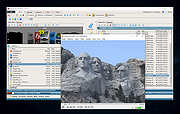 |
| Showing rows 1 to 2 of 2 | Showing Page 1 of 1 | 1 |
OlderGeeks.com Copyright (c) 2026
