|

|
Processed through Paypal No account required. |








Buy our over-priced crap to help pay the bills.



|
|
Processed through Paypal No account required. |
| Files | ||||
| File Name | Rating | Downloads | ||
 |
Dust Racing 2D v2.1.1 Dust Racing 2D v2.1.1 Dust Racing (Dustrac) is a tile-based, cross-platform 2D racing game written in Qt (C++) and OpenGL. Dust Racing comes with a Qt-based level editor for easy level creation. A separate engine, MiniCore, is used for physics modeling. Features 1-2 human players againts 11 challenging computer players 3 difficulty settings: Easy, Medium, Hard Split-screen two player game (vertical or horizontal) Game modes: Race, Time Trial, Duel 2D graphics with some 3D objects Smooth game play and physics Multiple race tracks Finishing in TOP-6 will unlock the next race track Star ratings based on the best positions on each race track Easy to create new race tracks with the level editor Engine and collision sounds Pit stops Runs windowed or fullscreen Portable source code using CMake as the build system Will be forever completely free Playing Controls The key configuration and game mode can be changed in the settings menu. ESC or Q exits the race and also the current menu. P pauses the game. Races In the race modes there are always 12 cars. By finishing in TOP-6 a new track will be unlocked. The record times and best positions are stored separately for each lap count. Pit stops Your tires will wear out as the race progresses. This causes more and more sliding. Fortunately there's a pit (the yellow rectangle). By stopping on the pit your tires will be repaired. Custom track files Dust Racing searches for race tracks in ~/DustRacingTracks/ where you can place your own race tracks. Changelog: Version 2.1.1 02-22-21 New features: Add Turkish translations Bug fixes: Fix GitHub Issue #117: Spelling ... |
 |
7,538 | Feb 22, 2021 Dust Racing 2D 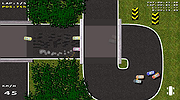 |
 |
NegPy v0.59.0 NegPy v0.59.0 👉 Powerful open-source darkroom-style software for converting, processing, repairing and printing scanned film negatives and transparencies. NegPy is a specialized film-processing application designed to turn scanned negatives into finished positives using a non-destructive, darkroom-style workflow. Rather than simply inverting an image, it models film and photographic paper behavior in density space, automatically neutralizes the orange mask and provides Auto Density and Auto Grade controls for establishing useful starting points. It can work with camera scans, dedicated film scanners, RAW and TIFF images, slide film, narrowband and trichrome scans, and specialized scanner formats. NegPy also includes extensive tools for dust repair, dodge and burn, color management, soft proofing, metadata, batch processing and print-ready exporting. Original source files are never modified, with edits and history stored separately in a local database. Features: • Converts scanned film negatives using a film and photographic-paper simulation rather than simple image inversion • Neutralizes the orange mask mathematically using channel sensitometry without requiring camera profiles or border color picking • Models film H&D characteristic curves in density space with toe, linear and shoulder response • Per-frame Auto Density and Auto Grade analyze negatives for automatic brightness and contrast starting points • Darkroom paper profiles provide paper-specific curve shaping, channel gamma and base tint • Dedicated transparency support for positive and slide film with optional normalization for faded or expired film • Process option allows already-finished positive images to bypass unnecessary as-captured lift and highlight roll-off • Supports standard RAW and TIFF files along with specialized formats such as Kodak Pakon scanner RAW files • Direct scanner control for supported film scanners including Plustek and Nikon Coolscan models • Nikon Coolscan strip scanning includes automatic frame detection, roll-wide offset and drift controls, plus individual per-frame registration • Supports 16-bit monochrome TIFF scanning for single-record film • Camera scanning can capture negatives directly from a tethered camera on supported platforms • ... |
|
954 | Sep 17, 2026 marcinz606 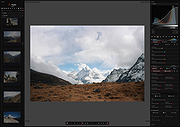 |
| Showing rows 1 to 2 of 2 | Showing Page 1 of 1 | 1 |
OlderGeeks.com Copyright (c) 2026
