|

|
Processed through Paypal No account required. |








Buy our over-priced crap to help pay the bills.



|
|
Processed through Paypal No account required. |
| Files | ||||
| File Name | Rating | Downloads | ||
 |
BitDefender Antivirus Free Edition v27.0.62.352 BitDefender Antivirus Free Edition v27.0.62.352 👉 Free real-time antivirus protection for Windows PCs. BitDefender Antivirus Free Edition provides lightweight, cloud-powered antivirus protection designed to defend Windows computers against viruses, malware, ransomware, phishing attacks, and other online threats. It uses Bitdefender’s award-winning security technologies while maintaining a simple “install and forget” approach that runs quietly in the background without slowing down your system. The program delivers real-time threat detection, automatic malware scanning, web attack prevention, anti-phishing protection, and malicious website blocking. It also includes integrated Bitdefender VPN access with limited daily encrypted traffic for safer browsing. BitDefender Antivirus Free Edition is optimized for gaming, multimedia editing, and other resource-intensive activities by minimizing system impact while maintaining continuous protection. Features: • Real-time antivirus and malware protection • Cloud-powered threat detection • Advanced anti-phishing protection • Malicious website and scam blocking • Automatic security updates • Lightweight system resource usage • Optimized for gaming and multimedia tasks • Integrated Bitdefender VPN with limited daily traffic • Automatic threat remediation and quarantine • Simple install-and-forget interface • Web traffic scanning • Protection against ransomware and online threats Supported operating systems: • Windows 7 SP1, Windows 8.1, Windows 10, Windows 11 Supported languages: English, German, French, Spanish, Italian, Romanian, Dutch, Swedish, Chinese Traditional, Chinese Simplified, Portuguese, English UK, English AU Changes: v27.0.62.352 08-20-26 Fixed an issue where protection review reports included monitored web and email activity even when the related protection features were disabled Fixed an issue where Bitdefender services were not responding at startup Fixed an issue where Bitdefender services could appear unresponsive while the product remained functional Fixed an issue where SecurePass could not remain disabled in Safepay Fixed an issue causing continuous notifications about webcam access Fixed an issue where the verified links counter reset to zero after rebooting on Windows 11 Fixed an issue causing multiple firewall notifications stating that an application had changed Note: BitDefender Antivirus Free Edition requires you to create a free account. Click here to ... |
 |
11,998 | Aug 27, 2026 BitDefender Labs 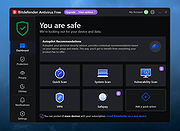 |
 |
Defender Defender Based on the WILLIAMS classic arcade game “DEFENDER”. This version sees all the original baddies and levels and gameplay, but now in 2 graphical flavours… Classic and Enhanced. |
|
8,401 | Apr 25, 2015 MinionSoft 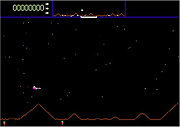 |
|
Defender Control v1.7 Defender Control v1.7 Easily disable/enable Windows Defender in Windows. Defender Control v1.7 Sordum Team | January 25, 2021 | 199 Comments Defender Control App Since Vista,Windows Defender is included with Windows . It’s a small piece of software that runs in the background to help protect ,your computer from malware (malicious software) like viruses, spyware, and other potentially unwanted software. Some spyware protection is better than none, and it’s built in and free! But… if you are already running something that provides great anti-malware protection, defender will probably wasting precious resources , there’s no need to have more than one application running at a time. The problem with all Defender versions in Windows Vista and above is it’s integrated into the operating system and installs by default with no visible or hidden option to uninstall. Many people are looking for ways to disable or remove it from their system as they prefer to use other software , for example on Windows 8 and 10 you cannot turn off Windows Defender completely anymore , A click on Settings in Windows Defender opens the control panel for the program in the new Windows Settings application. You can turn the program’s real-time protection off temporarily, but if it’s off for a while Windows will turn it back on automatically. It is unclear why Microsoft made the decision to change the behavior of Windows Defender in this regard. What is certain however is that it will annoy users who want to disable it permanently on the computer they are working on. Defender Control is a small Portable freeware which will allow you to disable Windows Defender in Windows 10 completely. Defender Control v1.7 – What’s New – (Monday, 25. january 2021) 1. [FIXED] – Defender control doesn’t work properly when Tamper Protection is active 2. [FIXED] – ID Protection prevent to use ... |
|
7,650 | Mar 03, 2021 Sordum.org 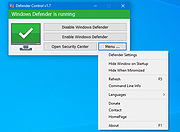 |
|
Defender Exclusion Tool v1.2 Defender Exclusion Tool v1.2 Drag and drop files to exclude from Windows Defender scanning. Regardless of whether you choose Microsoft Defender Antivirus, or a third party antivirus solution you need to be sure these products are not scanning critical File and folders because Occasionally Microsoft Security Essentials or Microsoft Defender cause problems with some Files and folders. Typical issues include slow performance , deleting some necessary files or erratic operation or it may flag a file or folder that you trust as malicious. To work around these problems you can add this kind of files and folders to the list of exceptions. What is new: (Friday, June 4, 2021) 1. [Added] – Language support 2. [Added] – Expor/Import feature 3. [Added] – Option to show all Microsoft Defender exclusions (include group policy) 4. [Added] – Some minor improvements 5. [Fixed] – Defender Injector Name has been changed to Defender Exclusion Tool 6. [Removed] – CMD Parameter support (For security reason) In Windows 10 , there is a new app called Microsoft Defender Security Center . The app, formerly known as “Microsoft Defender Dashboard”, has been created to help the user control his security and privacy settings. You can add any trusted file, file type, folder, or a process to the exclusions list with the following steps ; 1. Open settings Application 2. Choose Update & security 3. Open Windows security 4. Select Virus & threat protection 5. Click Manage settings under the Virus & threat protection settings 6. Click Add or remove exclusions 7. Under Add an exclusion, select the files, folders, file types, or process. You may need to repeat the instructions to exclude other items you don’t want the antivirus to scan to avoid false positives As you see adding exceptions manually through the graphical user interface would be time consuming, tedious and, prone to human error therefore we have coded a portable Freeware ... |
|
3,516 | Jun 09, 2021 Sordum.org 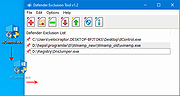 |
|
Microsoft Safety Scanner v1.457.193.0 Microsoft Safety Scanner v1.457.193.0 👉 On-demand malware scanner from Microsoft. Microsoft Safety Scanner is a free security tool designed to find and remove malware from Windows systems. It provides on-demand scanning with the latest malware definitions and is intended to complement, not replace, a full-time antivirus solution. The tool can be run directly after download, making it useful for quick system checks or emergency malware removal. Microsoft Safety Scanner uses the same detection engine as Microsoft Defender and allows users to perform quick scans, full system scans, or customized scans of specific folders and drives. Because it is updated frequently, users must download the latest version each time they want to run a scan, as older versions expire after a limited time. Features: • Uses Microsoft Defender malware detection engine • Quick scan, full scan, and custom scan options • Detects and removes viruses, spyware, and other malicious software • Simple interface for easy operation • Frequently updated definitions for current threats • Can be run alongside existing antivirus software • Ideal for troubleshooting infected systems Supported operating systems: • Windows 10, Windows 11, Windows Server 2016, Windows Server 2019, Windows Server 2022 Supported languages: All languages supported by Windows (uses system language) Changes: v1.457.193.0 08-16-26 Not Provided This download is for the Windows 64bit version (very bottom of page). If you need the Windows 32bit version, download here. Click here to visit the author's website. |
|
6,818 | Aug 16, 2026 Microsoft Corp. 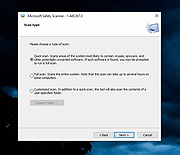 |
|
mssPortable (Microsoft Safety Scanner Portable) v1.457.164 mssPortable (Microsoft Safety Scanner Portable) v1.457.164 👉 Portable malware scanning tool from Microsoft for on-demand threat detection and removal. mssPortable is a portable version of the Microsoft Safety Scanner. It's a standalone security utility designed to scan for and remove malware from Windows systems without requiring installation. It provides a quick and reliable way to check a system for viruses, spyware, and other malicious software using the latest Microsoft threat definitions. Because it is portable, it can be run from a USB drive or other external media, making it ideal for troubleshooting infected systems or performing secondary scans alongside existing antivirus software. The tool does not offer real-time protection and is intended for manual, on-demand use. Features: • Fully portable with no installation required • Uses Microsoft’s latest malware definitions for accurate detection • Quick, full, and custom scan options • Detects and removes viruses, spyware, and other malicious software • Can be run alongside existing antivirus programs • Ideal for emergency cleanup and second-opinion scans • Simple interface for fast operation • Expires 10 days after download to ensure updated threat definitions Supported operating systems: • Windows 7, Windows 8, Windows 10, Windows 11 Supported languages: English Changes: v1.457.164 08-14-26 Not Provided Click here to visit the author's website. |
|
782 | Aug 16, 2026 Microsoft & PortableApps.com |
|
Windows Defender Offline 32bit Windows Defender Offline 32bit What is Windows Defender Offline? Sometimes, malicious and other potentially unwanted software, including rootkits, try to install themselves on your PC. This can happen when you connect to the Internet or install some programs from a CD, DVD, or other media. Once on your PC, this software might run immediately, or it might run at unexpected times. Windows Defender Offline can help remove such hard to find malicious and potentially unwanted programs using definitions that recognize threats. Definitions are files that provide an encyclopedia of potential software threats. Because new threats appear daily, it's important to always have the most up-to-date definitions installed in Windows Defender Offline. Armed with definition files, Windows Defender Offline can detect malicious and potentially unwanted software, and then notify you of the risks. To use Windows Defender Offline, you need to follow four basic steps: 1) Download Windows Defender Offline and create a CD, DVD, or USB flash drive. 2) Restart your PC using the Windows Defender Offline media. 3) Scan your PC for malicious and other potentially unwanted software. 4) Remove any malware that is found from your PC. Windows Defender Offline will walk you through the details of these four steps when you're using the tool. If you've been prompted in Microsoft Security Essentials or Windows Defender to download and run Windows Defender Offline, it's important that you do so, to make sure that your data and your PC isn't compromised. To get started, find a blank CD, DVD, or USB flash drive with at least 250 MB of free space and then download and run the tool—the tool will help you create the removable media. Note We recommend that you download Windows Defender Offline and create the CD, DVD, or USB flash drive on a PC ... |
|
6,989 | Nov 29, 2019 Microsoft 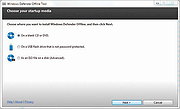 |
|
Windows Defender Offline 64bit Windows Defender Offline 64bit What is Windows Defender Offline? Sometimes, malicious and other potentially unwanted software, including rootkits, try to install themselves on your PC. This can happen when you connect to the Internet or install some programs from a CD, DVD, or other media. Once on your PC, this software might run immediately, or it might run at unexpected times. Windows Defender Offline can help remove such hard to find malicious and potentially unwanted programs using definitions that recognize threats. Definitions are files that provide an encyclopedia of potential software threats. Because new threats appear daily, it's important to always have the most up-to-date definitions installed in Windows Defender Offline. Armed with definition files, Windows Defender Offline can detect malicious and potentially unwanted software, and then notify you of the risks. To use Windows Defender Offline, you need to follow four basic steps: 1) Download Windows Defender Offline and create a CD, DVD, or USB flash drive. 2) Restart your PC using the Windows Defender Offline media. 3) Scan your PC for malicious and other potentially unwanted software. 4) Remove any malware that is found from your PC. Windows Defender Offline will walk you through the details of these four steps when you're using the tool. If you've been prompted in Microsoft Security Essentials or Windows Defender to download and run Windows Defender Offline, it's important that you do so, to make sure that your data and your PC isn't compromised. To get started, find a blank CD, DVD, or USB flash drive with at least 250 MB of free space and then download and run the tool—the tool will help you create the removable media. Note We recommend that you download Windows Defender Offline and create the CD, DVD, or USB flash drive on a PC ... |
|
7,140 | Nov 29, 2019 Microsoft |
| Showing rows 1 to 8 of 8 | Showing Page 1 of 1 | 1 |
OlderGeeks.com Copyright (c) 2026
