|

|
Processed through Paypal No account required. |








Buy our over-priced crap to help pay the bills.



|
|
Processed through Paypal No account required. |
| Files | ||||
| File Name | Rating | Downloads | ||
 |
CoolerControl v4.3.1 CoolerControl v4.3.1 👉 Monitor and control cooling devices, fan curves, RGB lighting, and system temperatures on Linux. CoolerControl is a powerful Linux application for monitoring and managing your PC's cooling hardware from a single modern interface. It combines support for standard hardware monitoring with advanced fan and pump control, custom temperature sensors, RGB lighting management, dashboards, and automation profiles. CoolerControl works with many motherboard sensors, GPUs, AIO liquid coolers, and other supported devices through Linux hardware monitoring frameworks and supported back-end services. The application provides real-time monitoring of temperatures, fan speeds, pump speeds, voltages, utilization, and other hardware statistics while allowing you to create custom fan curves based on multiple temperature sources. Built-in dashboards, profiles, and automation make it easy to optimize cooling for quiet operation, gaming, or maximum performance. Features: • Monitor CPU, GPU, motherboard, storage, and other hardware sensors • Create custom fan and pump curves • Control supported RGB lighting devices • Build custom dashboards for system monitoring • Create and switch between cooling profiles and modes • Use multiple temperature sources for intelligent fan control • Support custom sensors and calculated values • View real-time graphs and historical statistics • Configure alerts and advanced device settings • Support supported liquid coolers, fan controllers, and motherboard sensors • Automatic detection of supported hardware • Modern desktop interface with dark theme support • Includes both desktop application and background daemon Supported operating systems: • Arch Linux • Debian 12 Bookworm or higher • Fedora • NixOS • openSUSE Tumbleweed • Ubuntu 22.04 or higher Supported languages: English Changes: v4.3.1 05-23-26 Added True Duty Mapping calibration for RPM-reporting fans and pumps. Added automatic kick-in boost detection during calibration with configurable behavior. Added disconnected fan and diagnostic reporting during calibration. Added calibration popover with duty-to-RPM relationship graph. Added reset button for Table View statistics. Added quick-menu links for creating Dashboards and Modes. Changed Table View statistics to span the full daemon runtime. Fixed Dashboard time axis display when changing filters in smaller windows. Installation: This download includes ... |
 |
1,224 | Jul 09, 2026 Guy Boldon 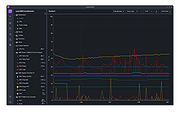 |
 |
Emmabuntus Debian Edition 4 v1.00 Emmabuntus Debian Edition 4 v1.00 Distribution for refurbished computers and GNU/Linux discovery for all Emmabuntus is a desktop GNU/Linux distribution based on Debian Stable on XFCE, made specifically for refurbished computers destined for humanitarian organisations, and to promote the discovery of GNU/Linux by beginners, as well as to extend the lifespan of hardware and to reduce over consumption and waste in electronics. It strives to be beginner-friendly and reasonably light on resources so that it can be used on older computers. It also includes many modern features, such as a large number of pre-configured programs for everyday use, dockbar for launching applications, easy installation of non-free software and media codecs, and quick setup through automated scripts. The Emmabuntus refurbishing key allows you to recondition all kinds of computer by directly cloning a system pre-configured by Emmabuntus. Instructions here. Tutorials for Emmabuntόs Debian Edition 4: https://emmabuntus.org/tutoriels/ Environment Debian 11 " Bullseye " under XFCE : A variant of Debian, taking the same basic concepts, being lighter than the version under GNOME , being able to be installed on quite old computers, and with poor performance hardware. LXQt : Complementary environment included in this version to extend the possibilities of machine reconditioning. Cairo-Dock : Animated application launch bar (or dock , like Mac OS X ) making all the software described below accessible on the desktop. In this version the dock is available in the following 8 languages: English (En) French (Fr) Spanish (Es) Arabic (Ar) German (De) Italian (It) Portuguese (Pt) Danish (Da) The Software Browsers Firefox-ESR : Mozilla Firefox ESR Falkon ... |
|
3,346 | Aug 06, 2024 Emmabuntus 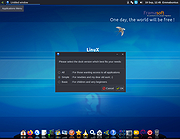 |
 |
Input Remapper v2.2.1 Input Remapper v2.2.1 👉 Remap keyboards, mice, gamepads and other Linux input devices. Input Remapper is an easy to use Linux tool for changing the behavior of your input devices. It supports X11, Wayland, key combinations, programmable macros, joysticks, wheels, triggers, keyboard keys, mouse movements and more. It can map nearly any input to another input, making it useful for custom controls, accessibility tweaks, gaming setups and fixing awkward device layouts. Features: • Remap keyboards, mice, gamepads, joysticks, wheels and other input devices • Supports X11 and Wayland • Create key combinations and programmable macros • Map keys, buttons, triggers and mouse movements • Useful for gaming controls, accessibility needs and custom Linux workflows • Autoload mappings for connected devices • Preset based setup for different devices and layouts Supported operating systems: • Linux • Ubuntu 22.04 or higher • Debian • Fedora • Arch Linux • Void Linux Supported languages: English, Chinese Traditional Changes: v2.2.1 06-12-26 Various important fixes for gamepads Fix similar devices stealing the injection on autoload Preserve forwarded mouse DPI metadata during injection Add zh_TW Traditional Chinese locale Added Void Linux to install instructions Restrict 99-input-remapper.rules to event nodes Fix the .desktop reference in metainfo Fix XDG_CONFIG_HOME being ignored pyproject.toml, new build tool Switch to dasbus Use raw string literals for regexes New icon Add hint for permission problems to logs if device not found Code quality improvements This download is for the Linux Debian version (very bottom of page). Install on other Linux versions: Ubuntu/Debian repository: sudo apt install input-remapper Input Remapper 2.0 and higher requires at least Ubuntu 22.04. Fedora: sudo dnf install input-remapper sudo systemctl enable --now input-remapper Arch: yay -S input-remapper-git sudo systemctl enable --now input-remapper Void Linux: sudo xbps-install -S input-remapper sudo ln -s /etc/sv/input-remapper /var/service sudo sv up input-remapper Other distros: Install packages providing these dependencies: python3-evdev 1.3.0 or higher, gtksourceview4, python3-devel, python3-pydantic, python3-dasbus and python3-psutil. sudo pip install evdev pydantic dasbus PyGObject git clone https://github.com/sezanzeb/input-remapper.git cd input-remapper sudo python3 -m install --root / sudo systemctl enable --now input-remapper Uninstall from source install: sudo python3 -m install.uninstall Click here to visit ... |
|
454 | Jun 30, 2026 Tobi Sezanzeb 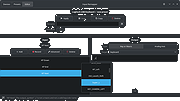 |
|
Lilidog v26.06.05 Lilidog v26.06.05 👉 Lightweight Debian Trixie-based Linux distro using the Openbox desktop environment. Lilidog is a lightweight, full-featured Linux distribution based on Debian Trixie. It uses the Openbox window manager with tint2, Thunar, xfce4-terminal, custom themes, useful desktop tools, and a ready-to-use selection of applications. Lilidog is designed to stay fast and simple while still offering a polished daily-driver desktop experience. The Lilidog Trixie build includes a polished Openbox desktop, welcome utilities, theme customization tools, application installers, and a carefully selected software package lineup intended to provide a fast yet comfortable Linux experience. Features: • Based on Debian Trixie • Lightweight Openbox desktop environment with tint2 panel integration • Includes Firefox web browser and LibreOffice productivity suite • Ships with Geany text editor and xfce4-terminal • Thunar file manager with custom right-click actions • Jgmenu application launcher with desktop customization support • Fastfetch and inxi system information utilities included • Optional window managers available through built-in installer scripts • Theme switching tools for icons, GTK themes, cursors, and wallpapers • Welcome utility providing quick access to setup and maintenance tools • Optional software installers for Ghostty, VirtualBox, Snap, Google Earth, and more • Picom compositor support with transparency and visual effects • Conky chooser with multiple desktop monitoring layouts • Dunst notification system integration • Audio and multimedia playback support included • Debian package compatibility with apt package management • Lightweight resource usage suitable for older and modern hardware • Custom desktop scripts and utilities for daily system management Supported operating systems: • Linux x86_64 Supported languages: English Changes: v26.06.05 06-05-26 Updated Lilidog Trixie ISO build. README.md updated for this release. Create bootable USB flash drive: Use Rufus or Live-usb-maker to create a bootable flash drive. Click here to visit the author's website. |
|
2,813 | Jun 09, 2026 sleekmason 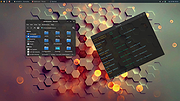 |
|
Why Can't I Connect? 32 bit Linux debian 1.12.3 ==Official Mirror== Why Can't I Connect? 32 bit Linux debian 1.12.3 "Why Can't I Connect?" makes it easier to resolve TCP/IP connection errors. Use it to diagnose connections to common server types (Microsoft SQL Server, MySQL Server, FTP, SFTP, IMAP, POP3, SMTP, IRC, LDAP, Usenet) and create generic TCP/IP clients and / or servers. “Why Can't I Connect?” is currently supported in Windows and Linux. "Why Can't I Connect?" Features: Network debugging Network diagnostics Email connection debugging Database connection debugging LDAP connection debugging Internet relay chat connection debugging Usenet connection debugging Network intrusion detection Change Info: Release 1.12.3 In this release: 1. Fixed a bug that would occasionally freeze the application when attempting to create a secure connection with an unsecured port. 2. Fixed a bug where "Advanced" sockets where not supporting secure connections. |
|
8,583 | Aug 15, 2019 Chris Ohmstede 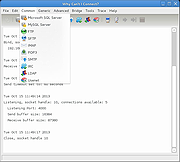 |
|
Why Can't I Connect? 64 bit Linux debian 1.12.3 ==Official Mirror== Why Can't I Connect? 64 bit Linux debian 1.12.3 "Why Can't I Connect?" makes it easier to resolve TCP/IP connection errors. Use it to diagnose connections to common server types (Microsoft SQL Server, MySQL Server, FTP, SFTP, IMAP, POP3, SMTP, IRC, LDAP, Usenet) and create generic TCP/IP clients and / or servers. “Why Can't I Connect?” is currently supported in Windows and Linux. "Why Can't I Connect?" Features: Network debugging Network diagnostics Email connection debugging Database connection debugging LDAP connection debugging Internet relay chat connection debugging Usenet connection debugging Network intrusion detection Change Info: Release 1.12.3 In this release: 1. Fixed a bug that would occasionally freeze the application when attempting to create a secure connection with an unsecured port. 2. Fixed a bug where "Advanced" sockets where not supporting secure connections. |
|
8,538 | Aug 15, 2019 Chris Ohmstede |
| Showing rows 1 to 6 of 6 | Showing Page 1 of 1 | 1 |
OlderGeeks.com Copyright (c) 2026
