|

|
Processed through Paypal No account required. |








Buy our over-priced crap to help pay the bills.



|
|
Processed through Paypal No account required. |
| Files | ||||
| File Name | Rating | Downloads | ||
 |
12-Ants v6.91 12-Ants v6.91 👉 Add a swarm of animated ants to your Windows desktop for a little harmless fun. 12-Ants is a tiny freeware desktop decoration that fills your screen with animated ants crawling across the Windows desktop. The ants can interact with your mouse pointer in several ways, including attacking it, fleeing from it, reacting only when the pointer moves, or simply strolling around on their own. You can customize the number of ants displayed, their movement speed, size, color and transparency. Despite potentially putting a sizable colony on your screen, the program is designed to consume very few system resources. It is also portable, so it can be run directly from a folder or USB drive without installation. Features: • Displays animated ants crawling around the Windows desktop • Choose from five different ant movement algorithms • Ants can attack the mouse cursor • Ants can attack the cursor only when it moves • Ants can flee from the mouse cursor • Ants can flee only when the cursor moves • Ants can simply stroll around the desktop • Adjustable number of desktop ants • Adjustable ant movement speed • Adjustable ant size • Change ant colors, including red, black and green • Optional transparency • Low system resource consumption • Portable operation with no installation required • Can be carried and run from a USB drive • Installer and portable packages are available • Supports both 32-bit and 64-bit Windows Supported operating systems: • Windows 7, Windows 8, Windows 8.1, Windows 10, Windows 11 • Windows Server 2012, Windows Server 2016, Windows Server 2019, Windows Server 2022, Windows Server 2025 • 32-bit and 64-bit Windows Supported languages: German, English, French, Traditional Chinese, Korean, Greek, Italian, Spanish (Colombia), Russian, Simplified Chinese, Arabic, Romanian, Japanese, Afrikaans, Swedish, Danish, Norwegian, Dutch, Thai, Vietnamese, Hindi, Portuguese, Spanish, Spanish (Venezuela), Finnish, Bosnian/Croatian/Serbian Changes: v6.91 04-24-26 • Verification of Desktop BUGs on next MS Windows 11 Build • Small adjustments for Windows 11 • ... |
 |
6,347 | Sep 03, 2026 Nenad Hrg  |
|
Customizable Remote Administration Panel v2.0.6 Customizable Remote Administration Panel v2.0.6 Build a windows command line launcher that can be used to do remote work from your computer as well as having local buttons. Features Allows separators and linebreaks. Variable history. Add/Delete variable favorites. Allows some macros to be inserted where a path should go. (Usable in image path, command prefix and suffix.) (e.g. <appdir> for application directory and a few others.) Supports bmp, gif, jpg, png, exe, dll, and cpl files for button icons. (Right click the image file “…” button to see a pre built list of some.) Supports multiple layout files. (May have to select your button layout upon first load if you are still using 1.x versions.) Layout Link button type which will load another layout from a button in addition to the built in menu for switching layouts. Now includes a help file written by Tim Parsons as of 2.0.6 build 1. Requirements .NET 4.0 Click here to visit the author's website. |
|
4,194 | Jul 13, 2020 Carroll Dearstone 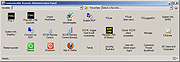 |
|
Data Crow v5.1.4 Data Crow v5.1.4 👉 A powerful open-source media cataloging and collection management application. Data Crow is a highly customizable cataloging application designed to help users organize and manage virtually any type of collection. It allows you to catalog movies, music, books, software, games, comics, photographs, tools, wines, contacts, and custom collections using flexible templates and user-defined fields. Data Crow can automatically retrieve information from online services, helping populate collection entries with detailed metadata, images, and descriptions. Built with flexibility in mind, Data Crow supports advanced searching, filtering, lending administration, barcode support, and extensive export/import capabilities. Users can create completely custom modules to track nearly anything, making it useful for both personal collectors and professional inventory management. The software also supports multi-user environments and includes reporting tools for generating detailed collection summaries. Features: • Catalog movies, books, music, software, games, comics, contacts, and more • Create fully customizable collection modules and fields • Automatically download item details and cover artwork from online sources • Advanced search, filtering, and sorting capabilities • Barcode scanning and lending administration support • Import and export data in multiple formats • Generate customizable reports and statistics • Store images, attachments, and detailed notes • Multi-user database support for shared collections • Built-in loan tracking for borrowed items • Cross-platform Java-based application • Extensive plugin and scripting support Click here to view the documentation. Supported operating systems: • Windows 7, Windows 8, Windows 10, Windows 11 • macOS • Linux Supported languages: English, Dutch, German, French, Spanish, Portuguese, Italian, Polish, Russian, Chinese, Japanese Changes: v5.1.4 06-18-26 • Fixed missing time components for creation and modification timestamps on new installations. • Fixed the advanced filter dialog in server-to-client mode for Books, TV Series, and several other modules. • Added the /login/status/unsecure API endpoint for Data Crow Reader v1.1 automatic login detection. • Google Books searches now direct users to create a free API ... |
|
10,157 | Jul 03, 2026 Robert Jan Van Der Waals 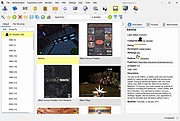 |
 |
Emacs v31.1 Emacs v31.1 👉 Powerful, extensible text editor and productivity environment. Emacs is a highly extensible and customizable text editor from the GNU Project for programming, writing, system administration, and general productivity. At its core is an interpreter for Emacs Lisp, a programming language that allows virtually every part of the editor to be customized or extended. Emacs provides editing modes for a huge range of programming and markup languages, syntax highlighting, code navigation, compilation and debugging tools, version control integration, powerful search and replacement, multiple buffers and windows, shells, file management, email and news capabilities, and an extensive package ecosystem. Its popular Org mode provides outlining, note-taking, task management, scheduling, document authoring, and publishing tools. Features: • Extensible and customizable through Emacs Lisp • Editing modes for numerous programming, scripting, markup, and human languages • Syntax highlighting, automatic indentation, code navigation, and completion • Integrated compilation and debugging tools • Built-in version control interfaces • Powerful search, replacement, and regular expression support • Multiple buffers, windows, frames, and customizable window layouts • Built-in package management for installing additional functionality • Org mode for notes, outlines, tasks, scheduling, authoring, and publishing • Integrated shell and terminal capabilities • File and directory management with Dired • Keyboard macros and extensively customizable key bindings • Support for right-to-left and bidirectional text • Extensive Unicode and international character support • Runs in graphical environments or text terminals Supported operating systems: • Windows 11, Windows 10, Windows 8/8.1, Windows 7 and earlier Windows NT-family versions • macOS • GNU/Linux, including Debian/Ubuntu, Fedora/Red Hat, Arch Linux, openSUSE and other distributions • FreeBSD, NetBSD, OpenBSD • GNU/Hurd • Haiku • Android 2.2 through Android 15.0, including free Android derivatives such as Replicant • Solaris • MS-DOS, FreeDOS Supported languages: Arabic, Azerbaijani, Bulgarian, Bengali, Catalan, Czech, Danish, German, Greek, Esperanto, Spanish, Farsi/Persian, Finnish, French, Hebrew, Croatian, Indonesian, Italian, Japanese, Korean, Kurdish, Malayalam, Norwegian Bokmεl, Dutch, Norwegian Nynorsk, Polish, Brazilian Portuguese, Romanian, Russian, Slovak, Albanian, Serbian, Tamil, Thai, Tagalog, ... |
|
735 | Aug 25, 2026 Free Software Foundation, Inc. 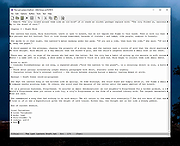 |
|
foobar2000 v2.25.10 foobar2000 v2.25.10 👉 Advanced freeware audio player with tagging, conversion, replay gain, and customizable playback features. foobar2000 is an advanced freeware audio player designed for playing mainstream audio formats out of the box, with support for additional decoder components, gapless playback, advanced tagging, Audio CD ripping, transcoding, ReplayGain, internet radio, customizable keyboard shortcuts, and a flexible component architecture for extending functionality. Features: • Plays all mainstream audio formats out of the box • Supports additional decoder components for more formats • Gapless playback • Stream music on your local network • Easily customizable user interface layout • Advanced tagging capabilities • Audio CD ripping and audio transcoding • Full ReplayGain support • Customizable keyboard shortcuts • Built-in DSP effects with support for more through components • Internet radio support • Open component architecture for third-party extensions • No telemetry or data collection Supported operating systems: • Windows 7 or newer • macOS 11 Big Sur or newer Supported languages: • English Changes: v2.25.10 06-26-26 Windows: Improved implementation of built-in UPnP Media Renderer, implemented gapless playback compatible with popular UPnP control apps. Enabled discovery of OpenHome UPnP devices as output devices. Enabled TLS v1.3 encryption for HTTPS connections. Fixed Ogg/Opus files with single chapter not showing correct track numbers. Fixed Direct2D visualizations getting stuck after GPU driver reinitialization. Updated 7-Zip library to 26.01. Updated UnRAR library to 7.2.6. macOS: Improved implementation of built-in UPnP Media Renderer, implemented gapless playback compatible with popular UPnP control apps. Enabled discovery of OpenHome UPnP devices as output devices. Enabled TLS v1.3 encryption for HTTPS connections. Fixed Ogg/Opus files with single chapter not showing correct track numbers. Updated 7-Zip library to 26.01. Updated UnRAR library to 7.2.6. Android: Fixed Ogg/Opus files with single chapter not showing correct track numbers. Restored display of total playlist length in playlist summary. If your playlist doesn’t show it, duplicate it then delete old copy. Improved SMB read throughput over high-latency connections. Updated 7-Zip library to 26.02. Updated UnRAR library to 7.2.7. Bug-fixed interaction with file browser apps. iOS: Fixed Ogg/Opus files with single chapter ... |
|
6,691 | Jul 26, 2026 foobar2000.org 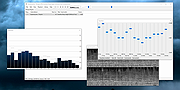 |
|
Tablacus Explorer v26.6.11 Tablacus Explorer v26.6.11 👉 Customizable tabbed file manager with extensive add-on support. Tablacus Explorer is a portable, open source tabbed file manager for Windows that supports add-ons, multiple languages, Unicode, customizable menus, keys, mouse gestures, aliases, and extra columns such as total file size and labels. It is designed for users who want a highly flexible alternative to standard Windows File Explorer. Features: • Tabbed interface • Add-on support • Completely portable with no installation required • Multiple language and Unicode support • Extra columns including total file size and label • Customizable associations, menus, keys, mouse gestures, and aliases • Open source • Available in both 32-bit and 64-bit versions Supported operating systems: • Windows XP, Windows Vista, Windows 7, Windows 8, Windows 8.1, Windows 10, Windows 11 Supported languages: English, Japanese, Spanish, Korean, German, Greek, French, Italian, Portuguese, Russian, Simplified Chinese, Traditional Chinese, Turkish Changes: v26.6.11 06-11-26 • Added ARM64 support. (Backup recommended) • Added an ARM64 version of Tablacus Explorer. • The developer does not have a Windows ARM device, so this build has not been tested by the developer. • Windows ARM users can download tearm_260611.zip, extract it over their existing installation, and run TEARM64.exe. • The developer is requesting feedback from ARM64 users about whether the build works correctly or if any problems occur. Click here to visit the author's website. |
|
6,979 | Aug 14, 2026 Gaku 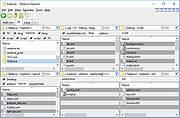 |
|
Work by Speech v3.0 Work by Speech v3.0 Control and work on your Windows computer by speech alone. Work by Speech is a Windows app that allows efficient computer use by speech alone. It includes voice commands for common actions, application switching and opening, custom voice commands, macro recording, dictation mode and speech-controlled mouse control. Features: • Work on a computer by speech alone • Quiet speaking support • Application switching and opening by speech • Built-in voice commands for common actions • Custom voice commands management • Macro recording • Separate dictation mode • Speech-controlled mouse actions • Customizable and movable mousegrid with up to 2550 figures • Automatic mousegrid optimization for every used application • Very low processor usage • Works with any microphone • Requires .NET Framework 4.7.2 or higher • Requires administrator rights for mouse clicking and key pressing in administrator-run apps Supported operating systems: • Windows 7 SP1, Windows 8.1, Windows 10, Windows 11 Supported languages: • English Changes: v3.0 07-19-26 Fixed a Smart Mousegrid bug occurring after updating from version 2.7 or earlier to versions 2.8 or 2.9, or from version 2.6 or earlier to versions 2.7, 2.8, or 2.9. Note: This program requires administrator rights to run (without them mouse clicking and keys pressing by speech would not work in apps that were run as administrator). Click here to visit the author's website. |
|
491 | Jul 21, 2026 Mikolaj Magowski 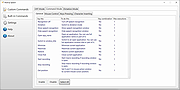 |
| Showing rows 1 to 7 of 7 | Showing Page 1 of 1 | 1 |
OlderGeeks.com Copyright (c) 2026
