|

|
Processed through Paypal No account required. |








Buy our over-priced crap to help pay the bills.



|
|
Processed through Paypal No account required. |
| Files | ||||
| File Name | Rating | Downloads | ||
 |
CoolTerm v2.4.0 CoolTerm v2.4.0 👉 Easy-to-use serial port terminal for communicating with connected hardware. CoolTerm is a simple serial port terminal application, with no terminal emulation, for hobbyists and professionals who need to exchange data with devices connected to serial ports, such as servo controllers, robotic kits, GPS receivers, microcontrollers, and other hardware. Written in Xojo. Features: • Multiple concurrent connections on separate serial ports • Display received data as plain text, hexadecimal, or graphic chart • Special receive and transmit character handling • Send data by keypress, Send String dialog, copy/paste, or file transfer • Send text and binary files by dialog or drag-and-drop • Capture received data to text or binary files • Local echo for transmitted and received data • Hardware and software flow control • Visual line status indicators • Manual control of RTS, DTR, and serial BREAK • Configurable character, line, and packet delays • Transmit macros, saved connection options, and scripting support Installation CoolTerm comes without an installer and can be placed anywhere on the hard-drive as long as the correct folder structure is maintained. I.e. the included "Libs" and "Resources" folders must reside in the same location as the CoolTerm application. Supported operating systems: Windows 8.1, 10, 11 macOS Mojave 10.14.x and higher Changes v2.4.0 05-19-25 NEW FEATURES: - Added the same "wait for termination string" options to the timestamp settings for received data as for captured data. This makes it possible to specify the termination string to wait for before timestamping and displaying received data. - Added option to include the timestamps added to received data in the data forwarded to other terminals. - Added support for relative and local paths in .CoolTermSession files. Paths beginning with .. and . will be considered relative and local paths, respectively. Saving a session will write absolute paths for all open terminals to the session file. However, a session file can be edited with a text editor and paths can be ... |
 |
3,977 | May 07, 2026 Roger Meier 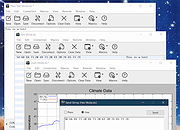 |
 |
Gamepad Tester .NET v19.5.0.0 Gamepad Tester v19.5.0.0 Test controller buttons, triggers, thumbsticks, vibration, and headset audio. Gamepad Tester is a Windows gaming utility for checking Xbox and PlayStation controllers for possible hardware problems, including buttons, triggers, thumbsticks, vibration motors, and headset audio output. Features: • Tests controller buttons, triggers, and thumbsticks • Checks vibration motors • Headset audio pass-through tester • Supports Xbox and PlayStation controllers • XInput/DirectX based engine • Portable, Lite, and Microsoft Store versions available • Code-signed files • Donationware Supported operating systems: • Windows 8, Windows 10, Windows 11 Supported languages: English Changes: v19.5.0.0 Not provided. Click here to visit the author's website. |
|
780 | Jun 05, 2026 OMID SOFT 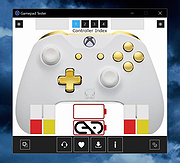 |
|
Intel 82801DBM AC\'97 ICH4-M Audio Controller Driver Intel ICH4-M 82801DBM SigmaTel STAC9767 Codec Driver for Windows XP |
 |
10,132 | Jul 17, 2009 Intel |
|
Intel(r) 82801ba/bam AC\'97 Audio Controller Driver Intel(r) 82801ba/bam AC\'97 Audio Controller Driver ac974026.exe |
 |
10,245 | Aug 02, 2009 Intel |
|
XBox One Controller Battery Indicator v1.3.1 XBox One Controller Battery Indicator v1.3.1 A tray application that shows a battery indicator for an Xbox-ish controller and gives a notification when the battery level drops to (almost) empty. It was originally written for the XBox One controller since Microsoft dropped all visual hints for low battery, but it should work with any gamepad that can be addressed via XInput (which should be all controllers that work in XBox-controller-enabled games). When more than one controller is present, the tray icon will cycle through the status display every 5 seconds. When a controller reaches low battery level, a notification is displayed. Controllers reported as working/being recognized so far: XBox Series X/S + dongle XBOne S + dongle XBOne S + Bluetooth XBOne Elite + dongle XBOne + dongle XB360 Currently known issues/limitations: Series X/S controllers connected via Bluetooth won't report any or a completely wrong battery level. This seems to be an issue with Microsofts BT implementation and I can't do anything about it. See Issue #49 for details. initial recognition of a newly connected controller can take a while. It will be displayed as "waiting for battery level data" at first but should switch to battery level after ~10 seconds and a button press. (This might be a limitation of the XInput API.) Changes: 1.3.1 The biggest change is that this version can detect if the new light theme introduced with Windows 10 1903 is used and switches to an inverted icon set (black lines instead of white). The switch can take a few seconds since it's coupled with the controller detection cycle (which takes 1-5 seconds for a cycle). See issue #23 for details. Also, as mentioned in issue #25 automatic update check ... |
|
6,126 | Apr 04, 2021 NiyaShy 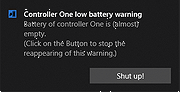 |
|
xemu v0.8.136 xemu v0.8.136 👉 Original Xbox emulator for Windows, macOS, and Linux. xemu is a free and open-source application that emulates the original Microsoft Xbox game console, allowing users to play original Xbox games on Windows, macOS, and Linux systems. Disclaimer: This project is an independent open source emulation effort and is not endorsed by, directly affiliated with, maintained, authorized, or sponsored by Microsoft Corporation. All product and company names are the registered trademarks of their original owners. The use of any trade name or trademark is for identification and reference purposes only and does not imply any association with the trademark holder of their product brand. Features: • Free and open-source original Xbox emulator • Runs on Windows, macOS, and Linux • Low-level hardware emulation for original Xbox kernels, titles, and homebrew • Controller support through SDL3 • Supports up to 4 controllers • Snapshots/save states let you save and restore the current machine state • Render scaling can increase game rendering resolution, such as 480p to 1080p • Networking support for connecting to other xemu instances and real Xboxes • Supports tunneling services and Xbox Live recreation projects • Windows Zip archive version runs by extracting and launching xemu.exe • macOS Zip archive can be extracted and run manually, or installed with Homebrew • Linux versions available as AppImage, Flatpak, Ubuntu PPA, or source build Supported operating systems: • Windows x86_64, Windows arm64 • macOS Universal • Linux x86_64 AppImage, Linux aarch64 AppImage • Linux Flatpak x86_64, Linux Flatpak aarch64 • Ubuntu 22.04 and newer via PPA Supported languages: • English Changes: v0.8.136 06-08-26 Pull Requests #2892 - ci: Update Windows build toolchain image SHA (@mborgerson) #2891 - ubuntu-win64-cross: Bump mxe, GCC toolchain (@mborgerson) #2890 - Enable x86-64-v3 optimizations for release builds (@mborgerson) #2882 - Bump SDL3 subproject to 3.4.10 (@mborgerson) #2823 - hw/xbox: Clean up use of ... |
|
1,455 | Sep 03, 2026 xemu Project 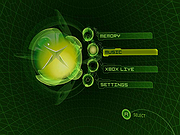 |
| Showing rows 1 to 6 of 6 | Showing Page 1 of 1 | 1 |
OlderGeeks.com Copyright (c) 2026
