|

|
Processed through Paypal No account required. |








Buy our over-priced crap to help pay the bills.



|
|
Processed through Paypal No account required. |
| Files | ||||
| File Name | Rating | Downloads | ||
 |
Absolute HTML Compressor v1.14 Absolute HTML Compressor v1.14 Absolute HTML Compressor is an award-winning tool that optimizes HTML files so that their size reduces. The program doesn't corrupt most HTML files unlike other optimizers. Features works under Windows 95/98/Me/NT/2000/XP operating system (or higher); compressed documents are displayed in browsers unchanged; scripts and preformatted text are preserved; you can compress individual files or entire folders; backup files may be created; the program supports command line mode; you can specify various options of the program: merge lines; remove unnecessary whitespace characters; remove unnecessary quotation marks. For example, will be converted to ; replace some tags with the short ones - replace STRIKE tags with S, STRONG with B and EM with I remove HTML comments. The comments within the scripts and styles aren't removed; remove <!DOCTYPE ...> tags; remove meta tags. You can specify names of the meta tags to be removed. Click here to visit the author's website. |
 |
6,071 | Dec 09, 2018 Alentum Software Ltd. 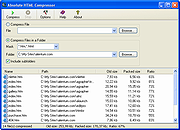 |
|
Audacity v4.0.1 Audacity v4.0.1 👉 Free, open-source, multi-track audio editor and recorder for recording, editing, mixing and producing audio. Audacity is a powerful, free and open-source audio editor and recorder for Windows, macOS and Linux. It can handle everything from quick voice recordings and simple edits to multi-track music production, podcast creation, audio restoration and more involved sound projects. Audacity provides a visual waveform-based editing environment where audio can be recorded, cut, copied, moved, trimmed and arranged across multiple tracks. Music, speech, sound effects and other recordings can be combined into a single project, with precise control over individual clips and their placement on the timeline. The program includes a wide collection of audio processing tools for adjusting volume, compression, equalization, pitch and tempo. Noise removal and repair tools can help clean up recordings, while delay, reverb, distortion, modulation, fading and other effects provide additional options for shaping sound. Real-time effects can be applied without permanently altering the original audio, allowing settings to be adjusted while continuing to work on a project. Effects can be applied to individual tracks or to the master output. Audacity also includes a plugin manager for enabling, disabling and organizing available effects. Audacity supports third-party plugins and includes support for VST3 and Nyquist effects. Optional FFmpeg support expands compatibility with additional audio formats. Finished projects can be exported to common formats such as WAV, MP3, FLAC and Ogg. The program is useful for recording microphones and other audio sources, digitizing older recordings, cleaning up noisy audio, editing interviews, assembling podcasts, creating sound effects, working with music and preparing finished audio for publishing or archiving. Features: • Record live audio through microphones, mixers and other input devices • Edit and arrange multiple audio tracks within a single project • Cut, copy, paste, trim, split and move audio clips ... |
|
11,300 | Oct 02, 2026 Audacity 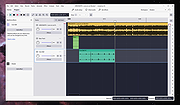 |
 |
Caesium Image Compressor v2.8.2 Caesium Image Compressor v2.8.2 Compress your pictures up to 90% without visible quality loss. Caesium is an image compression software that helps you store, send and share digital pictures, supporting JPG, PNG and WebP formats. You can quickly reduce the file size (and resolution, if you want) by preserving the overall quality of the image. Image Compressor Providing a simple yet effective interface with a real-time preview and multiple image processing at the same time, everyone will be able to reach the best result. Advanced users will find extra features, like metadata storing options or folder structure support. Command Line Tool If you are working on Linux or MacOSX and want to be geeky, you can use the Command Line Tools, which are the pulsing heart of Caesium. You can compress images with advanced tools very quickly. It works on the command line! Supported Platforms • Windows 10 (build 1809) or later • macOS (10.15+) Note: only 64bit versions are supported Changes v2.8.2 10-27-24 Bugfixes Hotfix on dialog prompts #314 This download is for the Windows portable version (very bottom of page). All other download assets are below: Windows: caesium-image-compressor-2.8.2-win-setup.exe Windows Installer macOS: caesium-image-compressor-2.8.2-macos.dmg Click here to visit the author's website. |
|
2,852 | Oct 28, 2024 SaeraSoft 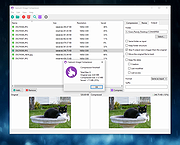 |
|
Free PDF Compressor v1.1 Free PDF Compressor v1.1 Free PDF Compressor is a free PDF compression software to enable you to effectively reduce the size of PDF files. Software is simple and easy to use, select an existing PDF file, and hit button "Compress", a compressed PDF file will be created, page by page, a progress bar will show progress of the whole compression process. This software is completely freeware, free for personal and non-commercial use. Why is there a need to compress a PDF file? Some PDF files are large, especially PDF documents that contains many images, these files open very slowly, and are not easy to store, transfer and share. Now you can use this free PDF compression software to compress these files with an acceptable quality. At the same time, by reducing PDF files size, you can use PDF as your ebook format, easy to read PDF files on mobile phone, send by email as attachments, or upload and share with your friends. This software supports five different compression settings: Screen - low resolution, screen-view-only quality, 72 dpi images eBook - medium resolution, low quality, 150 dpi images Printer - high quality, 300 dpi images Prepress - high quality, color preserving, 300 dpi images Default - a wide variety of uses, possibly larger output file These five compression settings represent five different compression ratio, generally, you can get a smallest output file with "Screen" setting, and get a biggest output file with and "Prepress" setting. But, please note, for a few PDF files, the resulting file will be large with "Screen" setting, in this case, you need to try different settings. |
|
6,348 | Oct 23, 2019 freepdfcompressor.com 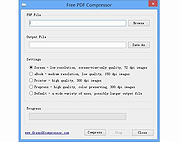 |
|
Mass Image Compressor v4.2.0 Mass Image Compressor v4.2.0 Optimize, resize, convert and watermark images and videos of entire folders. Mass Image Compressor is a fast, lightweight batch image processing tool that compresses, resizes, watermark and converts images to popular formats like WebP, AVIF, JPEG, PNG, and GIF—reducing file size while preserving quality. Just drag and drop the files and folder and it will compress all images. Best for website image optimization, photographs, game assets, animated image compression. Windows: macOS: Windows Features • Bulk Operation: Works on one or more images and on entire folder (and its sub-folders) • Image: Convert, Resize, Optimize, Watermark • Extremely Ease of use: Drag & Drop folder & files • Supports input images in all major formats including JPG/JPEG, PNG, WEBP, GIF, TIFF, AVIF, HEIC, JP2, BMP, as well as RAW image formats from leading camera brands like Sony (ARW), Adobe (DNG), Nikon (NEF), Canon (CR2, CR3, CRW), Kodak (DCR, KDC), Minolta (MRW), Olympus (ORF), Fujifilm (RAF), Pentax (PEF), Panasonic (RW2), Samsung (SRW), Epson (ERF), Hasselblad (3FR), and Mamiya (MOS, MEF). • Output Format Supported: JPEG, PNG, WebP, AVIF, GIF • Supports input and output of animated PNG, GIF, WebP! • Blazing fast and high quality compression • Preserves image metadata (EXIF Tags, XMP and IPTC data), ability to skip sensitive metadata • Output file name manipulation (suffix, prefix, replace on file names) • File name and file size based filter to exclude/include files for compression macOS Features • ... |
|
1,236 | Dec 15, 2025 COGNIRUSH LABS LLP 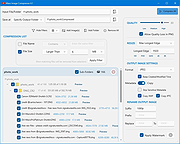 |
|
Monkey’s Audio v13.26 Monkey’s Audio v13.26 👉 Fast, free lossless audio compression for creating bit-perfect .APE music files. Monkey's Audio is a fast and easy way to compress digital music without losing audio quality. Unlike lossy formats such as MP3, OGG, or WMA, Monkey's Audio creates perfect, bit-for-bit copies of your music while still saving space. Compressed files can be decompressed back to the exact original files, making it useful for archiving music collections without having to recopy CDs later. Features: • Compresses music with no quality loss • Decompresses files back to the exact original audio • Supports .APE lossless audio files • Fast and efficient compression • Windows interface designed to be powerful and easy to use • Compress, decompress, verify, convert, and make APL files • Supports WAV, AIFF/AIF, W64, SND, AU, CAF, and RF64 input formats • Verify mode checks APE files for possible changes or corruption • Supports quick verify and full verify options • Optional auto-check after APE file creation • Supports external encoders such as FLAC, WavPack, and ALAC • Pipe input support through the "-" filename argument • Output options for same-folder output or custom output folders • Can preserve folder levels when processing files • Options for overwrite, rename, or skip when output files already exist • Can leave, delete, or recycle source files after successful processing • Copies file timestamps to new files • Uses flexible APE Tags for managing audio metadata • Includes redundant CRC error detection • SDK available for developers to compress, decompress, verify, convert, analyze APE files, and work with APE tags • Source code for compression, decompression, and tagging is included in the SDK • Free under the Monkey's Audio License Agreement based on the 3-Clause BSD license Supported operating systems: • 64-bit Installer: Windows 8, Windows 10, Windows 11 • 32-bit Installer: Windows XP, Windows 7, Windows 8, Windows 10, Windows 11 • Arm64 Installer: Windows 8, Windows 10, Windows 11 Supported languages: English Changes: v13.26 08-20-26 Changed: ... |
|
1,242 | Sep 18, 2026 Matt Ashland 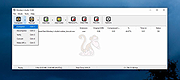 |
|
Tweaking.com - Registry Compressor v1.1.0 Tweaking.com - Registry Compressor v1.1.0 First and foremost, this program does NOT remove or add anything to the registry. This is not a registry cleaner or scanner. The Windows Registry is a hierarchical database that stores configuration settings and options on Microsoft Windows operating systems. Just like databases the registry can become bloated and large when there has been a lot of additions and deletions from the registry. When this happens the system can become slower and use more CPU as programs and the operating system take longer to read and write to the registry, just like any other database. This program does NOT remove or add anything to the registry. What it does is it rebuilds the registry to new files, when this happens all the overhead is gone and the registry is smaller and faster. Microsoft offers a manual way to do this: How to Compress "Bloated" Registry Hives http://support.microsoft.com/kb/2498915 Thanks to this program you can now do it with one click. v1.1.0 Per user request the program now supports the command line /silent or /s and can now also reboot the system if you want it to. Code changes and cleanup, program is now 330kb smaller |
|
9,885 | Jan 08, 2018 Tweaking.com 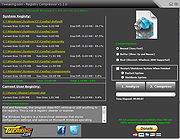 |
|
Tweaking.com - Registry Compressor v1.1.0 Portable Tweaking.com - Registry Compressor v1.1.0 Portable First and foremost, this program does NOT remove or add anything to the registry. This is not a registry cleaner or scanner. The Windows Registry is a hierarchical database that stores configuration settings and options on Microsoft Windows operating systems. Just like databases the registry can become bloated and large when there has been a lot of additions and deletions from the registry. When this happens the system can become slower and use more CPU as programs and the operating system take longer to read and write to the registry, just like any other database. This program does NOT remove or add anything to the registry. What it does is it rebuilds the registry to new files, when this happens all the overhead is gone and the registry is smaller and faster. Microsoft offers a manual way to do this: How to Compress "Bloated" Registry Hives http://support.microsoft.com/kb/2498915 Thanks to this program you can now do it with one click. v1.1.0 Per user request the program now supports the command line /silent or /s and can now also reboot the system if you want it to. Code changes and cleanup, program is now 330kb smaller |
|
9,966 | Jan 08, 2018 Tweaking.com |
| Showing rows 1 to 8 of 8 | Showing Page 1 of 1 | 1 |
OlderGeeks.com Copyright (c) 2026
