|

|
Processed through Paypal No account required. |








Buy our over-priced crap to help pay the bills.



|
|
Processed through Paypal No account required. |
| Files | ||||
| File Name | Rating | Downloads | ||
 |
ClickShield v1.2.1 ClickShield v1.2.1 👉 Helps block ClickFix phishing attacks and suspicious clipboard commands in Windows. ClickShield is a free Windows security utility designed to help protect against ClickFix and similar phishing attacks that attempt to trick users into executing malicious commands. These attacks commonly use fake CAPTCHA or verification screens that copy a command to the clipboard and instruct the user to paste it into the Windows Run dialog or Command Prompt. ClickShield monitors clipboard changes for suspicious commands, including PowerShell commands and Windows LOLBINs such as mshta, bitsadmin, wmic and regsvr32. When suspicious clipboard content is detected, it can alert the user and prevent the Run dialog from opening. Its LOLBIN Shield can also block selected Windows utilities from accessing the internet, adding another layer of protection against common ClickFix techniques. Features: • Monitors the Windows clipboard for suspicious text and commands • Helps protect against ClickFix and similar fake CAPTCHA phishing attacks • Detects suspicious PowerShell commands, including encoded commands • Detects commands involving commonly abused Windows LOLBIN utilities • LOLBIN Shield can block several Windows utilities from accessing the internet • Can prevent the Windows Run dialog from opening when suspicious clipboard content is detected • Provides alerts when potentially dangerous clipboard commands are found • Includes an option to completely disable the Windows Run dialog • Run dialog restriction can be useful for administrators managing employee computers • Designed to operate with minimal memory usage • Supports both 32-bit and 64-bit Windows systems Supported operating systems: • Windows 7, Windows 8, Windows 8.1, Windows 10, Windows 11 Supported languages: • English Changes: v1.2.1 09-04-26 [*] Fixes and Improvements: • The alert message now stays on top of all windows instead of launching on the browser. This way it protects itself from ClickFix attack variants that attempt to close it and CrashFix attacks that crash the browser. The alert message remains visible until the user closes it. • The alert ... |
 |
628 | Sep 30, 2026 Emir Alp Kocak  |
 |
Executor v2.4.0 Executor v2.4.0 👉 Fast and customizable keyboard launcher for Windows. Executor is a highly customizable application launcher and productivity tool designed to help you quickly start programs, open files and folders, perform web searches, execute commands, and automate repetitive tasks using keyboard shortcuts. Inspired by tools like Launchy and the old Microsoft AppLauncher utilities, Executor focuses on speed and flexibility while remaining lightweight and easy to use. Executor supports keyword aliases, command parameters, clipboard handling, history tracking, and advanced search functionality. Users can create custom commands, launch websites, search online services, and manage workflows directly from a compact launcher window. It also includes support for skins and plugins, allowing users to personalize the appearance and expand functionality. Features: • Instant keyboard-based program and file launching • Custom keyword aliases and command execution • Built-in web search and URL launching support • Clipboard and command history integration • Plugin and skin support for customization • Portable and lightweight design • Auto-complete and smart search matching • Hotkey support for rapid access • Launch files, folders, commands, and websites from one interface • Configurable interface and advanced user options Supported operating systems: • Windows XP, Windows Vista, Windows 7, Windows 8, Windows 10, Windows 11 Supported languages: English Changes: v2.4.0 09-26-26 What's new Need to research an embarrassing topic, or have someone looking over your shoulder, or presenting your screen in a meeting? You can now enable Incognito mode, that per default will not add anything to history while enabled. You can further configure the incognito mode to do one or more of the following: Hide history from auto-complete and list (file system, URLs, keywords). Hide all list entries either when input is empty or all the time. Disable file navigation in list. ... |
|
6,425 | Oct 02, 2026 Martin Bresson 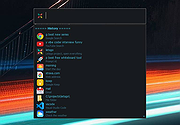 |
|
Flow Launcher v2.1.3 Flow Launcher v2.1.3 👉 Fast keyboard-driven launcher for finding apps, files, settings, bookmarks, and more on Windows. Flow Launcher is a quick file search and app launcher for Windows with community-made plugins. It is designed to help you search and launch applications, find files and file contents, run web searches, access browser bookmarks, use system and shell commands, search Windows and Control Panel settings, and extend functionality through a built-in plugin ecosystem. Features: • Search and launch applications from the keyboard • Search files and file contents using Everything or Windows Search • Run web searches with your preferred search engine • Search bookmarks from supported browsers • Access system commands such as restart, sleep, shutdown, lock, and settings • Run batch and PowerShell commands, including as Administrator or another user • Perform mathematical calculations and copy results to the clipboard • Search Windows settings and Control Panel settings • Browse and install community-made plugins from the plugin store • Supports custom themes, animations, sounds, and color schemes • Lets you display date and time in the search window • Supports portable use • Includes Game Mode to pause hotkey activation while gaming • Supports dialog jump for Open and Save As windows • Includes drag and drop support for files and folders • Lets you prioritize plugin result order • Includes a preview panel for supported items • Supports plugin development in C#, F#, Python, JavaScript, and TypeScript Hotkeys: • Alt + Space Open Flow Launcher (default hotkey, customizable) • Ctrl + Shift + Enter Run selected result as Administrator • Ctrl + Enter Open file location (Explorer) • Tab Autocomplete selected result • Enter Launch selected result • Esc Close Flow Launcher • ↑ / ↓ Navigate results list • Ctrl + C Copy selected result info (when supported) System Command List: • shutdown Shut down the computer • restart Restart the computer • sleep Put the computer to sleep • hibernate Hibernate the computer • lock Lock the current user session • signout ... |
|
696 | Aug 09, 2026 Flow Launcher Team 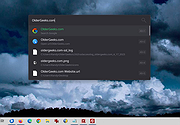 |
 |
Windows Commands Reference vWS16 Windows Commands Reference vWS16 A PDF containing an overview and alphabetical listing of Windows commands. Use this PDF to find the documentation resources and other technical information that you need to learn about the command shell, and to automate command-line tasks by using scripts or scripting tools. Windows Server 2008, Windows Server 2008 R2, Windows Server 2012, Windows Server 2012 R2, Windows Server 2016 Date Published: 4/18/2018 Click here to visit the author's website. |
|
6,497 | Nov 15, 2019 Microsoft Corp.  |
| Showing rows 1 to 4 of 4 | Showing Page 1 of 1 | 1 |
OlderGeeks.com Copyright (c) 2026
