|

|
Processed through Paypal No account required. |








Buy our over-priced crap to help pay the bills.



|
|
Processed through Paypal No account required. |
| Files | ||||
| File Name | Rating | Downloads | ||
 |
Bitvise SSH Client v9.66 Bitvise SSH Client v9.66 👉 A powerful Windows SSH client for secure remote access, file transfer, tunneling, and terminal emulation. Bitvise SSH Client is a secure, flexible SSH (Secure Shell) client for Windows. It lets users connect to remote systems securely for terminal access, encrypted file transfers, dynamic and static port forwarding, and other SSH-based operations. Its graphical and command-line interfaces make securely managing remote servers, transferring files, and setting up secure tunnels easy for both casual and advanced users. It supports advanced protocols, customizable authentication methods, and a robust set of features to meet modern secure networking needs. Features: • Graphical SFTP client with advanced file transfer features. • Terminal emulator supporting bvterm, xterm, and VT100 protocols. • Powerful SSH2 port forwarding and tunneling (SOCKS/HTTP). • Dynamic tunneling and proxy support (SOCKS4/5, HTTP CONNECT). • Drive-mapping support for SFTP remote directories. • Command-line clients for scripted file transfer, execution, terminal, and tunneling. • Integrated authentication with public keys, Kerberos/GSSAPI, and NTLM. • Single-click remote desktop forwarding. Supported operating systems: • Windows XP SP3, Vista, 7, 8.1, 10, Windows 11 • Windows Server 2003 through Windows Server 2025 Supported languages: English Changes: v9.66 07-20-26 SSH: Improved multiple avenues which a server could use to exert disproportionate memory pressure on the client. SFTP drive: The SSH Client now includes WinFsp version 2.2.26194. This addresses CVE-2026-7162, which is a local privilege escalation. Users who install the SSH Client with the SFTP drive feature are recommended to update, especially on multi-user systems. The SFTP drive feature is available if Install WinFsp is selected when installing. The UNC path used by the SFTP drive is now configurable. This makes it practical to configure a UNC path for access by other users on the system. The SFTP drive can now be configured to expose only the UNC path, without assigning a ... |
 |
6,275 | Sep 16, 2026 Bitvise Limited 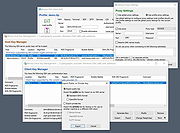 |
 |
CoolTerm v2.4.0 CoolTerm v2.4.0 👉 Easy-to-use serial port terminal for communicating with connected hardware. CoolTerm is a simple serial port terminal application, with no terminal emulation, for hobbyists and professionals who need to exchange data with devices connected to serial ports, such as servo controllers, robotic kits, GPS receivers, microcontrollers, and other hardware. Written in Xojo. Features: • Multiple concurrent connections on separate serial ports • Display received data as plain text, hexadecimal, or graphic chart • Special receive and transmit character handling • Send data by keypress, Send String dialog, copy/paste, or file transfer • Send text and binary files by dialog or drag-and-drop • Capture received data to text or binary files • Local echo for transmitted and received data • Hardware and software flow control • Visual line status indicators • Manual control of RTS, DTR, and serial BREAK • Configurable character, line, and packet delays • Transmit macros, saved connection options, and scripting support Installation CoolTerm comes without an installer and can be placed anywhere on the hard-drive as long as the correct folder structure is maintained. I.e. the included "Libs" and "Resources" folders must reside in the same location as the CoolTerm application. Supported operating systems: Windows 8.1, 10, 11 macOS Mojave 10.14.x and higher Changes v2.4.0 05-19-25 NEW FEATURES: - Added the same "wait for termination string" options to the timestamp settings for received data as for captured data. This makes it possible to specify the termination string to wait for before timestamping and displaying received data. - Added option to include the timestamps added to received data in the data forwarded to other terminals. - Added support for relative and local paths in .CoolTermSession files. Paths beginning with .. and . will be considered relative and local paths, respectively. Saving a session will write absolute paths for all open terminals to the session file. However, a session file can be edited with a text editor and paths can be ... |
|
3,959 | May 07, 2026 Roger Meier 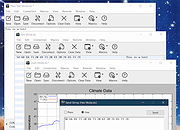 |
|
Emacs v31.1 Emacs v31.1 👉 Powerful, extensible text editor and productivity environment. Emacs is a highly extensible and customizable text editor from the GNU Project for programming, writing, system administration, and general productivity. At its core is an interpreter for Emacs Lisp, a programming language that allows virtually every part of the editor to be customized or extended. Emacs provides editing modes for a huge range of programming and markup languages, syntax highlighting, code navigation, compilation and debugging tools, version control integration, powerful search and replacement, multiple buffers and windows, shells, file management, email and news capabilities, and an extensive package ecosystem. Its popular Org mode provides outlining, note-taking, task management, scheduling, document authoring, and publishing tools. Features: • Extensible and customizable through Emacs Lisp • Editing modes for numerous programming, scripting, markup, and human languages • Syntax highlighting, automatic indentation, code navigation, and completion • Integrated compilation and debugging tools • Built-in version control interfaces • Powerful search, replacement, and regular expression support • Multiple buffers, windows, frames, and customizable window layouts • Built-in package management for installing additional functionality • Org mode for notes, outlines, tasks, scheduling, authoring, and publishing • Integrated shell and terminal capabilities • File and directory management with Dired • Keyboard macros and extensively customizable key bindings • Support for right-to-left and bidirectional text • Extensive Unicode and international character support • Runs in graphical environments or text terminals Supported operating systems: • Windows 11, Windows 10, Windows 8/8.1, Windows 7 and earlier Windows NT-family versions • macOS • GNU/Linux, including Debian/Ubuntu, Fedora/Red Hat, Arch Linux, openSUSE and other distributions • FreeBSD, NetBSD, OpenBSD • GNU/Hurd • Haiku • Android 2.2 through Android 15.0, including free Android derivatives such as Replicant • Solaris • MS-DOS, FreeDOS Supported languages: Arabic, Azerbaijani, Bulgarian, Bengali, Catalan, Czech, Danish, German, Greek, Esperanto, Spanish, Farsi/Persian, Finnish, French, Hebrew, Croatian, Indonesian, Italian, Japanese, Korean, Kurdish, Malayalam, Norwegian Bokmεl, Dutch, Norwegian Nynorsk, Polish, Brazilian Portuguese, Romanian, Russian, Slovak, Albanian, Serbian, Tamil, Thai, Tagalog, ... |
|
750 | Aug 25, 2026 Free Software Foundation, Inc. 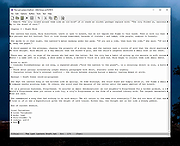 |
|
FluentCleaner Modern v26.09.01 FluentCleaner Modern v26.09.01 👉 A modern Windows cleanup tool built with WinUI 3 and powered by winapp2.ini. FluentCleaner is an open-source Windows desktop cleaner designed to reclaim disk space, clean application leftovers, remove cache files, and give users clear control over what gets deleted. It uses the community-maintained winapp2.ini ecosystem for specific, inspectable cleaning rules instead of broad, unsafe guessing. FluentCleaner also includes terminal control, multi-database support, optional AppX/bloatware database support, and a modern WinUI 3 interface with no tracking, no upsells, no scareware, and no fake registry-cleaner tricks. Features: • Modern WinUI 3 interface • Open source and donation-supported • Uses winapp2.ini cleaning rules • Supports custom winapp2-compatible databases • Multi-database loading with deduplication • Optional Winappx AppX/bloatware database • Category-based cleaning • Detail view for file and registry targets • Explorer integration for locating file paths • Command-line auto-clean support • Silent cleaning with saved selections • Optional auto-shutdown after cleaning • Detailed auto-clean log saved to AppData • Saved window size across sessions • Saved navigation pane state • No telemetry, no bundled offers, no fake registry cleaner Supported operating systems: • Windows 10, Windows 11 Supported languages: English, German, French, Indonesian, Italian, Lithuanian, Norwegian, Portuguese (BR), Russian, Ukrainian, Chinese Simplified/Traditional Changes: v26.09.01 09-17-26 [Added] [Classic] Introduced command-line automation for scripts, batch files, PowerShell, and third-party tools. Classic can now analyze or clean the saved selection silently, optionally target a specific cleaner category, and shut down the PC after cleaning #52 [Added] [Classic] Added command-line documentation and ready-to-copy examples under Options > Handoff / CLI [Changed] [Classic] Development of the built-in Mini mode has been paused for now. It may return later as a separate add-on or as part of a future plugin system. [Improved] [Classic] Deleting a cookie no longer throws the user back to the beginning of the list. FluentCleaner still refreshes the real browser databases, but now keeps the working position and selects the nearest remaining entry #185 [Added] [Classic] Added ... |
|
2,101 | Sep 30, 2026 Builtbybel 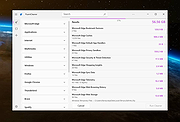 |
|
FSterm v1.2.4 FSterm v1.2.4 👉 A lightweight ANSI terminal emulator with serial, TCP, and UDP connectivity. FSterm is a lightweight, high-performance ANSI terminal designed for communicating with serial and network-connected devices without unnecessary complexity. Despite its compact portable size, it delivers an impressive feature set for developers, technicians, and hardware enthusiasts. Connect through serial ports or over TCP and UDP, enjoy comprehensive ANSI terminal emulation with truecolor support, multiple terminal sizes, mouse selection, and flicker-free rendering, then take advantage of the powerful GrafANSI© extension to display images, diagrams, shapes, pointers, layered graphics, and device-triggered audio across the same connection. Version 1.2.4 further improves performance with significantly faster rendering, smoother scrolling, expanded screenshot capabilities, command-line automation, customizable cursor styles, a wider baud rate range up to 921600, Slim-GUI mode, and permanent background image support, making FSterm a fast, flexible, and capable terminal for everything from embedded development to industrial equipment and diagnostics. Features: • Lightweight ANSI terminal emulator with a portable, no-installation design. • Connect to serial (COM) ports. • Connect to remote devices over TCP. • Connect to remote devices over UDP. • Enhanced ANSI terminal emulation with scrolling regions, alternate screen buffer, cursor position reporting, adjustable tab stops, autowrap and origin modes. • Supports truecolor ANSI text and an audible terminal bell. • Four selectable terminal sizes from 80Χ24 through 132Χ25. • Mouse text selection and copy support. • Flicker-free terminal rendering. • GrafANSI© graphics extension for displaying PNG and JPEG images directly from connected devices. • Draw lines, rectangles, circles, ellipses, arrows, and hand pointers from remote devices. • Supports layered graphics with visibility control, transparent colors, and zooming. • Devices can trigger local WAV audio playback. • Disk image caching for faster redisplay of graphics. • Free while in public beta. Supported operating systems: • Windows 10 (64-bit), Windows 11 (64-bit) Supported languages: English Changes: v1.2.4 07-30-26 Improved display performance with approximately 30-40% faster screen rendering for smoother scrolling, reduced lag with large ... |
|
308 | Aug 01, 2026 Funciona Systems 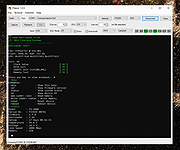 |
|
Kate v26.07.70 Kate v26.07.70 👉 Advanced multi-document text editor and source code editor for programmers. Kate is a feature-rich text editor developed by the KDE community. Designed for programmers, system administrators, and power users, it provides advanced editing capabilities including syntax highlighting, code folding, project management, powerful search and replace functions, session management, and integrated terminal access. Kate can open and edit multiple documents simultaneously using tabs and split views, making it ideal for managing large projects and working across numerous files at once. Kate supports hundreds of programming and markup languages through its extensive syntax highlighting engine and includes Language Server Protocol (LSP) integration for code completion, diagnostics, symbol navigation, and other modern development features. Its plugin architecture allows users to extend functionality with tools such as file browsers, document previews, external command execution, and Git integration. Kate is available for Linux, Windows, and macOS, providing a consistent editing experience across platforms. Features: • Multi-document and multi-window editing interface • Tabbed and split-view editing • Syntax highlighting for over 300 file formats • Code folding and bracket matching • Language Server Protocol (LSP) support • Intelligent code completion and symbol navigation • Powerful search and replace tools • Regular expression support • Session management for restoring workspaces • Project management tools • Embedded terminal window • Git integration and developer-focused plugins • Multiple cursors and selections • Vi/Vim input mode • Automatic file encoding detection • Support for local and remote file editing via network protocols • Markdown, HTML, and SVG preview support through plugins • Extensive customization options and plugin architecture Supported operating systems: • Windows 10, Windows 11 • macOS 13 Ventura or higher • Linux distributions supporting KDE Gear 26.07.70 Supported languages: Arabic, Basque, Catalan, Chinese (Simplified), Chinese (Traditional), Czech, Danish, Dutch, English, Finnish, French, Galician, German, Greek, Hebrew, Hungarian, Italian, Japanese, Korean, Norwegian Bokmεl, Polish, Portuguese, Portuguese (Brazilian), Romanian, Russian, Slovak, Slovenian, Spanish, Swedish, Turkish, Ukrainian, and many additional KDE translation languages. Changes: v26.07.70 Not provided. This download is ... |
|
2,619 | Jun 16, 2026 Kate KDE Team 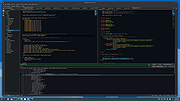 |
|
NetHack 3D v1.5.0 NetHack 3D v1.5.0 👉 Play classic NetHack in a fully interactive 3D dungeon. NetHack 3D lets you play classic NetHack in a fully interactive 3D dungeon while keeping the core roguelike rules and depth. It runs NetHack through WebAssembly and presents the game with a modern React interface and Three.js 3D renderer. You can play in a browser or use desktop and mobile builds. Features: • Fully interactive 3D presentation of NetHack • Supports NetHack 5.0, NetHack 3.6.7, and Slash’EM • Terminal display mode using authentic raw NetHack terminal characters • Terminal mode supports colors, IBMgraphics, DECgraphics, reverse-video highlighting, and a dedicated message-log gutter • Zoomable Terminal mode with crisp, pixel-aligned text rendering • 3D ASCII mode with Classic and Terminal color schemes based on the active NetHack runtime • Overhead and first-person 3D views • ASCII and graphical tile views • Highlight Pets option displays a heart marker over pets in 3D views • Optional animated movement for ASCII and tile views • Option to skip the NetHack 5 tutorial when starting a new game • Action menus provide convenient access to NetHack commands • Expanded Slash’EM action-menu support with its complete keyboard-command set and modifier bindings • Settings include information popovers explaining available options • Save handling preserves runtime settings across supported NetHack versions • Designed to provide modern UI conveniences while retaining authentic NetHack gameplay Supported operating systems: • Windows x64 • macOS • Linux x64 AppImage • Android • Web browser • iOS and iPadOS through Safari Add to Home Screen web app Supported languages: English, German, Spanish, Finnish, French, Japanese, Korean, Portuguese Brazilian, Russian, Chinese Simplified Changes: v1.5.0 07-15-26 TERMINAL mode added! The Terminal update is designed for people who want NetHack 3D's ease-of-use improvements and UI conveniences while playing the game in an authentic terminal. No fuss setting up a terminal. Fully configurable and supporting real NetHack terminal settings. Highlights Added Terminal display mode: a classic terminal-style view using the raw NetHack terminal ... |
|
634 | Sep 11, 2026 James Pound 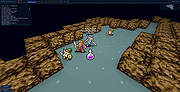 |
|
OpenBB Terminal v3.2.4 OpenBB Terminal v3.2.4 A free, modern investment research platform for everyone. It is a desktop application that allows you to access all the data and tools you need to make better investment decisions. Features Python-based integrated environment for investment research that leverages state-of-the-art Data Science and Machine Learning technologies. Navigate through over 800 functionalities. Machine Learning Forecasting The forecasting menu allows quants, data scientists and AI enthusiasts to forecast asset prices utilizing state-of-the-art Machine Learning (ML) models. These can be trained by combining multiple financial time series, and allows out-of-the-box feature engineering. Automation and Scripting The OpenBB Terminal features the tools to export data to Excel and provides scripting capabilities through .openbb scripts. This allow users to execute routines which can be any combination of commands within the OpenBB Terminal, being able to perform an instant advanced analysis of any instrument. Furthermore, the .openbb scripts can also serve as documentation for research projects on how the regression results have been achieved. Reports This menu gives you the ability to create a due diligence report template with Jupyter notebook and run it with different parameters each time. Create your own investment research workflow and save something more important than money: time. Dashboards Build interactive dashboards to have a more interactive experience with the data. This will help you to understand the market faster. Portfolio As an investor, you must be frustrated over the affordable existing tools to help you manage your portfolio. We are too. This menu will help every investor track, assess and optimize their portfolio. Plus, we allow an unparalleled level of customization. Econometrics Much of the Financial theory comes from Econometrics, the application of statistical methods to economic data. With this menu we provide the user the ability to use custom data to perform these advanced techniques including a variety of statistical tests and multi-linear regression models. Importing and Exporting Export any dataset whether ... |
|
2,799 | Dec 06, 2023 OpenBB 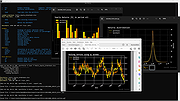 |
|
PuTTY CAC v0.84 Update 1 PuTTY CAC v0.84 Update 1 👉 Enhanced PuTTY SSH client with CAC, smart card, certificate and FIDO authentication support. PuTTY CAC is an advanced fork of the well-known PuTTY SSH and Telnet client designed to provide enterprise-grade authentication features for secure remote access environments. It extends the standard PuTTY toolset with support for Common Access Cards (CAC), smart cards, Windows Certificate Store integration, PKCS #11 middleware and modern FIDO authenticators such as security keys and passkeys. Built for administrators, government agencies, enterprise users and security-conscious professionals, PuTTY CAC allows secure SSH authentication without relying solely on password-based logins. The software can interface directly with certificates stored in Windows or on external authentication hardware, enabling secure public key authentication through hardware-backed credentials. The package includes the familiar PuTTY ecosystem tools including PuTTY terminal, Pageant authentication agent, PSFTP secure file transfer client, PSCP SCP utility and additional companion tools. PuTTY CAC also introduces enhanced certificate management options, PIN caching, auto-loading of certificates and better handling of hardware token authentication workflows. Support for FIDO security devices makes PuTTY CAC especially useful in modern zero-trust and multi-factor authentication environments. Users can authenticate using compatible FIDO2/U2F hardware keys while benefiting from PuTTY’s lightweight and portable design philosophy. Features: • Full SSH terminal emulation based on the official PuTTY codebase • Supports Common Access Cards (CAC) for secure authentication • Windows CAPI certificate store integration • PKCS #11 middleware support for hardware security devices • FIDO/U2F and passkey authentication support • Compatible with YubiKey and other hardware authenticators • Includes PuTTY, PSFTP, PSCP, Pageant and related utilities • Pageant certificate auto-loading and management features • Optional PIN caching for supported devices • Secure public key authentication without storing private keys on disk • Certificate filtering for trusted or valid certificates only • Portable configuration support using putty.dat • Supports x86, x64 and ARM64 Windows systems • MSI installer and portable ZIP distributions available • Lightweight and ... |
|
522 | Jun 09, 2026 Bryan Berns 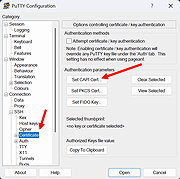 |
|
Submarine v0.3.8 Submarine v0.3.8 👉 An SSH and SFTP client that puts terminals, file transfers, tunnels, and server tools in one window. Submarine is a free, open-source client for connecting to and managing remote servers. Each server session can bring together a tabbed terminal, an SFTP file browser, port forwarding, saved commands, server information, and Docker tools. You can keep multiple sessions open, view two side by side, or pin terminals from different hosts to a monitoring wall. The SFTP browser shows local and remote files, supports drag and drop and bulk operations, and can open a remote file in your usual editor. When you save an edited file, Submarine uploads it back to the server. On desktop systems, Folder Mirror can synchronize a local folder with a remote folder, preview possible overwrites, and apply your chosen conflict rule. Saved server profiles and credentials are encrypted locally. Optional profile sync uploads the encrypted data so you can access your saved connections on another device. The Android app includes terminal, SFTP, port forwarding, server information, and Docker tools; Folder Mirror is limited to desktop systems. Features: • Open tabbed SSH terminals, including multiple shells for a server. • View two sessions side by side or arrange terminals from several hosts on the Wall. • Broadcast typed input to selected sessions. • Browse local and remote files with SFTP, drag and drop files, and select multiple files for bulk operations. • Edit remote files in your default editor and upload changes when you save. • Confirm overwrites before replacing files during uploads or downloads. • Create local, remote, and dynamic port forwarding tunnels, including SOCKS and HTTP proxy options. • Mirror a local folder to a remote server on desktop systems, with ... |
|
35 | Sep 29, 2026 Sina Xhpm 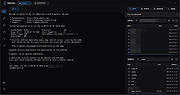 |
|
Superfile v1.6.0 Superfile v1.6.0 👉 A modern, terminal-based file manager built for speed and keyboard-driven efficiency. Superfile is a powerful cross-platform file manager designed to run inside your terminal, offering a fast, keyboard-focused alternative to traditional graphical file explorers. It features a clean interface with customizable themes, intuitive navigation, and efficient file operations, making it ideal for developers, system administrators, and power users who prefer working in the command line. Superfile combines performance with flexibility, allowing users to manage files, browse directories, preview content, and execute commands without leaving the terminal environment. Its lightweight design ensures minimal system resource usage while still delivering advanced functionality and smooth workflow integration. Features: • Fast, keyboard-driven navigation • Multi-panel file browsing • File preview support for various formats • Customizable themes and appearance • Cross-platform compatibility • Copy, move, rename, and delete file operations • Directory bookmarks for quick access • Lightweight and efficient resource usage • Designed for terminal environments • Open source and actively maintained Supported operating systems: • Windows 10, Windows 11 • macOS 12 or higher • Linux (major distributions) Supported languages: English Changes: v1.6.0 06-07-26 This release focuses on preview reliability, richer file metadata, configurable sidebar behavior, and a refreshed website and logo design, alongside navigation improvements, better error messages, refactoring, dependency updates, and bug fixes. Highlights Improved image and file preview reliability through the Bubble Tea v2 migration. Thanks @lazysegtree for the implementation New website & logo design. Thanks @elvisdragonmao for the implementation Added richer file metadata, including binary architecture detection for ELF/PE/Mach-O, Linux attributes, and file type byte support in the permissions column. Thanks @barsaskn, @xelavopelk, and @booth-w for the implementation Sidebar sections can now be configured for visibility and ordering. Thanks @Mjoyufull for the implementation Improved file operation error messages for delete, paste, and file text preview failures. Thanks @xelavopelk for the implementation ... |
|
1,568 | Jun 27, 2026 Yorukot 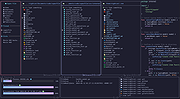 |
|
Terminal Wings 2.0 Terminal Wings 2.0 Give wings to your insipid Windows Terminal. Have you ever been dreaming about having a marvelous Microsoft Windows Terminal, something that's at the same time beautiful, time saving and better to organize when you need to work on several terminals at the same time. Don’t search furthermore: Terminal Wings is the application you were searching for. Already in its very first version it's very complete and powerful. Imagine what power you could harness in the near future. How does it work? Contrary to other applications which simply try to replicate the same efficiency of the embedded Windows Terminal coded by Microsoft, our Terminal Wings is not such an emulator which “Hooks” the process of a real terminal to 'copy/paste' the screen buffer and display its contents to the custom application frame. It also doesn't create virtual pipes to redirect output/input buffers (stdout ; stdin ; stderror) to capture send and capture terminal commands. The reason we don’t use both above methods is due to the instability of such methods. When you execute regular commands it works pretty fine, but when it comes to use more complex console programs it become quite unstable (depending of the emulator you use). So , what is our solution? Very basically, we do not emulate the Windows Terminal at all, but we use the real one. We Patch the window and associated messages and embed it into our own frame. Well, this might sound very easy, but in effect it is quite complex to code if you want to make it appear very smoothly. Important Notice: At this moment in time, the application is only available for Microsoft Windows 10. Depending on the initial success of this program, we might be tempted to support other Windows versions too. Current Functions Available Multi Tabs : Organise your terminals using ... |
|
6,302 | Nov 15, 2019 Phrozen Software 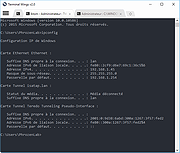 |
|
Ultimate Settings Panel v8.0.0 Ultimate Settings Panel v8.0.0 👉 Access 250+ Windows settings, tools, diagnostics and commands from one searchable panel. Ultimate Settings Panel brings hundreds of Windows settings, administrative tools, diagnostic commands and system utilities together in one convenient interface. The completely rebuilt application provides instant searching and direct access to Windows Settings pages, Control Panel items, networking tools, diagnostics, PowerShell, Windows Terminal, system administration utilities and more. The native Windows version requires no installation and launches tools and settings directly from its interface. A separate portable web edition is also available. Features: • More than 250 Windows settings, tools, diagnostics and commands • Instant search across tool names, descriptions and commands • 13 categories including Windows Settings, Windows Tools, Control Panel, Networking, Diagnostics, Power & Session, Server Administration, Terminal & Shell, Outlook/Office, Browsers and more • Direct access to approximately 70 Windows 11 Settings pages using ms-settings links • Launch Windows utilities and settings directly from the native application • Built-in access to SFC, DISM, battery reports, energy reports and other diagnostic tools • Wi-Fi reporting, Winsock reset and TCP/IP reset commands • Windows Terminal, PowerShell 7 and winget tools • Save frequently used items as Favorites • Light and dark themes with automatic system theme detection • Copy commands for use elsewhere • Export commands as batch files from the web edition • Native application requires no installation • Portable web edition works offline • No analytics, tracking or telemetry Supported operating systems: • Windows 10, Windows 11 Supported languages: English Changes: v8.0.0 08-07-26 Complete ground-up rebuild replacing the original C#/WinForms application. Added a native Windows application using Microsoft Edge WebView2. Added a self-contained portable web edition that can operate offline. Added instant searching of names, descriptions and underlying commands. Added a Windows 11 Settings category with approximately 70 direct Settings links. Added a Terminal & Shell category covering Windows Terminal, PowerShell 7 and winget. Added modern system diagnostics including SFC, DISM, battery and energy reports, Wi-Fi reporting, Winsock reset ... |
|
5,073 | Aug 19, 2026 TechyGeeksHome 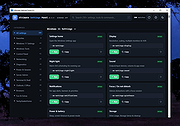 |
|
Waydir v0.22.0 Waydir v0.22.0 👉 A fast, keyboard-first dual-pane file manager for Linux, Windows and macOS. Waydir is a cross-platform desktop file manager built for users who prefer speed, direct control and fewer trips to the mouse. It combines classic dual-pane file management with tabs, live search, network drives, Quick Look previews, archive browsing, a built-in terminal and a native Rust core that keeps heavy file work off the interface thread. Features: • Dual-pane file browsing with tabs in each pane • Keyboard-driven navigation, selection, copying, moving, renaming and searching • Command palette for actions, bookmarks, drives, recent locations, files and plugin commands • Fast live recursive search with substring, regex and glob matching • Quick Look previews for images, PDFs, text, code and file details • Browse ZIP and TAR archives without extracting first • SMB and SFTP network drive support • Built-in terminal per pane • WSL file browsing and terminal support on Windows • Git status, branch switching and stash management • Light, Dark, Nord and One Dark themes, plus custom themes • Lua plugin support for actions, buttons, shortcuts and status bars • Free and open source under the MIT License Supported operating systems: • Windows • macOS • Linux Ubuntu, Debian, Fedora, RHEL, openSUSE and other Linux distributions using AppImage or portable tarball Supported languages: English Changes: v0.22.0 06-29-26 Added duplicate selected files and folders in place with Ctrl+Shift+D, available from the keyboard, command palette and context menu. Faster file copying, especially on Windows and when copying lots of small files. Renamed the "Kind" column to "Format". This download is for the Windows installer version (very bottom of page). All other download assets are below: Other Windows: waydir-0.22.0+29-windows.zip macOS: waydir-0.22.0+29-macos.dmg Linux: waydir-0.22.0+29-linux.AppImage waydir-0.22.0+29-linux.deb waydir-0.22.0+29-linux.rpm waydir-0.22.0-linux-x64.tar.gz Click here to visit the author's website. |
|
410 | Jul 02, 2026 Mikolaj Badyl 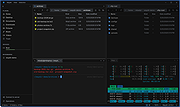 |
|
x3270 (IBM 3270 terminal emulator) v3.6ga8 x3270 (IBM 3270 terminal emulator) v3.6ga8 x3270 is an IBM 3270 terminal emulator for Windows. x3270 runs over a TELNET connection, emulating either an IBM 3279 (color) or 3278 (monochrome). It supports: The full TN3270E protocol SSL/TLS (via the OpenSSL library) for encrypted sessions APL2 characters Non-English character sets, including Russian, Turkish, Hebrew and DBCS Chinese and Japanese IND$FILE file transfer NVT mode (emulating a color xterm) A pop-up keypad for 3270-specific keys A scrollbar Printer session integration Extensive debugging and scripting facilities Changes in version 3.6ga8, 3. June 2019 * [/wc3270/] Removed the requirement that the user has a Desktop folder defined. Click here to visit the author's website. |
|
6,740 | Jan 05, 2020 Paul Mattes 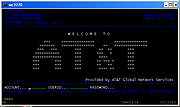 |
| Showing rows 1 to 15 of 15 | Showing Page 1 of 1 | 1 |
OlderGeeks.com Copyright (c) 2026
