|

|
Processed through Paypal No account required. |








Buy our over-priced crap to help pay the bills.



|
|
Processed through Paypal No account required. |
| Files | ||||
| File Name | Rating | Downloads | ||
 |
Clear Disk Info v4.4.1.0 Clear Disk Info v4.4.1.0 👉 Monitor hard drive and SSD health information with a clean and easy-to-read interface. Clear Disk Info is a lightweight disk monitoring utility designed to display detailed SMART information for hard drives and SSDs. It helps users keep track of drive health, temperature, firmware details, power-on hours, transfer modes, and other important storage statistics in a clear and organized layout. The program supports multiple storage device types and provides quick access to essential diagnostic information for detecting potential drive problems before data loss occurs. Features: • Displays SMART health and diagnostic information for HDDs and SSDs • Shows drive temperature, health status, firmware, and serial numbers • Supports SATA, NVMe, and USB-connected storage devices • Monitors power-on hours, drive usage, and transfer modes • Clean and lightweight user interface with easy-to-read statistics • Provides real-time drive condition monitoring • Supports multiple drives simultaneously • Portable and installer versions available • Designed for fast access to essential disk health data Supported operating systems: • Windows 7, Windows 8, Windows 10, Windows 11 Supported languages: English Changes: v4.4.1 08-02-25 Refreshed the UI with a more modern font. Bug fixes Click here to visit the author's website. |
 |
11,612 | May 19, 2026 Carifred 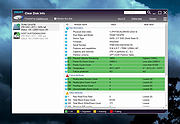 |
 |
CrystalDiskInfo v9.9.3 CrystalDiskInfo v9.9.3 👉 Monitor and analyze the health and performance of your hard drives and SSDs. CrystalDiskInfo is a free hard drive health monitoring utility that provides detailed information about your storage devices, including HDDs, SSDs, and NVMe drives. It reads S.M.A.R.T. (Self-Monitoring, Analysis and Reporting Technology) data to help detect potential drive failures before they happen. CrystalDiskInfo displays temperature, health status, firmware version, serial number, interface, transfer mode, drive letters, and total host reads and writes for supported devices. It supports a wide range of storage interfaces and gives users a clear overview of drive condition through an easy-to-read interface with color-coded health indicators. CrystalDiskInfo is lightweight, easy to use, and ideal for anyone who wants to keep an eye on their system’s storage reliability and performance. Features: • Displays detailed S.M.A.R.T. information • Real-time drive temperature monitoring • Health status indicators with color coding • Supports HDD, SSD, and NVMe drives • Shows firmware, serial number, and interface details • Tracks total host reads and writes • Alert notifications for critical drive conditions • Lightweight and easy-to-use interface Supported operating systems: • Windows XP, Windows Vista, Windows 7, Windows 8, Windows 10, Windows 11 Supported languages: Abkhazian, Arabic, Armenian, Azerbaijani, Bulgarian, Catalan, Croatian, Czech, Danish, Dutch, English, Filipino, Finnish, French, Galician, German, Greek, Hebrew, Hungarian, Italian, Japanese, Korean, Lithuanian, Norwegian, Persian, Polish, Portuguese (Brazil), Portuguese (Portugal), Romanian, Russian, Serbian, Simplified Chinese, Slovak, Slovenian, Spanish, Swedish, Thai, Traditional Chinese, Turkish, Ukrainian, Vietnamese Changes: v9.9.3 10-11-26 Fixed: Transfer Mode Display for JMicron External Controllers Improved: SanDisk SSD SSD support Updated: Language files (Traditional Chinese) Click here to visit the author's website. |
|
10,671 | Oct 12, 2026 hiyohiyo  |
|
GSmartControl v2.0.2 GSmartControl v2.0.2 👉 Hard disk and SSD health inspection tool using S.M.A.R.T. data. GSmartControl is a graphical user interface for smartctl (from smartmontools) that allows you to inspect the S.M.A.R.T. data of hard disk drives and solid-state drives to determine their health status. It supports ATA and SCSI devices and provides detailed drive information, attributes, error logs, and self-test results. GSmartControl enables you to run various self-tests, including short, extended, and conveyance tests, and displays the results in an easy-to-read format. It also provides drive identification information, capabilities, and statistics to help diagnose potential hardware issues before failure occurs. Features: • View detailed S.M.A.R.T. attributes and drive information • Perform short, extended, and conveyance self-tests • Automatic detection of ATA and SCSI devices • Display error logs and self-test logs • Advanced drive information and capability reporting • Cross-platform support Supported operating systems: • Windows 7, Windows 8, Windows 10, Windows 11 • macOS • Linux Supported languages: English Changes: v2.0.2 02-24-25 Support GCC 11 (and Ubuntu 22.04) by using and vendoring fmt library (#77). Support an option of saving smartctl output to text instead of JSON (#76). Restored pre-2.0.0 runtime support for smartctl < 7.3 (based on Text parser); this is an unsupported, old method without NVMe, provided for compatibility only (#77). Restored pre-2.0.0 support for standard (non-extended) self-test log found in very old ATA drives; the new JSON parser did not support this previously (#79). Better support for temperature values in JSON parser; this fixes unreasonably large temperature values (#78). Add a tooltip explaining self-test "lifetime hours" wrapping behavior (#73). Windows: Fixed a crash on Windows 7 when opening drive information by using Windows 7-compatible librsvg (#71). Windows: Avoid using non-integer font sizes. This download is for the Windows 64bit portable ... |
|
6,596 | Jun 29, 2026 Alexander Shaduri 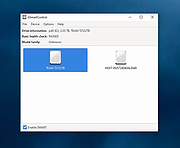 |
|
HDDScan v4.1 HDDScan v4.1 👉 Free hard drive and SSD diagnostic utility for testing storage devices, reading S.M.A.R.T. data, and monitoring drive health. HDDScan is a freeware diagnostic utility for hard drives, SSDs, RAID arrays, USB flash drives, and other supported storage devices. It can test drives for bad blocks and bad sectors, display and analyze S.M.A.R.T. attributes, run built-in S.M.A.R.T. tests, monitor drive temperature, display performance graphs during testing, generate identity reports, and adjust certain drive parameters such as AAM, APM, and PM. It also supports saving reports in MHT format, printing reports, and building command line tasks. Features: • Tests storage devices for bad blocks and bad sectors • Reads and analyzes S.M.A.R.T. attributes • Runs Short, Extended, and Conveyance S.M.A.R.T. tests • Monitors drive temperature • Supports verification, read, erase, and butterfly read tests • Displays performance graphs and response-time maps • Generates drive identity information reports • Supports AAM, APM, and power management controls on supported drives • Can start or stop spindle operation on supported drives • Saves reports in MHT format • Prints reports • Includes command line support • Supports IDE, SATA, SCSI, SAS, USB, FireWire, RAID volumes, flash drives, and supported SSDs Supported operating systems: • Windows XP SP3, Windows Server 2003, Windows Vista, Windows 7, Windows 8, Windows 10 Supported languages: • English Changes: v4.1 Features: Automatic Settings Preservation: Should help some drives "to remember" AAM/APM/PM setting after power cycle SMART Window will show "Drive State" at the top for easier "health" check Bugfixes: Command line "Administrator Permission" bugfix Click here to visit the author's website. |
|
770 | Apr 19, 2026 Artem Rubtsov 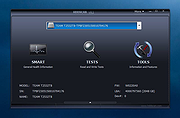 |
|
Smart and Friendly SAF CD-RW 4224A CD-RW 4224 firmware Smart and Friendly SAF CD-RW 4224A CD-RW 4224 firmware Works on the following drives from different manufacturers (SAF CD-RW2224/4224, JVC XR-W2080/2082/4080, HiVal 2262, Creative RW-2224/4224, and others) 4224_140.zip |
 |
9,806 | Apr 01, 2009 Smart and Friendly (SAF) |
| Showing rows 1 to 5 of 5 | Showing Page 1 of 1 | 1 |
OlderGeeks.com Copyright (c) 2026
