|

|
Processed through Paypal No account required. |








Buy our over-priced crap to help pay the bills.



|
|
Processed through Paypal No account required. |
| Files | ||||
| File Name | Rating | Downloads | ||
 |
1by1 v2.16 1by1 v2.16 👉 Small and fast audio directory player with powerful features. 1by1 is a smart and lightweight directory-based audio player for Windows that lets you play tracks directly from folders without needing playlists or a media database. It combines file-manager-style navigation with playback features such as resume play, gapless playback, transition mixing, audio enhancing, bookmarks, cue sheet support, and file tools for organizing tracks while listening. It is also highly configurable, portable, and designed for low resource usage. Features: • Directory Player: directly plays folder contents • Resume play with track and position memory • Multi Resume for the ten recently played folders • Gapless play, transition mixing, and audio enhancing • Folder tree file navigation and Directory finder • MP3 decoding by ACM, mpglib, and BASS • BASS library support for formats such as OGG, WAV, FLAC, AAC, MP4, and CD audio • Optional 24 bit output and 32 bit audio processing • File utilities including copy, move, rename while play, delete, and date change • Scalable Big title view, Rename tool, and Folder compare tool • Cue sheet support, M3U playlist support, and bookmarks • Winamp 2.x input plugin support and WAV export • Track logging, HTTP control and streaming server • Theme presets, global hotkeys, portable operation, and low resource usage Supported operating systems: • Windows • Android • Linux with Wine Supported languages: English, German, Danish, Spanish, French, Italian, Korean, Portuguese (Brazilian), Russian, Serbian, Ukrainian, Chinese (Simplified) Changes: v2.16/v1.39 04-18-26 Windows: Binary changes (GCC build) · Additional languages: Koeran, Serbian, French · Better quit on other instance check · Hang on clearing tree view fixed · Threading issues corrected · Some other corrections and modifications Android: Media key event handling improved Note: This file has one hit on VirusTotal. We have confirmed this to be a false positive. The file is safe. This download is for the Windows version (very bottom of page). If you need the Android version, download here. Click here to ... |
 |
1,857 | Jul 26, 2026 Martin Pesch 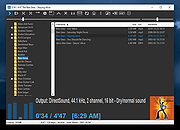 |
|
Audacity v4.0.1 Audacity v4.0.1 👉 Free, open-source, multi-track audio editor and recorder for recording, editing, mixing and producing audio. Audacity is a powerful, free and open-source audio editor and recorder for Windows, macOS and Linux. It can handle everything from quick voice recordings and simple edits to multi-track music production, podcast creation, audio restoration and more involved sound projects. Audacity provides a visual waveform-based editing environment where audio can be recorded, cut, copied, moved, trimmed and arranged across multiple tracks. Music, speech, sound effects and other recordings can be combined into a single project, with precise control over individual clips and their placement on the timeline. The program includes a wide collection of audio processing tools for adjusting volume, compression, equalization, pitch and tempo. Noise removal and repair tools can help clean up recordings, while delay, reverb, distortion, modulation, fading and other effects provide additional options for shaping sound. Real-time effects can be applied without permanently altering the original audio, allowing settings to be adjusted while continuing to work on a project. Effects can be applied to individual tracks or to the master output. Audacity also includes a plugin manager for enabling, disabling and organizing available effects. Audacity supports third-party plugins and includes support for VST3 and Nyquist effects. Optional FFmpeg support expands compatibility with additional audio formats. Finished projects can be exported to common formats such as WAV, MP3, FLAC and Ogg. The program is useful for recording microphones and other audio sources, digitizing older recordings, cleaning up noisy audio, editing interviews, assembling podcasts, creating sound effects, working with music and preparing finished audio for publishing or archiving. Features: • Record live audio through microphones, mixers and other input devices • Edit and arrange multiple audio tracks within a single project • Cut, copy, paste, trim, split and move audio clips ... |
|
11,300 | Oct 02, 2026 Audacity 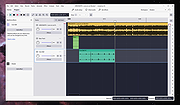 |
|
Qmmp v2.4.2 Qmmp v2.4.2 👉 A lightweight, Winamp-style audio player with broad format support, playlists, streaming, effects and plugins. Qmmp is a free, open-source audio player built with the Qt framework and designed for users who want a compact, highly configurable music player. Its classic skinned interface is similar to Winamp and XMMS, while an alternative interface based on standard Qt widgets is also included. Qmmp supports a wide variety of audio formats including MP3, Ogg Vorbis, Opus, FLAC, AAC, WMA, Musepack, WavPack, MIDI, SID, tracker modules and numerous chiptune formats. Additional formats can be handled through FFmpeg and libsndfile. Beyond basic music playback, Qmmp includes multiple playlists, a 10-band equalizer, ReplayGain, crossfade, lyrics, cover art, CUE sheets, internet radio streams, visualizations, audio conversion, recording, listening history and a media library. It can also use classic Winamp 2.x and XMMS skins. The modular plugin system provides support for additional input formats, output systems, DSP effects, visualizations and online services. Qmmp can submit listening history to Last.fm, Libre.fm and ListenBrainz and includes a stream browser for finding and playing online audio. Features: • Classic Winamp/XMMS-style skinned interface • Alternative interface using standard Qt widgets • Supports Winamp 2.x and XMMS skins • MP3 and MPEG Layer 2/3 playback • Ogg Vorbis and Ogg Opus support • Native FLAC and Ogg FLAC playback • AAC and ADTS AAC support • WMA and additional FFmpeg-supported formats • Musepack and WavPack support • PCM WAVE and other libsndfile-supported formats • MOD, S3M, IT, XM and other tracker modules • MIDI and SID playback • Extensive chiptune support including AY, GBS, GYM, HES, KSS, NSF, NSFE, SAP, SPC, VGM, VGZ and VTX • Audio CD playback • MP3, Vorbis, AAC and AAC+ internet streaming • Multiple playlists • M3U, PLS and XSPF playlist support • 10-band equalizer • ReplayGain playback support and ReplayGain scanner • Crossfade and extra stereo DSP effects • Sample-rate conversion • LADSPA effects • projectM visualization support • Spectrum analyzer • Lyrics display • ... |
|
2,794 | Sep 09, 2026 Qmmp Development Team 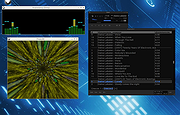 |
| Showing rows 1 to 3 of 3 | Showing Page 1 of 1 | 1 |
OlderGeeks.com Copyright (c) 2026
