|

|
Processed through Paypal No account required. |








Buy our over-priced crap to help pay the bills.



|
|
Processed through Paypal No account required. |
| Files | ||||
| File Name | Rating | Downloads | ||
 |
ArchLinux Live ISO Prebuild v2022.06.01 ArchLinux Live ISO Prebuild v2022.06.01 A prebuilt Arch Linux Live ISO with Desktop Environment included. Includes a crazy amount of free software and you can use it to install Linux Arch (plus software) or run it live from a USB flash drive. Use Rufus to create the flash drive from the ISO you download. Take note: When the Gnome Login Screen appears, simply type in "root" in the user field. After hitting ENTER on your keyboard, an Arch Linux ISO message will show under the user field showing that the login process has started. After 6 seconds or longer, the Gnome Shell and the Desktop will launch. Click here to visit the author's website. |
 |
2,839 | Jan 15, 2023 Norman Schmidt 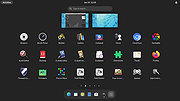 |
|
ESET SysRescue Live v1.0.20.0 ESET SysRescue Live v1.0.20.0 A malware cleaning tool that runs independent of the operating system from a CD, DVD, or a USB. It has direct access to the disc and the file system, and therefore is capable of removing the most persistent threats. System requirements Microsoft Windows 10, 8.1, 8, 7, Vista, XP, 2000 Microsoft Windows Server 2000, 2003 (x86 and x64), 2008 (x86 and x64), 2008 R2, 2012, 2012 R2 Microsoft Small Business Server 2003, 2008, 2011 Download the ESET SysRescue Live .IMG file (download at bottom of page) if you plan on making a rescue USB flash drive, or download the .ISO file if you plan on making a rescue CD or DVD. Use the IMG file and Rufus to make a USB rescue disk. Use the ISO to make a CD or DVD rescue disk. A great tool for this is ISO2Disc. Changes: Version 1.0.20.0 Added: New EULA update Improved: OS distribution upgrade Improved: eSysRescue VSDB database update Click here to visit the author's website. |
|
7,878 | May 18, 2021 ESET 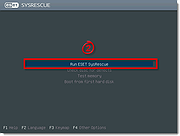 |
|
GParted Live v1.7.0-8 GParted Live v1.7.0-8 A free partition editor for graphically managing your disk partitions. With GParted you can resize, copy, and move partitions without data loss, enabling you to: • Grow or shrink your C: drive • Create space for new operating systems • Attempt data rescue from lost partitions Features Perform actions with partitions such as: • create or delete • resize or move • check • label • set new UUID • copy and paste Manipulate file systems such as: • btrfs • ext2 / ext3 / ext4 • fat16 / fat32 • hfs / hfs+ • linux-swap • lvm2 pv • nilfs2 • ntfs • reiserfs / reiser4 • ufs • xfs Requirements GParted can be used on x86 and x86-64 based computers running Linux, Windows, or Mac OS X by booting from media containing GParted Live. A minimum of 256 MB of RAM is needed to use all of the features of the GParted application. GParted is free software. You have the freedom to run, copy, distribute, study, ... |
|
6,044 | Jul 23, 2025 GParted Developers 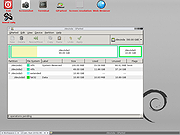 |
 |
Live Kernel Memory Dump v1.0 Live Kernel Memory Dump v1.0 Live Kernel Memory Dump (LKMD) is an advanced Windows console utility that allows you to dump “live” kernel memory without having to force the system down (like you would with a bugcheck issued). No active kernel debug session is required which you normally would have in a debugger/debugee relationship. All kernel mode memory regions are dumped in a stable manner due to the underlying technology used in this utility which Windows uses itself to generate crash dump reports and is therefore reliable and stability isn't compromised even when memory is captured in a live system environment. For Windows 8.1, 10 (32\64-bit) Output is in proper dump format The resultant memory dump file is output in proper dump file format so viewing the details is as simple as loading the generated dump file within modern crash dump analysis tools such as WinDbg (e.g: WinDbg v10.0.16299.15) Multiple flags can optionally be specified during dump report generation, such as (Hypervisor Page inclusion, Compression of Page Data, Usermode Memory inclusion, etc.). LKMD is compatible with Windows 8.1 and newer (Windows 10). Whether you're into digital forensics or you are an Admin diagnosing a system infection this tool will come in handy and is recommended for advanced users only. Works on Live Systems No "active" kernel debug session is required to generate memory dump. Stable by Design Due to using Windows own Crash Dump API to generate output file. Multiple Dump Option Flags May optionally be used to influence the memory capturing process. Proper Dump File Format Support for modern versions of crash dump analysis tools (WinDbg v10.0 et al). Dump Kernel Mode Memory All kernel mode memory regions are properly dumped to disk file. Dump Usermode Memory Using optional flags you can include also usermode memory regions. Win 8.1 & Win 10 Compatible ... |
|
6,120 | Mar 15, 2019 NoVirusThanks 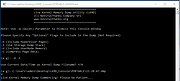 |
|
Registry Live Watch v1.0 Registry Live Watch v1.0 Registry Live Watch is a small Windows application whose purpose is to help you monitor a user-defined registry key for several changes (subkeys, subvalues, or security). Since this is a portable program, it is important to mention that it doesn’t leave any traces in the Windows Registry. You can copy it on any USB flash drive or other devices, and take it with you whenever you need to keep an eye on your registry keys on the breeze, without having to go through installation steps. Registry Live Watch delivers a user-friendly interface where all dedicated parameters are bundled in the primary panel, so you can easily tweak them. Everything is kept as simple and clear as possible, so even rookies can master the entire process with minimal effort. The program gives you the possibility to select the root key from a drop-down list (e.g. HKEY_LOCAL_MACHINE, HKEY_CURRENT_USER, HKEY_CLASSES_ROOT, HKEY_USERS), enter a custom key that you want to monitor, and watch for the desired changes (all, keys, values, or security). Additionally, you can make the program trigger an action when a key is modified, namely pop up a notification messages, execute a user-defined program, or log the information into a log. Last but not least, you are allowed to start or stop the monitoring process, save the log to plain text file format, as well as clear the log with just one click. All in all, Registry Live Watch comes packed with several handy features for helping you monitor the changes applied to a particular registry key. The intuitive layout makes it an ideal app for rookies and professionals alike. |
|
6,067 | Apr 26, 2019 LeeLu Soft 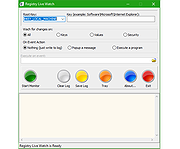 |
|
Rescuezilla v2.6.2 Rescuezilla v2.6.2 👉 Easy-to-use bootable backup, disk imaging, cloning, and system recovery environment. Rescuezilla is a free, open-source system recovery and disk imaging solution that boots from a USB flash drive or optical media, allowing you to back up, restore, clone, and recover Windows, macOS, and Linux systems even when the installed operating system will not boot. Built as a graphical front end for Clonezilla, Rescuezilla combines a straightforward point-and-click interface with powerful backup and recovery capabilities while remaining fully compatible with Clonezilla images. In addition to creating complete disk and partition backups, Rescuezilla can restore images created by Clonezilla and several other supported imaging tools, browse backup images to recover individual files, clone drives directly to replacement disks, and work with many popular virtual machine disk formats. Because it runs as a live operating system, it also includes useful utilities such as a web browser, file manager, partition editor, and recovery tools for troubleshooting damaged systems. Features: • Bootable live recovery environment with no installation required • Easy-to-use graphical interface suitable for beginners and professionals • Create complete disk and partition image backups • Restore previously created backup images • Clone entire drives directly to another disk • Fully compatible with Clonezilla backup images • Supports images from Clonezilla and other supported open-source imaging frontends • Browse backup images and recover individual files • Supports VirtualBox (VDI), VMware (VMDK), Hyper-V (VHD/VHDX), QEMU (QCOW2), raw images, and other virtual disk formats • Works with Windows, macOS, and Linux systems • Includes partition editing and disk management utilities • Built-in file manager for copying and editing files • Includes a web browser for downloading drivers and documentation • Open source software released under the GNU GPL v3 license Supported operating systems: • Boots on PCs and Intel-based Macs from USB or optical media to back up and restore Windows, macOS, and Linux systems Supported languages: • Arabic, Bengali, Brazilian Portuguese, Catalan, Chinese (Simplified), ... |
|
4,866 | Jul 08, 2026 Rescuezilla  |
|
SystemRescue v13.01 SystemRescue v13.01 Formerly known as SystemRescueCd 👉 Bootable Linux rescue toolkit for repairing systems, recovering data, and performing disk administration tasks. SystemRescue is a Linux system rescue toolkit available as a bootable medium for administrating or repairing your system and data after a crash. It is designed to help with tasks such as creating and editing hard disk partitions, recovering files, working with important file systems, and using a wide range of system utilities from a live environment. It can be used on both Linux and Windows computers, on desktops as well as servers, and it can be booted from a DVD or USB stick, or installed on a hard disk if needed. Features: • Boots as a live rescue environment from CD/DVD, USB, or local disk • Includes disk and partitioning tools for administration and recovery tasks • Provides utilities such as GParted, fsarchiver, file system tools, editors, Midnight Commander, and network tools • Supports important file systems including ext4, xfs, btrfs, vfat, and ntfs, plus network filesystems such as Samba and NFS • Can be used on both Linux and Windows computers, including desktops and servers • Supports configurable keyboard layouts with the setkmap option and command • Can copy the live system fully into memory for improved responsiveness using copytoram • Includes scripting support with Bash, Perl, Python, and Ruby • Includes Firefox with bookmark configuration support through SystemRescue configuration files Supported operating systems: • Linux, Windows Supported languages: • English Changes: v13.01 06-06-26 Updated the kernel to the Long-Term-Supported linux-6.18.34 Updated bcachefs tools and kernel module to version 1.38.3 Add ‘checksum’ to the boot options to check integrity when ‘copytoram’ is used Added packages: reflector + b3sum Recommended USB installation method on Windows • Download SystemRescue • Download Rufus and install it on Windows • Plug in your USB-stick and wait a few seconds to allow enough time for the system ... |
|
11,613 | Jul 05, 2026 SystemRescueCd  |
 |
wlm85.msi (To fix 0x80070652) Download and run this file to fix the errors below. You will get an error \"A network error occured while attempting to read from the file: C:\\Windows\\Install_{508CE775-4BA4-4748-82DF-FE28DA9F03B0}.msi\" After you get this error, close it and rename wlm85.msi to Install_{508CE775-4BA4-4748-82DF-FE28DA9F03B0}.msi and move it to your Windows directory. Re-run it from there. \"Installation failed because of an installation conflict\" error while installing updates for Windows Live Messenger. Error code 0x80070652. Windows Live Installer There was a problem with this installation. Windows Live Suite was not installed. System error details Code: 0x80070652 Description: Another installation is already in progress. Complete that installation before proceeding. |
 |
10,417 | Mar 20, 2009 Microsoft Corporation |
| Showing rows 1 to 8 of 8 | Showing Page 1 of 1 | 1 |
OlderGeeks.com Copyright (c) 2026
