|

|
Processed through Paypal No account required. |








Buy our over-priced crap to help pay the bills.



|
|
Processed through Paypal No account required. |
| Files | ||||
| File Name | Rating | Downloads | ||
 |
Aspiring Keyboard v1.4 Aspiring Keyboard v1.4 👉 Control your Windows PC entirely from the keyboard without using a mouse. Aspiring Keyboard is an accessibility and productivity utility designed for touch typists who want to operate Windows with little or no mouse use. Instead of constantly reaching for a mouse or touchpad, the program displays an intelligent on-screen mouse grid that lets you move the pointer and perform mouse actions simply by pressing hotkeys followed by two keyboard characters. This approach makes navigation fast, accurate, and consistent once learned, while helping reduce repetitive mouse movement. The program is especially well suited for power users, keyboard enthusiasts, accessibility needs, repetitive strain reduction, and anyone who already relies heavily on Windows keyboard shortcuts. The included documentation recommends being able to touch type and having a good knowledge of common Windows key combinations to get the most from the program. Aspiring Keyboard offers three operating modes. An OFF mode disables mouse control, while Green and Blue modes provide separate groups of customizable mouse actions that can be switched instantly from the keyboard or system tray. The configurable mouse grid can use hexagonal or several square layouts, allowing you to choose the balance between speed and precision that best fits your workflow. One of the program's most interesting features is Smart Mousegrid. Rather than remaining static, it learns how you use individual applications and gradually assigns easier-to-type character combinations to areas you access most frequently. Learning is maintained separately for each application, keyboard layout, mouse grid type, and grid size, allowing the software to adapt naturally to your workflow over time. Features: • Control the mouse entirely from the keyboard using customizable hotkeys. • Move the pointer by typing just two characters within the on-screen mouse grid. • Perform mouse clicks and other mouse actions without touching a mouse. • Three operating modes: OFF, Green, and Blue for ... |
 |
278 | Jul 27, 2026 Mikołaj Magowski 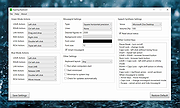 |
|
Chicony Electronics kb-9885 keyboard driver for Windows 95, 98 Chicony Electronics kb-9885 keyboard driver for Windows 95, 98 9885.zip |
 |
10,066 | Apr 09, 2009 Chicony Electronics |
|
CopyQ v16.0.0 CopyQ v16.0.0 👉 Advanced clipboard manager with editing, search, tabs, and powerful scripting. CopyQ monitors the system clipboard and saves its content in customized tabs. Saved clipboard entries can later be copied and pasted directly into any application. It supports storing text, HTML, images, and other custom formats, and it includes searching, sorting, editing, drag-and-drop, notes, tags, global shortcuts, a command-line interface, and scripting for advanced automation. In version 14.0.0, the project adds tab encryption support, audio playback through the playSound() script function, a new stats() script function, Nord themes, GNOME clipboard monitoring via a custom GNOME extension, and multiple fixes and platform improvements. Features: • Stores text, HTML, images, and other custom clipboard formats • Saves clipboard history in customizable tabs • Quickly browses and filters clipboard items • Sorts, creates, edits, removes, copies, pastes, and drags items between tabs • Adds notes and tags to stored items • Uses system-wide keyboard shortcuts with customizable commands • Pastes items from the tray, main window, or keyboard shortcuts • Includes a powerful command-line interface and scripting support • Can ignore clipboard content copied from specific windows or matching specific text • Supports a simple Vim-like editor with keyboard shortcuts • Adds tab encryption support in v14.0.0 • Adds audio playback and new scripting statistics in v14.0.0 Supported operating systems: • Windows • macOS 13 or higher • Linux, including Debian 11 or higher, Ubuntu 22.04 or higher, Fedora, Arch Linux, and other Linux distributions with Flatpak support Supported languages: English, Czech, French, German, Japanese, Spanish Changes: v16.0.0 05-30-26 Added Per-MIME clipboard size limits and OOM protection via clipboard_mime_size_limit config option and COPYQ_CLIPBOARD_MIME_SIZE_LIMIT environment variable. For example text/html.*:0;.*:100M disables storing HTML and sets 100MiB max size for all other formats (this size limit is the default: .*:100M). AppImage support (WITH_APPIMAGE CMake build option). Fixed Fixed thumbnails hidden for ... |
|
7,000 | Aug 05, 2026 Lukas Holecek 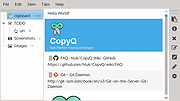 |
 |
Executor v2.4.0 Executor v2.4.0 👉 Fast and customizable keyboard launcher for Windows. Executor is a highly customizable application launcher and productivity tool designed to help you quickly start programs, open files and folders, perform web searches, execute commands, and automate repetitive tasks using keyboard shortcuts. Inspired by tools like Launchy and the old Microsoft AppLauncher utilities, Executor focuses on speed and flexibility while remaining lightweight and easy to use. Executor supports keyword aliases, command parameters, clipboard handling, history tracking, and advanced search functionality. Users can create custom commands, launch websites, search online services, and manage workflows directly from a compact launcher window. It also includes support for skins and plugins, allowing users to personalize the appearance and expand functionality. Features: • Instant keyboard-based program and file launching • Custom keyword aliases and command execution • Built-in web search and URL launching support • Clipboard and command history integration • Plugin and skin support for customization • Portable and lightweight design • Auto-complete and smart search matching • Hotkey support for rapid access • Launch files, folders, commands, and websites from one interface • Configurable interface and advanced user options Supported operating systems: • Windows XP, Windows Vista, Windows 7, Windows 8, Windows 10, Windows 11 Supported languages: English Changes: v2.4.0 09-26-26 What's new Need to research an embarrassing topic, or have someone looking over your shoulder, or presenting your screen in a meeting? You can now enable Incognito mode, that per default will not add anything to history while enabled. You can further configure the incognito mode to do one or more of the following: Hide history from auto-complete and list (file system, URLs, keywords). Hide all list entries either when input is empty or all the time. Disable file navigation in list. ... |
|
6,454 | Oct 02, 2026 Martin Bresson 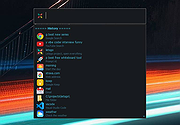 |
|
Honeywell Euroboard keyboard Honeywell _ Netropa RT9258TW The Multi-function keyboard drivers are version 2.00 and work with Win9x, NT, Win2000 and WinMe. Extract the zip file and run setup.exe, it\'s that easy! |
 |
9,998 | Jul 16, 2010 Honeywell |
|
HP (Hewlett Packard) Multimedia Keyboard SK-2501 HP (Hewlett Packard) Multimedia Keyboard SK-2501 drivers for Windows XP, 2000 and NT 2501v401.zip |
|
10,323 | Mar 30, 2009 HP (Hewlett Packard) |
|
Input Director v2.3 Input Director v2.3 Enables the control of multiple Windows systems using the keyboard/mouse attached to one computer. Switch control between systems either by hotkey or by moving the cursor to the screen edge on one computer for it to appear on the next one Input Director supports a shared clipboard - copy on one computer, switch control, and paste. Supported operating systems: Windows 11, Windows 10, Windows 8/8.1 and Windows 7. The systems must be networked. Supported languages: English Features Easy to Use • Easy to follow installation and usage guides - setup only takes a few minutes • Input Director's flexible monitor layout system makes it easy to accurately reflect a monitor's physical location and size: • Multi-monitor support • Shared Clipboard - copy and paste between computers (including files!) • Compatible with Windows 11, Windows 10, Windows 8/8.1 and Windows 7 • Only Input Director ensures the cursor remains visible and correct if the mouse is disconnected on a Windows 10 or Window 11 system • Transitioning control to another computer is as simple as moving your cursor off the screen on one computer for it to jump to the other • Able to control a computer without needing to login to it first Supports Windows fast user switching • Compatible with Windows User Account Control pop-ups Manage all your computers at once • Simultaneously lock all computers • Import/Export Input Director configuration and apply configuration updates from the command line • Synchronize screensavers across your computers • Synchronize shutdown of your system (or individually configure whether a computer goes to standby, hibernate or shuts down) • Wake systems over the network Security • Encrypt network data between Input ... |
|
4,862 | Feb 09, 2026 Shane Richards 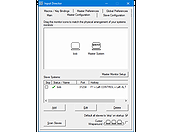 |
|
Input Remapper v2.2.1 Input Remapper v2.2.1 👉 Remap keyboards, mice, gamepads and other Linux input devices. Input Remapper is an easy to use Linux tool for changing the behavior of your input devices. It supports X11, Wayland, key combinations, programmable macros, joysticks, wheels, triggers, keyboard keys, mouse movements and more. It can map nearly any input to another input, making it useful for custom controls, accessibility tweaks, gaming setups and fixing awkward device layouts. Features: • Remap keyboards, mice, gamepads, joysticks, wheels and other input devices • Supports X11 and Wayland • Create key combinations and programmable macros • Map keys, buttons, triggers and mouse movements • Useful for gaming controls, accessibility needs and custom Linux workflows • Autoload mappings for connected devices • Preset based setup for different devices and layouts Supported operating systems: • Linux • Ubuntu 22.04 or higher • Debian • Fedora • Arch Linux • Void Linux Supported languages: English, Chinese Traditional Changes: v2.2.1 06-12-26 Various important fixes for gamepads Fix similar devices stealing the injection on autoload Preserve forwarded mouse DPI metadata during injection Add zh_TW Traditional Chinese locale Added Void Linux to install instructions Restrict 99-input-remapper.rules to event nodes Fix the .desktop reference in metainfo Fix XDG_CONFIG_HOME being ignored pyproject.toml, new build tool Switch to dasbus Use raw string literals for regexes New icon Add hint for permission problems to logs if device not found Code quality improvements This download is for the Linux Debian version (very bottom of page). Install on other Linux versions: Ubuntu/Debian repository: sudo apt install input-remapper Input Remapper 2.0 and higher requires at least Ubuntu 22.04. Fedora: sudo dnf install input-remapper sudo systemctl enable --now input-remapper Arch: yay -S input-remapper-git sudo systemctl enable --now input-remapper Void Linux: sudo xbps-install -S input-remapper sudo ln -s /etc/sv/input-remapper /var/service sudo sv up input-remapper Other distros: Install packages providing these dependencies: python3-evdev 1.3.0 or higher, gtksourceview4, python3-devel, python3-pydantic, python3-dasbus and python3-psutil. sudo pip install evdev pydantic dasbus PyGObject git clone https://github.com/sezanzeb/input-remapper.git cd input-remapper sudo python3 -m install --root / sudo systemctl enable --now input-remapper Uninstall from source install: sudo python3 -m install.uninstall Click here to visit ... |
|
454 | Jun 30, 2026 Tobi Sezanzeb 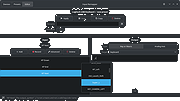 |
|
Keyboard and Mouse Simulator v1.3 Keyboard and Mouse Simulator v1.3 Keyboard and Mouse Simulator is a special tool to simulate all possible keyboard and mouse actions, which can be done by a real user. To get started, you have to create a special list of actions and commands of what to simulate, or record a sequence of keyboard and mouse actions, both of which will later be simulated step by step. Click here to visit the author's website. |
|
6,740 | Jul 02, 2020 2xDSoft 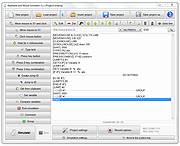 |
|
Keyboard Locker v1.0 Keyboard Locker v1.0 Your cat is not a writer and he sucks at video games. Keyboard Unlocker is a free tool to lock your keyboard when you are away from your computer. This helps keep kitty from adding pole dancing to your resume or destroying your Valorant rankings as he prances his happy ass over your keyboard. How to use Unzip the file. The program is based on an AutoHotKey script by Lexikos but has been made stand-alone by Trevor Bekolay of How-To Geek. Because of this there are two ways to launch it. If you have AutoHotKey installed, use the script file "KeyboardLocker.ahk" in AutoHotKey. If you do not have AutoHotKey installed, just run "KeyboardLocker.exe. This simple program will disable the keyboard when you press Ctrl+Alt+L. Once the keyboard is locked, you can type in "unlock" to unlock it. You can enable balloon notifications when the keyboard is locked or unlocked by right clicking on the tray icon (looks like a keyboard) and clicking on "Show tray notifications." Supported Operating Systems Tested on Windows 7, 10 and 11 but probably works fine on all versions of Windows. Click here to visit the author's website. |
|
3,110 | Aug 29, 2022 How-To Geek 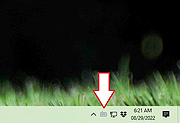 |
|
Keyboard Sounds v1.2.1 Keyboard Sounds v1.2.1 Add sound effects to your typing experience in Windows. Keyboard Sounds is a lightweight system tray application that adds sound effects to your typing experience. Important: The desktop application still requires the Python package to be installed on your system. On first launch, the application will check that both Python and the required Python packages are installed. Make sure when you install Python that you check the box that says “Add Python to PATH”. This will allow you to run Python from the command line, which is a requirement for the desktop application to function correctly. You may need to restart the application after doing this for the changes to take effect. Custom Profiles Keyboard Sounds comes bundled with eleven built-in sound profiles and supports custom profiles in which you can provide your own WAV or MP3 files to be used for the different keys pressed. Application Rules Keyboard Sounds supports application rules in which you can control the behavior of the sound daemon based on the currently running applications. Command Line Keyboard Sounds has a comprehensive backend that can be used to manage the daemon, application rules, and profiles. This backend can be accessed via the command line interface (CLI) in your terminal application. Click here to visit the author's website. |
|
944 | Dec 02, 2024 Nathan Fiscaletti 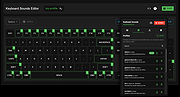 |
|
KeyTweak Portable v2.3.0 KeyTweak Portable v2.3.0 👉 Remap, disable or reassign keyboard keys through a simple visual interface. KeyTweak Portable is a free Windows keyboard-remapping utility that lets you change the function of individual keys without manually editing the Windows Registry. Its visual keyboard displays 126 numbered key positions, allowing you to select a key and assign it a different function or disable it entirely. KeyTweak writes changes to the Windows Scancode Map, making remappings available system-wide after Windows restarts. It can be used to disable unwanted keys, replace the function of a broken key, swap modifier keys or reassign multimedia and specialty buttons. Full Teach Mode and Half Teach Mode help identify keys that may not be easy to locate on the visual keyboard. The program does not need to remain running after changes are applied. Active mappings can be reviewed, undone individually or removed with the Restore All Defaults option. Remapping configurations can also be saved and loaded for later use. Features: • Visual keyboard with 126 numbered key positions • Remap individual keyboard keys • Disable unwanted or troublesome keys • Full Teach Mode for identifying and remapping physical keys • Half Teach Mode for quickly identifying a source key • Support for multimedia and specialty buttons • View currently active remappings • Undo the most recent remapping • Restore all keys to their default functions • Save and load remapping configurations • Applies remappings system-wide through the Windows Scancode Map • Does not require a background service after changes are applied • No install required • Manual included Note: A system restart is required after applying any remap for changes to take effect. Supported operating systems: • Windows 7, Windows 8, Windows 8.1, Windows 10, Windows 11 Supported languages: English Changes: v2.3.0 Not Provided Note: This file has two hits on VirusTotal. We have confirmed these to be false positives. The file is safe. Click here to visit the author's website. |
|
434 | Jul 15, 2026 Travis Krumsick & OlderGeeks.com 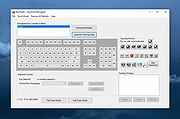 |
|
ResophNotes v1.8.1 ResophNotes v1.8.1 👉 A fast, lightweight Windows note-taking program with Simplenote synchronization, Markdown support, tags and powerful keyboard controls. ResophNotes is a free note-taking program for Windows designed to make creating, finding and managing text notes quick and uncomplicated. Notes can be kept locally or synchronized online with Simplenote, allowing them to be accessed from other devices using compatible Simplenote applications. It supports Markdown with HTML preview, tags, pinned notes, internal links, global keyboard shortcuts and optional storage of each note as an individual plain-text file. Deleted notes can be restored or permanently removed, and nearly every function can be controlled from the keyboard. A dark mode is also available. The developer warns that Simplenote may stop supporting synchronization with third-party applications, so Simplenote syncing should currently be used with caution. Features: • Simple, fast note creation and management • Synchronizes notes online with Simplenote • Access synchronized notes from other devices through Simplenote • HTTPS proxy support for Simplenote connections • Dark mode support • Global hotkey for quickly creating a new note • Global hotkey for restoring ResophNotes when minimized • Markdown text-to-HTML conversion with preview • Automatically recognizes HTTP links and email addresses • Internal note linking using wikilinks • Optional individual .txt files for storing notes • Complete keyboard control with numerous shortcuts • Single Note Mode for distraction-free note viewing and editing • Simplenote pinned-note support • Simplenote tag support • Search notes quickly from the keyboard • Import existing .txt files • Email notes directly from the program • Print notes • Insert the current timestamp with a keyboard shortcut • Restore deleted notes • Permanently delete unwanted notes • Free to use Supported operating systems: • Windows 10, Windows 11 (64-bit) Supported languages: English Changes: v1.8.1 08-14-26 Added Dark mode. Built using Microsoft Visual Studio Community 2026. Uses Qt 5.15.2. Updated OpenSSL library for connection issues. Click here to visit the author's website. |
|
81 | Sep 15, 2026 C.Y. Yen 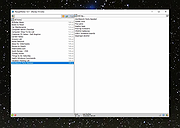 |
| Showing rows 1 to 13 of 13 | Showing Page 1 of 1 | 1 |
OlderGeeks.com Copyright (c) 2026
