|

|
Processed through Paypal No account required. |








Buy our over-priced crap to help pay the bills.



|
|
Processed through Paypal No account required. |
| Files | ||||
| File Name | Rating | Downloads | ||
 |
CoolTerm v2.4.0 CoolTerm v2.4.0 👉 Easy-to-use serial port terminal for communicating with connected hardware. CoolTerm is a simple serial port terminal application, with no terminal emulation, for hobbyists and professionals who need to exchange data with devices connected to serial ports, such as servo controllers, robotic kits, GPS receivers, microcontrollers, and other hardware. Written in Xojo. Features: • Multiple concurrent connections on separate serial ports • Display received data as plain text, hexadecimal, or graphic chart • Special receive and transmit character handling • Send data by keypress, Send String dialog, copy/paste, or file transfer • Send text and binary files by dialog or drag-and-drop • Capture received data to text or binary files • Local echo for transmitted and received data • Hardware and software flow control • Visual line status indicators • Manual control of RTS, DTR, and serial BREAK • Configurable character, line, and packet delays • Transmit macros, saved connection options, and scripting support Installation CoolTerm comes without an installer and can be placed anywhere on the hard-drive as long as the correct folder structure is maintained. I.e. the included "Libs" and "Resources" folders must reside in the same location as the CoolTerm application. Supported operating systems: Windows 8.1, 10, 11 macOS Mojave 10.14.x and higher Changes v2.4.0 05-19-25 NEW FEATURES: - Added the same "wait for termination string" options to the timestamp settings for received data as for captured data. This makes it possible to specify the termination string to wait for before timestamping and displaying received data. - Added option to include the timestamps added to received data in the data forwarded to other terminals. - Added support for relative and local paths in .CoolTermSession files. Paths beginning with .. and . will be considered relative and local paths, respectively. Saving a session will write absolute paths for all open terminals to the session file. However, a session file can be edited with a text editor and paths can be ... |
 |
3,978 | May 07, 2026 Roger Meier 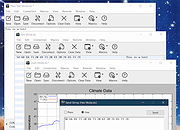 |
|
JSimStudio v1.1.3 JSimStudio v1.1.3 👉 Control and simulation utility for the Jupiter Instruments JI-820 USB incremental encoder emulator. JSimStudio is a portable simulation and control utility designed for the Jupiter Instruments JI-820 USB incremental encoder emulator. It allows engineers and developers to simulate encoder signals in real-world units, configure encoder scaling, and generate quadrature outputs for testing encoder-input hardware, PLCs, motion controllers, and software before connecting physical equipment. A built-in motion profile engine makes it easy to create repeatable test sequences using step, ramp, S-curve, and loop segments. JSimStudio also includes an integrated GPS/NMEA simulator that converts simulated encoder movement into standard NMEA-0183 data streams over serial, TCP, or UDP, making it useful for testing navigation and positioning applications. Version 1.1.1 adds a complete rotational simulation mode with RPM, degrees, and radians support, pulses-per-revolution scaling, independently selectable velocity and acceleration units, and the ability to bind GPS/NMEA network output to a specific network adapter. A built-in mock mode allows the software to run without JI-820 hardware attached for evaluation and development. When using an actual JI-820 device, the standard FTDI USB driver is required. Features: • Controls the Jupiter Instruments JI-820 USB incremental encoder emulator • Simulates quadrature encoder signals using real-world engineering units • Configurable encoder scaling and pulses-per-revolution settings • Motion profile editor with step, ramp, S-curve, and loop segments • Rotational simulation using RPM, degrees, or radians • Independently configurable velocity and acceleration units • Built-in GPS/NMEA-0183 simulator • Outputs NMEA data over serial, TCP, or UDP • Option to bind GPS/NMEA network output to a single network adapter • Mock mode allows operation without connected hardware • Portable application requiring no installation Supported operating systems: • Windows 10 (64-bit), Windows 11 (64-bit) Supported languages: English Changes: v1.1.3 07-20-26 Improved support for smaller displays and resized application windows. Fixed the velocity-profile loop function not working correctly. Note: This file has one hit on VirusTotal. We have confirmed this to be a false positive. ... |
|
333 | Jul 21, 2026 Funciona Systems 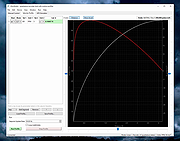 |
| Showing rows 1 to 2 of 2 | Showing Page 1 of 1 | 1 |
OlderGeeks.com Copyright (c) 2026
