|

|
Processed through Paypal No account required. |








Buy our over-priced crap to help pay the bills.



|
|
Processed through Paypal No account required. |
| Files | ||||
| File Name | Rating | Downloads | ||
 |
Adobe Digital Negative Converter v17.2 Adobe Digital Negative Converter v17.2 Convert camera-specific raw files from supported cameras to DNG raw files. The Adobe DNG Converter enables you to easily convert camera-specific raw files from supported cameras to a more universal DNG raw file. Another benefit of using the DNG Converter is backward compatibility. Workflow overview For conceptual information about raw files and the DNG format, and to understand why you should convert your files to DNG, see the Appendix. Note: Adobe provides backwards compatibility for the latest cameras for use in older versions of Photoshop, Lightroom, Bridge, After Effects, and Photoshop Elements through the DNG Converter. Requirements: MacOS: • Multicore Intelฎ processor (2 GHz or faster with SSE 4.2 or later, and 64-bit support) or Apple M1 or later processor • Operating System macOS Ventura (version 13) or later Windows: • Intelฎ or AMD processor (2 GHz or faster with SSE 4.2 or later, and 64-bit support), or ARM processor (2 GHz or faster with 64-bit support) • Operating System Windows 10 (version v22H2 or later) or Windows 11 (version 21H2 or later) Installation 1) Open the downloaded file and double-click the DNG Converter executable file. 2) Follow the onscreen instructions. The DNG Converter is now available in your Programs (Windows) or Applications (macOS) directory. The installation utility is designed to also install a set of color profiles required for the DNG Converter to function properly. These profiles are copied to a common resource location. Convert images The DNG Converter dialog box 1) Launch the DNG Converter by double-clicking its icon. Alternatively, drag and drop individual images or a folder of images directly onto the Adobe DNG Converter icon. This action automatically launches the converter. 2) Select the folder of images you'd like to convert to DNG. 3) Select the location where you want to save ... |
 |
3,751 | Mar 19, 2025 Adobe 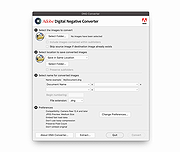 |
 |
ADVIK digital webcam driver ADVIK digital webcam driver Unzip file. Connect your webcam. During driver installation, point Windows to the location where you unzipped the file. CIFSinglechipdrivers.zip |
 |
10,139 | Aug 02, 2009 ADVIK |
|
Artweaver Free v8.1.5 Artweaver Free v8.1.5 👉 Powerful free painting and image editing software for creative digital artists. Artweaver Free is a full-featured painting and image editing program designed for beginners and advanced users alike. It offers a wide range of realistic brush types to simulate traditional media such as chalk, charcoal, pencils, and oil paint. With an intuitive user interface and support for layers, transparency, and common image formats, Artweaver Free provides the tools needed to create and edit digital artwork with precision and flexibility. Features: • Realistic brush engine with many predefined brush types • Supports layers, groups, and transparency • Wide range of image adjustment tools and filters • Event recording and playback functionality • Tablet support for pressure-sensitive drawing • Supports common image formats including AWD and PSD • Customizable user interface Supported operating systems: • Windows 10, Windows 11 Supported languages: • English, German Changes: v8.1.5 05-16-26 This version includes the following improvements and fixes Improved update installation Fixed occasional horizontal line artifacts Fixed incorrect colors in 8bf filter results Fixed scale to fit media enabled by default in print preview Fixed layer merge errors with certain blend modes Fixed navigator preview not updating after applying the crop tool Fixed an opacity issue when moving selected image data Fixed document not being marked as modified after applying a tool Fixed navigator preview issues with transparency and low zoom levels Fixed a crash when opening documents containing EXIF data This download is for the Windows version (very bottom of page). If you need the plugins and extra language files, download here. Click here to visit the author's website. |
|
6,583 | Jul 05, 2026 Boris Eyrich Software 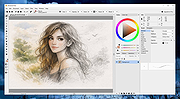 |
|
Calibre v9.15.0 Calibre v9.15.0 👉 A powerful and complete eBook management, conversion, and reading solution. Calibre is a comprehensive eBook management application that allows you to organize, convert, edit, and read eBooks in a wide variety of formats. It provides a complete solution for managing your digital library, syncing books with eReaders, downloading news from the web, and converting between popular eBook formats. Calibre also includes a built-in eBook viewer, powerful metadata editing tools, and support for plug-ins to extend its functionality. Features: • Organize and manage large eBook collections • Convert between multiple eBook formats including EPUB, MOBI, AZW3, PDF and more • Built-in eBook viewer with customizable reading options • Edit eBook metadata including title, author, cover and tags • Download news from websites and convert it into eBook form • Sync eBooks with popular eReaders • Powerful search and sorting tools • Plugin support to extend functionality Supported operating systems: • Windows 8.1, Windows 10, Windows 11 • macOS 10.15 or higher • Linux Supported languages: English, Afrikaans, Albanian, Arabic, Basque, Bengali, Bulgarian, Catalan, Chinese, Croatian, Czech, Danish, Dutch, Estonian, Finnish, French, Galician, German, Greek, Hebrew, Hindi, Hungarian, Icelandic, Indonesian, Italian, Japanese, Korean, Latvian, Lithuanian, Norwegian, Persian, Polish, Portuguese, Romanian, Russian, Serbian, Slovak, Slovenian, Spanish, Swedish, Tamil, Telugu, Thai, Turkish, Ukrainian, Vietnamese Changes: v9.15.0 09-18-26 New features A "Create your own adventure" writing game -- interactive storytelling with an AI managing the world you create This is a little different from the usual run of calibre features. It started out as a way to test the AI backends in calibre but turned into something fun to use. As always with AI features its completely optional and not even loaded unless you explicitly run it. Go to Preferences->Toolbars & menus and add the "Create your own Adventure" to the main toolbar to use it E-book viewer: Highlights panel: Allow ... |
|
12,274 | Sep 23, 2026 Kovid Goyal 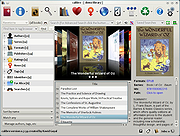 |
|
Digi Flip Screensaver v1.0 Digi Flip Screensaver v1.0 👉 Free digital flip clock screensaver for Windows. Digi Flip Screensaver is a free digital clock screensaver for Windows that displays the current time using animated flipping digits updated in real time. It features a sleek, modern look designed to add a fun and interactive clock display to your desktop or laptop while the screensaver is active. The program is built with the OpenGL framework and is designed to work with a wide range of screen resolutions, including HD and 4K. Features: • Real-time digital flip clock display • Animated flipping digits • Smooth 3D effects • OpenGL-based screensaver • Install and uninstall support • Compact size and fast installation • Supports HD and 4K screen resolutions • Free to download and use Supported operating systems: • Windows XP, Windows Vista, Windows 7, Windows 8, Windows 10, Windows 11 Supported languages: English Changes: Not Provided Click here to visit the author's website. |
|
647 | Mar 29, 2026 saversplanet.com 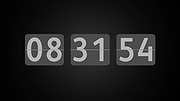 |
|
Digital Clock v5.1.4 Digital Clock v5.1.4 A beautiful and highly customizable clock with plugins. Just launch it and enjoy! When it starts, apart from the clock itself, a small tray icon appears. This tray icon can be used to call the clock configuration dialog. Also this dialog can be called using clock context menu. Features: • full compatibility with old skin format • good font rendering (minimal difference with text editors) • good Unicode support (including emoji) • font-like rendering for image-based skins due to skin format extension • gradient filling for numbers and background • multiple time zones (or just multiple windows) support • tray icon displays local time (implemented just-for-fun) Changes: v5.1.4 added configurable tray icon actions (Windows only) added option to hide the clock improved macOS packaging fixed compatibility issues related to 'any_zoom' fixed widget alignment options saving (for plugins) added 'ip_address' plugin (improved version) added leading zero option for 'countdown_timer' This download is for the Windows portable version (very bottom of page). All other download assets are below: Windows: digital_clock_5-x64.msi (installer) macOS: digital_clock_5-macos.dmg Click here to visit the author's website. |
|
1,046 | Apr 04, 2025 Nick Korotysh 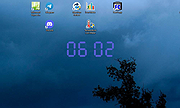 |
|
Digital Paintball 3 Digital Paintball 3 Digital Paintball 3 is a first person shooter (FPS) game available on Web, PC, Mac and Linux. Conflate your love for simulated sport with adventure, and what you will get is the best 3D, digital paintball 3 video game of all times! You can enjoy endless hours of pure joy and an assured excitement that gradually mounts without leaving the sanctity of your home or braving the detestation of getting wet or dirty. The new online game that we have developed so punctiliously is sure to leave you regaling to the extent that you will soon be hooked to it. One of the fastest paced multiplayer digital paintball, Paint-ball Online is a super way to exercise your mental prowess, hand-eye coordination, concentration, Digital Paintball 3 Online analytical knack, quick decision-making capabilities, and of course, your love digital paintball 3 for the actual sport. Carry the power in your hand, register at our site and feel the blues blow away. |
|
8,481 | Aug 02, 2016 Digital Paintball 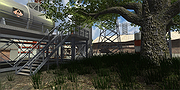 |
|
Krita v5.3.4 Krita v5.3.4 👉 Professional free and open source digital painting software for illustration, concept art, comics, textures, and animation. Krita is a professional free and open source painting program made by artists who want affordable art tools for everyone. It offers a clean and flexible interface, a large set of painting and drawing tools, animation features, resource management, and advanced text and vector capabilities for creating everything from illustrations and concept art to comics, textures, and animated projects. Portrait of Random Beauty by:Manga Tengu Features: • Clean and flexible interface with fully customizable layouts, dockers, toolbars, themes, and keyboard shortcuts for a personalized workflow • Over 100 professionally crafted brushes included, covering painting, sketching, inking, textures, and special effects • Advanced brush engines (9+) including Pixel, Smudge, Color Smudge, Shape, Spray, Filter, and Particle engines for diverse artistic styles • Brush stabilizers, smoothing options, and Dynamic Brush tool for precise and controlled strokes • Full brush customization with pressure sensitivity, tilt support, rotation, texture overlays, and custom brush tips • Powerful layer system including raster, vector, filter, file, fill, and clone layers with grouping and non-destructive workflows • Advanced selection tools including freehand, polygonal, contiguous, color-based, and transformable selections • Masking system with transparency masks, filter masks, transform masks, and selection masks for non-destructive editing • Built-in vector tools for shapes, paths, and SVG-based artwork with editable properties • Enhanced text tool with on-canvas editing, full OpenType support, kerning, shaping, and text flowing into shapes • Wrap-around mode for seamless texture and tile creation • Resource Manager for importing, organizing, tagging, and sharing brushes, gradients, patterns, and palettes • Color management with HDR painting support, wide color gamut, ICC profiles, and advanced blending modes • Fill tool with gap-closing capability for cleaner coloring in line art • Fast liquify transform mode for real-time distortion and sculpting effects • Extensive filter set including artistic, blur, color adjustment, and new propagate ... |
|
7,911 | Oct 02, 2026 Krita Foundation 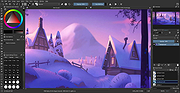 |
|
LEGO Digital Designer v4.3.12 LEGO Digital Designer v4.3.12 This is LEGO Digital Designer. The program that lets you build with LEGO bricks on your computer. As far back as 1999, a group of visionary LEGO product developers and engineers started thinking about letting people design their own LEGO products. They imagined people of all ages, anywhere in the world, being able create any design they could dream up – using an intuitive, free tool for digital design. The first milestone was achieved in July 2003, when version 1.0 of LEGO Digital Designer was released. In February 2004, an online 3D Gallery went live, allowing designers to share their ideas via the Internet. By 2005, thousands of LEGO Factory enthusiasts were designing, sharing and ordering their own custom models – and the one-millionth copy of LEGO Digital Designer was downloaded on 25 September that year. Now LEGO Digital Designer is quite simply the best virtual building system out there – with its “Click-Stick” method of 3D modeling winning praise from children, parents, teachers and design enthusiasts everywhere. And, as the virtual design platform behind a growing number of LEGO products, LEGO Digital Designer is here to stay. A host of improvements and new features are already in development, including an improved user interface, new connectivity, more life-like building, Technic compatibility and improved train building and animation. So stay tuned – with LEGO Digital Designer, the future is yours. If you haven’t tried LEGO Digital Designer yourself, download a copy today! With LEGO Digital Designer MINDSTORMS mode you have access to hundreds of virtual LEGO MINDSTORMS and Technic elements. You can design your next robot model from scratch, or document your creation and share on the NXT Log! Note: When you launch the program you will get this message: "Internet access failed". LDD is now past its end of life, and Lego does ... |
|
11,559 | Oct 20, 2020 LEGO Group 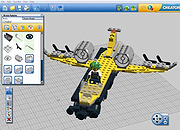 |
|
SimulIDE v1.1.0 SimulIDE v1.1.0 👉 Simple real-time electronic circuit simulator for students and hobbyists. SimulIDE is a simple real-time electronic circuit simulator intended for learning and experimenting with analog and digital electronic circuits and microcontrollers. It supports PIC, AVR, Arduino and other MCUs and MPUs, with a focus on speed, simplicity and quick testing rather than highly accurate professional circuit analysis. Features: • Real-time electronic circuit simulation • Analog and digital circuit support • PIC, AVR and Arduino simulation • Code editor and debugger • Arduino IDE 2 support • Support for GcBasic, PIC asm and AVR asm • Fast simulation with low CPU usage • Simple workspace for learning, testing and experimenting • Useful for students, hobbyists and electronics tinkerers • Source code available Supported operating systems: • Windows 64-bit, Windows 32-bit, Linux 64-bit, MacOS X86 Supported languages: English, Azerbaijani, Simplified Chinese, Czech, Dutch, French, German, Italian, Russian, Spanish, Portuguese, Brazilian Portuguese, Slovak, Turkish Changes: v1.1.0 03-12-26 Updated to SR2 (Stable Release 2). This download is for the Windows 64bit version (very bottom of page). All other download assets are below: Other Windows: SimulIDE_1.1.0-SR2_Win32.zip macOS: SimulIDE_1.1.0-SR2_MacOs.zip Linux: SimulIDE_1.1.0-SR2_Lin64.tar.gz Click here to visit the author's website. |
|
574 | Jun 14, 2026 santigoro 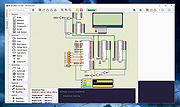 |
| Showing rows 1 to 10 of 10 | Showing Page 1 of 1 | 1 |
OlderGeeks.com Copyright (c) 2026
