|

|
Processed through Paypal No account required. |








Buy our over-priced crap to help pay the bills.



|
|
Processed through Paypal No account required. |
| Files | ||||
| File Name | Rating | Downloads | ||
 |
AnyBurn Free v6.9 AnyBurn Free v6.9 👉 Lightweight disc burning, imaging, and bootable USB drive creation software. AnyBurn is a lightweight but professional disc burning, imaging, and bootable USB drive creation program. It provides tools to burn data discs, create Audio CD and MP3 CD discs, rip Audio CDs, create and manage image files, browse and extract image contents, test disc surfaces, view drive and disc information, and create bootable USB drives. This portable edition is fully functional, does not require installation, and can be extracted and run directly or placed on a USB drive. Features: • Burn image files to CD, DVD, and Blu-ray discs • Burn data discs • Append data to discs to create multisession discs • Support on-the-fly burning • Create Audio CDs from MP3, M4A, FLAC, OGG, APE, WMA, and WAV files • Create MP3 CD and DVD discs • Copy discs to image files • Copy one disc directly to another • Rip Audio CDs to MP3, FLAC, OGG, APE, WAV, and WMA files • Convert disc image file formats • Create new image files • Edit existing image files • Browse and extract files from image files • Test disc surfaces • View optical drive and disc information • Create bootable USB drives • Create bootable USB drives from ISO and supported compressed files • Run without installation from a folder or USB drive Supported operating systems: • Windows 11, Windows 10, Windows 8 / 8.1, Windows 7, Windows Vista, Windows 2008, Windows 2003, Windows XP, Windows 2000 Supported languages: • Arabic, Bulgarian, Croatian, Czech, Danish, Dutch, English, English UK, Finnish, French, German, Greek, Hungarian, Indonesian, Italian, Japanese, Korean, Polish, Portuguese (Brazil), Portuguese (Portugal), Romanian, Russian, Simplified Chinese, Slovenian, Spanish, Swedish, Traditional Chinese, Turkish, Ukrainian Changes: v6.9 07-28-26 Some minor bug fixes and enhancements. Note: This file has one hit on VirusTotal. We have confirmed this to be a false positive. The file is safe. Click here to visit the author's website. |
 |
13,979 | Aug 26, 2026 Power Software Ltd. 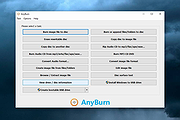 |
|
HandBrake v1.11.2 HandBrake v1.11.2 👉 Open-source video transcoder for converting video files into modern, widely supported formats. HandBrake is a free and open-source video transcoder that allows users to convert video files from nearly any format into modern, widely supported codecs and containers. It is widely used for compressing large video files, preparing videos for mobile devices, and converting DVD or Blu-ray sources into digital files. HandBrake supports a wide range of input sources including common video formats, DVDs, and Blu-ray discs that are not copy-protected. Users can choose from optimized device presets or customize encoding settings such as bitrate, resolution, frame rate, filters, and subtitles to match their specific needs. The application includes advanced features like hardware acceleration, batch processing, subtitle management, chapter markers, and video filters for deinterlacing, denoising, and scaling. HandBrake also provides preview capabilities so users can test encoding settings before processing an entire file. Its clean interface and powerful engine make it useful for beginners and advanced users alike. Features: • Convert video from nearly any format to MP4, MKV, or WebM • Built-in presets for common devices and streaming platforms • Hardware accelerated encoding (Intel Quick Sync, NVIDIA NVENC, AMD VCE/VCN, Apple VideoToolbox) • Video filters including deinterlace, denoise, sharpen, and scaling • Subtitle support including burned-in, soft subtitles, and external subtitle tracks • Chapter markers and audio track selection • Batch encoding and queue management • Live preview to test encoding settings before processing Supported operating systems: • Windows 10, Windows 11 • macOS 13 Ventura or higher • Linux Ubuntu 22.04 or higher Supported languages: English, Catalan, Chinese (Simplified), Chinese (Traditional), Czech, Dutch, French, German, Hungarian, Italian, Japanese, Korean, Polish, Portuguese, Portuguese (Brazil), Russian, Spanish, Swedish, Turkish, Ukrainian Changes: v1.11.2 06-07-26 Fixed a crash when performing a 2-pass lossless x265 encode. Fixed a memory leak during 2-pass MPEG-4, MPEG-2, VP9, and FFV1 encodes. Updated supported dither and encoder combinations. Fixed the Core Audio AAC encoder 7.1 channel ... |
|
10,850 | Jul 30, 2026 The HandBrake Team 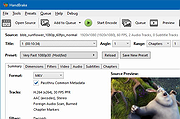 |
|
OpenCloseDriveEject v3.55 OpenCloseDriveEject v3.55 👉 Quickly open, close, and safely eject drives and removable media in Windows. OpenCloseDriveEject is a small Windows tool that lets you open and close DVD, CD, and Blu-ray drives, and safely eject removable storage like USB, SD, and SSD devices. It can run as a portable app, includes optional To-Tray/hidden startup behavior, and also offers command-line options for simple automation. Features: • Open and close optical drive trays (CD, DVD, Blu-ray) • Safely eject removable media (USB, SD, SSD, external drives) • Portable application, no installation required • Command-line support (start hidden, start to tray, custom INI path) • Optional start minimized or in system tray • Multilingual interface Supported operating systems: • Windows XP, Windows Vista, Windows 7, Windows 8.1, Windows 10, Windows 11 • Windows Server 2012, Windows Server 2016, Windows Server 2019, Windows Server 2022, Windows Server 2025 Supported languages: German, English, French, Greek, Traditional Chinese, Bulgarian, Korean, Russian, Japanese, Polish, Turkish, Italian, Dutch, Swedish, Norwegian, Portuguese, Danish, Irish, Thai, Spanish (Venezuela), Persian, Arabic, Hebrew, Finnish, Czech, Simplified Chinese, Bosnian, Croatian, Serbian, Catalan Changes: v3.55 05-02-26 • Important tests of the OpenCloseDriveEject app for the next MS Windows 11 build • Update of the OpenCloseDriveEject.exe language files A simple example of using the "Open Close Eject the Drive Tool" This download is for the Windows 64bit portable version. If you need the Windows 32bit portable version, download here. Click here to visit the author's website. |
|
5,535 | Jul 11, 2026 Nenad Hrg 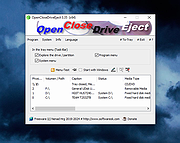 |
 |
PotPlayer v260622 PotPlayer v260622 👉 A multimedia player for Windows with built-in codec support, subtitle handling, 3D playback, and hardware acceleration. PotPlayer is a multimedia player designed for Windows that provides maximum performance with minimum resource usage using DXVA, CUDA, and QuickSync. It supports various types of 3D glasses and 3D output formats, including Side by Side, Top and Bottom, and Page Flipping. PotPlayer also supports multiple subtitle formats such as SMI, SRT, DVD Vobsub, Blu-ray subtitles, ASS/SSA animation, and SMI Ruby tags. It includes OpenCodec support so users can add codecs easily, and offers advanced playback features such as smooth video playback, sound card selection, scene preview snapshots, bookmarking favorite scenes or chapters, and support for devices such as DVD, TV, and HDTV. Features: • Provides maximum performance with minimum resource usage using DXVA, CUDA, and QuickSync • Supports various types of 3D glasses and 3D output formats • Supports text subtitles, DVD subtitles, Blu-ray subtitles, ASS/SSA animation, and SMI Ruby tags • Supports OpenCodec so users can easily add additional codecs • Smooth and seamless video playback • Lets you choose which sound card to use when multiple sound cards are installed • Allows scene preview with snapshots • Lets you bookmark favorite scenes or chapters • Supports Direct3D9 Ex Flip Mode and Overlay • Supports devices such as DVD, TV, and HDTV Supported operating systems: • Windows 7, Windows 8, Windows 8.1, Windows 10, Windows 11 Supported languages: • Korean, Chinese (Simplified), Chinese (Traditional), English, Ukrainian, Russian, Polish Changes: v260622 08-06-26 * Removed Kakao TV + Added pause function when navigating via the navigation bar - Significantly improved internal stability - Fixed an issue where colors appeared strange during RGB24 processing - Improved playback for some HTTP streams - Improved sync processing for the built-in audio renderer - Fixed an issue where certain MP4 files behaved abnormally during playback This download is for the Windows 64bit version. If you need the 32bit version, download here. Click here ... |
|
5,040 | Aug 06, 2026 Kakao Corp. 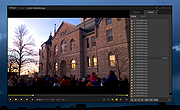 |
|
WinBin2Iso v6.77 WinBin2Iso v6.77 👉 Convert BIN disc image files into ISO format quickly and easily. WinBin2Iso is a lightweight and portable utility that converts BIN CD, DVD, and Blu-ray image files into ISO format. The program is designed to handle large image files over 2GB while remaining extremely small and simple to use. Its straightforward interface allows users to select a BIN file, choose an output location, and create an ISO image in just a few clicks. Because the program is portable, it does not require installation and can be run directly from a USB flash drive or other removable media. Features: • Convert BIN image files to ISO format • Supports CD, DVD, and Blu-ray image conversion • Handles files larger than 2GB • Portable application with no installation required • Extremely small program size • Simple and easy-to-use interface • Low CPU and system resource usage • Drag-and-drop support • Multilingual user interface • Compatible with both 32-bit and 64-bit Windows systems Supported operating systems: • Windows XP, Windows Vista, Windows 7, Windows 8, Windows 8.1, Windows 10, Windows 11 • Windows Server editions • Supports 32-bit and 64-bit systems Supported languages: English, German, Italian, French, Spanish, Traditional Chinese, Danish, Polish, Turkish, Japanese, Korean, Arabic, Portuguese, Dutch, Swedish, Finnish, Icelandic, Irish, Afrikaans, Norwegian, Luxembourgish, Māori Changes: v6.77 06-22-26 • Improvements to the Win-Bin-2-Iso app for all Windows operating systems • Language file update in the Win-Bin-2-Iso application This download is for the Windows 64bit version (very bottom of page). If you need the Windows 32bit version, download here. If you need the Windows Unicode version, download here. Click here to visit the author's website. |
|
6,561 | Jun 23, 2026 Nenad Hrg 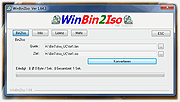 |
| Showing rows 1 to 5 of 5 | Showing Page 1 of 1 | 1 |
OlderGeeks.com Copyright (c) 2026
