|

|
Processed through Paypal No account required. |








Buy our over-priced crap to help pay the bills.



|
|
Processed through Paypal No account required. |
| Files | ||||
| File Name | Rating | Downloads | ||
 |
AOMEI Backupper Standard v8.4.0 AOMEI Backupper Standard v8.4.0 👉 Free backup, sync, restore, and disk cloning software for protecting your system and personal data. AOMEI Backupper Standard is free backup software designed to protect personal data and operating systems with backup, restore, sync, and cloning tools. It can back up files, folders, disks, partitions, and systems, create automatic scheduled backups, sync files to local and network locations, clone data disks for drive replacement or upgrades, and create bootable rescue media for recovery when the system cannot start. Features: • System, disk, partition, and file backup • File restore, system restore, disk restore, and partition restore • Automatic scheduled backups with daily, weekly, and monthly options • Incremental backup support • Basic file sync to local disks, external drives, network shares, and NAS • Disk clone for data disks and partition clone • Intelligent sector clone and SSD alignment support • Bootable media creation for recovery • Backup to local disk, external disk, USB flash drive, network/NAS, cloud drive, and CD/DVD • Backup image splitting, compression, checking, and task import/export • Recovery environment creation in the boot menu • Email notifications with Gmail and Hotmail SMTP support in the Standard edition Supported operating systems: • Windows 7, Windows 8, Windows 8.1, Windows 10, Windows 11 • macOS 10.13 (High Sierra) or higher Supported languages: • English, German, French, Japanese, Italian, Dutch, Spanish, Turkish, Polish, Simplified Chinese, Traditional Chinese Changes: v8.4.0 06-18-26 Optimized: Now it allows to reset the System Security Identifier (SID) during system/system disk clone and restore. This seamlessly eliminates network and permission conflicts after migrating systems to multiple PCs, making IT management and batch deployment much more efficient. Optimized: The task execution details page now displays "Transfer Speed" and "Estimated Time Remaining" in real-time, providing clear, at-a-glance visibility into your progress. Optimized: When the window of the backup source and destination selection pop-up is enlarged, the list column widths will automatically adjust the spacing according to ... |
 |
10,094 | Aug 14, 2026 AOMEI Technology Co., Ltd 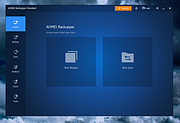 |
|
AOMEI Cyber Backup Free v4.5.0 AOMEI Cyber Backup Free v4.5.0 👉 Free centralized backup and disaster recovery solution for virtual machines, Windows systems, and SQL Server databases. AOMEI Cyber Backup Free is an enterprise-class backup and recovery platform that allows administrators to protect virtual machines, physical computers, servers, and databases from a single web-based management console. Designed for businesses, IT departments, MSPs, and home labs, it simplifies backup scheduling, monitoring, restoration, and storage management across multiple systems. The free edition provides a surprisingly comprehensive feature set for small environments. It supports up to 3 Hyper-V virtual machines, 3 VMware ESXi virtual machines, unlimited VMware Free ESXi virtual machines, 3 Microsoft SQL Server databases, 3 Windows PCs, and 1 Windows Server. Included at no cost are agentless VM backups, full, incremental, and differential backup methods, automated scheduling, Amazon S3 backup archiving, task monitoring, log management, role-based management, and point-in-time recovery. While some advanced enterprise capabilities require a paid license, the free edition delivers powerful centralized backup protection suitable for many small business and lab deployments. Features: • Centralized web-based backup management console • Protect up to 3 Hyper-V virtual machines • Protect up to 3 VMware ESXi virtual machines • Unlimited VMware Free ESXi virtual machine support • Protect up to 3 Microsoft SQL Server databases • Protect up to 3 Windows PCs • Protect 1 Windows Server • Agentless backup for VMware and Hyper-V virtual machines • Full backup support • Incremental backup support • Differential backup support • Automated backup scheduling and execution • Backup to local storage devices • Backup to network shares and NAS devices • Archive backups to Amazon S3 cloud storage • Flexible retention policy configuration • Restore entire virtual machines • Restore from any available backup point • Restore workloads to their original location • Backup task monitoring dashboard • Backup log management and reporting • Email notification support • Role-based management controls • Centralized monitoring of all protected workloads • Browser-based administration from any supported system • Free ... |
|
1,139 | Jun 12, 2026 AOMEI Technology Co., Ltd  |
|
AOMEI Partition Assistant Standard v10.4.2 AOMEI Partition Assistant Standard v10.4.2 Free disk partition software for home and personal use. Manage and Redistribute Partition Flexibly Easily and flexibly adjust partition size, change partition file systems, delete partition data, or transfer partition data to another location. • Resize partition to make it bigger or smaller than now by reallocating disk space. • Move partition to make unallocated space adjacent to the partition you wish to extend. • Merge two partitions/unallocated space to another partition without data loss. • Delete or wipe partition to erase all data on the selected partition for privacy protection. • Clone partition to another partition or disk for easy and quick data transfer. • Convert file systems between NTFS and FAT32 without reformatting the partition. • Format partition to different file systems like NTFS/FAT32/exFAT/Ext4/Ext3/Ext2. Organize and Optimize Hard Disk Effortlessly AOMEI Partition Assistant Standard allows you to realize disk upgrade/replacement, partition style conversion, remove junk files and other disk managements without any difficulties. • Clone hard disk to another smaller or larger disk via two different clone methods. • Convert data disk from MBR to GPT, or GPT to MBR style without deleting partitions or any data loss. You can upgrade to Windows 11 easily and safely! • Wipe an entire hard disk completely and safely to prevent private information leakage. • Efficiently clean up junk files from computer to optimize OS and speed up computer. • Rebuild damaged MBR on the hard disk to solve some severe Windows boot issues. • Check the hard disk for bad sectors regularly to prevent potential ... |
|
1,452 | Aug 21, 2024 AOMEI 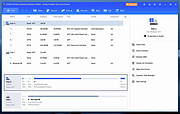 |
|
AOMEI PE Builder v2.0 AOMEI PE Builder v2.0 Windows PE Bootable Disc Creator • Compatible with UEFI and BIOS boot modes • No AIK/WAIK installation required • Support to download offline anti-virus software via network What is AOMEI PE Builder? AOMEI PE Builder helps you to create a bootable environment based on Windows PE without installing AIK/WAIK, which integrates a set of tools that enables you to boot up your computer for easy maintenance and fast recovery tasks when the native system is corrupted or cannot be used. And the bootable media you create is compatible with both BIOS and UEFI, so you don't have to create two medias for those two boot modes separately. Tip: If there's no Windows PE creating environment on your computer, you can download the shared Windows PE creating environment below. Features and Utilities of AOMEI PE Builder Graphic Operational Interface unlike traditional WinPE environment, it brings you a user-friendly graphical interface and a familiar Windows environment, including desktop, Windows explorer, start menu, taskbar, etc. It is easy to use just like using Windows 7. The Windows PE bootable media can be a CD/DVD disc, USB flash drive, or ISO image file, so you can choose the most convenient one according to your preference. Support Network In most cases, the Windows PE created by AOMEI PE Builder can be connected to network. Through the network, you can download directly the off-line version of anti-virus software in the Windows PE system created by AOMEI Windows PE Builder. Pack Portable Tools and Drivers On the desktop of Windows PE, you can find AOMEI Partition Assistant,AOMEI Backupper, and other tools. If you want to use more drivers and tools, you can pack them into when creating Windows PE media. FREE support for both private and business use This software is designed for both private and business. ... |
|
8,321 | Sep 29, 2023 AOMEI Tech Co. Ltd. 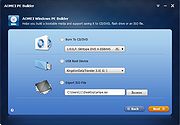 |
| Showing rows 1 to 4 of 4 | Showing Page 1 of 1 | 1 |
OlderGeeks.com Copyright (c) 2026
