|

|
Processed through Paypal No account required. |








Buy our over-priced crap to help pay the bills.



|
|
Processed through Paypal No account required. |
| File - Download Keysee v1.2.0 | ||||||||
| Description | ||||||||
|
Always scroll to the bottom of the page for the main download link. We don't believe in fake/misleading download buttons and tricks. The link is always in the same place. Keysee v1.2.0 Keystrokes and mouse clicks visualizer for tutorial creators. Why Keysee exists: From the author: "Tutorial creators know the problem — you spend time explaining what keys you pressed or highlighting shortcuts in post-production. I built Keysee for my videos because other tools didn't cover everything I needed and often looked outdated. Now it's yours too." -Alexandr Sakhnov Features: ⌨️ Keystroke Display Shows pressed keys and combinations in real time with smooth visual feedback. 🖱️ Mouse and Scroll Shows mouse clicks and scroll wheel with modifier keys. Optional ripple effects. 🧠 Smart Filtering Handles repeated keys and noise. Keeps display clean. ⚙️ Customizable Adjust colors, fonts, position, timing. Full visual control. 💾 Presets Different scenario, different setup. Save presets and switch quickly. 📖 Open Source Full source code available. No hidden behavior or tracking. Supported operating systems: Windows 10/11 Changes: v1.2.0 08-04-25 enh: Improved presets functionality and UX (@Perfect03) #5 feat: System tray menu toggle and hotkey (Ctrl+Shift+F12) for quick enable/disable of overlay (@Perfect03) feat: Single key display limit setting enh: Improved translations 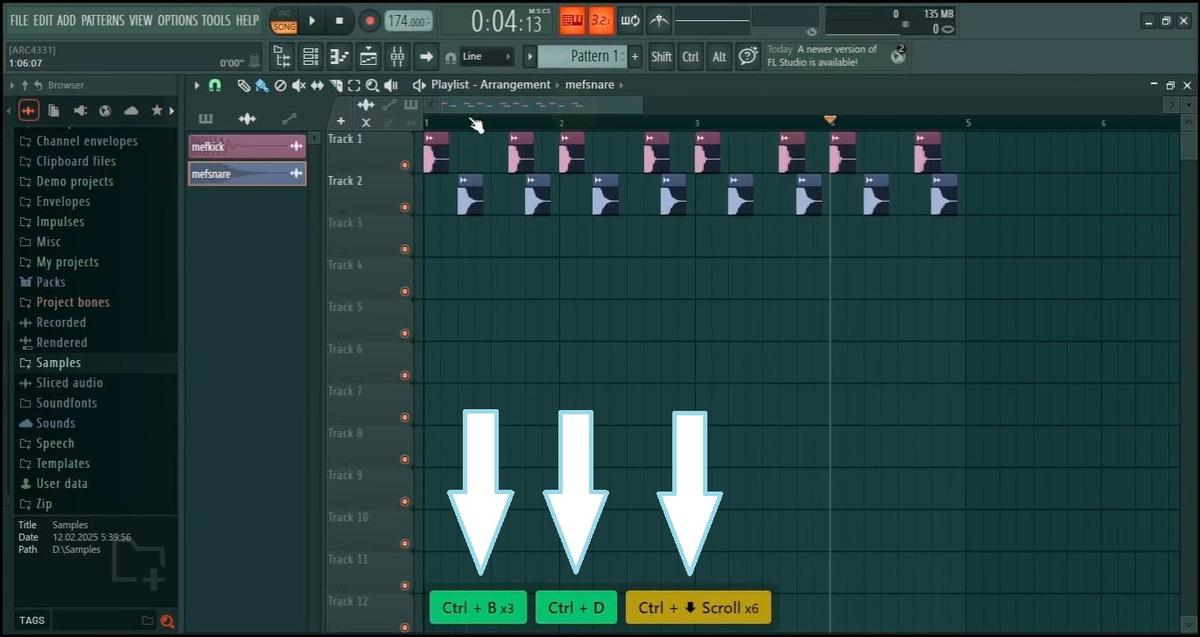 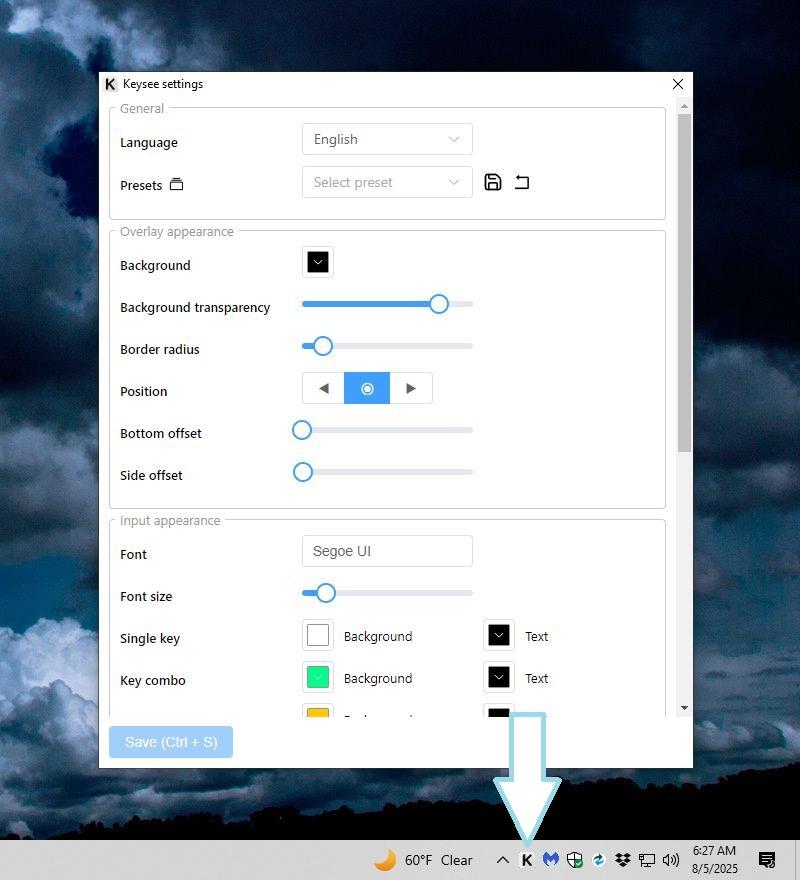 Click here to visit the author's website. Continue below for the main download link. |
||||||||
| Downloads | Views | Developer | Last Update | Version | Size | Type | Rank | |
| 775 | 3,498 | Alexandr Sakhnov | Aug 05, 2025 - 11:42 | 1.2.0 | 80.92MB | EXE |  , out of 25 Votes. , out of 25 Votes. |
|
| File Tags | ||||||||
| v1.2.0 Keysee | ||||||||
Click to Rate File Share it on Twitter → Tweet
|


