|

|
Processed through Paypal No account required. |








Buy our over-priced crap to help pay the bills.



|
|
Processed through Paypal No account required. |
| File - Download ClickityClick v1.0.1 | ||||||||
| Description | ||||||||
|
Always scroll to the bottom of the page for the main download link. We don't believe in fake/misleading download buttons and tricks. The link is always in the same place. ClickityClick v1.0.1 Creates a handy icon on the system tray that allows you to bind any command, allowing you to run it with a single click on the tray icon. Inspired by 22000.71's "Restart Explorer" button (aka the Date & Time button). Installation Go to the Releases tab and download either the 64-bit or 32-bit version, depending on your OS architecture. Running the app %programfiles%\Orange Group\ClickityClick.exe or use the Desktop/Start Menu shortcuts Requirements Windows XP and above .NET Framework 4.5 and above Changes: Patch 1.0.1 Fixed an issue where the dark light mode settings are not applied after an application restart. 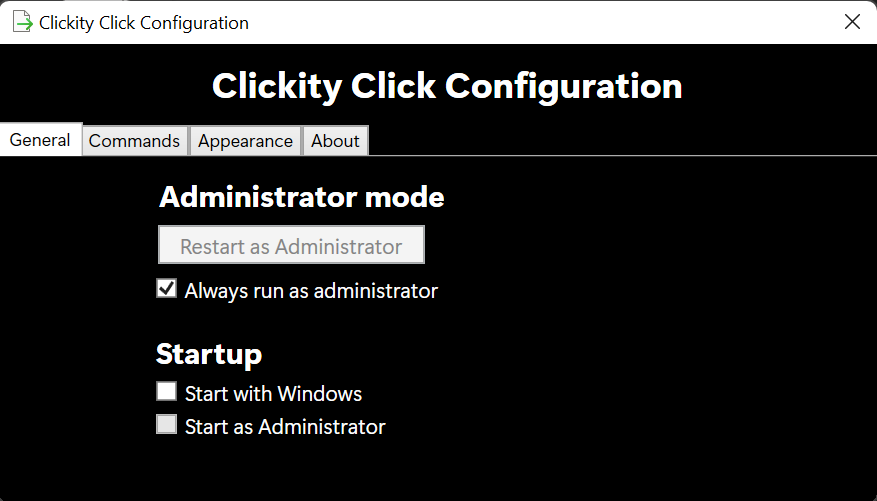 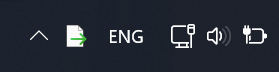 This download is for the 64bit version. If you need the 32bit version, download here. Click here to visit the author's website. Continue below for the main download link. |
||||||||
| Downloads | Views | Developer | Last Update | Version | Size | Type | Rank | |
| 3,363 | 6,792 | Orange Group Tech | Aug 12, 2021 - 12:22 | 1.0.1 | 706.5KB | MSI |  , out of 60 Votes. , out of 60 Votes. |
|
| File Tags | ||||||||
| ClickityClick v1.0.1 | ||||||||
Click to Rate File Share it on Twitter → Tweet
|


