|

|
Processed through Paypal No account required. |








Buy our over-priced crap to help pay the bills.



|
|
Processed through Paypal No account required. |
| File - Download Wayk Now v2020.1.3.0 (MacOS) | ||||||||
| Description | ||||||||
|
Always scroll to the bottom of the page for the main download link. We don't believe in fake/misleading download buttons and tricks. The link is always in the same place. Wayk Now v2020.1.3.0 (MacOS) Wayk Now is a flexible, easy-to-use and lightweight remote desktop access solution that reduces implementation time while maintaining the latest industry security standards. Free Edition features: Personal & Commercial Use Wayk Now can be used in a business environment or for personal use. No Installation Required Start and use the application instantly, without installation or elevated privileges. Remote Assistance & Remote Support Quickly assist a remote user by gaining access to their computer or allow someone to take over your computer. LAN Access Access any remote computer that is on the local network. Peer-to-Peer Connectivity Over the Internet Access a remote computer from anywhere using Wayk Den, our cloud service that provides peer-to-peer connectivity over the Internet. Built-in Chat Communicate instantly with end-users directly from Wayk Now File Transfer Send or receive files between computers. Transfer multiple files from both sides simultaneously. Clipboard Sharing Copy and paste files, images, and text from one computer to another using clipboard interoperability. Multi Monitor Navigate easily between multiple monitors connected to the remote computer. Remote Access Control Control access to resources shared by the remote computer when someone is connected. TLS 1.2 Encryption All communications are secured using strong TLS 1.2 encryption with certificate validation. Cross-Platform Works on all major operating systems. (Windows, macOS, Linux, iOS and Android) Mobile Apps Application is available on iOS and Android. Minimum Requirements Windows 7, 8, 8.1 or 10 Windows Server 2008 R2, 2012 or 2012 R2 macOS Mountain Lion (10.8) or later Ubuntu Linux 14.04 or later 1GHz processor 512MB RAM 1024 x 768 screen resolution 20 MB hard drive space Release Notes VERSION 2020.1.13.0 (March 2nd 2020) Improved the Wayk integration Fixed KeePass integration 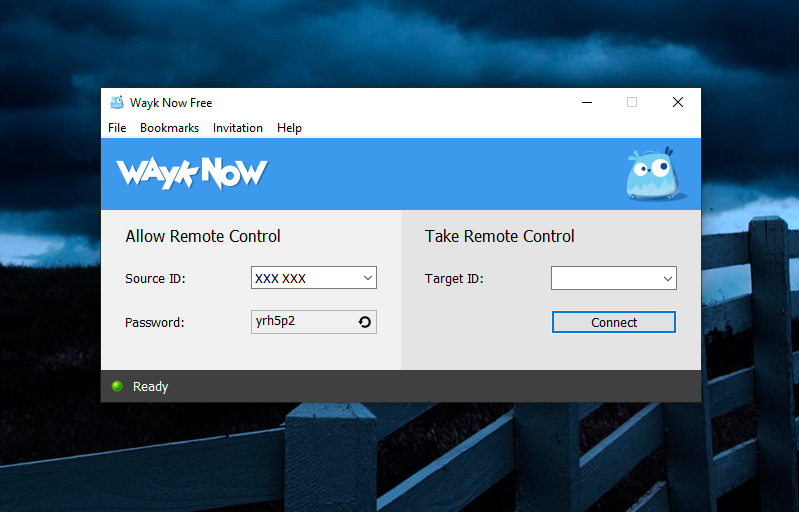 Click here to visit the author's website. Continue below for the main download link. |
||||||||
| Downloads | Views | Developer | Last Update | Version | Size | Type | Rank | |
| 4,461 | 8,939 | Devolutions | Mar 17, 2020 - 11:31 | 2020.1.3.0 | 6.68MB | DMG |  , out of 71 Votes. , out of 71 Votes. |
|
| File Tags | ||||||||
| v2020.1.3.0 Wayk Now (MacOS) | ||||||||
Click to Rate File Share it on Twitter → Tweet
|


