|

|
Processed through Paypal No account required. |








Buy our over-priced crap to help pay the bills.



|
|
Processed through Paypal No account required. |
| File - Download OutlookTools 3.0.0 | ||||||||
| Description | ||||||||
|
Always scroll to the bottom of the page for the main download link. We don't believe in fake/misleading download buttons and tricks. The link is always in the same place. OutlookTools 3.0.0 OutlookTools is a support and advanced settings tool for Microsoft Office Outlook. It gives you easy access to Outlook settings and data folders and allows you to change settings that are normally only possible through the registry. Main Program Features Displays installation information of your Outlook version. Easy access to Outlook settings and data folders. Easy access to troubleshooting tools. Start Outlook with a startup switch. Clear the Most Recently Used lists. Make the New Mail Alert stay up for longer than 30 seconds. (When using Windows 7 and/or Outlook 2007 or Outlook 2010) Unblock attachments. The General tab displays your Outlook installation information and allows you quick access to various tools. 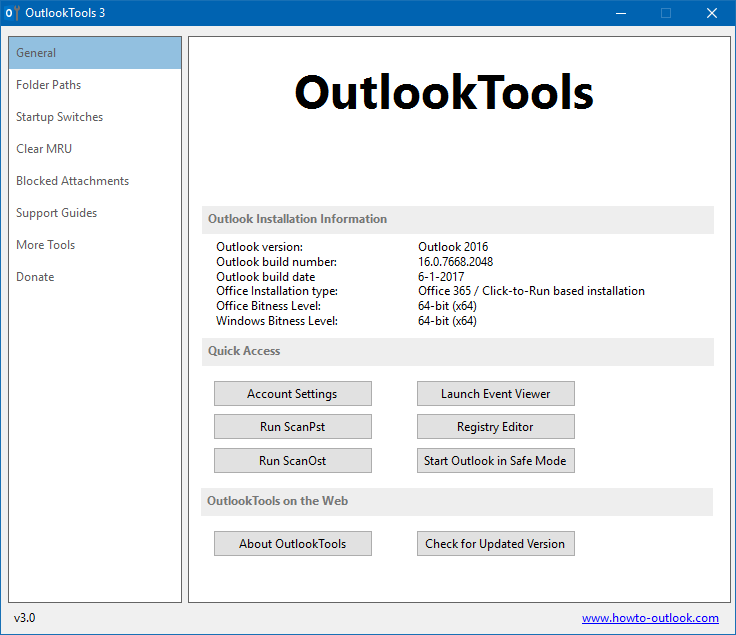 The Folder Paths tab provides you easy access to various important folders which Outlook uses. 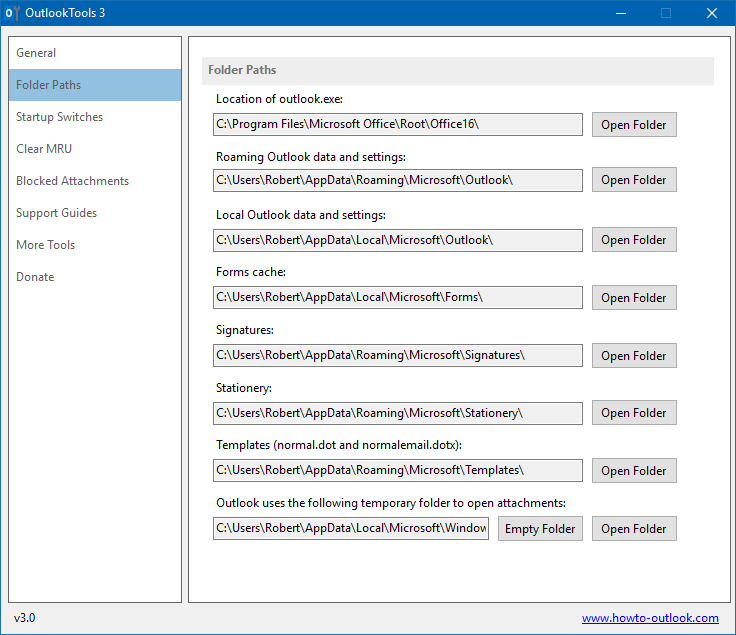 Start Outlook with a command line switch. Hover on the switch for a detailed description of the switch. 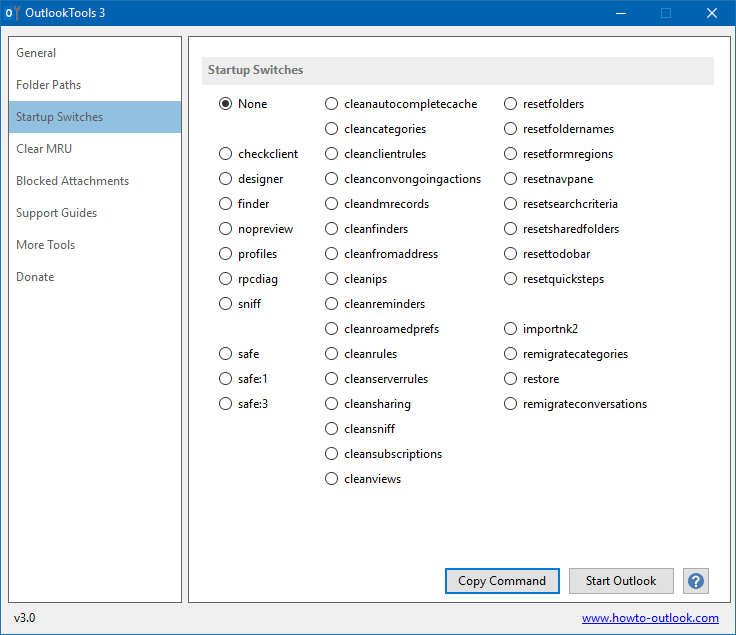 Clear the Most Recently Used (MRU) lists. 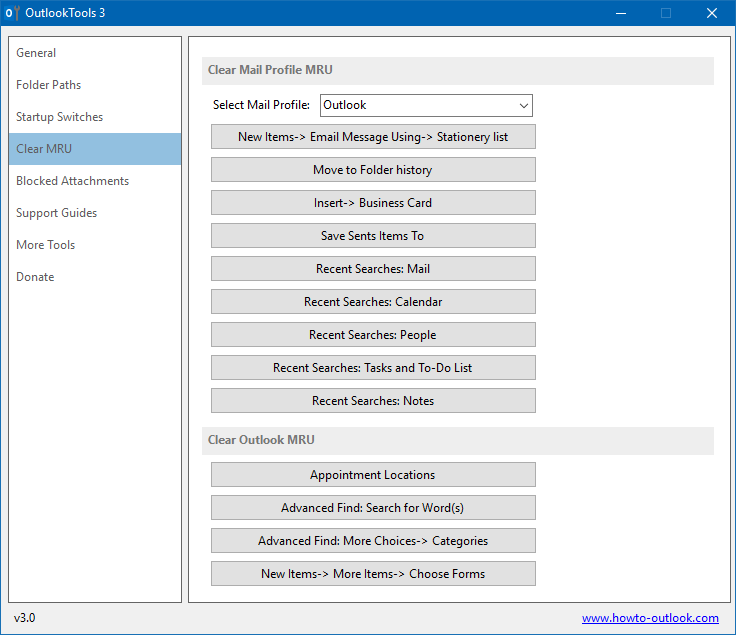 Unblock attachment types that are blocked by default. 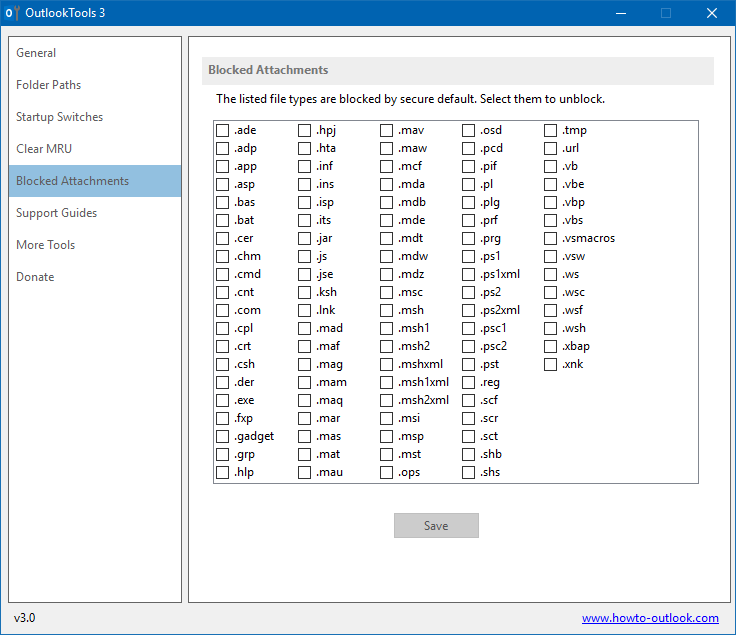 Note: As a new version has been recently released, you could get a download warning in your browser, such as from SmartScreen, that this file isn’t commonly downloaded and could harm your computer. It is safe to run it anyway as OutlookTools doesn’t contain any malware. You may need to press “More info” once you get another prompt and then click “Run anyway”. Thank you for being one of the first using this new version of OutlookTools and build up its reputation and help making these warnings go away for other people. System Requirements In order to function properly OutlookTools requires the following; Outlook 2007, Outlook 2010, Outlook 2013, Outlook 2016 or Office 365. Windows Vista, Windows 7, Windows 8 or Windows 10 (including all Windows Server equivalent versions). Microsoft .NET Framework 4.5 (detected during installation). Version History Version 3.0.0 Released: January 22, 2017 Complete redesign and focused on compatibility with current versions of Outlook and Windows. added: Outlook Installation Information block on the General tab. added: Tab with more common Folder Paths used by Outlook. added: Tab with links to Support Guides. added: Tab with links to various other tools and add-ins for Outlook. Continue below for the main download link. |
||||||||
| Downloads | Views | Developer | Last Update | Version | Size | Type | Rank | |
| 6,054 | 11,615 | HowTo-Outlook | Jul 03, 2017 - 11:20 | 3.0.0 | 658KB | MSI |  , out of 135 Votes. , out of 135 Votes. |
|
| File Tags | ||||||||
| OutlookTools 3.0.0 | ||||||||
Click to Rate File Share it on Twitter → Tweet
|


