|

|
Processed through Paypal No account required. |








Buy our over-priced crap to help pay the bills.



|
|
Processed through Paypal No account required. |
| Files | ||||
| File Name | Rating | Downloads | ||
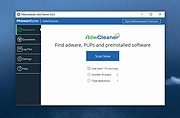 |
Pinned: Malwarebytes AdwCleaner v8.8.1.639 Malwarebytes AdwCleaner v8.8.1.639 👉 Removes adware, unwanted programs, browser hijackers, and other potentially unwanted software. Malwarebytes AdwCleaner is a lightweight, portable utility designed to scan for and remove adware, potentially unwanted programs (PUPs), browser hijackers, toolbars, and other unwanted software that can slow down your computer or interfere with your browsing experience. It does not require installation and can be run directly to quickly clean and restore system performance. AdwCleaner scans key areas of your system including files, folders, services, scheduled tasks, registry entries, and web browsers. After the scan, it presents a detailed report and allows you to review and clean detected items safely. Features: • Portable and lightweight • Detects and removes adware and PUPs • Cleans browser hijackers and unwanted toolbars • Scans services, registry, files, and scheduled tasks • Simple interface with detailed scan reports • Quarantine management and basic repair options Supported operating systems: Windows 11 (32/64-bit) AdwCleaner v8.8.0 Windows 10 (32/64-bit) AdwCleaner v8.8.0 Windows 8.1 (32/64-bit) AdwCleaner v8.4.0 Windows 8 (32/64-bit) Adwcleaner v8.4.0 Windows 7 (32/64-bit) Adwcleaner v8.4.0 Windows XP (32/64-bit) Adwcleaner v7.4.2 Windows Vista (32/64-bit) Adwcleaner v7.4.2 Supported languages: Arabic, Bulgarian, Czech, Danish, German, Greek, English, English (UK), Spanish, Basque, French, Hungarian, Indonesian, Italian, Japanese, Korean, Dutch, Polish, Portuguese (Brazil), Portuguese, Romanian, Russian, Slovak, Thai, Turkish, Ukrainian, Vietnamese, Simplified Chinese, Traditional Chinese Changes: v8.8.1 05-13-26 Features and improvements No new features included in this release Issues fixed Fixed DLL sideloading security issue. Properly avoid terminating SetMe processes This download is for the Windows 10/11 version (very bottom of page). All other download assets are below: Windows 7/8: adwcleaner 8.4.0.exe Windows XP/Vista: adwcleaner_7.4.2.exe Click here to visit the author's website. |
 |
34,724 | Aug 20, 2026 Malwarebytes |
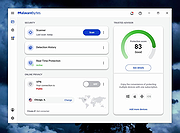 |
Pinned: Malwarebytes Anti-Malware v5.7.0.328 Malwarebytes Anti-Malware v5.7.0.328 OlderGeeks.com is an official mirror of Malwarebytes Anti-Malware Advanced malware detection and removal tool to protect your PC from threats. Malwarebytes Anti-Malware is a powerful security application designed to detect, block, and remove malware, ransomware, spyware, adware, and other online threats that traditional antivirus programs may miss. Using advanced heuristic analysis and signature-based detection, it provides real-time protection and on-demand scanning to keep your system clean and secure. Malwarebytes Anti-Malware works alongside other antivirus software or as a standalone solution, offering layered defense against emerging threats. Its streamlined interface makes it easy for both beginners and advanced users to perform quick scans, deep scans, and custom scans, while maintaining minimal impact on system performance. Features: • Real-time protection against malware, ransomware, spyware, and adware • Advanced heuristic and behavior-based threat detection • Quick, Threat, and Custom scan options • Protection against malicious websites and phishing attempts • Automatic updates to the malware database • Quarantine and restore functionality • Lightweight design with minimal system impact • Compatible with other antivirus programs Supported operating systems: • Windows 10, Windows 11 Supported languages: English, Spanish, French, German, Italian, Portuguese, Dutch, Japanese, Korean, Chinese (Simplified), Chinese (Traditional) Changes: v5.7.0.328 09-08-26 Features and improvements Users with Free and Standard subscriptions can use Malwarebytes Privacy VPN with 10GB of secure browsing every 30 days, with no extra cost. This feature will be rolling out gradually. For more information, see Use Malwarebytes Privacy VPN for free. Issues fixed Fixed visualization of the My Subscription plan details when the subscription is not activated. Note: Malwarebytes initially installs as a 14 day trial of full real-time protection. After the 14 days are up, Malwarebytes reverts to a free version that will only disinfect your computer after an attack. We recommend purchasing the full real-time protection of Malwarebytes Premium to prevent infection in the first place. It is much cheaper than ... |
|
28,377 | Sep 10, 2026 Malwarebytes.com |
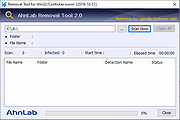 |
AhnLab Win32/Conficker.worm Removal Tool v2.0 AhnLab Win32/Conficker.worm Removal Tool v2.0 This removal tool will check your computer for any Win32/Conficker.worm infection and will remove it. Please be noted that - If any real-time anti-virus monitoring is currently turned on, please turn it off before executing the Specialized Removal Tool. - Since the Specialized Removal Tool is developed to repair the infected system, it doesn't provide a system monitoring function for prevention purpose. - The Specialized Removal Tool is not subjected to regular updates. Click here to visit the author's website. |
|
4,698 | Nov 22, 2019 AhnLab, Inc. |
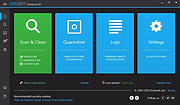 |
Emsisoft Emergency Kit v2025.7.0.12683 Emsisoft Emergency Kit v2025.7.0.12683 👉 Free portable malware and virus scanner to detect and remove infections. Emsisoft Emergency Kit is a fully portable security toolkit designed to scan, detect, and remove malware, viruses, ransomware, trojans, spyware, adware, worms, keyloggers, and other malicious threats from Windows computers without requiring installation. The kit combines powerful dual-engine scanning technology in a portable package that can be run directly from a USB stick, hard drive folder, or any storage location to clean infected systems. It includes both a graphical scanner and a command-line scanner for more advanced usage. Features: • Portable on-demand malware scanner with dual-engine detection. • Graphical Emergency Kit Scanner for interactive scanning. • Command-line scanner for scripted or advanced use. • Detects and removes viruses, ransomware, spyware, PUPs, bots and more. • Quarantine or delete detected threats. • Self-updating malware detection engine. • No installation required — just unzip and run. Supported operating systems: • Windows 10 (64-bit) and higher • Windows Server 2016 and higher Supported languages: English (various UI language options depending on package) Changes: v2025.7.0.12683 08-24-26 Updated detections. Click here to visit the author's website. |
|
11,302 | Aug 24, 2026 Emsisoft |
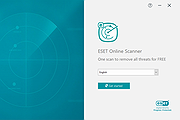 |
ESET Online Scanner v3.7.9.0 ESET Online Scanner v3.7.9.0 One-time scan to remove malware and threats from your computer for FREE. ESET Online Scanner is an easy-to-use tool free of charge that can run alongside any existing antivirus software. It supports regular and automatic monthly check for infections and suspicious applications. Smart way to test your antivirus Easy-to-use tool that can run alongside any existing antivirus Comprehensive malware detection Find and remove viruses, Trojans, spyware, phishing and other internet threats FREE and easy-to-use tool No commitment, no registration – completely free one-time scan Periodic scanning of your device Regular and automatic monthly check for infections and suspicious applications System requirements Supported operating systems: Microsoft Windows 11/10/8.1/8/7 Disk space: 350MB (minimum), 400MB (optimum) Memory: 500MB Click here to visit the author's website. |
|
4,093 | Apr 09, 2025 ESET North America |
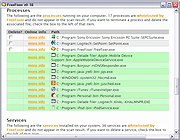 |
FreeFixer v1.19 FreeFixer v1.19 FreeFixer is a general purpose removal tool which will help you to delete potentially unwanted software, such as adware, spyware, trojans, viruses and worms. FreeFixer works by scanning a large number of locations where unwanted software has a known record of appearing or leaving traces. The scan locations include the programs that run on your computer, the programs that starts when you reboot your computer, your browser's plug-ins, your home page setting, etc. FreeFixer does not know what is unwanted, so it presents the scan result and it's up to you decide if some file should be removed and if some settings should restored to their default value. Please be careful! If you delete a legitimate file you may damage your computer. To assist you when determining if anything should be removed you can find more information at FreeFixer's web site for each item in the scan result. You can for example see what other users chose to do in the same situation. You can also save log file of your scan result and consult the volunteers in one of the FreeFixer helper forums. Release Notes What's New in FreeFixer 1.19 FreeFixer now support Windows Server 2019. On Windows Server 2019 the IEPlugin now suggests to set Default_Page_URL to "res://iesetup.dll/HardAdmin.htm" if the default value has been changed. Fixed bug where clicking the more-info link for "HKCU/../Default_Page_URL" returned an error. Click here to visit the author's website. |
|
9,771 | Nov 13, 2019 Roger Karlsson |
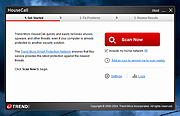 |
HouseCall v1.62.1.1180 HouseCall v1.62.1.1180 Free online security scan. Detect and fix viruses, worms, spyware, and other malicious threats for free. Features: • Free Malware Scan Discover if your files are safe and block malicious software hidden outside of files. • Threat Report With the detailed report, you can see what threats have targeted your device and take quick action. • Threat Removal Threats can harm your device before you realize there is a problem. Use HouseCall to get your device back to normal. • Custom Scan Options With HouseCall, you can choose which scan to run - quick or full. You can even create a custom scan. Free and quick online virus scan HouseCall can quickly find new threats on your Windows computer for free without getting in the way of your existing security software. You can count on HouseCall to keep malicious files off your device and stop them from spreading. Click here to visit the author's website. |
|
9,606 | Nov 19, 2024 Trend Micro |
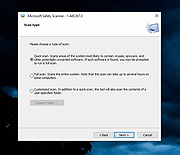 |
Microsoft Safety Scanner v1.457.193.0 Microsoft Safety Scanner v1.457.193.0 👉 On-demand malware scanner from Microsoft. Microsoft Safety Scanner is a free security tool designed to find and remove malware from Windows systems. It provides on-demand scanning with the latest malware definitions and is intended to complement, not replace, a full-time antivirus solution. The tool can be run directly after download, making it useful for quick system checks or emergency malware removal. Microsoft Safety Scanner uses the same detection engine as Microsoft Defender and allows users to perform quick scans, full system scans, or customized scans of specific folders and drives. Because it is updated frequently, users must download the latest version each time they want to run a scan, as older versions expire after a limited time. Features: • Uses Microsoft Defender malware detection engine • Quick scan, full scan, and custom scan options • Detects and removes viruses, spyware, and other malicious software • Simple interface for easy operation • Frequently updated definitions for current threats • Can be run alongside existing antivirus software • Ideal for troubleshooting infected systems Supported operating systems: • Windows 10, Windows 11, Windows Server 2016, Windows Server 2019, Windows Server 2022 Supported languages: All languages supported by Windows (uses system language) Changes: v1.457.193.0 08-16-26 Not Provided This download is for the Windows 64bit version (very bottom of page). If you need the Windows 32bit version, download here. Click here to visit the author's website. |
|
6,786 | Aug 16, 2026 Microsoft Corp. |
|
mssPortable (Microsoft Safety Scanner Portable) v1.457.164 mssPortable (Microsoft Safety Scanner Portable) v1.457.164 👉 Portable malware scanning tool from Microsoft for on-demand threat detection and removal. mssPortable is a portable version of the Microsoft Safety Scanner. It's a standalone security utility designed to scan for and remove malware from Windows systems without requiring installation. It provides a quick and reliable way to check a system for viruses, spyware, and other malicious software using the latest Microsoft threat definitions. Because it is portable, it can be run from a USB drive or other external media, making it ideal for troubleshooting infected systems or performing secondary scans alongside existing antivirus software. The tool does not offer real-time protection and is intended for manual, on-demand use. Features: • Fully portable with no installation required • Uses Microsoft’s latest malware definitions for accurate detection • Quick, full, and custom scan options • Detects and removes viruses, spyware, and other malicious software • Can be run alongside existing antivirus programs • Ideal for emergency cleanup and second-opinion scans • Simple interface for fast operation • Expires 10 days after download to ensure updated threat definitions Supported operating systems: • Windows 7, Windows 8, Windows 10, Windows 11 Supported languages: English Changes: v1.457.164 08-14-26 Not Provided Click here to visit the author's website. |
|
752 | Aug 16, 2026 Microsoft & PortableApps.com |
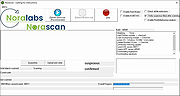 |
Norascan AntiMalware Scanner v4.0 Norascan AntiMalware Scanner v4.0 A free, second-opinion malware scanner. Compatible with all known antivirus software find discover and assimilate active zero-hour malware. Features • Wave pattern based malware engine so that you do not have to rely only on signatures • Cloud verification to rule out false positives and to use the power of multiple users behavior analysis data. • Watches over that your antivirus is updated and patches are installed to keep you more detected • We keep you updated with daily reports and alerts such as log details for scans, tasks, and threats, license utilization, and unprotected systems. • Behavior analysis; to see why I file was on your system, where did it came from, what’s the file doing,…. Click here to visit the author's website. |
|
5,428 | Nov 22, 2022 Noralabs |
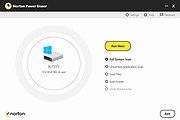 |
Norton Power Eraser v6.6.0.2153 Norton Power Eraser v6.6.0.2153 Eliminates deeply embedded and difficult-to-detect crimeware that traditional virus scanning doesn’t always detect. Norton Power Eraser uses Norton's most aggressive scanning technology to eliminate threats that traditional virus scanning doesn’t always detect, so you can get your PC back. Because Norton Power Eraser is an aggressive virus removal tool, it may mark a legitimate program for removal. However, you can always undo the results of a scan. It can also help detect and remove Potentially Unwanted Programs. This download is for the 64bit version. If you need the 32bit version, download here. Click here to visit the author's website. |
|
9,173 | Jun 15, 2023 Symantec |
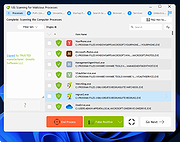 |
RegRun Reanimator v15.30.2023.0927 RegRun Reanimator v15.30.2023.0927 A free software for removing Trojans/Adware/Spyware/Malware and some of the rootkits. Reanimator does not contain any adware/spyware modules. Supported Windows: 95/98/Me/NT4/2000/XP/2003/VISTA/Seven/Windows 8/10/11 32-and 64-bit Reanimator is free of charge for personal (non-commercial using). How to use Reanimator? 1) Open Reanimator.exe. 2) Click the Fix Problem button. 3) Click the "Fix Malware Issues" button. 4) Reanimator will start scanning automatically. 5) Carefully inspect the found threats. 6) Click the Red button to fix the issues or the Green button to mark as false positive. 7) Restart your PC to complete the fixing. How to remove malware using the help of the Support Center? 1) Save downloaded reanimator.zip to your hard drive. 2) Unzip reanimator.zip to any folder on your hard drive. 3) Open ReanimatorStart.exe and proceed installation. If you have installed UnHackMe you will be prompted for updating UnHackMe Reanimator. 4) Choose Send Report tab. 5) Click the Send Report button. 6) Choose "Send Report Now". Fill in the contact form: Your e-mail address for receiving results. Your name or nickname. Detailed information about your problem. Read the Privacy Policy. Set the box "Accept our Privacy Policy." Click the Upload button. You will receive our confirmation e-mail message to your e-mail box. Later you can logon to the Support Center using your Ticket ID and your e-mail. You will get an answer from the Greatis Software Support Team within 1-2 working days. Set up your spam filter for allowing to receive messages from greatissoftware.com and from greatis.com. How to Uninstall Reanimator? 1) Open Windows Start menu. 2) Choose Settings. 3) Click Apps & Features. ... |
|
6,900 | Oct 03, 2023 Greatis Software |
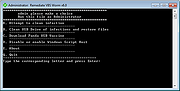 |
Rem-VBSworm v8.0.0 Rem-VBSworm v8.0.0 A small tool that will aid you to remove VBS malware (and unhide your files) from a machine or in a network. The tool is written entirely in batch. Instructions on using Rem-VBSworm You should run the script in the following sequence, at least on a normal machine: Plug in your infected USB (if any) and choose A, then B and afterwards C. After these steps, perform a full scan with your installed antivirus product or perform an online scan. Some tips and tricks: Using option A, the tool will attempt to clean the infection. It will also fix any registry changes made by the malware. (for example it will re-enable Task Manager should it be disabled). ! When you use option B, be sure to type only the letter of your USB drive! So if you have a USB drive named G:\, you should only type G This option will eradicate any related malware on the USB drive, as well as unhide your files (make them visible again). With option C you can download Panda USB Vaccine to prevent any other autorun malware entering your computer. With option D you have the possibility to disable or re-enable the Windows Script Host (WSH), to prevent any malware abusing it. I advise to end the script with Q as to ensure proper logfile closing. A logfile will open automatically, but is also created by default on the C:\ drive. (C:\Rem-VBS.log) When the tool is running, do not use the machine for anything else. (it takes about 30 seconds to run) If VBS malware is found, it will be automatically removed and a copy ... |
|
6,851 | Nov 13, 2019 Bart Blaze |
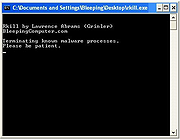 |
RKill v2.9.1 RKill v2.9.1 RKill is a program that was developed at BleepingComputer.com that attempts to terminate known malware processes so that your normal security software can then run and clean your computer of infections. When RKill runs it will kill malware processes and then import a Registry file that removes incorrect file associations and fixes policies that stop us from using certain tools. When finished it will display a log file that shows the processes that were terminated while the program was running. As RKill only terminates a program's running process, and does not delete any files, after running it you should not reboot your computer as any malware processes that are configured to start automatically will just be started again. Instead, after running RKill you should immediately scan your computer using some sort of anti-malware or anti-virus program so that the infections can be properly removed. Click here to visit the author's website. |
|
9,659 | Jan 19, 2020 Bleeping Computer |
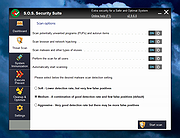 |
S.O.S. Security Suite v2.9.2.0 S.O.S. Security Suite v2.9.2.0 A free tool to help get rid of malware, adware and spyware, and prevent infections. There is also a hardware and security flaws detection element and a system optimization module. All these features together bring you what the application's initials stand for: A Safer and Optimal System. Based on the well known UVK tech, S.O.S. Security Suite contains everything most users need to keep their computer safe and running smoothly. S.O.S. Security Suite is not an antivirus application in the sense it does not provide real time analysis of running application and Internet traffic. It should be used as a complement to your current antivirus and a second opinion malware scanner, to improve the protection of your data through methods not provided by regular security applications. In addition to the threat prevention and removal, S.O.S. Security also includes: • A system flaw detection module that tells you about software and hardware related issues and helps you to fix them. • A system optimization, maintenance and repair module that lets you esily ensure the best privacy, performance and reliabillity of your system. S.O.S. Security Suite ican be used as a portable tool or an installed application. Portable tool is great if you plan to use the threat scanner and the optimization modules in many computers. Otherwise, if you plan to use the System Immunization or Execute Prevent modules, you should install the app. Once installed, you can uninstall S.O.S. Security from the Settings tab, or as any other application, from the Windows Settings App. The protection provided by S.O;S; Security does not use any system resources, except when it is performing the threat scan, which usually only takes a minute or two. System immunization and Execute prevent work by preventing ... |
|
905 | May 29, 2025 Carifred |
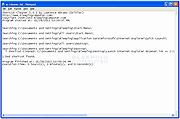 |
Shortcut Cleaner 1.4.9.0 Shortcut Cleaner 1.4.9.0 Shortcut Cleaner is a utility that will scan your computer for Windows shortcuts that have been hijacked by unwanted or malicious software. When Shortcut Cleaner finds bad shortcuts, it will automatically clean them so that they do not open unwanted programs. When run, Shortcut Cleaner will scan various locations on your computer for Windows shortcuts. When a shortcut is detected it will check properties for a possible hijacking. If one is detected, it will automatically clean the shortcut so that it no longer opens the offending program or web site. When the Shortcut Cleaner has finished scanning your hard drive it will create a log file on your desktop called sc-cleaner.txt and then display it. This log file will contains a list of all the shortcuts that were detected and cleaned. As of version 1.2.3, Shortcut Cleaner will also clean hijacked Registry entries associated with known hijackers. This tool is currently used to clean shortcuts hijacked by the following domains: widdit.com searchcompletion.com certified-toolbar.com complitly.com newhometab.com dtinstaller.com chipinstaller.com homebase-apps.com helperbar.com 22find.com qvo6.com hotstartsearch.com dosearches.com v9.com 22apple.com portaldosites.com delta-homes.com nationzoom.com do-search.com awesomehp.com aartemis.com sweet-page.com webssearches.com key-find.com qone8.com omiga-plus.com www-search.net safesear.ch istartsurf.com istartpageing.com |
|
10,020 | Nov 13, 2019 Lawrence Abrams |
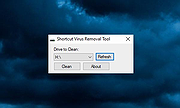 |
Shortcut Virus Removal Tool v2.3.0 Shortcut Virus Removal Tool v2.3.0 👉 Portable tool for removing shortcut virus infections from USB drives and recovering hidden files. Shortcut Virus Removal Tool is a portable USB malware cleanup utility for Windows designed to fix USB drives, external HDD / SSD drives, and computers affected by shortcut virus infections. It can remove shortcut virus traces, restore files hidden by malware, remove suspicious shortcuts and files, repair registry changes, undo unwanted malware changes, and delete autorun virus entries from USB drives. The developer says the tool works with a simple drive selection and Clean button workflow, and recommends running it as Administrator if needed. It also opens a log after cleaning and may place some restored files in a RECOVERED folder. Features: • Cleans shortcut virus infections from USB drives and external storage. • Recovers files hidden by malware. • Deletes suspicious files, scripts, and malicious shortcuts. • Repairs registry changes and undoes unwanted malware modifications. • Deletes autorun virus entries from USB drives. • Opens a cleanup log after completion so you can review recovered and deleted items. • Can recover some files into a RECOVERED folder on the USB drive. • Simple one-click cleaning workflow after selecting the target drive. Supported operating systems: • Windows XP or later, .NET Framework 4.0 required. Supported languages: • English, German, Turkish, Arabic, Indonesian Changes: v2.3.0 07-23-26 New Features: Added Vaccinate Computer feature. This feature vaccinates your computer from most of the shortcut virus and other USB disk viruses. Added Vaccinate USB feature. This feature vaccinates your USB and even if it's infected, shortcut virus and other USB disk viruses cannot run from the USB. Added Options menu. You can click it to show more options. About button is moved there. Fixes and Changes: A lot of problems with the translations has been fixed. Fixed a problem that caused the application to crash sometimes when you change the language to ... |
|
3,076 | Aug 20, 2026 Emir Alp Kocak |
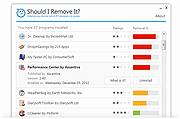 |
Should I Remove It? 1.0.4.36591 Should I Remove It? 1.0.4.36591 Remove adware, bloatware and crapware with one click, 100% FREE. Ever wonder how to clean out your computer? Many people do, because it’s not unusual to have your PC filled with adware, toolbars and other programs you no longer need or probably never intended to install in the first place. But like most people, what programs should you remove is the tough question. Well, we have your answer, simply download the award winning "Should I Remove It?" app and wonder no more. The app is a tiny, lightweight program designed to show you what programs you have installed on your computer and quickly determine what programs you can safely remove. Supports Windows 10, 8, 7, Vista and XP |
|
6,232 | Nov 13, 2019 Reason Software |
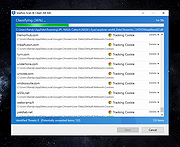 |
Sophos Scan and Clean v1.0.1 Sophos Scan and Clean v1.0.1 Free Virus Removal with Sophos Scan and Clean Modern viruses and malware are designed to bypass standard defenses, as advanced threats effectively hide from both pre-installed security software and computer users. Antivirus programs, blacklists, and other security software that require prior threat knowledge are ineffective against detecting and removing advanced virus attacks. Sophos Scan and Clean is a free, no-install, second-opinion virus removal scanner designed to rescue computers that have become infected with advanced zero-day malware, spyware, Trojans, rootkits, and other threats capable of evading real-time protection from up-to-date antivirus software. It's a powerful virus removal tool capable of both detecting and removing deeply embedded persistent threats and other malware that traditional security solutions fail to detect. How to Use Sophos Scan and Clean As an on-demand scanner, Sophos Scan & Clean does not need to be installed in order to use it. It can be started directly from USB flash drives, portable SSD's, and other external drives or data storage devices, making it particularly useful in situations where malicious virus infection prevents downloading and installing new security software. Automatic Security Updates with Every Scan Sophos Scan and Clean removes viruses and threats while the OS is running and blocks re-infection by protecting registry keys and file locations. Plus, thanks to proprietary cloud technology, Sophos Scan and Clean is always up to date – no need to re-install to get updates each time the program is run. Proprietary Cloud-Assisted Miniport Hook Bypass technology allows Scan and Clean to defeat rootkit and bootkit hooks for any hard disk driver. Behavioral Scans automatically find and remove programs and binaries that look and act like malware; probing the system for characteristic reputation anomalies, origin and relation to memory, file and registry objects, structure anomalies, impersonation, tampering, visibility, activity, boot survivability and uninstallation abilities. This ... |
|
2,351 | Jun 10, 2025 Sophos Ltd. |
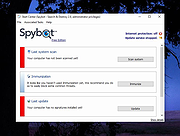 |
Spybot - Search & Destroy Portable v2.9.85.5-1 Spybot - Search & Destroy Portable v2.9.85.5-1 👉 Portable anti-spyware and malware removal tool with system immunization features. Spybot - Search & Destroy Portable is a standalone security utility designed to detect and remove spyware, malware, and other unwanted software from Windows systems without requiring installation. The portable edition allows you to run the program from a USB drive or external storage device, making it ideal for on-the-go troubleshooting and cleaning infected systems. Spybot - Search & Destroy Portable scans your system for malicious files, registry entries, tracking cookies, and potentially unwanted programs. In addition to removal capabilities, it includes an Immunization feature that helps block known malicious websites and harmful ActiveX components before they can affect your system. Features: • Portable version requiring no installation • Detects and removes spyware and malware • Advanced system scanning engine • Immunization to block malicious websites and threats • Startup tools and system repair utilities • Secure file shredding • Automatic updates for detection rules • Quarantine and recovery options Supported operating systems: • Windows 7, Windows 8, Windows 8.1, Windows 10, Windows 11 Supported languages: • English, German, French, Spanish, Italian, Dutch, Polish, Russian, Portuguese, Turkish Changes: v2.9.85.5-1 03-17-26 Not provided. Click here to visit the author's website. |
|
6,423 | Jul 06, 2026 Safer Networking Ltd. & PortableApps.com |
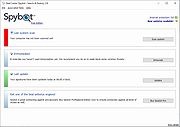 |
Spybot Free Edition v2.9.85.5 Spybot Free Edition v2.9.85.5 👉 Free on-demand malware and spyware scanner with system immunization tools. Spybot Free Edition is a security utility designed to detect and remove spyware, malware, and other unwanted software from your computer. It provides on-demand scanning to identify threats and includes system immunization features that help block known malicious websites and tracking cookies before they can affect your system. The program also offers tools for managing startup entries and repairing system issues caused by malware, giving users additional control over system security and performance. Features: • On-demand malware and spyware scanning • Detection and removal of tracking cookies • System immunization to block known malicious sites • Startup tools to manage boot entries • Secure file shredding • Rootkit scanning • Detailed scan reports and logs Supported operating systems: • Windows 7, Windows 8, Windows 10, Windows 11 Supported languages: • English, German Changes: v2.9.85.5 Not provided. This download is for the Windows 7-11 version (very bottom of page). If you need the Windows XP version, download here. Click here to visit the author's website. |
|
10,286 | Feb 26, 2026 Safer Networking Ltd. |
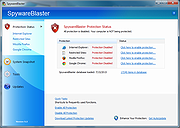 |
SpywareBlaster v6.0 SpywareBlaster v6.0 Powerful protection against spyware, adware, browser hijackers and other potentially unwanted software. Why SpywareBlaster? Spyware, adware and browser hijackers are some of the most annoying and pervasive threats on the Internet today. By simply browsing a web page, you could find your computer to be the brand-new host of one of these unwanted fiends! The most important step you can take is to secure your system and SpywareBlaster is a powerful protection program. Multi-Angle Protection • Prevent the installation of ActiveX-based spyware and other potentially unwanted programs. • Block spying / tracking via cookies. • Restrict the actions of potentially unwanted or dangerous web sites. No-Nonsense Security SpywareBlaster can help keep your system secure, without interfering with the "good side" of the web. And unlike other programs, SpywareBlaster does not have to remain running in the background. It works alongside the programs you have to help secure your system. Click here to visit the author's website. |
|
7,673 | Sep 10, 2024 Brightfort |
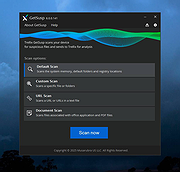 |
Trellix GetSusp v6.0.0.141 Trellix GetSusp v6.0.0.141 👉 Find suspicious files and possible undetected malware using Trellix threat intelligence. Trellix GetSusp is a free, portable malware investigation tool designed for computers where undetected malware is suspected. It uses heuristics together with the Trellix Global Threat Intelligence (GTI) File Reputation database to identify suspicious files without requiring extensive technical knowledge. GetSusp runs as a single executable with no installation required and can operate through its graphical interface, command line or ePO mode. The graphical interface can also scan URLs, documents and PDF files and lets you review suspicious files before submitting selected samples to Trellix for further analysis. Features: • Uses heuristics to locate files that may contain undetected malware • Queries Trellix Global Threat Intelligence File Reputation to evaluate suspicious files • Runs as a single executable with no installation required • Supports graphical interface, command-line and ePO operation modes • Scans URLs, documents and PDF files from the graphical interface • Allows suspicious files to be reviewed before submission to Trellix • Lets you select which files are submitted for further analysis • Records system information and installed Trellix product information • Records the execution date and details about suspected files • Includes GetQuarantine integration with the ePO version • Can be used as an initial investigation tool when malware is suspected but has not been detected by installed security software Supported operating systems: • Windows 7, Windows 8, Windows 8.1, Windows 10 through 21H2, Windows 11 • Windows Server 2008 R2 SP1, Windows Server 2012, Windows Server 2016 Supported languages: • English Changes: Not Provided. This download is for the Windows 64bit version. If you need the Windows 32bit version, download here. Click here to visit the author's website. |
|
6,100 | Aug 16, 2026 Musarubra US LLC |
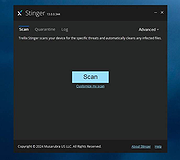 |
Trellix Stinger Portable v26.09.37.1 Trellix Stinger Portable v26.09.37.1 👉 Portable malware removal tool designed to detect and clean specific threats. Trellix Stinger Portable is a lightweight, standalone malware scanner created to detect and remove a targeted list of known viruses, trojans, and other malicious threats. Unlike full antivirus suites, Stinger focuses on remediation rather than continuous protection, making it ideal for emergency cleanup, second-opinion scans, or use on infected systems where traditional security software may not run properly. The portable build requires no installation and can be run directly from a USB drive or external media. Features: • Detects and removes a curated list of prevalent malware threats • Portable version runs without installation • Ideal for emergency cleanup and on-demand scanning • Command-line and GUI operation supported • Regularly updated malware definitions • Can be used alongside existing antivirus software Supported operating systems: • Windows 7, Windows 8, Windows 10, Windows 11 Supported languages: English Note: Suspicious and infected files will be quarantined to C:\Quarantine\Stinger and a database will be generated for the currently-scanned PC in that location. WARNING: You MUST close all other apps as Stinger may close them for you which can cause data loss. Click here to visit the author's website. |
|
1,998 | Sep 18, 2026 Musarubra US and PortableApps.com |
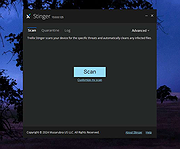 |
Trellix Stinger v26.09.38.1 Trellix Stinger v26.09.38.1 👉 A standalone malware detection and removal utility designed for emergency cleanup. Trellix Stinger is a specialized security tool designed to detect and remove specific families of malware from infected systems. Unlike full antivirus suites, it does not provide real-time protection and is intended primarily for use by administrators and technicians as a targeted cleanup utility. Stinger is frequently used when a system is suspected to be compromised and traditional antivirus software is unable to run or fully remediate the threat. Features: • Detects and removes a wide range of known malware threats • Standalone portable executable with no installation required • Ideal for emergency malware cleanup situations • Supports command-line options for scripted or automated use • Frequently updated threat detection engine • Minimal system impact during scanning • Detailed scan and removal logs for diagnostics • Can be used alongside existing antivirus software Supported operating systems: • Windows 10, Windows 11 Supported languages: English Changes: v26.09.38.1 09-15-26 New Detections: • Exploit-CVE2020-1058 • Exploit-CVE2020-1060.a • Exploit-CVE2020-1060.b • Exploit-cve2020-1062.a • Exploit-cve2020-1135 • Exploit-cve2020-1143.a • Exploit-cve2020-1153.a • FlyStudio-Agent • Generic exploit.ma • Generic trojan.kf • Generic trojan.kg • Generic trojan.kk • Generic trojan.ky • LNK/Downloader.ch • Ransom-LockBit • Ransom-Sodnkibi • Trojan-AutoIt.p • Trojan-BlueNoroff • Trojan-Packed.c Enhanced Detections: • Coinminer.l • Exploit-CVE2019-1367 • FakeAV-DZ • Generic Trojan.arc • Generic Trojan.kg • Generic Trojan.li • Generic Trojan.lj • Generic Trojan.ll • Generic trojan.jz • Generic trojan.kh • Generic-Trojan.z • PS/Agent.bv • Trojan-AitInject.aq • Trojan-CoinMiner.n • Trojan-PWS.k • Trojan-Ransom.a • Trojan-Ransom.b • Trojan-Trickbot.d • VBObfus.g This download is for the Windows 64bit version (very bottom of page). All other download assets are below: Other Windows: stinger32.exe Click here to visit the author's website. |
|
17,017 | Sep 18, 2026 Musarubra US LLC |
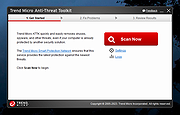 |
Trend Micro Anti-Threat Toolkit v1.2.62.1262 Trend Micro Anti-Threat Toolkit v1.2.62.1262 👉 Portable standalone malware scanning and cleanup tool. Trend Micro Anti-Threat Toolkit is a lightweight, standalone security utility designed to scan and clean infected computers without requiring installation. It is commonly used when a system is heavily infected and traditional antivirus software cannot be installed or updated. The tool can be run directly from removable media such as a USB flash drive and is intended for advanced malware detection and removal scenarios. Features: • Standalone executable with no installation required • Detects and removes malware, spyware, and other threats • Can be run from USB or other removable media • Designed for use on heavily infected systems • Command-line based interface for advanced troubleshooting Supported operating systems: • Windows 7, Windows 8.1, Windows 10, Windows 11 • Windows Server 2012 R2, Windows Server 2016, Windows Server 2019, Windows Server 2022 Supported languages: English Changes: v1.2.62.1262 Not provided. This download is for the Windows 64bit version (very bottom of page). If you need the Windows 32bit version, download here. Click here to visit the author's website. |
|
8,550 | Feb 26, 2026 Trend Micro Inc. |
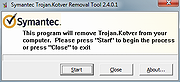 |
Trojan.Kotver Removal Tool 32bit 2.4.0.1 Trojan.Kotver Removal Tool 32bit 2.4.0.1 This tool removes Trojan.Kotver infections. Trojan.Kotver is a Trojan horse that performs click-fraud operations on the compromised computer. Discovered: September 23, 2015 Type: Removal Information This tool is designed to remove the infection of Trojan.Kotver. How to download and run the tool Important: Selecting "Run as administrator" will result in an incomplete repair. You must be logged in to the Administrator account and all other users must be logged out in order for the tool to work correctly. There are two versions of this tool, one designed to run on 32-bit computers and one designed to run on 64-bit computers. To find out if your computer is running a 32-bit or 64-bit version of Windows, please read the following Microsoft Knowledge Base article: How to determine whether a computer is running a 32-bit version or 64-bit version of the Windows operating system Note for network administrators: If you are running MS Exchange 2000 Server, we recommend that you exclude the M drive from the scan by running the tool from a command line, with the Exclude switch. For more information, read the Microsoft Knowledge Base article: Issues caused by a back up or a scan of the Exchange 2000 M drive Follow these steps to download and run the tool: Download FixToolKotver64.exe for 64-bit computers and FixToolKotver32.exe for 32-bit computers. Save the file to a convenient location, such as your Windows desktop. If you are sure that you are downloading this tool from the Security Response website, you can skip this step. If you are not sure, or are a network administrator and need to authenticate the files before deployment, follow the steps in the Digital Signature section before proceeding ... |
|
6,715 | Nov 13, 2019 Symantec |
|
Trojan.Kotver Removal Tool 64bit 2.4.0.1 Trojan.Kotver Removal Tool 64bit 2.4.0.1 This tool removes Trojan.Kotver infections. Trojan.Kotver is a Trojan horse that performs click-fraud operations on the compromised computer. Discovered: September 23, 2015 Type: Removal Information This tool is designed to remove the infection of Trojan.Kotver. How to download and run the tool Important: Selecting "Run as administrator" will result in an incomplete repair. You must be logged in to the Administrator account and all other users must be logged out in order for the tool to work correctly. There are two versions of this tool, one designed to run on 32-bit computers and one designed to run on 64-bit computers. To find out if your computer is running a 32-bit or 64-bit version of Windows, please read the following Microsoft Knowledge Base article: How to determine whether a computer is running a 32-bit version or 64-bit version of the Windows operating system Note for network administrators: If you are running MS Exchange 2000 Server, we recommend that you exclude the M drive from the scan by running the tool from a command line, with the Exclude switch. For more information, read the Microsoft Knowledge Base article: Issues caused by a back up or a scan of the Exchange 2000 M drive Follow these steps to download and run the tool: Download FixToolKotver64.exe for 64-bit computers and FixToolKotver32.exe for 32-bit computers. Save the file to a convenient location, such as your Windows desktop. If you are sure that you are downloading this tool from the Security Response website, you can skip this step. If you are not sure, or are a network administrator and need to authenticate the files before deployment, follow the steps in the Digital Signature section before proceeding ... |
|
7,043 | Nov 13, 2019 Symantec |
| Showing rows 1 to 28 of 28 | Showing Page 1 of 1 | 1 |
OlderGeeks.com Copyright (c) 2026
