|

|
Processed through Paypal No account required. |








Buy our over-priced crap to help pay the bills.



|
|
Processed through Paypal No account required. |
| Files | ||||
| File Name | Rating | Downloads | ||
 |
FluentCleaner Classic v1.18.250 FluentCleaner Classic v1.18.250 👉 A lightweight, portable Windows cleaner for removing temporary files, caches, logs and other unnecessary clutter. FluentCleaner Classic is a lightweight WinForms-based edition of FluentCleaner designed for users who prefer a traditional Windows desktop application with a small footprint. It uses the same FluentCleaner.Core scanning and cleaning engine as the modern edition while relying on .NET Framework 4.8 instead of the Windows App SDK. FluentCleaner Classic can analyze Windows and applications for temporary files, caches, logs, browser data and other unnecessary files, allowing you to review detected items before cleaning them. Its portable design requires no installation, and support for Winapp2 cleaning databases provides extensive coverage of Windows components and third-party applications. Features: • Scans Windows and applications for temporary files, caches, logs and other unnecessary data. • Displays detected files and recoverable disk space before cleaning. • Uses the FluentCleaner.Core scanning and cleaning engine. • Supports Winapp2 cleaning databases for additional applications and cleaning rules. • Includes cookie management with protection for cookies you want to keep. • Detects cookies from Edge, Chrome, Chromium, Brave, Vivaldi, Opera, Opera GX and Firefox profiles. • Supports custom cleaner rules. • Includes a Handoff API for testing cleaner selections from external tools. • Provides command-line options for additional control and automation. • Includes Mini mode for quick access to Analyze, Review and Clean. • Can start directly in Mini mode. • Mini mode supports always-on-top operation and remembers its window position. • Portable and does not require installation. • Uses the familiar traditional Windows WinForms interface. Supported operating systems: • Windows (practically any version capable of running Microsoft .NET Framework 4.8) Supported languages: Bulgarian, Chinese (Simplified), English, French, German, Polish Changes: v1.18.250 09-17-26 [Added] [Classic] Introduced command-line automation for scripts, batch files, PowerShell, and third-party tools. Classic can now analyze or clean the saved selection silently, optionally target a specific cleaner category, and shut down the PC after cleaning #52 [Added] [Classic] Added ... |
 |
535 | Sep 30, 2026 Builtbybel 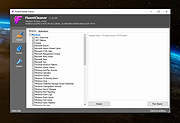 |
| Showing rows 1 to 1 of 1 | Showing Page 1 of 1 | 1 |
OlderGeeks.com Copyright (c) 2026
