|

|
Processed through Paypal No account required. |








Buy our over-priced crap to help pay the bills.



|
|
Processed through Paypal No account required. |
| Files | ||||
| File Name | Rating | Downloads | ||
 |
Executor v2.4.0 Executor v2.4.0 👉 Fast and customizable keyboard launcher for Windows. Executor is a highly customizable application launcher and productivity tool designed to help you quickly start programs, open files and folders, perform web searches, execute commands, and automate repetitive tasks using keyboard shortcuts. Inspired by tools like Launchy and the old Microsoft AppLauncher utilities, Executor focuses on speed and flexibility while remaining lightweight and easy to use. Executor supports keyword aliases, command parameters, clipboard handling, history tracking, and advanced search functionality. Users can create custom commands, launch websites, search online services, and manage workflows directly from a compact launcher window. It also includes support for skins and plugins, allowing users to personalize the appearance and expand functionality. Features: • Instant keyboard-based program and file launching • Custom keyword aliases and command execution • Built-in web search and URL launching support • Clipboard and command history integration • Plugin and skin support for customization • Portable and lightweight design • Auto-complete and smart search matching • Hotkey support for rapid access • Launch files, folders, commands, and websites from one interface • Configurable interface and advanced user options Supported operating systems: • Windows XP, Windows Vista, Windows 7, Windows 8, Windows 10, Windows 11 Supported languages: English Changes: v2.4.0 09-26-26 What's new Need to research an embarrassing topic, or have someone looking over your shoulder, or presenting your screen in a meeting? You can now enable Incognito mode, that per default will not add anything to history while enabled. You can further configure the incognito mode to do one or more of the following: Hide history from auto-complete and list (file system, URLs, keywords). Hide all list entries either when input is empty or all the time. Disable file navigation in list. ... |
 |
6,455 | Oct 02, 2026 Martin Bresson 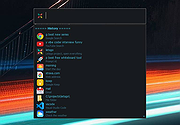 |
| Showing rows 1 to 1 of 1 | Showing Page 1 of 1 | 1 |
OlderGeeks.com Copyright (c) 2026
