|

|
Processed through Paypal No account required. |








Buy our over-priced crap to help pay the bills.



|
|
Processed through Paypal No account required. |
| Files | ||||
| File Name | Rating | Downloads | ||
 |
S.M.A.R.T. Monitoring Tools v7.3 S.M.A.R.T. Monitoring Tools v7.3 Disk Inspection and Monitoring The smartmontools package contains two utility programs (smartctl and smartd) to control and monitor storage systems using the Self-Monitoring, Analysis and Reporting Technology System (SMART) built into most modern ATA/SATA, SCSI/SAS and NVMe disks. In many cases, these utilities will provide advanced warning of disk degradation and failure. Smartmontools was originally derived from the Linux smartsuite package and actually supports ATA/SATA, SCSI/SAS and NVMe disks and also SCSI/SAS tape devices. It should run on any modern Linux, FreeBSD, NetBSD, OpenBSD, Darwin (macOS), Solaris, Windows, Cygwin, OS/2, eComStation or QNX system. Features • Schedule S.M.A.R.T. testing of your drive on a regular base with smartd • smartd prints log messages and triggers alert mails when a failure of your drive is predictable This download is for the Windows version. If you need the MacOS version, download here. If you need the Linux version, download here. Click here to visit the author's website. |
 |
3,463 | Nov 30, 2022 Smartmontools devs 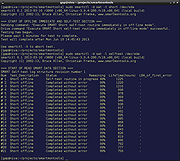 |
 |
TestDisk and PhotoRec v7.3 TestDisk and PhotoRec v7.3 Two free and powerful data recovery programs in one download. TestDisk is powerful free data recovery software! It was primarily designed to help recover lost partitions and/or make non-booting disks bootable again when these symptoms are caused by faulty software: certain types of viruses or human error (such as accidentally deleting a Partition Table). Partition table recovery using TestDisk is really easy. TestDisk can • Fix partition table, recover deleted partition • Recover FAT32 boot sector from its backup • Rebuild FAT12/FAT16/FAT32 boot sector • Fix FAT tables • Rebuild NTFS boot sector • Recover NTFS boot sector from its backup • Fix MFT using MFT mirror • Locate ext2/ext3/ext4 Backup SuperBlock • Undelete files from FAT, exFAT, NTFS and ext2 filesystem • Copy files from deleted FAT, exFAT, NTFS and ext2/ext3/ext4 partitions. TestDisk has features for both novices and experts. For those who know little or nothing about data recovery techniques, TestDisk can be used to collect detailed information about a non-booting drive which can then be sent to a tech for further analysis. Those more familiar with such procedures should find TestDisk a handy tool in performing onsite recovery. TestDisk can run under • DOS (either real or in a Windows 9x DOS-box), vWindows / Windows Server • Linux, • FreeBSD, NetBSD, OpenBSD, • SunOS and • MacOS X Download documentation in PDF format. TestDisk can find lost partitions for all of these file systems: • BeFS ( BeOS ) • BSD disklabel ... |
|
7,240 | Sep 04, 2025 CGSecurity 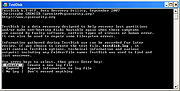 |
| Showing rows 1 to 2 of 2 | Showing Page 1 of 1 | 1 |
OlderGeeks.com Copyright (c) 2026
