|

|
Processed through Paypal No account required. |








Buy our over-priced crap to help pay the bills.



|
|
Processed through Paypal No account required. |
| Files | ||||
| File Name | Rating | Downloads | ||
 |
Just Color Picker v6.1 Just Color Picker v6.1 Free portable offline color picker and color editor for web designers and digital artists Graphic designers, digital artists and webmasters can get artistic ideas and inspiration at any moment. They often notice colors and color combinations for their projects while doing something else. This is why a quick and convenient way of capturing those colors is essential. With Just Color Picker, identifying the colors, saving, editing and combining them into beautiful color combinations is super easy. Unlike many other apps, Just Color Picker was created by a person who actually uses it on an everyday basis. It is software for designers and digital artists created by a designer and a digital artist. Features: • Extensive range of color code formats: HEX, RGB, HSB/HSV, HSL, HWB, CMY and CMYK. • Averaged color sampling for easy color noise handling. • 3x, 9x and 15x magnifier and keyboard control of the mouse cursor movements for greater precision. • Screen freeze feature for sampling the color of the elements that change on mouse-hover. • Point lock feature for monitoring the color in the set screen location independent of the mouse cursor position. • Calculation of pixel distance between points. • Color list for saving, cataloguing and re-using the picked colors. • Ability to open, edit and save Adobe Photoshop .aco color swatches (Adobe color files) and GIMP .gpl palette files. • Interaction with the standard Windows and macOS color dialogs. • User comments and notes for picked colors. • Conversion of Hexadecimal and RGB color codes into the corresponding colors. • Red-Green-Blue (RGB), Cyan-Magenta-Yellow (CMY) and ... |
 |
6,003 | Feb 14, 2025 Anny Studio 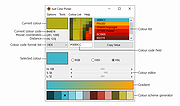 |
 |
Weatherinfo v6.1 Weatherinfo v6.1 Weatherinfo is a small, simple and free weather data application. On first start it will try to detect your location, later you can choose a country and a city. The current temperature will be displayed as a tray icon with customizable font and colors. You can use metric or imperial units. Latest changes: 6.1 + resizable main window |
|
6,173 | Dec 08, 2019 Bιla Bokor 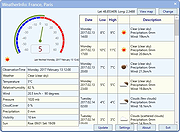 |
|
WO Mic v6.1 WO Mic v6.1 Turn your phone into a microphone for your computer. Features: • Wireless microphone without any cost • Can be used with any programs on PC just like REAL microphone • Very short lag • Easy to configure and use • Supports auto reconnection when your PC reboots • Supports multiple connection methods: USB, Bluetooth, Wi-Fi, and Wi-Fi direct • Audio format: 48000 sampling rate, 16 bits per sample, mono channel Quick Start Guide for Android and iPhone Android 1) Start server on phone Run below steps to start server on Android phone: 1) Launch WO Mic app on phone. On the action bar, tap the 3 vertical dots. 2) In the pop menu, tap Settings. 3) In Settings view, tap Transport and select Wi-Fi as transport. 4) Back to main view. Tap on the action bar to start server. If any permission requests, grant them. Once the server has been successfully started, it's ready to accept connection from client. Phone IP address (e.g. "10.0.2.16") is displayed on the app panel. You will use it in next step to make connection from client. 2) Connect from client on PC Your PC should connect to the same Wi-Fi router as phone; otherwise you will meet connection failure. Follow below steps to connect: 1) Press Windows key 2) Type WO Mic in the search box 3) Launch WO Mic Client 4) Select Connection -> Connect... 5) In connect dialog, select Wi-Fi as transport and enter phone IP address. 6) Click Connect. If everything goes ... |
|
1,119 | Jun 24, 2025 Wolicheng Tech 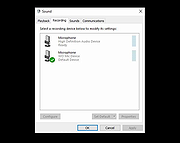 |
| Showing rows 1 to 3 of 3 | Showing Page 1 of 1 | 1 |
OlderGeeks.com Copyright (c) 2026
