|

|
Processed through Paypal No account required. |








Buy our over-priced crap to help pay the bills.



|
|
Processed through Paypal No account required. |
| Files | ||||
| File Name | Rating | Downloads | ||
 |
SharpKeys v3.9.4 SharpKeys v3.9.4 A free utility that manages a Registry key that allows Windows to remap one key to any other key. SharpKeys is a utility that manages a Registry key that allows Windows to remap one key to any other key. Included in the application is a list of common keyboard keys and a Type Key feature to automatically recognize most keyboard keys. It was originally developed in C# using .NET v2 but has been updated to support .NET 4.0 Client Profile. How do I use it? Getting Started: • Launch SharpKeys, by selecting its icon from the Start menu. If there are any errors reported, please check the Troubleshooting section below • Add a new key mapping or edit an existing one • Click "Write to registry" and wait for a confirmation that the registry was successfully updated • Close SharpKeys and either log out (and back in) or reboot to enforce the new mappings Things that SharpKeys will do: • Map an entire key to any other key - e.g. you could remap Caps Lock to a Shift key • Remap more than one key to one single key - e.g. you could remap every key on a keyboard to the letter Q • Force you to look for the Left or Right ALT key in the list of available keys because Type Key cannot scan for ALT • Allow you to swap two keys with each other - e.g. you can swap Left Windows with Left Control and vice versa Things that SharpKeys ... |
 |
4,391 | Nov 08, 2025 Randy Santossio 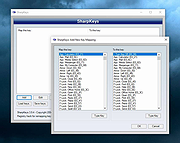 |
| Showing rows 1 to 1 of 1 | Showing Page 1 of 1 | 1 |
OlderGeeks.com Copyright (c) 2026
