|

|
Processed through Paypal No account required. |








Buy our over-priced crap to help pay the bills.



|
|
Processed through Paypal No account required. |
| Files | ||||
| File Name | Rating | Downloads | ||
 |
CompactGUI v2.6.2 CompactGUI v2.6.2 CompactGUI is a standalone GUI to make using the Windows 10 compact.exe function easier to use. This allows games, programs and other folders to be compressed transparently (i.e they can still be used normally) with no performance loss. This is similar to the NTFS-LZNT1 compression built-in to Windows (Right click > Properties > Compress to save space) however the newer algorithms that CompactGUI use were introduced in Windows 10 and are much more efficient, multi-threaded, and designed for use on executable programs resulting in greater compression ratios with almost no performance impact.Those with older HDDs may even see a decent performance gain in the form of reduced loading times as the smaller files means it takes less time to read programs and games into RAM. Uses Use this tool to: Reduce the size of games (e.g. Nioh: 73.9GB > 65GB) Reduce the size of programs (e.g. Adobe Photoshop: 1.71GB > 886MB) Compress any other folder on your computer Extra Features Visual feedback on compression progress and statistics Online integration with community-sourced database to get compression estimates and analyses Integration into Windows Explorer context menus for easier use. Drag-and-drop functionality Analyze the status of existing folders Shutdown/restart/sleep on completion. Important Note: @NekuSoul has determined the error in Windows that causes incorrect file size readings which means that many games with high compression ratios are false results. I am working on a fix so that it's not misleading anymore, but just keep this in mind - a lot of results that seem too good to be true are probably too good to be true. You can still get really good savings on lots of games and programs, but ... |
 |
6,155 | Oct 30, 2019 ImminentFate 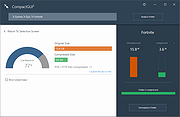 |
 |
Windows 10 Debloater v2.6.2 Windows 10 Debloater v2.6.2 Free, extensive utility to debloat Windows 10. Includes EZ Debloater to debloat easily or select what you want from the many options or choose the preset first ‘Debloat Preset’ to create the ultimate PowerShell script to debloat Microsoft Windows 10! Create your own radiobuttons preset and share! You can run the script directly from the program. Click here to visit the author's website. |
 |
2,974 | Oct 03, 2023 FreeTimeTech |
| Showing rows 1 to 2 of 2 | Showing Page 1 of 1 | 1 |
OlderGeeks.com Copyright (c) 2026
