|

|
Processed through Paypal No account required. |








Buy our over-priced crap to help pay the bills.



|
|
Processed through Paypal No account required. |
| Files | ||||
| File Name | Rating | Downloads | ||
 |
CheckIP v2.3.0 CheckIP v2.3.0 Discover the World Behind Every Address Get information about an IP address. CheckIP is a GUI-based application that provides comprehensive information about an IP address. Whether you’re curious about the geographical location, network details, or other relevant data related to an IP, CheckIP has you covered. Changes v2.3.0 🚀 New Features New improved UI New languages: German and Italian (thanks to @bovirus) Async loading spinner 🔧 Bug Fixes Fixed error message "Not connected with Internet" 🧬 Quality of Life Upgrade to .NET 8.0 Using HttpClient instead of WebClient Bump dependency WPF-UI to 3.0.2 This download is for the Windows portable 64bit version. All other download assets are below: Windows: Windows portable 32bit Windows portable ARM64bit Click here to visit the author's website. |
 |
2,607 | Mar 27, 2024 valnoxy 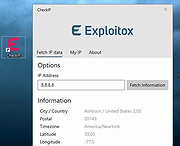 |
 |
Darik's Boot and Nuke v2.3.0 Darik's Boot and Nuke v2.3.0 DBAN is free erasure software designed for the personal user. It automatically deletes the contents of any hard disk that it can detect. This method prevents identity theft before recycling a computer. DBAN is also a commonly used solution to remove viruses and spyware from Microsoft Windows installations. Click here to visit the author's website. |
|
7,720 | Feb 24, 2021 Blancco 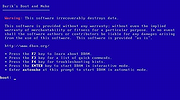 |
 |
Kooha v2.3.0 Kooha v2.3.0 Elegantly record your screen in Linux. Capture your screen in a intuitive and straightforward way without distractions. Kooha is a simple screen recorder with a minimal interface. You can simply click the record button without having to configure a bunch of settings. The main features of Kooha include the following: 🎙️ Record microphone, desktop audio, or both at the same time 📼 Support for WebM, MP4, GIF, and Matroska formats 🖥️ Select a monitor or a portion of the screen to record 🛠️ Configurable saving location, pointer visibility, frame rate, and delay 🚀 Experimental hardware-accelerated encoding 😕 It Doesn't Work There are many possibilities on why it may not be working. You may not have the runtime requirements mentioned below installed, or your distro doesn't support it. For troubleshooting purposes the screen cast compatibility page of xdg-desktop-portal-wlr wiki may be helpful in determining if your distro has support for it out of the box. If it does, but it still doesn't work, you can also check for the troubleshooting checklist. Experimental Features These features are disabled default due to stability issues and possible performance degradation. However, they can be enabled manually by running Kooha with KOOHA_EXPERIMENTAL env var set to 1. (e.g. KOOHA_EXPERIMENTAL=1 flatpak run io.github.seadve.Kooha). Enable hardware accelerated encoding and other encoders Together with KOOHA_EXPERIMENTAL env var, it is also needed to set GST_VAAPI_ALL_DRIVERS to 1 to enable the needed drivers. Additionally, gstreamer-vaapi is required to be installed on your system. If Kooha is installed through Flatpak, it is as simple as running flatpak install org.freedesktop.Platform.GStreamer.gstreamer-vaapi to install the package. Recording specific window Due to flickering, this has been disabled by default, but can be enabled through KOOHA_EXPERIMENTAL env var. Runtime Requirements pipewire gstreamer-plugin-pipewire xdg-desktop-portal ... |
|
2,611 | Feb 02, 2025 Dave Patrick Caberto 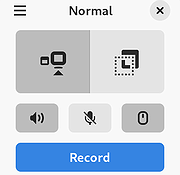 |
|
Mitten v2.3.0 Mitten v2.3.0 👉 A free infinite canvas drawing application for Windows, macOS and Linux. Mitten is a portable drawing program for your computer. Controls: Draw • Left click to draw. • Shift + Left click to draw lines. • Control + Shift + Left click to change the brush size. Drag left to shrink the size and right to increase it. • Alt + Hover to select a different color. • Control + Alt + Hover to select a different background color. • E to toggle the eraser. Camera • Middle click to drag the camera. • Scroll wheel to zoom. • Control + Middle click to zoom. Drag up to zoom in and down to zoom out. • Dot and Comma to rotate. • Hold Space use the hyper zoom. Release to go back to the previous position. • Save the current camera position with Control + 1, Control + 2, all the way to Control + 9. • Load a saved camera position by pressing 1, 2, ... 9. • Slot 0 is reserved for toggling back and forth between the current and previous position. You can also toggle using your mouse's extra buttons if you have them. Misc • Control + Z to undo. • ... |
|
668 | Apr 29, 2026 Jean-David Moisan 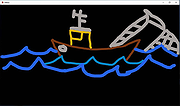 |
| Showing rows 1 to 4 of 4 | Showing Page 1 of 1 | 1 |
OlderGeeks.com Copyright (c) 2026
