|

|
Processed through Paypal No account required. |








Buy our over-priced crap to help pay the bills.



|
|
Processed through Paypal No account required. |
| Files | ||||
| File Name | Rating | Downloads | ||
 |
Diffinity Portable v0.9.5 Diffinity Portable v0.9.5 A free, portable diff and merging tool for Windows with focus on accurate and easy to read source code diffs. Diffinity will compare the contents of two text files and show all differences line by line and also which individual characters/words that differs. source code diff Features: • Improved diffing quality for c-style source code and xml • Thumbnail view of all diffs • Folder comparison • Differentiates between changed, removed and added lines • Instance highlighting - double click or search for a word to show all instances of it • Syntax highlighting • Supports unicode and auto detects encoding (and warns if encoding mismatch) • Customizable interface with support for tabs • Manual alignment markers • In-line diffs live updated as you type • Windows Explorer shell integration Diffinity Documentation https://truehumandesign.se/diffinityDocumentation.php Changes v0.9.5 2025-08-25 - Added option to enable always reloading a file diff when file change on disc (instead of when the Diffinity window gets focus) - Tab header default style changed, can be customized in Preferences - Syntax highlight inside changed edits enabled by default, can be disabled in Preferences - Changed filter lines dialog to filter case insensitive by default and added a button to set Case sensitive - Folder diff pause/run button added - Added Ctrl + Page Up/Down to go to next/previous tab - Option added to remove tab header icons - Option added to always step to next tab on Ctrl + Tab - Folder ... |
 |
765 | Sep 07, 2025 True Human Design/OlderGeeks.com 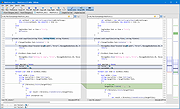 |
 |
Diffinity v0.9.5 Diffinity v0.9.5 A free diff and merging tool for Windows with focus on accurate and easy to read source code diffs. Diffinity will compare the contents of two text files and show all differences line by line and also which individual characters/words that differs. source code diff Features: • Improved diffing quality for c-style source code and xml • Thumbnail view of all diffs • Folder comparison • Differentiates between changed, removed and added lines • Instance highlighting - double click or search for a word to show all instances of it • Syntax highlighting • Supports unicode and auto detects encoding (and warns if encoding mismatch) • Customizable interface with support for tabs • Manual alignment markers • In-line diffs live updated as you type • Windows Explorer shell integration Diffinity Documentation https://truehumandesign.se/diffinityDocumentation.php Changes v0.9.5 2025-08-25 - Added option to enable always reloading a file diff when file change on disc (instead of when the Diffinity window gets focus) - Tab header default style changed, can be customized in Preferences - Syntax highlight inside changed edits enabled by default, can be disabled in Preferences - Changed filter lines dialog to filter case insensitive by default and added a button to set Case sensitive - Folder diff pause/run button added - Added Ctrl + Page Up/Down to go to next/previous tab - Option added to remove tab header icons - Option added to always step to next tab on Ctrl + Tab - Folder diff date ... |
|
5,686 | Sep 07, 2025 True Human Design |
| Showing rows 1 to 2 of 2 | Showing Page 1 of 1 | 1 |
OlderGeeks.com Copyright (c) 2026
