|

|
Processed through Paypal No account required. |








Buy our over-priced crap to help pay the bills.



|
|
Processed through Paypal No account required. |
| Files | ||||
| File Name | Rating | Downloads | ||
 |
CosmoBlast v0.4 CosmoBlast v0.4 A free, space-based, shoot'em up game. CosmoBlast is inspired by games such as R-Type and Gradius, it features side-scrolling, retro-looking graphics and chiptune music. The game is portable, no installation required. Supported operating systems: Windows XP and higher. User Guide: Keyboard layout You can also play with a pad or a joystick. Keyboard and joystick layouts can be configured in the Options menu. ▸ Move spaceship: Up, Down, Left, Right ▸ Fire: Space ▸ Launch missile: A ▸ Use ice cube power-up: Left Ctrl ▸ Pause the game: Escape ▸ Place HUD at the top of the screen: Page Up ▸ Place HUD at the bottom of the screen: Page Down ▸ Take a screenshot (saved in screenshots directory): F1 Power-ups Power-ups are randomly dropped when an enemy is destroyed. ▸ Repair: Restores 1 health point. ▸ Full repair: Restores all health points. ▸ Shield: Restores 1 shield point. ▸ Full shield: Restores all shield points. ▸ Ice cube: Gives +1 ice cube. Use an ice cube to instantly cool down the weapon system and cancel over-heat. You can store up to 5 ice cubes. ▸ Missile: Gives +1 missile. One shot can destroy many enemies. You can store up to 5 missiles. ▸ Double laser: Doubles ... |
 |
852 | Jul 17, 2025 Mechanika Design 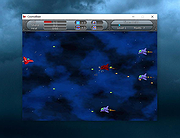 |
|
MPos - Mouse Position v0.4 MPos - Mouse Position v0.4 Open source, portable program to display mouse coordinates and DPI info/logging on the Windows 8.1, Windows 10 and Windows 11 desktop. MPos is a minimalistic and easy to use tool to track the current position of the cursor on the screen. MPos especially considers High-DPI monitors and DPI scaling of Windows 10. The mouse position is provided in physical/ unscaled Windows pixels and in coordinates scaled by DPI-virtualization. The tool also provides information about the DPI scaling and the raw/ physical DPI of the current monitor. Note: MPos requires Windows 8.1 or newer and .NET Framework v.4.6 or newer. Features Track the cursor position in physical pixels (Physical) and scaled pixels (Scaled) See the cursor position relative to the active window (Relative) See the DPI scaling of the current monitor (Scaling) See the raw (real) DPI of the current monitor (Raw Dpi) Determine the color of the pixel at the cursor position (RGB) Flexibly adjust shown data Grab the current cursor position with global shortcut Log of last grabbed cursor positions for easy copying Changes: v.0.4 (2021-10) New: "Customize" window: configure font family and font size Changed: Only log visible position data Click here to visit the author's website. |
|
3,542 | Oct 15, 2021 Bluegrams 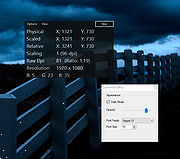 |
 |
OFGB (Oh Frick Go Back) v0.4 OFGB (Oh Frick Go Back) v0.4 GUI tool to removes ads from various places around Windows 11. What This Tool Does And How This tool uses changes to the Windows Registry to disable ads in various places around Windows 11. The tool is written in C# and uses Windows Presentation Foundation. Requirements • Windows 11 • A disdain for frickin' ads! Changes: Update Style A Bit More. Added 3 More Options! This download is for the Windows 64bit version (very bottom of page). If you need the Windows ARM 64bit version, download here. Click here to visit the author's website. |
|
1,407 | Sep 13, 2024 Maddy Wilcox 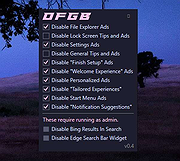 |
|
SnapEase v0.4 SnapEase v0.4 A tool for bulk tweaking and processing of images. SnapEase lets you import your photos (or folders), then nondestructively (and very quickly) crop, rotate, desaturate, rename, and/or remove the images from the list. Once you have your list the way you like it, you can have it automatically resize and save the images to disk or upload to the web. Windows 98/2000/XP/Vista/7/8/10/WINE Changes in v0.4: Update to libpng 1.6.19 Fix issues with extremely large images Update to NSIS 2.5.0 on Windows Click here to visit the author's website. |
|
5,960 | Mar 20, 2019 Cockos Incorporated 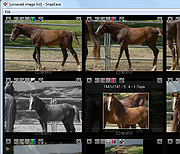 |
| Showing rows 1 to 4 of 4 | Showing Page 1 of 1 | 1 |
OlderGeeks.com Copyright (c) 2026
