|

|
Processed through Paypal No account required. |








Buy our over-priced crap to help pay the bills.



|
|
Processed through Paypal No account required. |
| Files | ||||
| File Name | Rating | Downloads | ||
 |
EASEUS Todo Backup Free Edition v13.0 EASEUS Todo Backup Free Edition v13.0 Full Range of Backup and Recovery Solutions for Personal Users EaseUS Todo Backup is a reliable and professional backup & recovery tool that enables personal users to protect files, partitions, disks and entire system via system backup, files backup with ease. EaseUS Todo Backup Free focuses on simplicity. Only a few clicks, users can easily realize complete data protection by recovering a backup of the entire system or restoring on new hardware. No need for IT knowledge background. Backup Free backup tool that enables personal users to protect files, partitions, disks and entire system via system backup, files backup flexibly. Clone Easily clone a smaller HDD to a larger HDD for disk upgrade, or clone HDD to SSD for better performance. Recovery Safely recover your whole system or deleted data from your backup to get everything back from unexpected crash or ransomware. Comprehensive Backup Solution EaseUS backup software makes it much easy to protect whole PC or laptop in an effective way. System Backup Easy to back up your entire system including applications, operation system and settings in one image. Partition Backup Backup individual or multiple partitions to save your time. Disk Backup Block-level disk imaging of EaseUS Todo Backup Free backs up your entire disk, volume, HDD or SSD at fast speed, such as the internal disk, external disk, USB flash drive, sd card, the hard drive on NAS and others. Flexible Backup Functions Select backup types from the full image, incremental, differential and customize times and destinations for users who handle multiple backup schedules. File Backup EaseUS file-level backup allows you to selectively back up specific files or file folders including network shared data, such as documents, photos, ... |
 |
12,343 | Aug 12, 2021 CHENGDU YIWO Tech Development Co. Ltd. 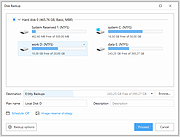 |
 |
QOwnNotes v26.9.11 QOwnNotes v26.9.11 👉 Open-source markdown note-taking application with Nextcloud and ownCloud integration. QOwnNotes is a free and open-source plain-text note-taking and to-do list manager designed for users who want full control over their notes and data. It stores notes as plain text Markdown files, making them easy to synchronize with services such as Nextcloud, ownCloud, Syncthing, Dropbox, and other cloud or local storage solutions. QOwnNotes includes powerful organization tools, note encryption, scripting support, tagging, searching, and customizable interface layouts for productivity-focused workflows. Features: • Plain-text Markdown note-taking with live preview • Integration with Nextcloud and ownCloud notes • Stores notes as standard text files without vendor lock-in • AES-256 encrypted notes support • Built-in scripting engine with QML support • Powerful note searching and filtering • Tagging and note organization tools • Multiple note folders and subfolder support • Customizable themes, fonts, and layouts • To-do list and task management support • Automatic note saving and backup support • External diff tool integration • Checkbox list creation and Markdown editing tools • Portable mode support • Cross-platform support for desktop operating systems Supported operating systems: • Windows 7, Windows 8, Windows 10, Windows 11 • macOS 13 Ventura or higher • Linux Supported languages: English, Arabic, Basque, Bulgarian, Catalan, Chinese Simplified, Chinese Traditional, Czech, Danish, Dutch, English, Finnish, French, German, Greek, Hebrew, Hungarian, Italian, Japanese, Korean, Norwegian, Persian, Polish, Portuguese, Portuguese Brazilian, Romanian, Russian, Slovak, Spanish, Swedish, Turkish, Ukrainian Changes: v26.9.11 09-25-26 Deprecated the non-GitHub Qt 5 release packages by removing the legacy Ubuntu Launchpad and OBS deployments from the release process, while retaining the Qt 5 artifacts built by the GitHub release workflow (for #3752) Added more French translation (thank you, jd-develop) 👉 This download is for the Windows version (very bottom of page). All other download assets are below: MacOS: QOwnNotes.dmg QOwnNotesQt5.dmg Linux: QOwnNotes-amd64.snap QOwnNotes-Qt5-amd64.snap QOwnNotes-x86_64.AppImage Click here to visit the author's website. |
|
6,857 | Sep 25, 2026 Patrizio Bekerle 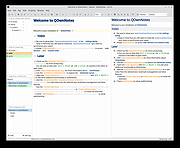 |
| Showing rows 1 to 2 of 2 | Showing Page 1 of 1 | 1 |
OlderGeeks.com Copyright (c) 2026
