|

|
Processed through Paypal No account required. |








Buy our over-priced crap to help pay the bills.



|
|
Processed through Paypal No account required. |
| Files | ||||
| File Name | Rating | Downloads | ||
 |
adb-tools-mac v1.1 adb-tools-mac v1.1 👉 A handy macOS menu bar app for common Android ADB tools. adb-tools-mac is a lightweight macOS menu bar app written in SwiftUI that gives Android users quick access to common ADB functions without needing to run commands manually in Terminal. It can connect to Android devices over TCP, take screenshots, record the screen, open deeplinks and capture logcat output. The app includes the adb executable internally, helping avoid common ADB setup and installation problems. Features: • Runs from the macOS menu bar • Connect Android devices over TCP • Take screenshots from connected devices • Record Android device screens • Open deeplinks for testing apps and links • Capture logcat output • Includes adb internally to reduce setup problems • Written in SwiftUI • Free and open source under the GPL Supported operating systems: • macOS Supported languages: English Changes: v1.1 03-12-21 Moved adb commands to background thread to avoid adb daemon stalling the app process. Click here to visit the author's website. |
 |
3,554 | Jun 14, 2026 Naman Dwivedi 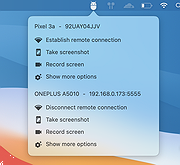 |
 |
MacOSCleaner v2.3.0 MacOSCleaner v2.3.0 👉 Free, privacy-focused macOS cleaner, app uninstaller, duplicate finder, disk analyzer and system maintenance utility. MacOSCleaner is a native macOS cleaning and maintenance utility designed to help reclaim storage space while giving you control over exactly what is removed. It can scan caches, developer files, application leftovers, duplicate files, old installers and many other types of unnecessary data. It also includes a forensic application uninstaller, disk space analyzer, process manager and startup service manager. Files identified by the uninstaller and disk analyzer are moved to the Trash where possible, while protected system locations are blocked from deletion. MacOSCleaner runs locally with no telemetry or cloud transmission and includes optional on-device Apple Intelligence explanations and Siri/Shortcuts automation. Features: • Smart Cleanup scans 55 categories and more than 1,880 defined locations covering over 275 applications and 86 developer toolchains • Cleans application and browser caches, developer files, package manager data, crash reports, Mail downloads and other unnecessary files • Forensic App Uninstaller examines application-related files using bundle IDs, Team IDs, Spotlight data, property lists, Launch Services and other evidence • Post-uninstall verification lets you inspect and selectively remove remaining files after uninstalling an application • Dedicated orphan scanner finds remnants from applications that were previously removed • Orphaned files are grouped by confidence level as Guaranteed, Very Likely or Possible • Duplicate File Finder uses file size, partial hashing and full SHA-256 hashing to identify exact duplicates • Disk Space Analyzer lets you navigate folders using an interactive directory tree and breadcrumb navigation • Uses APFS allocated-size information to more accurately report physical disk usage • Built-in Quick Look support lets you preview files directly from the disk analyzer • Protects cloud-only iCloud items from being downloaded unintentionally during analysis • Project Build Artifacts category detects regenerable folders such as node_modules, target, .venv, .dart_tool and build • Build artifact age filters can target files older ... |
|
113 | Oct 05, 2026 AlexTkDev 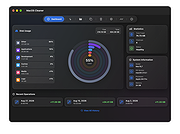 |
| Showing rows 1 to 2 of 2 | Showing Page 1 of 1 | 1 |
OlderGeeks.com Copyright (c) 2026
