|

|
Processed through Paypal No account required. |








Buy our over-priced crap to help pay the bills.



|
|
Processed through Paypal No account required. |
| Files | ||||
| File Name | Rating | Downloads | ||
 |
NixThis v0.40 NixThis v0.40 👉 A portable tool for blocking unwanted Windows ads, suggestions, and interface clutter. NixThis helps you find and disable unwanted Windows features by pointing at them on your screen. Instead of searching through Settings or sorting through hundreds of unfamiliar tweaks, you select an interface element and let NixThis look for the Windows setting behind it. Click “Pick an element” or press Ctrl + Shift + Space, then move your pointer over the item you want to remove. A green outline means NixThis recognizes the element. Click it to review what will change before deciding whether to block it. NixThis intercepts the click so you do not accidentally activate the button underneath. A gray outline means the element is not recognized; its signature is recorded locally, and no settings are changed. You can also use the searchable filter list to review available changes, including features that are not currently visible on your screen. Each entry explains where the item appears and what its filter changes. Select the entries you want and choose “Apply changes.” NixThis remembers previous registry values so you can restore settings through “What you blocked” and “Bring it back.” Uninstalled Microsoft Store apps work differently: NixThis opens the matching Store page so you can reinstall them. The program is portable. Extract the download into a folder you can write to and run NixThis.exe. Its normal blocking features work locally. Optional AI explanations require your own API key and send only the selected setting’s name and technical details to the provider. Features: • Point-and-click element picker for identifying recognized Windows interface features. • Green and gray outlines distinguish recognized elements from unknown ones. • Review the proposed setting change before applying a filter. • Searchable filter list includes items that are not currently visible on screen. • Apply multiple selected filters together. • Each filter explains where its target appears and what will change. • Restore ... |
 |
19 | Sep 30, 2026 Builtbybel 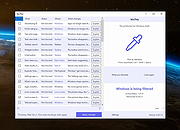 |
| Showing rows 1 to 1 of 1 | Showing Page 1 of 1 | 1 |
OlderGeeks.com Copyright (c) 2026
