|

|
Processed through Paypal No account required. |








Buy our over-priced crap to help pay the bills.



|
|
Processed through Paypal No account required. |
| Files | ||||
| File Name | Rating | Downloads | ||
 |
PDF24 Creator v11.30.1 PDF24 Creator v11.30.1 👉 Free and powerful PDF creation and management tool for Windows. PDF24 Creator is a full-featured PDF creation and management suite that lets you generate, edit, merge, split, compress, secure, and otherwise work with PDF documents directly on your Windows PC. It installs as a virtual PDF printer so you can create PDFs from almost any Windows application, and includes a toolbox of useful PDF utilities — all completely free of charge and without limits. Features: • Create PDF files from virtually any Windows application via virtual printer • Merge multiple documents into a single PDF • Split, delete, rotate, extract, and insert pages • Compress and shrink PDF files • Add digital signatures, encryption, watermarks, and metadata • Integrated PDF viewer and editor tools • Support for PDF/A, PDF/X and other PDF standards • Multiple PDF printer profiles for varied tasks • Works offline with all files staying local on your PC • Multilingual interface with wide language support The Tools: PDF Creator Easily assemble, create and modify PDF files with the Drag and Drop enabled user interface. • Merge or split PDF files • Add, remove, extract, rotate, sort and move PDF pages • Import and automatic conversion of documents (Word, Excel, images, etc. to PDF • Various preview modes for easy editing of PDF documents • Integrated viewer • Drag and Drop wherever possible • Follow up tools: Save, Print, Email, Fax, ... PDF Printer Print on this printer in order to create a PDF or use it as a universal PDF converter that converts any printable file to PDF. • Virtual printer for PDF creation • Multiple PDF printers for different tasks • Automatic saving ... |
 |
9,206 | Jul 11, 2026 Geek Software GmbH 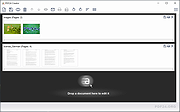 |
| Showing rows 1 to 1 of 1 | Showing Page 1 of 1 | 1 |
OlderGeeks.com Copyright (c) 2026
