|

|
Processed through Paypal No account required. |








Buy our over-priced crap to help pay the bills.



|
|
Processed through Paypal No account required. |
| Files | ||||
| File Name | Rating | Downloads | ||
 |
Kivo v0.1.0 Kivo v0.1.0 👉 Lightweight desktop teleprompter with smooth auto-scrolling. Kivo is a lightweight desktop teleprompter that provides a clean, always-on-top overlay for reading scripts during presentations, livestreams, video recordings, and other speaking engagements. It offers smooth automatic scrolling, adjustable speed controls, automatic reloading when the source text changes, and a distraction-free interface to help you stay focused on your content. Features: • Always-on-top frameless window • Modern translucent interface • Draggable overlay • Open plain text (.txt) files • Automatically reloads text when the file changes • Smooth teleprompter-style auto-scrolling • Adjustable scrolling speed • Pause and resume scrolling • Keyboard shortcuts for playback controls • Lightweight, distraction-free design Usage: • Run Kivo.exe • Select a text file of what you want to scroll on screen. Keyboard Shortcuts: • Esc - Close Kivo • Space - Pause/Resume scrolling • ↑ - Increase scrolling speed • ↓ - Decrease scrolling speed Supported operating systems: • Windows 10, Windows 11 Supported languages: English Changes: v0.1.0 06-27-26 First release. Initial MVP of Kivo. Added a frameless always-on-top window. Added a draggable overlay. Added a modern rounded translucent interface. Added text file loading. Added automatic file reloading. Added smooth teleprompter scrolling. Added adjustable scrolling speed. Added pause and resume functionality. Added keyboard shortcuts. Modularized the application into separate window and file selector components. Added the foundation for future settings, global hotkeys, and custom rendering. Note: This file has three hits on VirusTotal. We have confirmed these to be false positives. The file is safe. Click here to visit the author's website. |
 |
476 | Jul 01, 2026 Rajtilak Bhattacharjee  |
|
OpenLogi v0.9.0 OpenLogi v0.9.0 👉 A free, open-source Logitech device manager for Windows, macOS and Linux that lets you customize your peripherals without accounts, cloud services or telemetry. OpenLogi is a free, open-source alternative to Logitech Options+ that gives you control over compatible Logitech mice, keyboards and other peripherals. Instead of requiring a Logitech account or cloud-based configuration service, OpenLogi communicates directly with supported devices using Logitech's HID++ protocol and keeps your settings on your own computer. Features: • Free and open-source alternative to Logitech Options+ • Supports Windows, macOS and Linux • Communicates directly with compatible Logitech hardware through HID++ • No Logitech account required • No cloud service or telemetry required • Local configuration storage using readable TOML files • Graphical interface for managing supported devices • Supports compatible Logitech mice, keyboards and other peripherals • Supports Logi Bolt, Unifying and Lightspeed receivers • Supports compatible Bluetooth and USB connections • Remap mouse buttons to different actions and shortcuts • Create custom keyboard shortcuts for mouse buttons • Configure directional mouse gestures • Assign actions to supported short and long button presses • Create application-specific profiles • Automatically switch profiles according to the active application • Adjust mouse DPI and configure sensitivity presets • Configure supported mouse report rates • Adjust SmartShift wheel behavior • Configure ratchet and free-spin scrolling modes • Customize scrolling sensitivity and direction • Configure smooth scrolling and momentum behavior • Adjust horizontal scrolling on supported devices • Customize the Actions Ring for quick access to commands • ... |
|
516 | Nov 09, 2026 AprilNEA 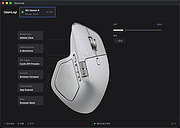 |
| Showing rows 1 to 2 of 2 | Showing Page 1 of 1 | 1 |
OlderGeeks.com Copyright (c) 2026
