|

|
Processed through Paypal No account required. |








Buy our over-priced crap to help pay the bills.



|
|
Processed through Paypal No account required. |
| Files | ||||
| File Name | Rating | Downloads | ||
 |
BatEx v1.0.1 BatEx v1.0.1 👉 Turn Windows batch scripts into EXE applications. BatEx is a modern Windows desktop app that converts .bat and .cmd scripts into runnable .exe applications. You can drop an existing batch or command script into the app, or write a new script directly inside BatEx, then choose output options such as folder, icon, metadata, admin mode, console mode, platform, and more. Features: • Convert .bat and .cmd files to .exe • Write scripts directly inside the app • Modern WinUI 3 interface • Drag and drop support • Show or hide the console window • Run generated EXE as administrator • Add a custom .ico icon • Add file metadata including description, product name, company name, copyright, version, internal name, and original filename • Choose target platform: x64, x86, or AnyCPU • Optional script obfuscation • Conversion history • Auto-open output folder after build Supported operating systems: • Windows 10, Windows 11 Supported languages: English Changes: v1.0.1 05-22-26 You can now add more files that your script needs into the new exe! Fixed script editor issues Now the software checks for updates Note: This file has one hit on VirusTotal. We have confirmed this to be a false positive. The file is safe. Click here to visit the author's website. |
 |
623 | May 22, 2026 The Yali  |
 |
Remove Windows Store Apps Script Remove Windows Store Apps Script Remove Windows Store apps in Windows 8, Windows 8.1 and Windows 10 Introduction This script can be used to remove multiple Windows Store apps from a user account in Windows. It provides a list of installed Windows Store apps. You can specify the application IDs, and remove them all at once. Scenarios In Windows 8, 8.1 and 10, you can remove a single Windows Store app by right-clicking the tile in the Start menu and choosing the uninstall command. However, no command is provided for removing multiple Windows Store apps all at once. If you want to do so, you can use this script sample. Sometimes Windows Store apps may crash in Windows 8. Even though you can successfully uninstall and reinstall the app, the app may still crash after the reinstallation. In this situation, you can use this example script to remove these Windows Store apps cleanly. Script Step 1: Move the cursor to the top right corner of the screen, click Search, type PowerShell, right-click the Windows PowerShell app tile, and then, on the app bar, click Run as administrator. Examples Example 1: How to display help about the script You can type the command Get-Help C:\Script\RemoveWindowsStoreApp.ps1 -Full to display the entire help file for this function, such as the syntax, parameters, or examples. This is shown in the following figure. Example 2: How to remove Windows Store apps To remove Windows Store apps, run the script directly, then choose the ID of each app that you want to remove. In this example, I suppose that you decide to remove "Games" and "Maps". The Windows Store apps as shown below. Run the script, and then choose the IDs for the "Games" and "Maps" apps (The IDs should be 4 and 17). Finally, confirm this action. The apps have been removed! Here are ... |
|
6,222 | Apr 24, 2017 MSFT OneScript Team 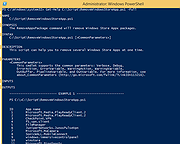 |
|
Tron Script v12.0.8 Tron Script v12.0.8 OlderGeeks.com is an official mirror for Trons Script. A powerful automated collection of batch files that runs multiple cleanup, disinfection and repair tools to help restore poorly running Windows PCs. Tron Script is a free, open-source script that sequences a large collection of well-known Windows cleanup, malware removal, debloat, repair and optimization utilities into a single automated process. Instead of manually running dozens of tools to disinfect, remove bloatware, fix system corruption, reset configurations, clean temporary files and optimize settings, Tron orchestrates these steps in a structured workflow that can handle heavily-infected or unstable machines. It is intended for advanced users and technicians and can take several hours to complete depending on the state of the system. Tron works through stages including prep, temp cleanup, de-bloat, disinfect, repair, patch, optimize and wrap-up, producing comprehensive logs of its actions. The script runs from an elevated Command Prompt and can be customized via command-line switches for different use cases. Features: • Automates a comprehensive suite of cleanup, repair and disinfection tools. • Runs multiple anti-malware engines and system utilities in sequence. • Removes OEM bloatware and unnecessary files. • Repairs corrupted system components (SFC, DISM, registry and file permissions). • Cleans temporary files, event logs, Windows Update cache. • Supports command-line switches to skip or enable specific stages. • Produces detailed run logs for post-analysis. • Useful on difficult-to-fix systems where manual cleanup would be time-consuming. Documentation: Read ALL of the documentation here before using this set of tools. Supported operating systems: • Windows 7 • Windows 8 • Windows 8.1 • Windows 10 • Windows 11 Note: Requires an elevated Command Prompt. Supported languages: • English What Tron Script Actually Contains: Most ... |
|
37,512 | Feb 01, 2026 vocatus 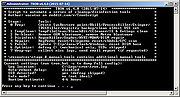 |
| Showing rows 1 to 3 of 3 | Showing Page 1 of 1 | 1 |
OlderGeeks.com Copyright (c) 2026
