|

|
Processed through Paypal No account required. |








Buy our over-priced crap to help pay the bills.



|
|
Processed through Paypal No account required. |
| Files | ||||
| File Name | Rating | Downloads | ||
 |
OBS Studio v32.2.2 OBS Studio v32.2.2 👉 Free and open source live streaming and screen recording software. OBS Studio is software designed for capturing, compositing, encoding, recording, and streaming video content efficiently. It provides a powerful real-time video and audio production environment that allows users to capture gameplay, desktop activity, webcams, and multiple input sources while combining them into professional-looking broadcasts or recordings. OBS Studio uses a scene-based workflow that lets users build complex layouts using sources such as game capture, display capture, window capture, images, text, media files, browsers, webcams, and capture cards. Scenes can be switched instantly or transitioned smoothly during live broadcasts, making it ideal for livestreaming, tutorials, presentations, gaming streams, and video production. The program includes a full audio mixing system with per-source volume controls, filters such as noise suppression and noise gate, and monitoring options for precise audio management. Studio Mode allows creators to preview scene changes before pushing them live, reducing mistakes during broadcasts. OBS Studio also supports hardware-accelerated encoding, customizable streaming and recording settings, hotkeys for fast control, plugin extensions, and integration with major streaming platforms such as Twitch, YouTube, and others. Because it is open source and highly extensible, OBS Studio has become one of the most widely used broadcasting tools for content creators, educators, and professionals. Features: • Free and open source software for live streaming and screen recording • Scene and source based workflow for arranging games, webcams, windows, images, text, and capture devices • Built-in audio and video filters including noise suppression, noise gate, gain, chroma key, crop/pad, color correction, and sharpen • Studio Mode for preparing scene changes before sending them live • Scene transitions such as Fade, Cut, Swipe, Slide, Fade to Color, and Luma Wipe • Hardware encoder support options depending on available system hardware and platform configuration • New Audio Mixer, new Add Source dialog, WebRTC simulcast support, and expanded ... |
 |
7,196 | Aug 19, 2026 OBS Project 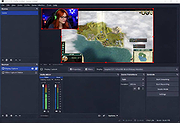 |
|
vokoscreenNG v4.10.0 vokoscreenNG v4.10.0 👉 Record your screen, audio, webcam, windows, and selected areas with a powerful open source screencast tool. vokoscreenNG is a free and open source screen recording program for Windows and Linux. It can record the full screen, a selected area, or a window, with audio recording, webcam overlay support, snapshots, a built-in video player, countdown timer, magnifier, Showclick, Halo, system tray tools, dark mode, and global keyboard shortcuts. Features: • Record the full screen, selected area, or window • Supports audio recording with level meter • Built-in webcam/camera support • Multi-screen recording support • System tray controls • Countdown and timer tools • Magnifying glass tool • Showclick and Halo mouse-click visual effects • Snapshot support • Built-in video player • Global keyboard shortcuts • Dark mode • Linux X11 and Windows: MKV, GIF, MP4 • Linux Wayland: MKV recording with conversion to WebM, GIF, or MP4 after recording Supported operating systems: • Windows 10 64-bit, Windows 64-bit • Linux Flatpak, Debian, Fedora, openSUSE Tumbleweed, openSUSE Leap, Ubuntu, Arch Linux, NixOS Supported languages: Arabic, Arabic (Egypt), Moroccan Arabic, Bengali, Bosnian, Bosnian (Bosnia and Herzegovina), Catalan, Catalan (Spain), Czech, Czech (Czech Republic), German, German (Austria), German (Switzerland), German (Germany), Greek (Greece), English (Australia), English (Canada), English (United Kingdom), English (India), English (United States), English (South Africa), Spanish, Spanish (Latin America), Spanish (Argentina), Spanish (Bolivia), Spanish (Chile), Spanish (Colombia), Spanish (Spain), Spanish (Mexico), Spanish (Peru), Spanish (El Salvador), Spanish (Venezuela), Basque (Spain), Persian (Iran), Finnish (Finland), Filipino (Philippines), French (Canada), French (France), Hebrew, Croatian, Hungarian (Hungary), Indonesian, Indonesian (Indonesia), Italian (Italy), Japanese (Japan), Kazakh (Kazakhstan), Korean (Korea), Lao, Lao (Laos), Lithuanian, Norwegian Bokmεl, Low German, Dutch (Belgium), Dutch (Netherlands), Polish (Poland), Portuguese, Portuguese (Brazil), Portuguese (Portugal), Romanian, Russian, Russian (Russia), Slovak (Slovakia), Slovenian, Serbian, Swedish, Swedish (Sweden), Thai, Thai (Thailand), Turkish (Turkey), Ukrainian (Ukraine), Wu Chinese (Simplified), Chinese (China), Chinese (Hong Kong), Chinese (Taiwan) Changes: v4.10.0 07-01-26 Code: Fixed deprecation warnings Wayland: Audio change from ... |
 |
435 | Jun 30, 2026 Volker Kohaupt 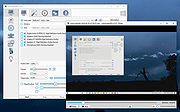 |
| Showing rows 1 to 2 of 2 | Showing Page 1 of 1 | 1 |
OlderGeeks.com Copyright (c) 2026
