|

|
Processed through Paypal No account required. |








Buy our over-priced crap to help pay the bills.



|
|
Processed through Paypal No account required. |
| Files | ||||
| File Name | Rating | Downloads | ||
 |
Betterbird v140.13.0esr-bb25 Betterbird v140.13.0esr-bb25 👉 Fine-tuned Thunderbird-based email client with exclusive features, fixes, and productivity improvements. Betterbird is a soft fork of Mozilla Thunderbird that closely follows Thunderbird ESR releases while adding exclusive features, bug fixes, and usability improvements designed to provide a better email experience. It can be installed alongside Thunderbird and even used with the same profile, making it easy to try without disrupting an existing setup. Betterbird adds capabilities such as multi-line message view, improved system tray support, enhanced search options, language pack support tailored for Betterbird, and a variety of workflow improvements for mail handling and organization. Features: • Fine-tuned Thunderbird ESR-based email client • Can be installed alongside Thunderbird and used with the same profile • Multi-line message view • Full account colours support • Attachments on top • Complex search terms • Regular expression search • Search in encrypted messages • Improved Windows and Linux system tray integration • Activity Manager opens in a tab for easier tracking of message activity • Betterbird-specific language packs for supported languages • Support for custom icons • Feed reader enhancements • Header editing and rethreading tools • Delayed background sending preference • Windows binaries signed with a Certum certificate • Web search option in the compose window context menu • Password prompts can reveal passwords • Portable version available for Windows Supported operating systems: • Windows 10 64-bit, Windows 11 64-bit • Linux Mint 22, Ubuntu 22, Debian 12 Bookworm, compatible Linux distributions with GLIBC 2.35 • macOS Catalina, macOS Ventura, macOS Sonoma 14, macOS Sequoia 15 or higher Supported languages: • English (en-US), English (en-GB), German, Dutch, French, Italian, Japanese, Spanish (es-ES), Portuguese (pt-BR), Russian, Chinese (Simplified), Czech, Polish, Swedish, Ukrainian Changes: v140.9.0esr-bb20 07-20-26 Based on Thunderbird 153.0esr. Fixed in this version: NEW - Support for "close to tray" while maintaining "minimise to tray", see this blog article for details CHANGED - Images in links are again zoomable controlled by preference mail.allow_zooming_image_links CHANGED - Integration with Thundermail disabled, see this blog ... |
 |
3,848 | Jul 22, 2026 betterbird.eu & Jorg Knobloch 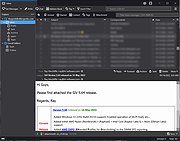 |
|
qBittorrent Portable v5.2.1 qBittorrent Portable v5.2.1 👉 Lightweight portable BitTorrent client with search, RSS, WebUI, and advanced torrent controls. qBittorrent Portable is the lightweight qBittorrent torrent client packaged as a portable app, so you can run it from a cloud folder, removable drive, or local folder without installing it on the PC. It includes a familiar interface, built-in search engine, support for BitTorrent extensions, WebUI remote control, RSS downloading with filters, bandwidth scheduling, IP filtering, IPv6 support, and torrent creation tools. Features: • Polished, familiar user interface • Well-integrated and extensible search engine • Simultaneous search across popular BitTorrent search sites • Category-specific search requests • Supports DHT, Peer Exchange, full encryption, Magnet URIs, and BitComet URIs • Remote control through a Web user interface • Advanced control over trackers, peers, and torrents • Torrent queueing and prioritizing • UPnP and NAT-PMP port forwarding support • Torrent creation tool • Advanced RSS support with download filters, including regex • Bandwidth scheduler • IP filtering compatible with eMule and PeerGuardian • IPv6 compliant • PortableApps.com format for easy portable use and automatic updates through the PortableApps.com Platform Supported operating systems: Windows 10/11 (64-bit Only) Supported operating systems: • Windows 10, Windows 11 64-bit only Supported languages: Multilingual, approximately 25 languages Changes: v5.2.1 05-26-26 BUGFIX: Fix building with latest zlib (glassez) #24200 BUGFIX: Remove old-format lockfile when starting (glassez) #24218 BUGFIX: Prevent SSRF via HTTP redirection (AlexandrBlishun) #24270 BUGFIX: Delete stale lockfile when machine-id mismatch (glassez) #24285 BUGFIX: Fix handling of 'Accept-Encoding' header (glassez) #24286 WEBUI: Avoid search downloader for magnet links (TurboTheTurtle) #24211 WEBUI: Work around browser extension interfering with Add Torrent Dialog (vafada) #24240 WEBUI: Filter all children of content root (vafada) #24243 WEBAPI: Don't store API result between calls (beryxz) #24262 RSS: Fix refresh is indefinitely called when there are no feeds (glassez) #24199 SEARCH: Avoid proxy interfering with multiprocessing pool (Chocobo1) #24234 Note: This program will cause blocked website warnings to popup from your antivirus software. This is the nature of peer-to-peer connections. Some IPs connecting to you ... |
|
7,542 | May 27, 2026 qBittorrent Team & PortableApps.com 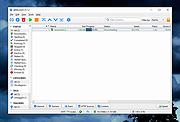 |
|
RSS Guard v5.2.3 RSS Guard v5.2.3 👉 Cross-platform open-source feed reader for RSS, ATOM, JSON and podcast feeds. RSS Guard is a lightweight yet powerful feed reader designed for reading and managing RSS, ATOM, JSON, and podcast feeds in one place. It provides a clean and organized interface that allows users to subscribe to multiple feeds, categorize them, and read articles efficiently. RSS Guard supports both local feed management and synchronization with several online services, making it suitable for users who want to keep track of news, blogs, podcasts, and other syndicated content across multiple devices. The application includes a built-in feed downloader, powerful filtering options, customizable article views, and a flexible plugin architecture. RSS Guard also features advanced feed management tools such as article labeling, filtering rules, and automatic feed updates. Its modular design and open-source nature allow for extensive customization and long-term flexibility, making it a strong choice for users who prefer a privacy-friendly alternative to cloud-based feed readers. Features: • Supports RSS, ATOM, and JSON feed formats • Built-in podcast support with episode management • Feed synchronization with supported online services • Customizable article viewer and reading layout • Powerful filtering and feed processing rules • Feed categories and organizational tools • Built-in feed downloader with automatic updates • Article labeling and tagging options • Plugin-based architecture for extended functionality • OPML import and export for feed migration • Notification system for new feed items • Open-source and privacy-focused design Supported operating systems: • Windows 10, Windows 11 • macOS • Linux Supported languages: English, Czech, German, French, Spanish, Italian, Dutch, Polish, Russian, Chinese, Japanese, Korean, Portuguese, Turkish Changes: v5.2.3 07-23-26 Added: Highlighting the Windows taskbar after feed-fetching errors can now be disabled in settings. Article and feed list titles now use available horizontal space by default. Feed fetching can now be paused or resumed from the tray icon menu. When paused and there ... |
|
5,902 | Jul 24, 2026 Martin Rotter 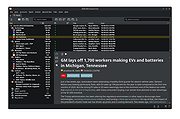 |
|
Vivaldi v8.1.4087.70 Vivaldi v8.1.4087.70 👉 Highly customizable web browser built for power users, privacy, and productivity. Vivaldi is a feature-rich Chromium-based web browser designed for users who want extensive control over their browsing experience. Created by former Opera developers, Vivaldi focuses on customization, efficiency, privacy, and integrated productivity tools rather than simplified mainstream browsing. It combines advanced tab management, built-in communication tools, customizable interface layouts, and strong privacy protections into a single browser package. Vivaldi allows users to tailor nearly every aspect of the interface, including tab placement, themes, keyboard shortcuts, gestures, toolbars, and panel layouts. The browser includes built-in features such as Mail, Calendar, Feed Reader, Notes, screenshot capture, ad and tracker blocking, Workspaces, split-screen tab tiling, and powerful session management tools. Unlike many browsers that rely heavily on extensions for advanced functionality, Vivaldi includes many professional-grade tools directly within the browser itself. Features: • Chromium-based browser engine for modern website compatibility • Highly customizable user interface and layout controls • Advanced tab stacking, tiling, and grouping features • Workspaces for organizing projects and browsing sessions • Built-in Mail, Calendar, and RSS Feed Reader • Integrated Notes tool with webpage attachments and screenshots • Custom keyboard shortcuts and mouse gestures • Built-in ad blocker and tracker protection • Split-screen browsing with tab tiling support • Sidebar web panels for quick access to websites and tools • Session saving and restoration tools • Command Chains for creating browser automation shortcuts • Quick Commands search interface for tabs, bookmarks, and settings • Extensive theme customization with scheduling support • Bookmark manager with nickname and folder organization • Built-in screenshot and page capture utility • Sync support for bookmarks, passwords, history, tabs, and settings • Reader View for distraction-free reading • Compatible with Chrome Web Store extensions • Privacy-focused browsing with reduced telemetry Supported operating systems: • Windows 10, Windows 11 • macOS 12 Monterey or higher • Linux Debian, Ubuntu, Fedora, openSUSE, RHEL, Arch Linux • Android 8.0 or higher • iOS ... |
|
6,620 | Aug 24, 2026 Vivaldi Technologies 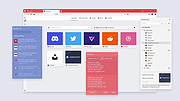 |
| Showing rows 1 to 4 of 4 | Showing Page 1 of 1 | 1 |
OlderGeeks.com Copyright (c) 2026
