|

|
Processed through Paypal No account required. |








Buy our over-priced crap to help pay the bills.



|
|
Processed through Paypal No account required. |
| Files | ||||
| File Name | Rating | Downloads | ||
 |
Advanced Renamer v4.20 Advanced Renamer v4.20 👉 Batch file renaming utility for Windows and Mac. Advanced Renamer is a program for bulk renaming multiple files and folders at once. By configuring renaming methods, names can be manipulated in many ways, including adding, removing, replacing, changing case, or creating entirely new names based on known file information. Features: • Rename multiple files and folders in large batches • Preview new names in real time before applying changes • Use 13 different renaming methods • Rename, copy, or move files in batch mode • Add, remove, replace, move, trim, renumber, swap, or change filename case • Use tags, regular expressions, wildcards, and JavaScript • Extract metadata from image, audio, video, document, font, and other file types • Rename photos using EXIF, XMP, IPTC, GPS, camera, date, and time data • Rename music files using MP3 / ID3 metadata • Rename videos using codec, resolution, frame rate, bitrate, and other media tags • Set file timestamps • Undo previous batches • Automate renaming with the command line batch runner • Dark theme • Unicode and UTF8 support Supported operating systems: • Windows 10 or later, 64-bit only • Windows ARM through emulation • macOS 11 or later Supported languages: English, Arabic, Bulgarian, Catalan, Czech, Danish, German, Spanish, Persian, Finnish, French, Hungarian, Indonesian, Italian, Japanese, Korean, Norwegian (Bokmal), Dutch, Polish, Portuguese (Brazil), Romanian, Slovenian, Turkish, Ukrainian, Vietnamese, Chinese, Chinese (Traditional) Changes: v4.18 2025-10-15 Added support for searching commands by name through a new search field Folder panel: Configure list of favorite folders Right click menu on certain UI elements to quickly change UI related settings The Insert Tag window and the Tag Pattern window has been merged into one window Fixed some issues with email tags: Did not support names containing comma (,). Also fixed issue with the FromEmail tag not working ... |
 |
1,152 | May 19, 2026 Kim Jensen 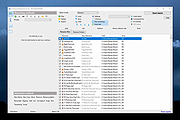 |
|
Ant Renamer v2.12.0 Ant Renamer v2.12.0 A free program that makes it easy to rename lots of files and folders by using specified settings. It supports Unicode names. Features This program can rename large amounts of files and folders in few clicks. It only modifies files/folders names: Changing extension Replacing character strings by others Inserting a character string Moving characters Deleting several characters Enumeration Name creation with mp3's Tag (ID v1.1) Name creation with file's last modified date and time Random names creation Case change (uppercase, lowercase, first letter of each word in uppercase, ...) Take names from a list/file Use of EXIF info Regular expressions Available in several languages: English (default), Belarusian, Bulgarian, Catalan, Chinese (simplified and traditional), Croatian, Czech, Dutch, French, German, Greek, Hungarian, Italian, Japanese, Korean, Polish, Portuguese, Russian, Slovak, Spanish, Swedish. Unicode file names are supported, so it is possible to rename without problems files that have names containing characters from Japanese, Chinese, Arab, etc. Tested successfully under various Windows versions, from 98 (with a few updated system files) and NT4 (SP4 required) up to current ones (Windows 11 included). Known bugs and limits Unicode is supported only on NT systems (Windows NT4, 2000, XP, Vista, 7, 8, 10 and equivalent server versions) However, the translation of user interface works only if the language defined in Windows regional settings uses the same character set as the language selected in the program Since version 2.04 the program does not start on Windows 95, it seems to be caused by a missing function on this system ... |
|
3,149 | Dec 21, 2021 Antoine Potten 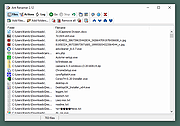 |
|
Daram Renamer v2021.11.1 Daram Renamer v2021.11.1 A portable, easy to use file and directory batch renaming application. Features Renaming Options Replace Plain Text Concatenate Text Trimming Filename Delete Blocked Text Delete Filename Substring Casecast Filename Add Extension Delete Extension Change Extension Casecast Extension Delete without Numbers Matching Number count Add Index Numbers Numbers Increase or Decrease Add Date Other Options Drag and Drop Context Menu Sort Undo Redo Copy Mode (renamed files are copied) Move Mode (files are renamed) Requirements .NET5 or newer Windows 7 or newer Recommended Windows 10 20H2 Changes 2021.11.1 Nov 15, 2021 Require .NET6 Desktop Runtime: https://dotnet.microsoft.com/download/dotnet/6.0 If tried Start Application but No action, Try remove DaramRenamer.config.json first. Click here to visit the author's website. |
|
5,627 | Dec 23, 2021 Jin Jae-yeon 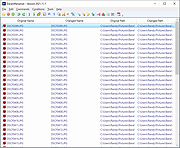 |
|
FocusOn Renamer Portable v1.8 FocusOn Renamer Portable v1.8 Free tool to easily rename multiple files. • Free for everyone - personal and commercial use • Add files to rename by drag and drop • Change the case of file names • Find and replace a word • Run from Windows Explorer's menu Supported Windows Versions: Windows Vista through Windows 11 Changes: v1.8 2025-02-01 What's New? Fixed abnormal termination bug Added Normalize unicode option for converting decomposed Mac filenames Dropped support for Windows XP Click here to visit the author's website. |
|
1,808 | Mar 19, 2025 Pintosoft and OlderGeeks.com 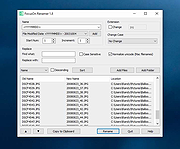 |
|
Rename Master v4.04 Rename Master v4.04 👉 Powerful batch file and folder renaming utility. Rename Master is a freeware utility that allows you to rename multiple files and folders quickly using a wide range of advanced renaming options. Designed for both casual and power users, it can manipulate filenames based on text patterns, file attributes, metadata, numbering schemes, and custom scripts. A real-time preview window shows exactly how files will be renamed before any changes are applied, helping prevent mistakes when working with large collections of files. Rename Master supports information stored inside MP3 tags, JPEG JFIF and EXIF data, enabling automatic renaming based on embedded metadata. It also includes powerful wildcard support, search-and-replace functions, sequential numbering, folder renaming capabilities, and the ability to save frequently used renaming configurations for future use. Despite its extensive feature set, the program remains lightweight, fast, and easy to use. Features: • Rename multiple files and folders in a single operation • Add, remove, replace, or rearrange text within filenames • Advanced search and replace with wildcard support • Sequential numbering and custom counters • Rename files using MP3 tag information • Rename photos using JPEG JFIF and EXIF metadata • Change filename case (upper, lower, title case, etc.) • Insert file dates and times into filenames • Move or remove characters at specific positions • Save and reuse renaming scripts and presets • Real-time preview before applying changes • Undo support for reverting previous renaming operations • Optional Windows Explorer integration • Fast processing of large file collections • Portable-friendly and lightweight design Supported operating systems: • Windows XP • Windows Vista • Windows 7 • Windows 8 • Windows 8.1 • Windows 10 • Windows 11 Supported languages: English Changes: v4.04 05-14-26 (Renaming Script) Fix: issues with auto-preview (introduced in v4.03) Fix: issue when loading a script when using non-default Counting settings Fix: Counting tab icon not always marked when using non-default setting (Misc) Fix: possible exception when loading a script using "File > Open Script" with default settings NOTES: Hotfixes for ... |
|
6,875 | Jun 12, 2026 joejoesoft.com 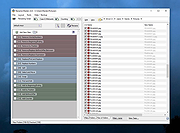 |
| Showing rows 1 to 5 of 5 | Showing Page 1 of 1 | 1 |
OlderGeeks.com Copyright (c) 2026
