|

|
Processed through Paypal No account required. |








Buy our over-priced crap to help pay the bills.



|
|
Processed through Paypal No account required. |
| Files | ||||
| File Name | Rating | Downloads | ||
 |
Bulk Crap Uninstaller v6.2 Bulk Crap Uninstaller v6.2 👉 Advanced uninstaller designed to remove large amounts of software quickly and completely. Bulk Crap Uninstaller (BCUninstaller) is a powerful tool for removing large numbers of applications from Windows systems quickly and efficiently. It is especially useful for cleaning up leftover files and registry entries that traditional uninstallers often miss. BCUninstaller supports automated bulk uninstalling, allowing users to remove multiple programs with minimal interaction. Bulk Crap Uninstaller automatically detects installed applications including standard programs, portable apps, Windows Store apps, and hidden or leftover entries. The program also provides advanced filtering, sorting, and search capabilities to help locate unwanted software quickly. In addition to standard uninstall functionality, BCUninstaller can scan for orphaned entries, leftover files, and invalid registry items that remain after incomplete removals. Its automation features enable fully unattended uninstall operations, making it ideal for power users, system administrators, and technicians who need to clean systems efficiently. Features: • Bulk uninstall multiple applications with minimal user interaction • Detects normal, hidden, protected, and Windows Store applications • Automated uninstalling with scripting support • Finds leftover files, folders, and registry entries after uninstall • Advanced filtering, grouping, and search tools for installed programs • Silent uninstall support where available • Startup manager and application rating system • Portable version available with no installation required • Verification and safety checks to prevent accidental removals Supported operating systems: • Windows 7, Windows 8, Windows 8.1, Windows 10, Windows 11 Supported languages: • Built-in: Arabic, Chinese, Czech, English, French, German, Hungarian, Italian, Japanese, Polish, Portuguese, Russian, Slovenian, Spanish • Localization Pack (optional download): Dutch, Finnish, Croatian, Korean, Swedish, Turkish, Vietnamese Changes: v6.2 06-09-26 Features: • Add invalid-uninstaller view preset • Add certificate and integrity columns to app list • Improve Scoop custom path detection Fixes: • Improve uninstall list load error handling • Fix tweak visibility filtering • Fix orphaned-only view preset • Stabilize icon handle ownership • Fix install date fallback • Improve ... |
 |
8,969 | Jun 12, 2026 Klocman Software 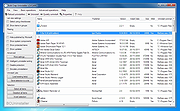 |
|
KCleaner v3.8.2 KCleaner v3.8.2 Closes all unnecessary processes, leaving only the essential ones running. KCleaner is a Windows utility designed to close unnecessary processes and leave only essential ones running. According to the author, it can help remove unwanted or forcibly installed security programs, terminate malicious programs disguised with the same names as Windows system processes, and manage programs that automatically run from various startup locations. It also avoids closing essential drivers such as graphics and sound drivers, and does not terminate trusted antivirus software. Features: • Easily remove unwanted or forcibly installed security programs • Cleanly terminate malicious programs that disguise themselves with the same names as Windows system processes • Conveniently manage programs that automatically run from various locations at startup • Does not close essential drivers such as graphics or sound drivers • Does not terminate trusted antivirus software • Runs as a standalone file with no installation required Supported operating systems: • Windows 10, Windows 11 Supported languages: English, German, Esperanto, French, Italian, Japanese, Polish, Portuguese, Russian, Slovak, Swedish, Thai, Turkish, Vietnamese, Chinese Changes: v3.8.2 10-24-25 - Improved stability under antivirus or restricted permission environments Click here to visit the author's website. |
|
804 | Mar 10, 2026 kilho.net 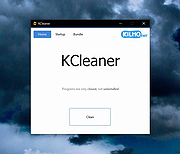 |
|
Program Blocker Program Blocker Program Blocker is a portable TWC freeware that lets you block any desktop application. You can block it with a password or simply make it non-functional on your computer. The program is completely based on the idea of simply blocking applications from running, without taking any chances with the system, as a result of which the program does not make any changes in the registry and operates independently of the system. Features: Password protection Block applications Task manager Hidden mode |
 |
9,038 | Mar 20, 2014 The Windows Club |
 |
Wise Program Uninstaller Portable v3.2.9 Wise Program Uninstaller Portable v3.2.9 👉 Portable software uninstaller for cleanly removing Windows programs and leftovers. Wise Program Uninstaller Portable helps uninstall unwanted Windows programs, stubborn applications, built-in apps, UWP/Universal apps, browser extensions and leftover traces without needing a traditional installation. It uses a deep-scan engine to find remaining files, folders and registry entries after removal, helping keep Windows cleaner after software is deleted. Features: • PortableApps.com version runs from local, removable, cloud or USB drives • Safe uninstall for regular Windows programs • Force uninstall for stubborn or broken applications • Custom uninstall for hidden or unlisted programs • Removes leftover files, folders and registry entries • Supports Windows built-in apps and UWP/Universal apps • Software Health scan for application leftovers and redundant files • Browser extension removal for Chrome, Firefox, Edge and Internet Explorer • Export leftover details after uninstallation • Simple, user-friendly interface • Freeware for personal and educational use Supported operating systems: • Windows XP, Windows Vista, Windows 7, Windows 8, Windows 10, Windows 11 Supported languages: English, Arabic, Belarusian, Bulgarian, Catalan, Chinese Simplified, Chinese Traditional, Croatian, Czech, Danish, Dutch, Finnish, French, German, Greek, Hebrew, Hungarian, Indonesian, Italian, Japanese, Korean, Norwegian, Polish, Portuguese, Portuguese Brazilian, Romanian, Russian, Serbian, Slovak, Slovenian, Spanish, Swedish, Thai, Turkish, Ukrainian, Vietnamese Changes: v3.2.9 05-09-26 Software Health: Enhanced the identification of Software redundant files and Uninstallation leftovers to ensure a cleaner system. New Feature: Added support for exporting leftover details after uninstallation for better record management. GUI: Minor graphical user interface improvements for a more intuitive experience. Fixed: Resolved minor bugs identified in the previous version to improve overall stability. Click here to visit the author's website. |
|
6,649 | Jun 09, 2026 WiseCleaner and PortableApps.com 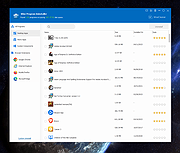 |
| Showing rows 1 to 4 of 4 | Showing Page 1 of 1 | 1 |
OlderGeeks.com Copyright (c) 2026
