|

|
Processed through Paypal No account required. |








Buy our over-priced crap to help pay the bills.



|
|
Processed through Paypal No account required. |
| Files | ||||
| File Name | Rating | Downloads | ||
 |
Black NotePad v1.4.0.45 Black NotePad v1.4.0.45 Black NotePad was created as an alternative to the Notepad program of Windows operating systems. While retaining the original functions, Black NotePad improves manageability, contains important new functions, and greatly enhances program compatibility in terms of the edited text. Its main innovation is the rapid change of display based on predefined as well as user-definable and savable color and font profiles. As the program’s name suggests, the default display is black (white letters on a black background), as requested by Windows users. Users can select the setting appropriate to the specific circumstances any time. The program is free to download and use. It supports Windows 7/8/10 operating systems. Advantages of Black NotePad: Efficient display functions: the look which provides the best legibility can always be selected Open Latest: the last edited file can be loaded and edited any time Conversion between lower case/upper case letters Recognizes and highlights the Internet links (Url) in the text, and loads the appropriate site in the Internet browser Info: Provides detailed information concerning the loaded and edited file Saves new documents in a format which corresponds to the settings of the operating system. In case of an opened file, the details of the given file determine the save format Displays the column number and line number of the cursor Jumps to the line with the specified line number Performs an Internet search for the selected text Displays the name of the current file/document Displays the last performed operation Font size can be reduced/enlarged (Zoom) Integrates into Windows Explorer, and can be set as default text ... |
 |
6,270 | Jan 05, 2020 WinTools 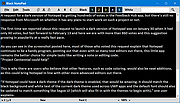 |
 |
Crypto Notepad v1.6.6 Crypto Notepad v1.6.6 Notepad-like simple text editor for Windows, where files are saved and loaded encrypted with AES algorithms. Features Drag and Drop support Detect URLs and email links Fully customizable editor. Able to customize the colors and fonts Able to customize different parameters of the encryption (hash algorithm, key size, password iterations) Included all the features of the default Windows Notepad Association with the application extension Easily search through the content System requirements Windows Vista SP2 and higher .NET Framework 4.5 License Distributed under MIT license Read this before updating from v1.5.1 (and from earlier versions) After auto-update delete Ionic.Zip.dll file from the app folder v1.6.6 (2020-01-20) Added Auto lock if the app is inactive #48 Able to make editor readonly. Readonly indicator in the status panel. Word wrap indicator in the status panel. Auto-clear clipboard on app close. Auto-clear clipboard after copy text from the editor. Able to clear clipboard manually from the Edit main menu. Able to disable all shortcut keys. Improved Remapped some shortcut keys #49 When app is minimized, editor text is hidden in windows thumbnail previews (how it looks). Categories in Settings window was reorganized. Now all main menu items have hotkeys. Fixed Shortcut keys doesn't work or worked when it's not necessary. File hash CRC32: 80B37B3F MD5: E8AE90B3DEE96D4EAB71C906E40E73AA SHA-1: A4EFB2D4D8B138C9A5A561BCBEE91AF7A992AF41 Click here to visit the author's website. |
|
5,443 | Jan 20, 2020 Sigmanor 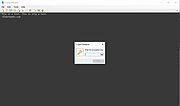 |
|
Programmer's Notepad v2.4.2 Programmer's Notepad v2.4.2 Programmer's Notepad is a text editor for Windows designed for editing code. It is primarily written in C++ and extensible using Python, and is built on the following technologies: Scintilla WTL Boost Featuring Syntax highlighting Text Clips for simple text insertion Code folding / outlining Flexible Regular Expression support Code navigation using Ctags Projects for navigating large code bases Extend using Python or C++ Schemes A lot of programming languages are supported by PN by default, the following are not distributed in the main packages: Name Updated AVE Oct 2008 AutoIt Oct 2008 ASN.1 Oct 2008 Bullant Oct 2008 BlitzBasic Oct 2008 Baan Oct 2008 Objective Caml Oct 2008 Csound Oct 2008 Apache Conf Oct 2008 E-Script Oct 2008 Eiffel Oct 2008 Erlang 13th April 2008 FreeBasic Oct 2008 Forth files Oct 2008 Flagship Oct 2008 Haskell April 2011 HLSL June 2009 Inno Setup Oct 2008 Kix-Script Oct 2008 Lua Oct 2008 Lout Oct 2008 Lot Oct 2008 Lisp and Scheme 24th April 2008 LSL 4th Feb 2010 MMixal Oct 2008 nnCron Oct 2008 Opal Oct 2008 Octave Oct 2008 PureBasic Oct 2008 POV-Ray SDL Oct 2008 PostScript Oct 2008 Prolog Oct 2008 Rebol Oct 2008 Spice Oct 2008 Smalltalk Oct 2008 Scriptol Oct 2008 Yaml Oct 2008 PyPN - Python for Programmer's Notepad PyPN embeds Python into your favourite text editor, and it's included in the installer as of Programmer's Notepad v2.4! Click here to visit the author's website. |
|
5,396 | Feb 08, 2019 Simon Steele 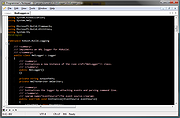 |
|
QOwnNotes v26.9.11 QOwnNotes v26.9.11 👉 Open-source markdown note-taking application with Nextcloud and ownCloud integration. QOwnNotes is a free and open-source plain-text note-taking and to-do list manager designed for users who want full control over their notes and data. It stores notes as plain text Markdown files, making them easy to synchronize with services such as Nextcloud, ownCloud, Syncthing, Dropbox, and other cloud or local storage solutions. QOwnNotes includes powerful organization tools, note encryption, scripting support, tagging, searching, and customizable interface layouts for productivity-focused workflows. Features: • Plain-text Markdown note-taking with live preview • Integration with Nextcloud and ownCloud notes • Stores notes as standard text files without vendor lock-in • AES-256 encrypted notes support • Built-in scripting engine with QML support • Powerful note searching and filtering • Tagging and note organization tools • Multiple note folders and subfolder support • Customizable themes, fonts, and layouts • To-do list and task management support • Automatic note saving and backup support • External diff tool integration • Checkbox list creation and Markdown editing tools • Portable mode support • Cross-platform support for desktop operating systems Supported operating systems: • Windows 7, Windows 8, Windows 10, Windows 11 • macOS 13 Ventura or higher • Linux Supported languages: English, Arabic, Basque, Bulgarian, Catalan, Chinese Simplified, Chinese Traditional, Czech, Danish, Dutch, English, Finnish, French, German, Greek, Hebrew, Hungarian, Italian, Japanese, Korean, Norwegian, Persian, Polish, Portuguese, Portuguese Brazilian, Romanian, Russian, Slovak, Spanish, Swedish, Turkish, Ukrainian Changes: v26.9.11 09-25-26 Deprecated the non-GitHub Qt 5 release packages by removing the legacy Ubuntu Launchpad and OBS deployments from the release process, while retaining the Qt 5 artifacts built by the GitHub release workflow (for #3752) Added more French translation (thank you, jd-develop) 👉 This download is for the Windows version (very bottom of page). All other download assets are below: MacOS: QOwnNotes.dmg QOwnNotesQt5.dmg Linux: QOwnNotes-amd64.snap QOwnNotes-Qt5-amd64.snap QOwnNotes-x86_64.AppImage Click here to visit the author's website. |
|
6,857 | Sep 25, 2026 Patrizio Bekerle 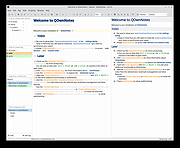 |
|
ResophNotes v1.8.1 ResophNotes v1.8.1 👉 A fast, lightweight Windows note-taking program with Simplenote synchronization, Markdown support, tags and powerful keyboard controls. ResophNotes is a free note-taking program for Windows designed to make creating, finding and managing text notes quick and uncomplicated. Notes can be kept locally or synchronized online with Simplenote, allowing them to be accessed from other devices using compatible Simplenote applications. It supports Markdown with HTML preview, tags, pinned notes, internal links, global keyboard shortcuts and optional storage of each note as an individual plain-text file. Deleted notes can be restored or permanently removed, and nearly every function can be controlled from the keyboard. A dark mode is also available. The developer warns that Simplenote may stop supporting synchronization with third-party applications, so Simplenote syncing should currently be used with caution. Features: • Simple, fast note creation and management • Synchronizes notes online with Simplenote • Access synchronized notes from other devices through Simplenote • HTTPS proxy support for Simplenote connections • Dark mode support • Global hotkey for quickly creating a new note • Global hotkey for restoring ResophNotes when minimized • Markdown text-to-HTML conversion with preview • Automatically recognizes HTTP links and email addresses • Internal note linking using wikilinks • Optional individual .txt files for storing notes • Complete keyboard control with numerous shortcuts • Single Note Mode for distraction-free note viewing and editing • Simplenote pinned-note support • Simplenote tag support • Search notes quickly from the keyboard • Import existing .txt files • Email notes directly from the program • Print notes • Insert the current timestamp with a keyboard shortcut • Restore deleted notes • Permanently delete unwanted notes • Free to use Supported operating systems: • Windows 10, Windows 11 (64-bit) Supported languages: English Changes: v1.8.1 08-14-26 Added Dark mode. Built using Microsoft Visual Studio Community 2026. Uses Qt 5.15.2. Updated OpenSSL library for connection issues. Click here to visit the author's website. |
|
64 | Sep 15, 2026 C.Y. Yen  |
|
TED Notepad v6.4.1 TED Notepad v6.4.1 👉 Small, fast and powerful plain-text editor packed with advanced text-processing tools. TED Notepad is a free plain-text editor and Notepad replacement for Windows, built for users who want speed, portability and serious text manipulation without a bulky interface. It includes hundreds of tools for editing, sorting, filtering, transforming, searching and cleaning text, while staying small, quick to launch and easy to carry as a portable utility. Features: • Free, small and portable text editor with no installation required • New 64-bit version for working with very large files • Tested with huge files, including multi-gigabyte documents • 457 text-processing functions and editor features • Grep, Sort, Cut, Unique, RegEx, Shuffle, Tr and Reverse tools • Search and replace with regular expressions • Selection and search match highlighting • Search and Replace history • Line numbers, line lengths and visible spaces/tabs/newlines • Multi-level Undo and Redo • Auto-save, recovery and backup options • UTF-8 and Unicode auto-recognition • Multiple permanent clipboards and clipboard append tools • Word and line auto-completion • Portable INI file settings Supported operating systems: • Windows 11, Windows 10, Windows 8, Windows 7, Windows Vista, Windows XP, Windows Server 2008, Windows Server 2003, Windows 2000 Supported languages: English Changes: v6.4.1 06-04-26 Introducing a 64-bit version. Added selection highlighter for all occurrences of selected text. Added settings for minimum selection length, match case and highlighter color. Added search highlighter for all Search Bar matches. Added total occurrence count in the Search Bar. Added Search history and Replace history. Added positive and negative look-ahead and look-behind assertions in Regular Expressions. Added setting to include seconds when inserting date/time. Added setting to disable the "Exit without saving" hotkey. Added Session Hard to Close option. Fixed multiple Search Bar, RegEx, Grep, Filters, Sort, Columns, Status Bar and clipboard issues. Improved Unicode file detection, DPI awareness, search routines, clipboard handling and settings validation. This download is for the Windows Unicode 64bit Installer version (very bottom of page). All other download assets are ... |
|
6,172 | Jun 09, 2026 Medvedik, Juraj Simlovic 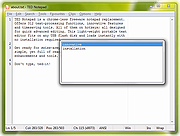 |
| Showing rows 1 to 6 of 6 | Showing Page 1 of 1 | 1 |
OlderGeeks.com Copyright (c) 2026
